
How to Check Who Currently Owns a Domain (Step by Step)
A step-by-step method to find a domain's registered owner using ICANN Lookup, RDAP, and reverse WHOIS when privacy redaction hides the name.
To check who owns a domain, run it through ICANN Lookup at lookup.icann.org, which pulls the current registration record via RDAP. It will show you the registrar, creation and expiry dates, and nameservers for certain. Whether it shows you an actual person’s name depends entirely on whether privacy redaction is switched on, and for most domains registered in the last few years, it is.
This trips people up constantly, usually in one of two situations: someone’s trying to figure out who’s really behind a suspicious website, or a business has lost the login to their own domain account and needs to prove ownership to get it back. The method is different for each, so here’s both.
Step 1: Run an ICANN Lookup first
Go to lookup.icann.org, type in the full domain name, and search. This is the correct starting point over any third-party WHOIS tool because it queries the authoritative RDAP endpoint for that domain’s registry directly, rather than a cached or reformatted copy. You’ll get the registrar of record, when the domain was created, when it expires, and its nameservers. All of that is reliably public, regardless of privacy settings.
Step 2: Cross-check with the registrar’s own WHOIS tool
Registrars like GoDaddy, Namecheap and Google Domains run their own WHOIS lookup pages, and occasionally surface a field ICANN’s aggregated view doesn’t, or format the same data more usefully. It rarely changes the answer, but it takes thirty seconds and it’s worth doing when the first lookup gave you an incomplete picture.
Step 3: Expect the registrant name to be hidden, and know why
Here’s where most people get stuck. As of July 2026, a majority of newly registered domains, well over half, have redacted WHOIS records. Instead of a name, you’ll see something like “REDACTED FOR PRIVACY” or the name of a proxy service the registrar operates. This isn’t a glitch and it isn’t the domain owner being suspicious. It’s the default behavior most registrars ship with now, driven by GDPR and similar privacy regulations that predate 2026 by several years.
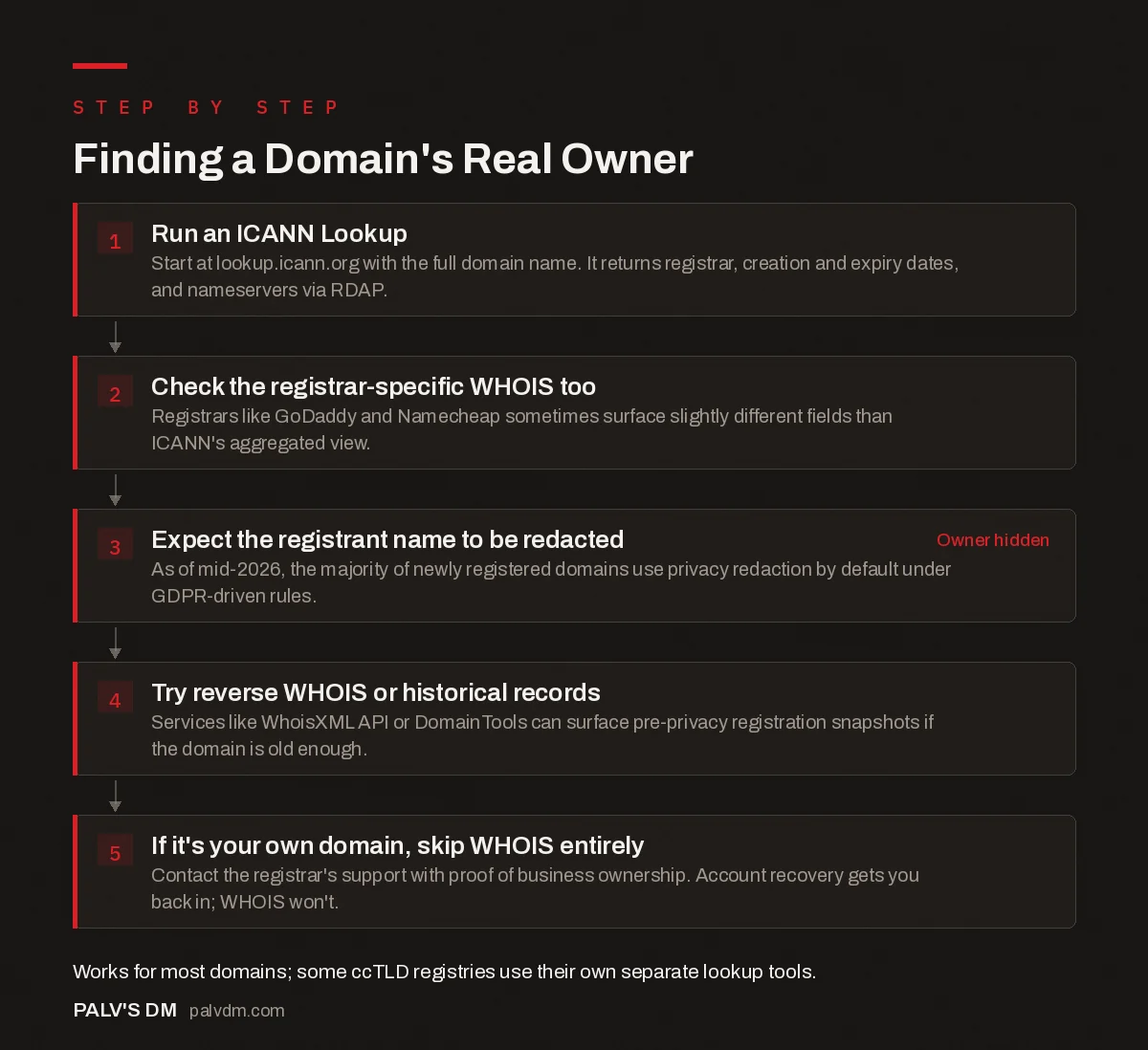
Finding a Domain’s Real Owner
- Run an ICANN Lookup. Start at lookup.icann.org with the full domain name. It returns registrar, creation and expiry dates, and nameservers via RDAP.
- Check the registrar-specific WHOIS too. Registrars like GoDaddy and Namecheap sometimes surface slightly different fields than ICANN’s aggregated view.
- Expect the registrant name to be redacted. As of mid-2026, the majority of newly registered domains use privacy redaction by default under GDPR-driven rules. Owner hidden
- Try reverse WHOIS or historical records. Services like WhoisXML API or DomainTools can surface pre-privacy registration snapshots if the domain is old enough.
- If it’s your own domain, skip WHOIS entirely. Contact the registrar’s support with proof of business ownership. Account recovery gets you back in; WHOIS won’t.
Step 4: Try reverse WHOIS or historical records if the trail’s gone cold
If you genuinely need to identify who’s behind a domain and current WHOIS is redacted, historical and reverse WHOIS tools sometimes fill the gap. Services like WhoisXML API or DomainTools keep archives of registration data going back years, and a domain that’s redacted today may have a public registration snapshot from before privacy protection existed or was switched on. This works best on older domains. A domain registered privately from the start, on a registrar that redacts by default, often has no public trail at all. At that point you’re looking at indirect signals: who hosts the site, what company runs the SSL certificate, whether the “About” or “Contact” page names a business.
What if WHOIS and reverse lookups both dead-end?
There are a couple of indirect routes left before giving up. Certificate transparency logs (searchable at crt.sh, for example) record every publicly trusted SSL certificate ever issued for a domain, and the organization field on older certificates sometimes names the company behind a site even after WHOIS has gone private. It’s a long shot for a small business site, more useful for tracking corporate or enterprise domains, but it costs nothing to check.
Beyond that, look at what the site itself gives away: hosting provider (visible via a simple IP lookup), analytics or ad network IDs reused across other properties, payment processor badges, or a business registration number in a footer. None of this is as clean as a WHOIS record with a name on it, but stitched together it’s often enough to identify who’s actually running a site when the registration data won’t say.
Step 5: If it’s your own domain, skip WHOIS and go straight to the registrar
This is the scenario that actually matters most for businesses, and WHOIS isn’t the tool for it. If you’ve lost access to a domain your own business owns, WHOIS lookups won’t get you back in. What gets you back in is the registrar’s account recovery process, which typically wants proof of business ownership: incorporation documents, a payment record tied to the account, or an email exchange showing control of the domain’s original registration.
Nine times out of ten, when a client tells me “we don’t know who owns our domain,” the actual answer is sitting in an old agency’s account under an employee who left the company three years ago. It’s not a mystery requiring detective work, it’s a support ticket to the registrar with the right paperwork attached. Start there before spending hours on WHOIS archaeology.
Why does this keep happening to businesses?
Because domains often get registered by whoever’s setting up the website at the time, an agency, a freelance developer, an employee, rather than under the business’s own registrar account. Everyone means to fix this “later.” Later rarely comes, and then the person who registered it leaves, the agency relationship ends, or the original email address on the account stops existing. None of that shows up as a problem until renewal fails or the business needs to point the domain somewhere new and can’t.
The fix isn’t a clever WHOIS trick. It’s registering (or transferring) the domain into an account the business controls directly, with a company email address as the contact, and documenting who has access. If you’re rebuilding this after a mess, our guide on who should own your domain, hosting and analytics accounts lays out the setup that avoids repeating it.
What if the current registrar won’t cooperate?
If a former agency or developer is actively refusing to hand over access, that becomes a different problem than a lookup, it’s a dispute. ICANN requires registrars to have a process for verified account recovery, and most will honor a documented ownership claim even against an uncooperative party, though it can take longer. Our piece on transferring a domain away from an agency covers that process in more depth, including what documentation actually moves things along.
It’s worth flagging platform lock-in as a related risk here too: some agencies structure things so the domain, hosting and even the CMS are hard to separate from their own accounts, deliberately or not. If you’re evaluating a new agency relationship, our guide on spotting platform lock-in before you sign is worth reading before, not after, you hand over the keys.
Frequently asked questions
Why does WHOIS show a privacy service instead of a name?
Most registrars enable privacy redaction by default now, driven by GDPR and similar rules. As of mid-2026, well over half of newly registered domains have redacted WHOIS records, showing a proxy service or “REDACTED FOR PRIVACY” instead of the registrant’s actual name and contact details.
Is there a free way to find a domain owner?
Yes. ICANN Lookup (lookup.icann.org) is free and pulls the current RDAP record for any domain, showing whatever the registrar has chosen to make public. It won’t get past privacy redaction, but it’s the correct first stop and costs nothing.
Can I find out who owns a domain registered anonymously?
Sometimes, not always. Reverse WHOIS and historical WHOIS tools can occasionally surface a registration snapshot from before privacy protection was enabled, especially for older domains. For domains registered privately from day one, there’s often no public path to the real owner without a legal request.
What’s the difference between WHOIS and RDAP?
WHOIS is the older protocol, plain text, inconsistent formatting across registrars. RDAP (Registration Data Access Protocol) replaced it as the current standard, returning structured, machine-readable JSON with more consistent privacy handling. Most modern lookup tools, including ICANN’s own, now query RDAP behind the scenes.
How do I find out who owns my own domain if I lost access?
Contact the registrar directly, not WHOIS. Registrars have an account recovery process that verifies ownership through business documents, payment history, or domain control validation. This is almost always faster than trying to reconstruct ownership from public records, and it’s the only path that actually restores access.
Sources
- ICANN Lookup (RDAP), ICANN.org
- RDAP overview, ICANN.org
- WordPress SEO: The Complete Configuration Guide
- Who Should Own Your Domain, Hosting and Analytics Accounts
- Transferring a Domain Away From an Agency
- Website Platform Lock-In: How to Spot It Before You Sign
Want this done on your site?
Every PalV’s DM engagement starts with a free audit of your actual website — a 12-point
crawl covering what is blocking indexation, on-page gaps against your primary keywords, speed
findings, and the three to five fixes worth making first. Delivered in two working days. No
payment details, and the findings are yours whether you hire us or not.
Get your free SEO audit
See Web Development plans and prices


