Service Support — Web Development
Rebuilding Our Own Site: The Decisions and the Trade-Offs
An agency website rebuild case study: the real platform, plugin, migration, and speed trade-offs behind rebuilding palvdm.com on self-hosted WordPress.
We rebuilt palvdm.com in 2026, and the honest answer to “how did it go” is: mostly as planned, with two decisions we’d make differently next time. This is not a highlight reel. It’s the actual list of trade-offs — platform, plugins, redirects, speed budget, and what we chose not to do — from an agency website rebuild case study we lived through ourselves, on our own domain, with our own deadline pressure.
Key takeaway
- We kept self-hosted WordPress and dropped every page builder, because our own site needed to prove the same speed and control claims we make to clients.
- The redirect map was built before a single page moved, and it’s the reason organic traffic didn’t dip after go-live.
- The two decisions we’d revisit were both about sequencing — content migration and the plugin audit — not about the platform itself.
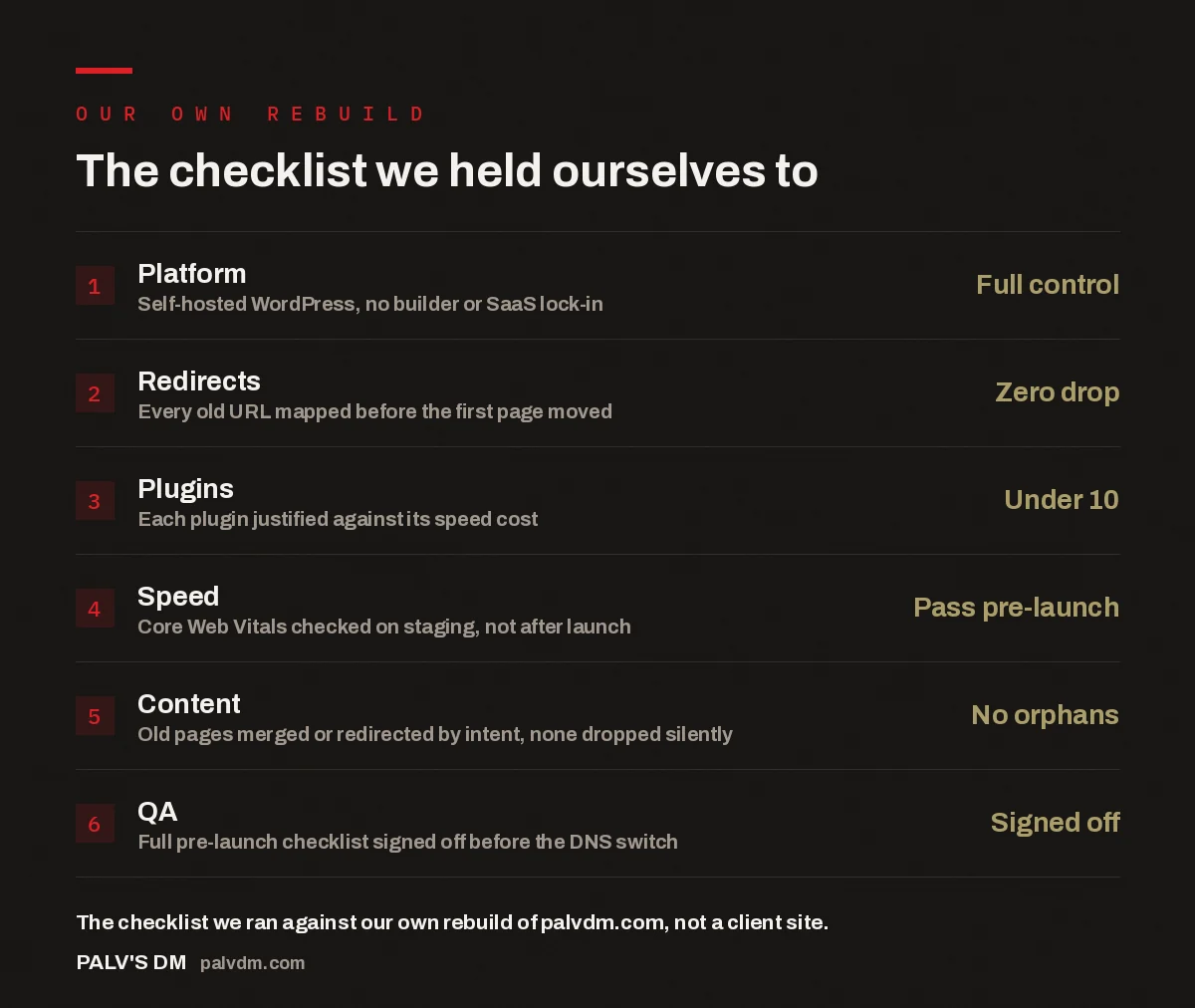
The checklist we held ourselves to
- Platform — Full control. Self-hosted WordPress, no builder or SaaS lock-in.
- Redirects — Zero drop. Every old URL mapped before the first page moved.
- Plugins — Under 10. Each plugin justified against its speed cost.
- Speed — Pass pre-launch. Core Web Vitals checked on staging, not after launch.
- Content — No orphans. Old pages merged or redirected by intent, none dropped silently.
- QA — Signed off. Full pre-launch checklist signed off before the DNS switch.
Why did we rebuild instead of redesigning in place?
The old site was on a page builder, carrying years of shortcuts we’d never let a client’s site accumulate: duplicate CSS from three different theme updates, a handful of plugins nobody could explain, and page templates that had drifted so far from each other that “editing the header” meant editing it in four places. A redesign fixes what’s visible. It doesn’t fix what’s underneath. We’d already written about when a redesign is enough and when a full rebuild is the right call for client sites, and applying our own framework to our own site, the answer was rebuild, not redesign. Once the foundation is that inconsistent, patching it costs more in the long run than starting the templates clean.
There was also a credibility problem. We tell prospective clients that self-hosted WordPress without a page builder is faster and more maintainable than the alternative. Running our own agency site on the exact setup we were arguing against wasn’t sustainable — every technical audit we did for a prospect was implicitly an audit we hadn’t passed ourselves.
What platform decisions did we actually make?
Self-hosted WordPress was never seriously in question — it’s why we build client sites on self-hosted WordPress in the first place, and what we understand best at the server level. The bigger decision was what to build on top of it. We went with a custom, minimal theme rather than a page builder, for the same reasons we don’t use page builders on client sites: every builder adds its own CSS and JS framework on top of WordPress’s, and that overhead shows up directly in load time and in how much can go wrong during an update.
The plugin list was the second lever. Before the rebuild, the old site was running plugins for things a custom theme can just do natively — a page builder plugin, a bloated SEO suite with features we never used, a caching plugin fighting with the host’s own caching layer. We went through every single one and asked “does this do something the theme or the host can’t already do.” Most of them didn’t survive the question. We ended up under ten active plugins, each with a specific job: forms, security, image optimisation, and a couple of narrow SEO utilities. That’s the same discipline we apply to client builds, and it’s not a coincidence that the two end up around the same number.
If we can’t run our own site on the rules we set for clients, those rules were never rules — they were sales copy.
Palash, Founder, PalV’s DM
How did we handle the migration without losing traffic?
This is the part most agency rebuild write-ups skip, and it’s the part that actually determines whether the rebuild is a win or a six-month recovery project. Before we moved a single page, we exported every URL that had ever earned an inbound link or ranked for anything, and mapped each one to its destination on the new site: same URL where the structure stayed the same, a 301 to a merged page where two old posts became one, and a 301 to the closest live equivalent where a page was being retired outright. Nothing was left unmapped. If a URL existed and had any history, it had a destination before launch day.
We staged the new site on a subdomain, ran the full page set through the same technical SEO checks we bake into every client launch — canonical tags, structured data, internal linking, meta data parity — and only then pointed DNS at the new build. The switch itself happened in a single window, not a phased rollout, because a half-migrated site with some pages on the old platform and some on the new is harder to debug than either state on its own. In the accounts we manage for clients, the pattern that shows up repeatedly is that traffic dips come from missing or delayed redirects, not from the new site being “different.” Our own migration followed the same logic, and the redirect map is the reason we didn’t see a drop.
For the specific mechanics of the earlier move off our old platform, we’ve documented that separately in what we learned moving our own site from Wix to WordPress — it’s a narrower, more technical account of one part of this same project.
What speed and technical targets did we hold ourselves to?
We check Core Web Vitals on staging, not after launch, because fixing a layout-shift or a slow largest-contentful-paint issue is a five-minute template change before go-live and a multi-day investigation afterward once real traffic and real caching are involved. Every template was tested against the same speed targets we commit to on client builds before it was allowed anywhere near production. That included checking image weight on the new hero and infographic assets, deferring anything non-critical, and confirming the host’s caching layer wasn’t fighting the plugin stack we’d already trimmed down.
None of this is exotic. It’s the same pre-launch QA checklist we run on every client site, applied without the shortcut of “it’s just our own site, we’ll fix it later.” That shortcut is exactly how the old site had accumulated its problems in the first place.
Which decisions would we make differently?
Two, honestly. First, content migration sequencing: we moved and consolidated blog content in the same window as the technical rebuild, which meant two sources of risk — platform changes and content changes — were live at once. Separating those into two distinct phases would have made it easier to isolate the cause if something had gone wrong. It didn’t, but we got lucky on timing more than we’d like to admit.
Second, we ran the plugin audit later than we should have. It happened mid-build rather than at the planning stage, which meant a few template decisions were made assuming a plugin would still be there, then had to be reworked natively once that plugin got cut. Doing the audit first, before any template work started, would have saved a week of rework. Both of these are sequencing mistakes, not platform mistakes — the underlying decisions (self-hosted WordPress, no builder, minimal plugins, redirect-everything) held up exactly as expected.
Key takeaway
- Rebuild, don’t patch, once the underlying template and plugin stack have drifted too far to explain simply.
- Map every old URL before launch — the redirect map, not the new design, is what protects existing rankings.
- Run the plugin audit and speed checks before template work starts, not mid-build or after launch.
Frequently asked questions
Why rebuild an agency’s own website instead of just redesigning it?
A redesign changes what visitors see; a rebuild changes what the site is built on. Our old site had accumulated inconsistent templates, unexplained plugins, and duplicate code across multiple theme updates — problems a visual refresh wouldn’t have touched. Once the foundation is that inconsistent, rebuilding the templates cleanly costs less over time than continuing to patch around the old ones.
How do you avoid losing search traffic during a website rebuild?
Map every existing URL to a destination on the new site before moving anything — a like-for-like URL, a 301 to a merged page, or a 301 to the closest live equivalent. Stage the new site, run the same technical SEO checks used on client launches, and switch DNS in a single window rather than a phased rollout. The redirect map, not the new design, is what protects rankings.
Why avoid page builders on a self-hosted WordPress rebuild?
Page builders layer their own CSS and JavaScript framework on top of WordPress’s, and that overhead shows up directly in page load time and in how much can break during an update. A custom, minimal theme gives the same editing flexibility for the templates that actually get reused, without carrying a framework the site doesn’t need.
When should the plugin audit happen in a rebuild?
Before template work starts, not mid-build. Deciding which plugins actually earn their place — versus what a well-built theme or the host can already do natively — shapes how the templates should be built. Running the audit late means reworking templates that were built assuming a plugin would still be there.
What would you change about how you sequenced this rebuild?
Two things: separating content migration from the technical rebuild instead of running both in the same window, and moving the plugin audit to the start of the project instead of the middle. Neither was a platform mistake — self-hosted WordPress, no page builder, and a trimmed plugin stack all held up as expected. Both were sequencing choices that would have saved time if made earlier.
The short version
We rebuilt on self-hosted WordPress with no page builder and under ten plugins, mapped every old URL to a destination before moving anything, and ran the same pre-launch checklist we run for clients. Traffic didn’t dip because the redirect map was done first, not because the new design was better. The two things we’d sequence differently — content migration timing and the plugin audit — were about order of operations, not about the underlying decisions. If you’re weighing a rebuild against a redesign for your own site, that’s the distinction worth starting from: what needs to look different, and what actually needs to be built differently underneath.