Service Support — Web Development
Our Pre-Launch QA Checklist
The exact website launch checklist we run before any client site goes live: content and SEO, real-device speed testing, redirects, and post-launch QA.

A website launch checklist should cover five things before any site goes live: content and SEO readiness, speed and Core Web Vitals, cross-device functional testing, redirects and indexing setup, and a post-launch verification pass done within hours of cutover. Skip any one of these and you get the same failure pattern — a site that looks finished in the browser but loses rankings, leads, or both in the first week. This is the sequence we actually run, in the order we run it, before we let a client’s site go public.
Key takeaway
- A proper website launch checklist runs in a fixed order — content/SEO, then speed, then functional testing, then redirects and tracking — because each stage catches problems the next stage would otherwise hide.
- The most common launch failure isn’t a broken page — it’s a redirect map that’s incomplete, which shows up as a traffic drop two to four weeks later, long after everyone’s stopped watching.
- QA doesn’t end at go-live. The first few hours after cutover need their own checks, because DNS, caching, and SSL can behave differently in production than they did on staging.
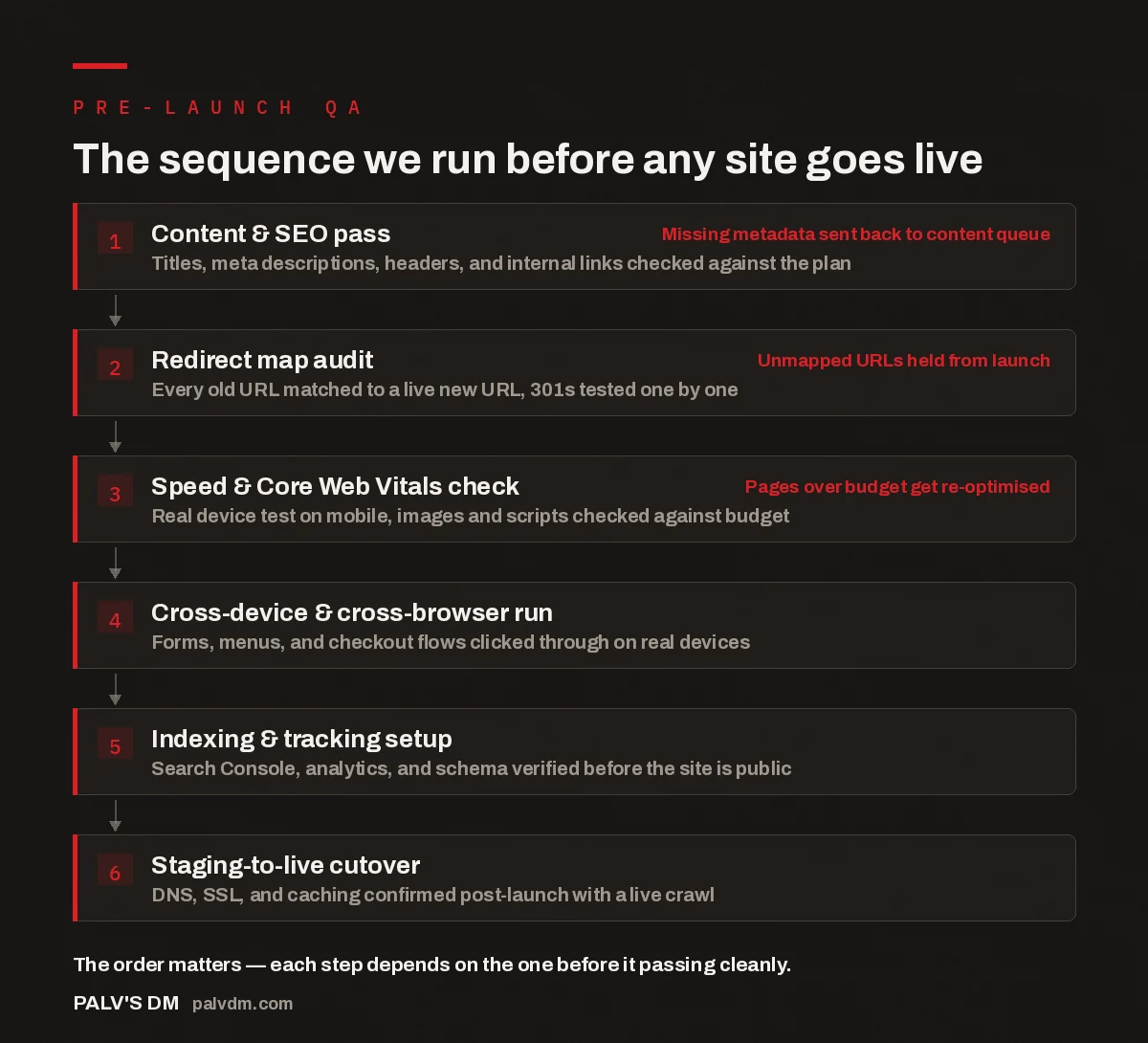
The sequence we run before any site goes live
- Content & SEO pass. Titles, meta descriptions, headers, and internal links checked against the plan. Missing metadata sent back to content queue
- Redirect map audit. Every old URL matched to a live new URL, 301s tested one by one. Unmapped URLs held from launch
- Speed & Core Web Vitals check. Real device test on mobile, images and scripts checked against budget. Pages over budget get re-optimised
- Cross-device & cross-browser run. Forms, menus, and checkout flows clicked through on real devices.
- Indexing & tracking setup. Search Console, analytics, and schema verified before the site is public.
- Staging-to-live cutover. DNS, SSL, and caching confirmed post-launch with a live crawl.
Why does a website launch checklist matter more than the launch date?
Because the launch date is arbitrary and the checklist isn’t. Most launch dates get picked for reasons that have nothing to do with the site’s readiness — a board meeting, a marketing push, a client’s internal deadline. The pattern that shows up repeatedly on rebuilds and migrations is that the sites which skip a formal checklist don’t fail visibly on day one. They fail quietly over the following three to four weeks, as rankings for pages that lost their redirects slide, as Core Web Vitals scores drop out of the “good” band, or as a broken tracking pixel means nobody notices the traffic dip until it’s already showing up in monthly reporting. A checklist isn’t bureaucracy for its own sake — it’s the only thing standing between “the site looks done” and “the site actually performs the way the old one did, or better.”
The fix is simple to state and easy to skip under deadline pressure: treat every item on the checklist as a gate, not a suggestion. If redirects aren’t verified, the site doesn’t launch that day. The discipline is in refusing to move the launch date instead of moving the checklist.
How do we check content and SEO before launch?
This is the first gate, and it runs on staging before anything else starts. Every page gets its title tag, meta description, and H1 checked against the content plan — not eyeballed, checked line by line against a spreadsheet, because it’s the step people assume is “already done” and skip verifying. Internal links are tested to confirm they point to the new URL structure, not to old staging paths that will 404 the moment the site goes live. Image alt text is confirmed present, since it’s one of the easiest things to lose in a content migration when copy gets moved between a spreadsheet, a CMS, and a designer’s mockup three times.
Anything missing at this stage goes back into the content queue rather than getting waved through with a note to “fix it after launch.” In our experience, “fix it after launch” items rarely get fixed within the first month, because attention moves to the next project the day the site goes live. Catching gaps here, while the site is still on staging, costs nothing. Catching the same gap two weeks after launch costs rankings.
How do we test site speed and Core Web Vitals before launch?
Speed testing on staging happens against a real device, not just a lab tool’s simulated throttle. A desktop-only speed test on a fast office connection will pass almost any site; it tells you almost nothing about what a visitor on a mid-range Android phone over mobile data will actually experience. So the checklist step is: load the key templates — homepage, a service page, a blog post — on an actual mid-tier phone, on mobile data, and record what loads first, what blocks rendering, and where the layout shifts.
Every image and script gets checked against a size budget for its template. Anything over budget gets flagged and re-optimised before launch rather than after — compressed further, lazy-loaded if it’s below the fold, or deferred if it’s a third-party script that isn’t needed for the first paint. This step exists because Core Web Vitals scores measured after launch, once real users start hitting the site from a mix of devices and connections, are the scores that actually count toward how the site is treated in search. A speed pass that only happens after launch means you’re diagnosing a problem the checklist was supposed to prevent.
The checklist isn’t there to slow the launch down. It’s there so the thing that launches is the thing you actually built, not a rushed version of it.
Palash, Founder, PalV’s DM
What functional testing happens before launch?
Every form on the site — contact, quote request, newsletter signup — gets submitted for real on staging, and someone confirms the submission actually arrives where it’s supposed to arrive, whether that’s an inbox, a CRM, or both. This sounds obvious and gets skipped constantly, usually because the form “worked in testing” three weeks earlier, before a plugin update or a CMS change quietly broke the mail delivery.
Navigation menus, dropdowns, and any interactive component get clicked through on at least one Android device, one iOS device, and the two most common desktop browsers for that client’s audience. Checkout flows and booking calendars, where they exist, get run start to finish, including the confirmation step. The habit worth building here is testing the full path a real visitor takes, not the components in isolation — a form field can validate correctly and a button can be clickable, and the flow can still be broken at the handoff between them.
How do we handle redirects and indexing before launch?
On a rebuild or migration, this is the step that decides whether the new site keeps the old site’s rankings or starts from scratch. Every URL that existed on the old site gets matched to a live URL on the new one, and each redirect gets tested individually rather than spot-checked — a redirect map that “mostly works” still leaves pages that quietly drop out of the index, usually pages nobody’s watching closely because they’re not the homepage or the main service pages.
Search Console and analytics tracking get verified before the site is public, not after, so there’s a clean baseline to compare against once it’s live. XML sitemaps are checked to confirm they list the new URLs, not stale ones carried over from staging. Schema markup, where it’s part of the build, gets validated against Google’s structured data guidance before launch rather than discovered broken in a Search Console report weeks later.
What happens in the first hours after the site goes live?
QA doesn’t stop at the cutover — it just changes shape. DNS propagation, SSL certificate installation, and caching behave differently in production than they ever do on staging, because staging usually sits behind its own subdomain with its own caching rules. So the last gate is a live crawl of the site immediately after DNS points to the new server: every template gets checked again, redirects get re-tested from the live domain rather than staging, and the SSL certificate gets confirmed valid across the main domain and the www variant. Analytics gets checked for live data coming through, and Search Console gets checked to confirm the new sitemap has actually been submitted, not just prepared.
This is also the point where the site formally moves from build mode into monitoring mode — where indexing, rankings, and traffic get tracked against the pre-launch baseline over the following weeks rather than assumed to be fine because nothing broke visibly on day one.
Related reading: the technical SEO decisions we make during the build itself are covered in the technical SEO we bake in before launch, the specific performance numbers we test against are in the speed targets we commit to, and how we hit them, migrations get their own extended treatment in how we migrate a site without a traffic drop, and what the monitoring phase actually looks like once launch is behind you is in what we measure on a site 90 days after launch.
Key takeaway
- If your own launch checklist doesn’t cover redirects, real-device speed testing, and a post-cutover live crawl, it’s missing the three checks that catch the most common failures.
Frequently asked questions
What’s the single most common mistake on a website launch checklist?
An incomplete redirect map. Teams usually redirect the obvious pages — homepage, main service pages — and miss older blog posts or category pages that still carry search rankings. Those pages quietly drop out of the index over the following weeks, and by the time anyone notices the traffic dip, it’s harder to trace back to a specific missing redirect.
How long before launch should QA start?
QA should start as soon as content and templates are in a testable state on staging, not compressed into the final day or two before launch. Content and SEO checks, redirect mapping, and speed testing each surface issues that need time to fix properly — rushing them at the end just moves the problems to after launch instead of preventing them.
Do I need to test on real devices, or is a browser simulator enough?
A simulator is a useful early signal, but it’s not a substitute for a real device on real network conditions. Simulated mobile throttling in desktop dev tools consistently understates how a page behaves on an actual mid-range phone over mobile data, which is where Core Web Vitals problems most often show up.
What should happen immediately after the site goes live?
A full live crawl on the production domain: redirects re-tested from the live URL rather than staging, SSL confirmed valid on the main domain and the www variant, analytics checked for live data, and the sitemap confirmed submitted in Search Console. Staging behaviour doesn’t always match production, so this recheck catches anything that changed during cutover.
Does QA end once the site is live?
No. The live crawl right after cutover is the last gate before launch, but tracking rankings, traffic, and Core Web Vitals against the pre-launch baseline over the following weeks is what confirms the launch actually held. A site that passes every pre-launch check can still show issues once real traffic and search engines start crawling it at scale.
Short version: a website launch checklist that works runs content and SEO checks first, tests speed on a real device rather than a simulator, verifies redirects one by one instead of spot-checking, confirms tracking and indexing are live before the site is public, and finishes with a live crawl of the production site in the hours after cutover — not a browser tab left open in case something looks wrong.