Service Support — Web Development
The Speed Targets We Commit To, and How We Hit Them
Our website speed guarantee explained: four measurable Core Web Vitals thresholds we test on mobile before every launch, and how we hit and keep them.

When we promise a website speed guarantee, we mean four specific, testable numbers — not a vague promise that the new site will “feel faster.” Every build we ship is checked against Largest Contentful Paint under 2.5 seconds, Interaction to Next Paint under 200 milliseconds, Cumulative Layout Shift under 0.1, and a server response (Time to First Byte) under 600 milliseconds, all measured on mobile, on a throttled connection, before we call the project done. If a site doesn’t clear those targets, it doesn’t launch.
Key takeaway
- Our speed targets are Core Web Vitals thresholds (LCP, INP, CLS) plus TTFB and total page weight, checked on mobile before launch — not a marketing claim.
- Most sites miss these targets because of plugin bloat, unoptimised images, and page builders adding rendering overhead — all decisions made during the build, not after.
- Hitting the targets at launch is the easy part; the harder discipline is keeping the site there as content, plugins, and images get added over time.
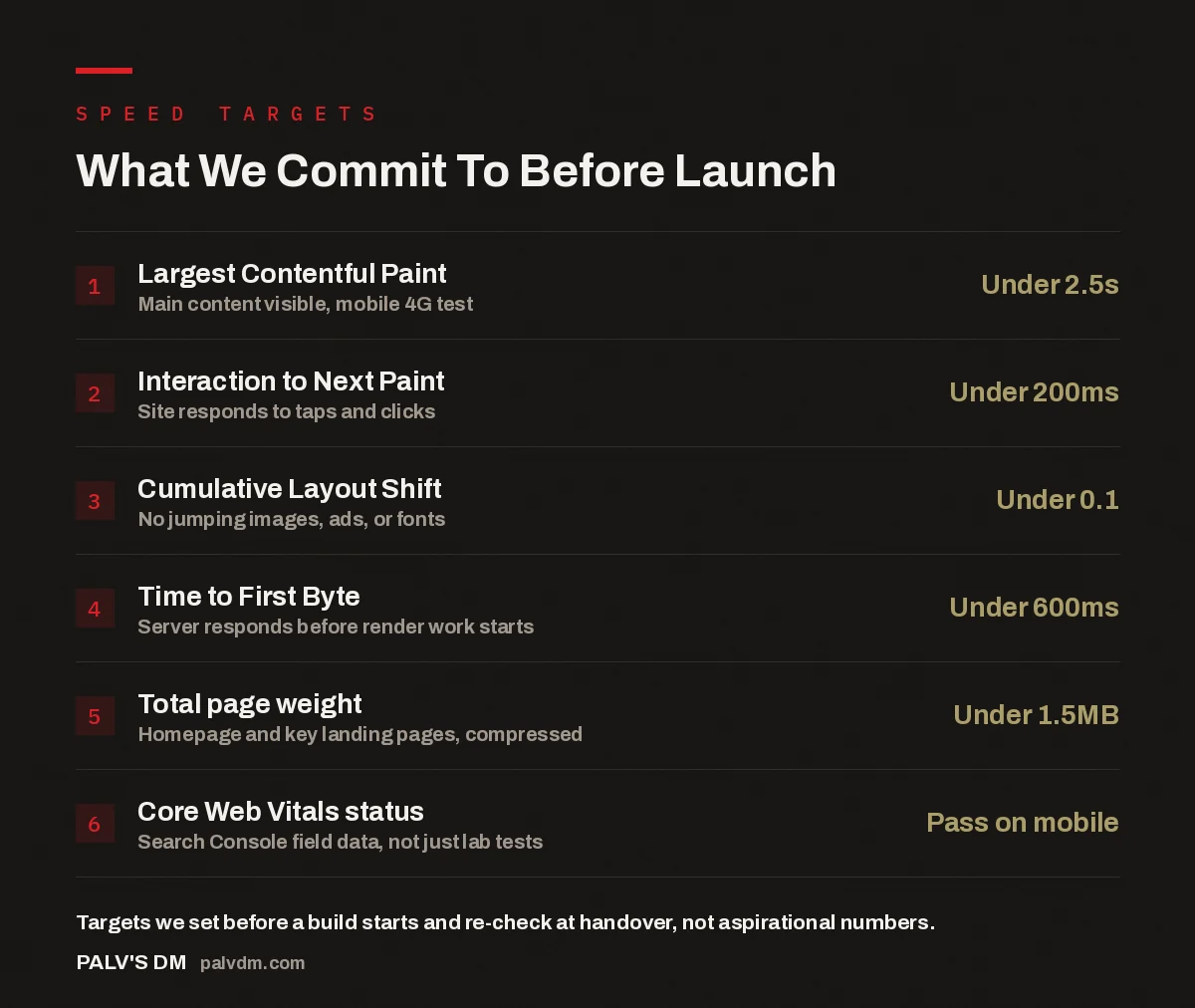
What We Commit To Before Launch
- Largest Contentful Paint — Under 2.5s. Main content visible, mobile 4G test.
- Interaction to Next Paint — Under 200ms. Site responds to taps and clicks.
- Cumulative Layout Shift — Under 0.1. No jumping images, ads, or fonts.
- Time to First Byte — Under 600ms. Server responds before render work starts.
- Total page weight — Under 1.5MB. Homepage and key landing pages, compressed.
- Core Web Vitals status — Pass on mobile. Search Console field data, not just lab tests.
What does a website speed guarantee actually cover?
It covers the metrics that Google actually uses to judge a page, and that visitors actually feel. Largest Contentful Paint (LCP) measures how long it takes for the biggest visible element — usually a hero image or heading — to render. Interaction to Next Paint (INP) measures how quickly the page responds once someone taps a button or opens a menu. Cumulative Layout Shift (CLS) measures whether content jumps around while the page loads, which is what makes someone tap the wrong link on their phone. Together these three make up Core Web Vitals, and Google surfaces pass/fail data for them directly in Search Console.
We add two more numbers on top, because Core Web Vitals alone don’t catch everything: Time to First Byte, which is how long the server takes to start responding before the browser can render anything, and total page weight, which is the compressed size of the homepage and key landing pages. A site can technically pass Core Web Vitals in a lab test and still feel sluggish on a real 4G connection in a real city if the server is slow or the page is bloated. We test for both.
How do we actually hit these numbers on every build?
Speed isn’t a task we do at the end of a build. It’s a set of decisions made at the start, before a single page is designed.
- We choose hosting and a theme with no rendering overhead. A bloated page builder or a shared server with hundreds of other sites on it puts you behind before any content is added. We cover why we avoid page builders and shared stacks in a separate piece on why we don’t use page builders on client sites.
- We limit plugins to what the site genuinely needs. Every plugin adds its own CSS, JavaScript, and often its own database queries. A site running fifteen plugins for things a template could handle natively is fighting its own speed target from day one — this is the core of how we keep our sites free of plugin bloat.
- We compress and correctly size every image before it goes near the CMS. Modern formats (WebP or AVIF), served at the actual display size rather than a full-resolution original scaled down by CSS, are usually the single biggest lever on both LCP and total page weight.
- We reserve space for every image, ad slot, and embedded element so nothing shifts the layout after it renders — this is what keeps Cumulative Layout Shift near zero.
- We test on a throttled mobile connection, not just a fast office wifi — a site that looks instant on a desktop with fibre broadband can still fail badly for a visitor on patchy mobile data, which is the audience that actually matters for most local and service businesses.
The technical groundwork for speed overlaps heavily with the technical groundwork for crawlability and indexing — clean markup, sensible page weight, and a server that responds quickly all matter to search engines too. We go into that overlap in the technical SEO we bake in before launch.
What causes most websites to miss their speed targets?
In the accounts we take over from other builds, the pattern that shows up repeatedly is the same three or four things stacking on top of each other. A page builder plugin adds its own rendering layer on top of WordPress’s. A handful of “must-have” plugins — a slider, a popup tool, a form builder, a page speed plugin ironically enough — each load their own scripts on every page, even pages that don’t use them. Marketing team members upload full-resolution photos straight from a phone or camera without resizing them. And nobody ever goes back to check whether the site still passes Core Web Vitals after six months of content additions.
None of these are dramatic failures on their own. Individually, a single unoptimised image or one extra plugin rarely tips a site over the threshold. It’s the accumulation — a site redesigned by decisions made in isolation by different people over a year or two — that turns a fast launch into a slow, sprawling site nobody intended to build.
A speed target you only check at launch isn’t a guarantee, it’s a photo. The site has to still be fast six months later, after someone on the team has uploaded forty new images and installed three new plugins without asking us first.
Palash, Founder, PalV’s DM
How do we test before calling a site “done”?
Before handover, every page template — not just the homepage — goes through the same check: a Core Web Vitals field and lab comparison, a mobile throttled load test, and a manual pass to confirm nothing shifts as the page loads. We check the templates that carry the most traffic and the most commercial weight first: the homepage, the main service or product pages, and the contact or enquiry page, since those are the pages where a slow load costs you a lead, not just a bounce.
This sits inside a broader pre-launch process that also covers broken links, redirects, indexing settings, and mobile usability — the full list is in our pre-launch QA checklist. Speed is one line item in that checklist, but it’s the one most likely to be skipped by builders working to a deadline, which is exactly why we treat it as a pass/fail gate rather than a nice-to-have.
| Build decision | Common approach | What we do instead |
|---|---|---|
| Page building tool | Drag-and-drop page builder plugin | Native block editor, no extra rendering layer |
| Plugin count | Add a plugin for every feature request | Build features into the theme where possible, keep plugin count minimal |
| Images | Uploaded at original size, compressed later if at all | Resized and compressed to display size before upload |
| Speed testing | One test on desktop wifi before launch | Throttled mobile test on every key template, checked again post-launch |
| Ongoing ownership | Nobody re-checks speed after handover | Speed reviewed as part of the 90-day post-launch check |
What happens if a site slips after launch?
Speed decays quietly. A site that passes every target at handover can drift below them within months as new pages, new images, and new plugins get added by whoever manages the site day to day. That’s why we don’t treat the launch-day test as the end of the conversation — it’s checked again as part of what we measure on a site 90 days after launch, alongside indexing, rankings, and conversion behaviour. If a client’s team has added something that’s dragging the site back over the threshold, that’s the point where we flag it and fix it, rather than letting it sit there until someone eventually notices the site “feels slower than it used to.”
The same discipline applies whether a site is newly built or one we’ve taken over. A rebuild gets the same targets as a new build; there’s no separate, looser standard for sites that already existed before we touched them.
Want these targets on your site?
If your current site is missing every one of these numbers, that’s usually fixable without a full rebuild — but it depends on what’s underneath it. We can tell you which after a look at the site.
FAQ
What counts as a “fast” website in 2026?
A fast website passes Core Web Vitals on mobile: Largest Contentful Paint under 2.5 seconds, Interaction to Next Paint under 200 milliseconds, and Cumulative Layout Shift under 0.1. These are Google’s own published thresholds, measured on real visitor data through Search Console, not a subjective feeling of speed.
Does website speed actually affect search rankings?
Core Web Vitals are a confirmed ranking signal, though a comparatively small one next to content relevance and links. The bigger, more direct effect is on conversion — a slow site loses visitors before they see your offer, which matters regardless of where you rank.
Can a WordPress site genuinely be fast, or do we need something custom-coded?
WordPress itself is not the bottleneck in most slow sites — the page builder, plugin stack, and unoptimised images layered on top of it usually are. A lean, self-hosted WordPress build with a minimal plugin count can hit the same speed targets as a custom-coded site for the vast majority of business websites.
How do you test speed before a site goes live?
We run each key template — homepage, main service pages, and the contact or enquiry page — through a throttled mobile connection test alongside a Core Web Vitals lab and field comparison, and check manually for layout shift as the page loads. A page that doesn’t clear the targets gets fixed before handover, not flagged for “later.”
What happens if my site’s speed drops after you hand it over?
We re-check speed as part of the 90-day post-launch review, and flag anything dragging the site back over the thresholds — usually a new plugin, an unoptimised image upload, or an embedded third-party widget. Ongoing site care can include regular checks beyond that window if the site’s content changes often.
Short version: our website speed guarantee is four measurable thresholds — LCP under 2.5s, INP under 200ms, CLS under 0.1, and TTFB under 600ms — tested on mobile before launch and rechecked 90 days after. We hit them by controlling the build decisions that cause most sites to miss them: page builders, plugin bloat, and unoptimised images.