Service Support — Web Development
The Technical SEO We Bake In Before Launch
See exactly what makes a website an seo ready website: the URL structure, redirects, crawl rules, speed, and schema we build in before launch, not after.

A website is “SEO ready” at launch when its URL structure, redirects, crawl rules, site architecture, page speed, and structured data are all correct on day one — not patched in later. Most agencies build the site first and hand SEO to a different team afterward, which means the two never talk until something is already broken. We build them together, so the technical SEO we bake in before launch is a set of decisions made during the build, not a checklist run after it.
Key takeaway
- An SEO-ready website has its URLs, redirects, crawl rules, speed, and structured data decided during the build — not added after launch as a separate project.
- The most expensive technical SEO mistakes (broken redirect maps, flat architecture ignored, unoptimised images baked into templates) are cheap to avoid pre-launch and expensive to unwind post-launch.
- “SEO-ready” is not a plugin you install after the site goes live — it’s a set of build-stage decisions a plugin can’t retroactively fix.
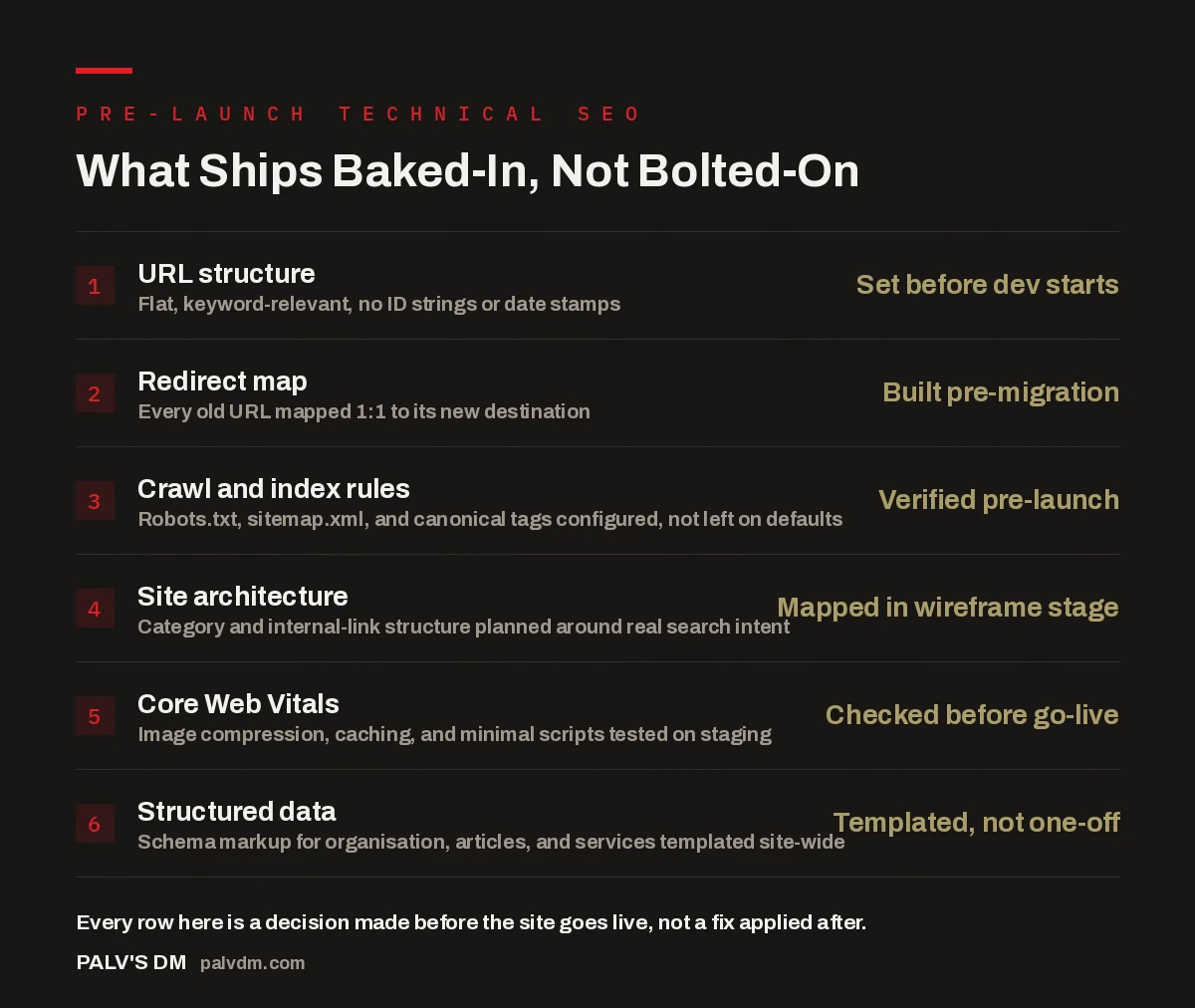
What Ships Baked-In, Not Bolted-On
- URL structure — Set before dev starts. Flat, keyword-relevant, no ID strings or date stamps.
- Redirect map — Built pre-migration. Every old URL mapped 1:1 to its new destination.
- Crawl and index rules — Verified pre-launch. Robots.txt, sitemap.xml, and canonical tags configured, not left on defaults.
- Site architecture — Mapped in wireframe stage. Category and internal-link structure planned around real search intent.
- Core Web Vitals — Checked before go-live. Image compression, caching, and minimal scripts tested on staging.
- Structured data — Templated, not one-off. Schema markup for organisation, articles, and services templated site-wide.
What Does an “SEO Ready Website” Actually Mean?
A genuinely seo ready website is one where a search engine can crawl it, understand what every page is about, and index it correctly without anyone having to intervene after launch. That sounds basic, but in practice it means dozens of small decisions get made at the wrong time on most builds: URLs get decided by whatever the CMS defaults to, redirects get treated as an afterthought during migration, and structured data gets left out because “we’ll add that later.” Later rarely comes, because by then the site is live, the team has moved on, and nobody wants to touch templates that are already working.
The fix isn’t a post-launch audit. It’s sequencing the build so the SEO decisions happen at the same stage as the design and development decisions, made by people who understand both. That’s the difference between a website that needs an SEO project six months after launch and one that doesn’t.
How Do You Get URL Structure and Site Architecture Right From Day One?
URL structure gets decided during wireframing, before a single template is built. Every URL should be flat, readable, and describe what the page is without needing the title to explain it — /services/web-development/, not /index.php?p=112 or /2026/08/our-new-web-development-service/. Once URLs are live and indexed, changing them means redirects, and redirects always cost some amount of authority even when done correctly. Getting the structure right the first time avoids that cost entirely.
Site architecture is the layer above individual URLs — how categories, service pages, and blog content link to each other. We map this against real search intent before development starts: which pages should sit close to the homepage in the click-depth sense, which topics deserve their own category, and where internal links should point so that a visitor (and a crawler) can get from any page to any related page in two or three clicks. A site built without this plan tends to end up with orphan pages — real content that exists but that nothing else on the site links to, which makes it harder for both users and search engines to find.
What Happens to Old URLs During a Rebuild or Migration?
If the project is a rebuild rather than a from-scratch site, every existing indexed URL gets mapped to its new destination before the old site goes offline — not after someone notices traffic dropped. We pull the full list of indexed and linked URLs from Search Console and server logs, match each one to where the equivalent content now lives, and set up 301 redirects for the entire set. Pages that no longer have a direct equivalent get redirected to the closest relevant page, not the homepage by default — a blanket homepage redirect is one of the most common ways rebuilds lose rankings, because it tells search engines the old page’s specific relevance no longer exists anywhere on the site.
This redirect map is built and tested on staging before launch, with a QA pass checking every mapped URL resolves to a 200 status, not a chain of redirects or a silent 404. It’s one of the most tedious parts of a rebuild and one of the easiest to skip under deadline pressure — which is exactly why skipping it is where most post-migration traffic drops come from.
Why Does Page Speed Get Decided Before the Site Is Built, Not After?
Core Web Vitals — how fast a page becomes usable, how stable the layout is while it loads, how quickly it responds to interaction — are largely determined by decisions made during development: which theme or framework is used, how images are handled, how many third-party scripts get loaded, and whether caching is configured correctly from the start. Trying to fix speed after launch usually means stripping out things that are already built into the templates — a slider here, a chat widget there, an unoptimised hero video — each of which now has to be renegotiated with whoever wanted it in the first place.
We test Core Web Vitals on staging before launch, using the same devices and connection conditions real visitors will use, not just a desktop browser on office wifi. Images are compressed and served in modern formats as part of the build pipeline, not as a manual task someone remembers later. Caching and a content delivery layer get configured before go-live, because retrofitting caching onto a site already handling live traffic is riskier than setting it up on staging first.
What Structured Data Should Be in Place Before Launch?
Structured data (schema markup) is how a page tells search engines and AI systems what kind of content it is — an organisation, an article, a service, a review — in a format machines can parse directly instead of inferring from prose. We template this at the theme level so every page of a given type inherits the correct markup automatically: every blog post gets Article schema, every service page gets Service schema, and the site as a whole carries Organization schema with the details that let search engines and AI answer engines identify who you are and what you do.
The reason this has to be templated rather than added page by page after launch is simple: page-by-page schema gets forgotten. New pages get published without it, someone updates a template and the markup breaks silently, and six months later half the site is missing structured data nobody remembers should be there. Templating it into the build means every new page is compliant by default, with no separate step for anyone to forget.
The sites that need a six-month SEO recovery project are almost always the ones where SEO was treated as a phase two. Build it in at launch and there’s nothing to recover from.
Palash, Founder, PalV’s DM
What Goes Wrong When SEO Is Bolted On After Launch?
In the accounts we’ve taken over from other builds, the pattern is consistent: the site looks finished, the client has already paid for it, and then an SEO audit surfaces a list of issues that all trace back to build-stage decisions nobody flagged at the time. URLs that can’t be changed without losing existing rankings. A category structure that was never planned, so half the blog sits three or four clicks from the homepage. Images that were never compressed because the theme handles that “automatically” (it usually doesn’t, or not well enough). No structured data anywhere, because the person who built the site didn’t know what schema markup was for.
None of these are catastrophic individually. Together, they add up to a site that has to fight for rankings it could have started with. Fixing them after launch is possible, but it’s a second project — touching templates that are already live, testing against real traffic instead of staging, and, for URL changes, accepting some temporary ranking volatility a correctly sequenced build would never have created.
That’s the real cost of treating technical SEO as something you add after the site is built: it isn’t that the work becomes impossible, it’s that it becomes slower, riskier, and more expensive than doing it once, in the right order, before launch.
Want this built into your site from the start?
See how our pre-launch QA checklist, speed targets, and lean plugin approach fit together on a real build, then talk to us about your own site.
FAQ: Technical SEO at Launch
Does every new website need technical SEO built in, even a brand-new business with no existing traffic?
Yes, arguably more so. A brand-new site has no existing authority to protect, but everything it publishes from day one is what search engines and AI answer engines will use to form their first impression of it. Getting URL structure, architecture, and structured data right from the first page published means every page after that inherits a correct foundation instead of needing to be fixed later.
Can technical SEO be added to an existing website without a full rebuild?
Some of it, yes — structured data, sitemap and robots.txt configuration, and image optimisation can often be added without touching the core structure. URL structure and site architecture are harder to change retroactively, because changing live, indexed URLs requires redirects and carries some ranking risk. That’s the part that’s genuinely cheaper to get right at build time than to fix afterward.
How long does it take to build technical SEO into a new site compared to skipping it?
In our experience it adds relatively little to the build timeline, because the decisions are made alongside design and development rather than as a separate phase — URL structure gets decided during wireframing, structured data gets templated during theme build, and redirects get mapped during content migration. It’s slower to skip it and fix it later, because that work has to happen on a live site instead of staging.
What’s the single most common technical SEO mistake in a website rebuild?
A missing or incomplete redirect map. When old URLs aren’t mapped one-to-one to their new equivalents — or get redirected in bulk to the homepage instead of the closest relevant page — the site loses the specific relevance those pages had built up, and traffic drops shortly after launch. It’s avoidable entirely with a redirect map built and tested before the old site goes offline.
Who should be responsible for technical SEO on a new website build — the developer or the SEO team?
Both, working from the same plan. Developers control the things SEO depends on — templates, caching, image handling, schema implementation — while SEO strategy determines what that implementation should look like, based on real search intent and existing rankings. Splitting the two into separate, sequential projects is what causes the gaps this article describes; they need to be part of the same build process from the start.
Short version: an seo ready website isn’t a checklist you run after launch — it’s URL structure, redirects, crawl rules, speed, and structured data decided during the build, by people who understand both the development and the SEO side. See our 90-day measurement approach for how we confirm it worked, or read what we check on our pre-launch QA checklist before any site goes live.