Service Support — Web Development
Why Our Sites Have No Plugin Bloat
Why WordPress without plugins still needs a handful: the checklist we use to decide what earns a spot on a live client site, and what we build instead.
WordPress without plugins isn’t really the goal — a WordPress site without unnecessary plugins is. Every plugin we install on a client site has to earn that slot: it solves a problem the theme and core WordPress genuinely can’t, it’s maintained, and it doesn’t cost the page speed we promised. Most sites we inherit are running 25-40 plugins. Most of ours ship with somewhere between 6 and 10. The difference isn’t ideology, it’s that fewer moving parts means fewer things to break, patch, or slow the site down.
Key takeaway
- Every plugin on a client site has to pass a checklist — problem it solves, maintenance status, measured speed impact — before it ships.
- Plugin bloat usually isn’t one bad plugin; it’s a dozen mediocre ones stacked over years, each added to solve one small problem.
- A lot of what plugins are used for — basic SEO fields, simple forms, image optimisation — can be handled by the theme or a few lines of custom code instead.
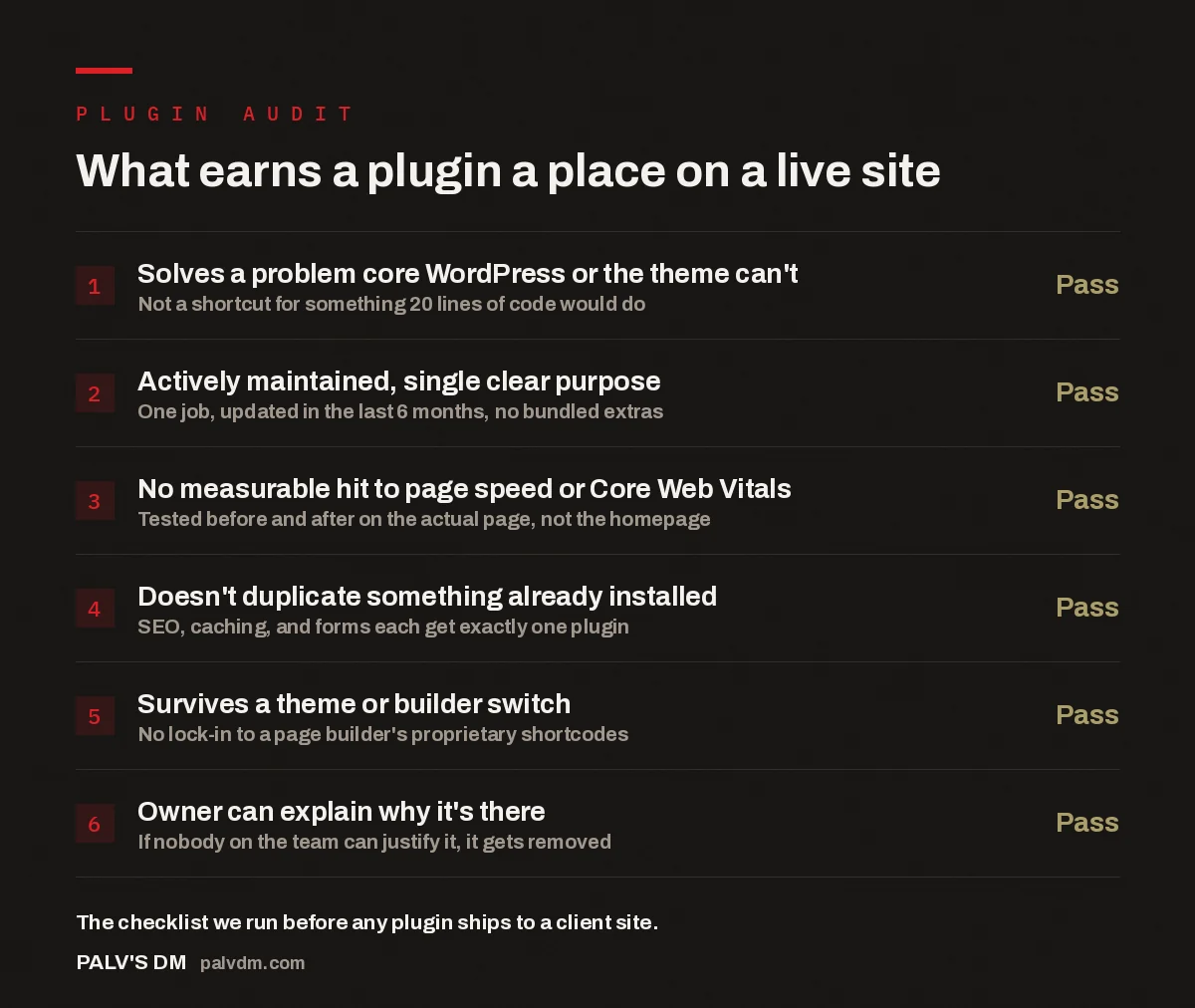
What earns a plugin a place on a live site
- Solves a problem core WordPress or the theme can’t — Pass. Not a shortcut for something 20 lines of code would do.
- Actively maintained, single clear purpose — Pass. One job, updated in the last 6 months, no bundled extras.
- No measurable hit to page speed or Core Web Vitals — Pass. Tested before and after on the actual page, not the homepage.
- Doesn’t duplicate something already installed — Pass. SEO, caching, and forms each get exactly one plugin.
- Survives a theme or builder switch — Pass. No lock-in to a page builder’s proprietary shortcodes.
- Owner can explain why it’s there — Pass. If nobody on the team can justify it, it gets removed.
What does plugin bloat actually cost you?
Plugin bloat costs you in three places at once: page speed, security surface, and maintenance time. Every plugin loads its own CSS and JavaScript, usually on every page, whether that page needs it or not. Stack ten or fifteen of these and the browser is downloading and parsing code for features that aren’t even used on the page the visitor landed on. That shows up directly in Core Web Vitals — slower Largest Contentful Paint, more script blocking the main thread — which affects both how the page feels to a visitor and how it’s evaluated for ranking.
Security works the same way in reverse: each plugin is a separate piece of software with its own update schedule, its own developer, and its own vulnerability history. A site with eight plugins has eight things to keep patched. A site with thirty has thirty, and in our experience the ones that get forgotten are exactly the ones nobody remembers installing — a plugin added three years ago for a promotion that ended, still running, still an attack surface. We’ve inherited sites where the previous developer used a plugin as a shortcut for something that should have taken twenty minutes to build directly into the theme, and it’s still there, unmaintained, two major WordPress versions later.
The maintenance cost is the least visible but most persistent one. Every plugin update is a small risk of a conflict with the theme or another plugin. The more plugins on a site, the more combinations that can break during a routine update, and the more time gets spent testing updates instead of doing anything that moves the site forward.
How do we decide what earns a spot on a client site?
We run every plugin request — ours or the client’s — through the same checklist shown above before it ships. The first question is whether the theme or WordPress core already does the job. Core WordPress handles a surprising amount natively now: custom fields, basic redirects, image handling, most of what used to require a dedicated plugin. If core can do it, we don’t add a plugin to do it again.
The second question is maintenance status. We check when a plugin was last updated and how actively the developer responds to reported issues before it goes anywhere near a client site, the same due diligence we’d want a client doing themselves. A plugin that hasn’t shipped an update in over a year, regardless of how well it currently works, is a liability we’re not willing to hand to a client without flagging it clearly.
The third is the speed test, and this is the one most agencies skip. We test the actual page the plugin runs on, before and after installation, not the homepage — a contact form plugin that’s fine on the homepage can still add real weight to the contact page itself. If a plugin adds meaningful load time for a feature that’s used rarely, we look for a lighter alternative or build the feature directly instead. This same discipline is what sits behind the speed targets we commit to on every build — you can’t hit a load-time number reliably if you don’t know what each plugin is costing you.
What do we build instead of installing a plugin?
A lot of what plugins get used for is genuinely simple once you’re not routing it through a page builder’s proprietary system. Basic schema markup, meta titles and descriptions, and Open Graph tags are a handful of custom fields and a template file, not a standalone SEO suite with its own dashboard. Simple contact forms are a native WordPress block plus a lightweight mail handler, not a form-building plugin that also wants to manage your newsletter signups. Image optimisation happens once, at build time, as part of our workflow — not as an ongoing plugin quietly reprocessing every image on every page load.
This is part of why we don’t build client sites on page builders in the first place. Page builders tend to pull in their own plugin ecosystem — an addon pack for icons, another for animations, another for the specific layout module a template needs — and each one adds weight that has nothing to do with what the visitor actually sees. Building directly in the theme, on self-hosted WordPress, means we control exactly what loads on each page instead of inheriting a builder’s defaults.
A plugin should be the answer when nothing simpler will do the job — not the default answer because it’s faster to install one than to write twenty lines of code.
Palash, Founder, PalV’s DM
Where do plugins still genuinely make sense?
This isn’t a zero-plugin philosophy — it’s a minimal one, and there’s a difference. Some jobs are complex enough, and change often enough, that maintaining custom code for them would waste more time than a well-built plugin costs in weight. Caching is a good example: a mature caching plugin handles edge cases across hosting environments that would take real effort to replicate from scratch. E-commerce is another — building cart, checkout, and inventory logic from zero when a proven, actively maintained platform already handles it correctly isn’t minimalism, it’s reinventing a wheel that’s already round.
The pattern that shows up repeatedly across the sites we build and maintain is that plugins earn their place when the problem is genuinely complex or the risk of getting it wrong custom-built is high — security, payments, backups. They don’t earn their place when the problem is simple and repeated across the industry as a one-line fix wrapped in a dashboard, a settings page, and an upsell to the premium version.
What does this look like on a real project?
When we take over an existing WordPress site, plugin count is one of the first things we audit, alongside everything else covered in our pre-launch QA checklist. The typical pattern is a handful of plugins doing real work, a similar number that are redundant duplicates of each other — two SEO plugins, three form plugins from different phases of the site’s history — and a long tail that were installed for something specific years ago and never removed once that specific thing stopped mattering. Removing the redundant and unused ones alone, before any other optimisation, is often where the first visible speed improvement comes from.
Rebuilding with the checklist above applied from day one keeps that pattern from recurring. Every plugin added later goes through the same questions the original build did, so the site doesn’t quietly accumulate the same bloat over its next three years that it had in its last three.
Key takeaway
- A minimal-plugin build isn’t about running zero plugins — it’s about every plugin being a deliberate, defensible choice.
- If your current site’s plugin count is a mystery to everyone on your team, that’s usually the first sign it’s costing you speed and security, not just tidiness.
FAQ
Is it actually possible to run WordPress without plugins?
Technically yes — core WordPress can run a functioning site with zero plugins. In practice, a small number of plugins for genuinely complex jobs like caching, security hardening, or e-commerce usually make more sense than rebuilding that complexity from scratch. The realistic goal is minimal, deliberate plugin use, not literally none.
How many plugins is too many for a WordPress site?
There’s no fixed number that applies to every site, because it depends on what each plugin does and how heavy it is. What matters more is whether every plugin installed can be justified by someone on the team. A site with 10 plugins nobody can explain is worse off than a site with 15 that are all clearly doing a specific job.
Will removing plugins from my site break something?
It can, if the plugin is actually in use and you remove it without checking first. The safe approach is auditing what each plugin does, checking whether it’s actually active on any page, and testing removals on a staging copy of the site before touching the live one. Deactivating one at a time and checking the site afterward is safer than removing several at once.
Do fewer plugins really improve page speed?
Directionally, yes, in the accounts we work on — fewer plugins generally means less CSS and JavaScript loading on each page, which tends to improve load time and Core Web Vitals. How much it improves depends on which plugins are removed; a heavy, poorly coded plugin loading on every page will matter far more than a small, well-built one used on a single page.
What should replace a plugin if I remove it?
It depends on what the plugin was doing. Simple, one-off functions — a custom field, a redirect, basic meta tags — can usually be built directly into the theme with a small amount of custom code. More complex functionality, like payments or advanced caching, is often better left to a well-maintained plugin built specifically for that purpose rather than replaced with custom code.
Short version: WordPress without plugin bloat doesn’t mean zero plugins — it means every plugin on the site passed a real checklist: it solves something core WordPress and the theme genuinely can’t, it’s actively maintained, it doesn’t measurably slow the page down, and someone on the team can explain why it’s there. Most of what plugins get used for by default — basic SEO fields, simple forms, image handling — can be built directly instead, which is a large part of why our builds tend to run 6-10 plugins where an inherited site often runs 30 or more.