Service Support — Web Development
How We Migrate a Site Without a Traffic Drop
A website migration without losing traffic depends on a complete redirect map, unchanged content, and 30-60 days of daily post-launch monitoring.

A website migration without losing traffic comes down to one discipline: nothing goes live until every old URL has a mapped, tested redirect to its new equivalent, and Search Console is watched daily for the first month after launch. Traffic drops on migrations almost always trace back to the same root cause — URLs, platforms, or hosting changed without a complete redirect map, and search engines lost the trail between old and new. Get the mapping right, launch in the right sequence, and monitor properly, and a migration becomes a non-event for rankings.
Key takeaway
- A traffic-safe migration lives or dies on a complete, tested 1:1 redirect map — not a generic “redirect the domain” rule.
- Content, metadata, and internal linking need to move over intact, not be “improved” in the same step as the platform change.
- The first 30-60 days after launch is where migrations are won or lost — daily monitoring, not a one-time check, catches problems before they become drops.
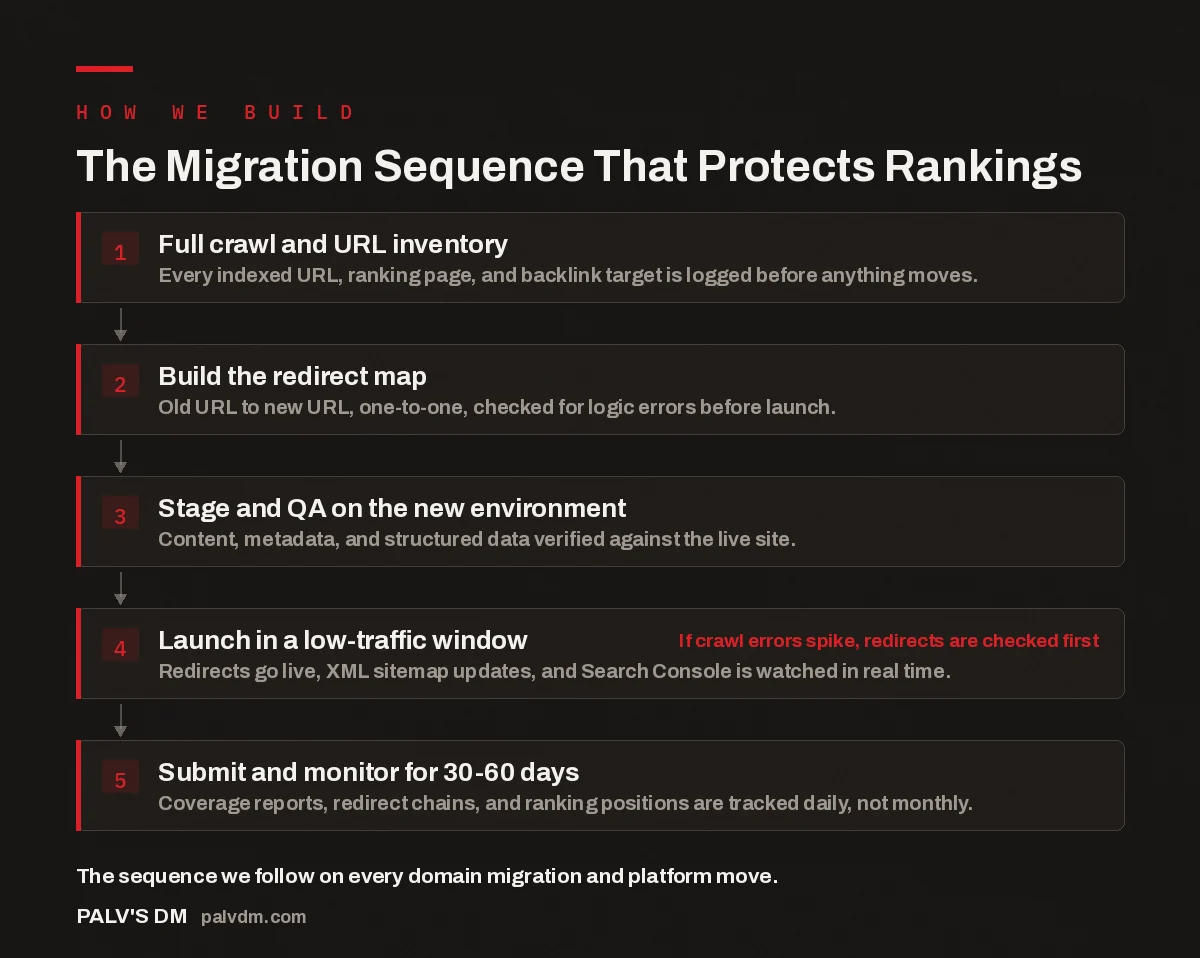
The Migration Sequence That Protects Rankings
- Full crawl and URL inventory. Every indexed URL, ranking page, and backlink target is logged before anything moves.
- Build the redirect map. Old URL to new URL, one-to-one, checked for logic errors before launch.
- Stage and QA on the new environment. Content, metadata, and structured data verified against the live site.
- Launch in a low-traffic window. Redirects go live, XML sitemap updates, and Search Console is watched in real time. If crawl errors spike, redirects are checked first
- Submit and monitor for 30-60 days. Coverage reports, redirect chains, and ranking positions are tracked daily, not monthly.
Why do website migrations usually lose traffic?
Most migration traffic loss is not a mystery once you look at the site afterward. It is almost always one of a small number of avoidable mistakes: URLs changed without redirects, redirects pointing to the homepage instead of the matching new page, content rewritten in the same breath as the platform move, or the new site simply not being crawlable the way the old one was. Search engines do not “remember” that a page used to rank well if the URL disappears with nothing to say where it went. Every dropped redirect is a small vote of ranking authority thrown away.
The pattern that shows up repeatedly in migrations we inherit or review is rushed timing: a business wants a new site live by a fixed date, the redirect map gets built in a hurry or skipped for “less important pages,” and the drop shows up weeks later once search engines fully recrawl the new structure. The fix isn’t a clever trick — it’s treating redirects, content, and monitoring as part of the launch, not an afterthought.
How do you build a redirect map that actually holds up?
Start with a complete inventory of the current site’s URLs, not just the pages someone remembers matter. Pull the list from the XML sitemap, Search Console’s indexed-pages report, and a full crawl, then merge and de-duplicate. Any URL that has ever earned an impression needs a destination in the new structure — including old blog posts and archive pages that look unimportant but quietly carry link equity.
- Match each old URL to the single most relevant new URL — not the homepage as a catch-all.
- Use 301 (permanent) redirects for anything with a genuine one-to-one replacement.
- For a page genuinely being retired with no replacement, redirect to the closest relevant category or hub page rather than let it 404.
- Check for redirect chains (A to B to C) and collapse them to a single hop.
- Test the full map on staging with a crawler before it touches the live domain.
A spreadsheet with two columns — old URL, new URL — sounds simple, and it should be. The complexity comes from doing it completely rather than for just the twenty pages that get the most traffic. A ten-page site and a thousand-page site need the same discipline; the size of the spreadsheet is the only real difference.
The redirect map isn’t a checklist item you tick off before launch — it’s the single artifact that determines whether a migration is invisible to search engines or shows up as a ranking event.
Palash, Founder, PalV’s DM
What should move over unchanged during a migration?
The single biggest timing mistake is bundling a migration with a content overhaul. Moving platforms, hosts, or domains is already a variable search engines have to process; rewriting titles or restructuring pages in the same launch adds a second, and if traffic moves afterward, there’s no way to tell which change caused it. Content, title tags, meta descriptions, and internal linking should transfer as close to unchanged as possible. Improvements can follow in a separate, later phase once the new site has stabilized.
The same applies to structured data (schema markup) and canonical tags — both need rebuilding to match on the new platform, not dropped because the new CMS handles things “differently.” If the old site had FAQ or breadcrumb markup driving rich results, the new site needs equivalents before launch, not added weeks later after those results have already disappeared.
| Migration element | Move as-is | Safe to change on this launch |
|---|---|---|
| URLs / site structure | Only with a full redirect map | No — this is the migration itself |
| Page titles & meta descriptions | Yes, transfer unchanged | No — save for a later optimisation phase |
| Body content & headings | Yes, transfer unchanged | No — rewrite after rankings stabilise |
| Hosting / server / CMS platform | N/A | Yes — this is typically the point of the migration |
| Visual design / theme | N/A | Yes — design changes rarely affect rankings directly |
| Structured data / schema | Rebuild to match old markup | No — parity first, expand later |
How should the launch itself be sequenced?
Launch during a period the business can afford to watch closely — not a Friday afternoon, and not during a peak sales period if it can be avoided. Once DNS or the platform switch goes live, the checklist runs in a fixed order: confirm every redirect resolves correctly on the live domain (not just staging), submit the new XML sitemap in Search Console, verify robots.txt isn’t accidentally blocking the site, and check SSL/HTTPS is configured correctly.
Within the first 24 hours, a fresh crawl of the live site against the redirect map catches anything that didn’t fire the way staging predicted — DNS caching or a plugin behaving differently in production are common culprits. This is also when to check Search Console’s Coverage report for a spike in “not found” errors, the earliest warning sign something in the map needs a fix.
What does the 30-60 day monitoring window actually involve?
Search engines need time to recrawl and reprocess a migrated site, and ranking positions can wobble during that window even on a clean migration — that’s normal, not a sign of failure. What matters is the trend, not a single day’s number. Daily checks in the first two weeks, then two or three times a week through day 60, catches problems early without overreacting to normal fluctuation.
- Coverage report — watch for a rising count of “not found” or “redirect” errors, which flags gaps in the map.
- Performance report — compare impressions and clicks for top pages against pre-migration levels, filtered by URL.
- Rank tracking on priority keywords — a handful of core terms tracked daily shows movement faster than a monthly report.
- Server logs — confirm crawlers are actually reaching and recrawling the new URLs, not just that redirects exist on paper.
- Backlink checks — spot-check the site’s strongest external backlinks to confirm they land on a working page after redirecting.
If a specific page’s traffic drops after launch, check its individual redirect first — not the migration as a whole. In the accounts we’ve worked on, an isolated drop on one or two pages is almost always a mapping error on that URL. Fixing the redirect typically resolves it within days once it’s recrawled.
What common mistakes still cause drops?
A few mistakes account for most of the damage we see reviewing a migrated site:
- Redirecting everything to the homepage. This tells search engines the old page and homepage are equivalent, which they aren’t — most relevance signal is lost.
- Leaving staging robots.txt or noindex tags on the new live site. A “block all crawlers” setting occasionally survives into production and deindexes the entire site.
- Changing URL structure for “cleaner” URLs without redirects. Even dropping a trailing folder breaks every link pointing to the old path.
- Combining the migration with a content rewrite. This removes the ability to isolate what caused any change in performance.
- Treating monitoring as a one-time check. Problems that surface on day 10 or 25 get missed if nobody is looking after week one.
How does this connect to the rest of a website build?
A migration is rarely an isolated event — it usually sits inside a bigger decision about whether to redesign the existing site or rebuild it from scratch, and it depends heavily on the technical SEO foundations being handled before launch rather than patched in afterward. The same QA discipline that protects rankings during a migration should run on any new build — see our pre-launch QA checklist. Site speed is also worth checking specifically during a migration, since a platform or host change is one of the few moments performance shifts significantly — see the speed targets we commit to on every build.
Key takeaway
- A complete, tested redirect map is the single highest-leverage piece of a traffic-safe migration.
- Keep content, metadata, and structured data unchanged during the move — optimise afterward, separately.
- Monitor daily for the first two weeks and through day 60 — most fixable problems are caught early, not after they’ve compounded.
How long does a website migration typically take to fully settle in search results?
Most visible movement happens within the first 30-60 days as search engines recrawl and reprocess the new URLs. Some ranking wobble in the first two to three weeks is normal; if a site hasn’t stabilised by around day 60, that’s the point to audit the redirect map for gaps.
Do I need 301 redirects for every single old URL, even low-traffic pages?
Yes, if the page has ever been indexed or received impressions in Search Console. Low-traffic pages can still hold backlinks or internal link equity, and skipping them creates the exact gaps that cause slow, hard-to-diagnose traffic erosion after a migration.
Can I migrate to a new domain and a new platform at the same time?
It’s possible, but it removes your ability to isolate the cause if something goes wrong, since two major variables changed at once. Where the timeline allows it, separating a platform migration from a domain change by a few weeks makes any issue much easier to diagnose.
What’s the first thing to check if traffic does drop after launch?
Check the Search Console Coverage report for redirect or “not found” errors first, then verify the specific redirect for whichever pages lost traffic. Isolated drops on individual pages are almost always a mapping error, not a sign the whole approach failed.
Should I redesign the site’s look while migrating it?
Visual design changes are generally safe during a migration since they rarely carry direct ranking signals on their own. Content, URLs, and metadata are the elements to keep stable — the visual layer can change without adding meaningful risk.
Short version: a website migration without losing traffic is a sequencing problem, not a luck problem. Build a complete, tested redirect map before launch. Keep content, titles, and structured data unchanged during the move. Launch in a controlled window and verify redirects on the live domain immediately. Then monitor daily for two weeks and through day 60, fixing individual URL issues as they surface. Skip any of those steps and a migration becomes a gamble; follow all of them and it’s routine.