Service Support — Web Development
Building in Your Accounts, Not Ours
Who should own website hosting? The client, always. We build every site in client-owned accounts, so switching agencies never means losing your website.
Your business should own website hosting, not your agency. That means the hosting account, the domain registration, the WordPress login, and the analytics properties all sit under your business’s email address and payment method from day one — even though we’re the ones building and maintaining the site. We work inside your accounts as a user with admin access, the same way an employee would. We never become the account holder. If you ever want to leave, you take everything with you: the code, the data, the domain, the history. Nothing is held hostage.
Key takeaway
- Website hosting, the domain, and every analytics account should be registered in the client’s name, on the client’s card — never the agency’s.
- The agency should be added as a user or collaborator with the access it needs, not as the primary owner of any account.
- Building in client-owned accounts from day one removes lock-in and makes an agency switch a login change, not a migration project.
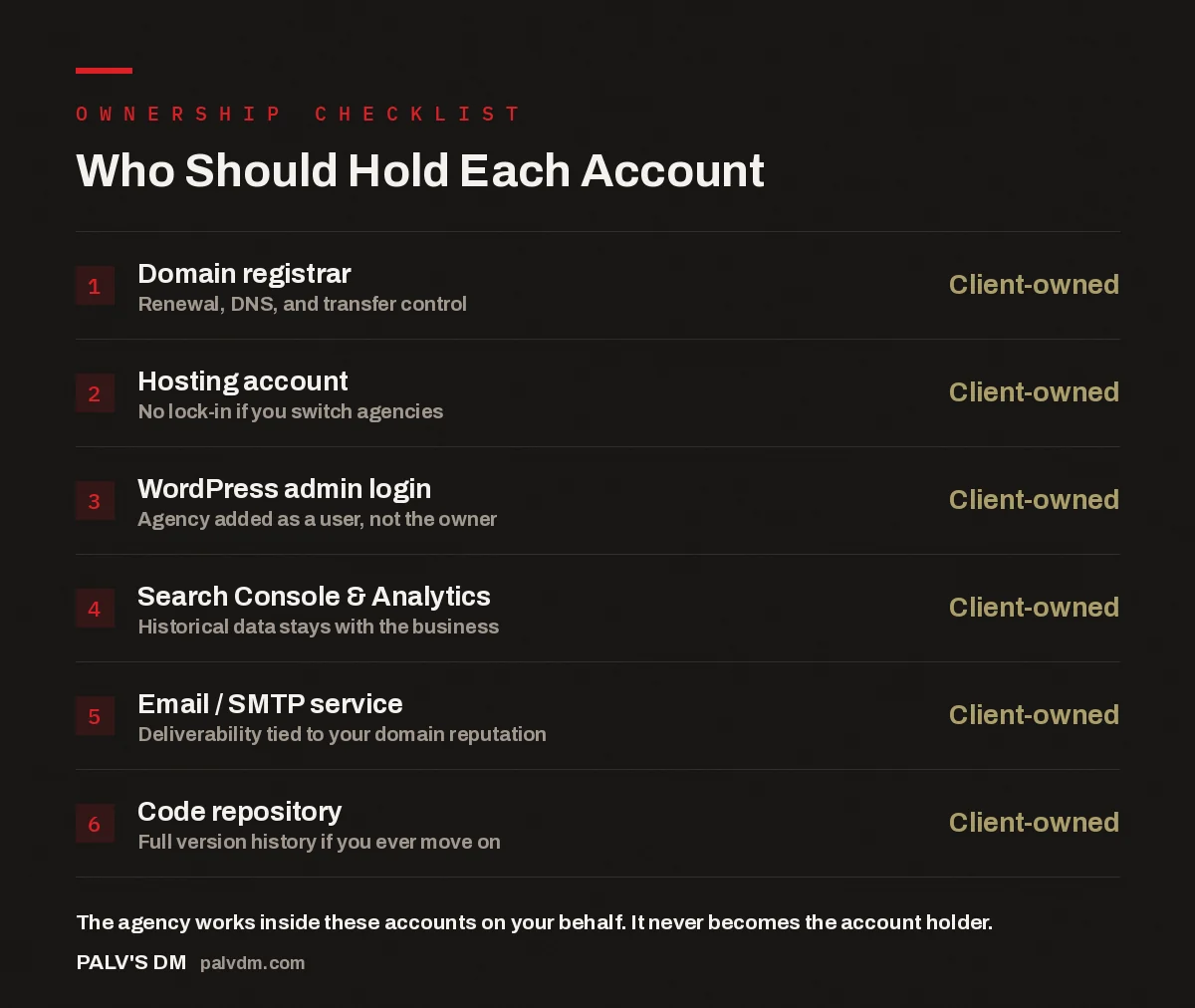
Who Should Hold Each Account
- Domain registrar — Client-owned. Renewal, DNS, and transfer control.
- Hosting account — Client-owned. No lock-in if you switch agencies.
- WordPress admin login — Client-owned. Agency added as a user, not the owner.
- Search Console & Analytics — Client-owned. Historical data stays with the business.
- Email / SMTP service — Client-owned. Deliverability tied to your domain reputation.
- Code repository — Client-owned. Full version history if you ever move on.
What does “building in your accounts” actually mean?
It means every piece of infrastructure a website depends on is registered under the client’s identity before a single page gets built. The domain is bought (or transferred) into the client’s registrar account. The hosting plan is created under the client’s email and billing details. The WordPress installation’s first admin user is the client, with the agency’s team added afterward as additional users. Google Search Console and Google Analytics are set up as properties the client owns, with the agency granted access as a manager. Even the code repository, if one exists, lives under the client’s account or organisation on GitHub or a similar platform.
The agency’s role in all of this is the same as any specialist contractor working on your property: full access to do the work, zero ownership of the underlying asset. We can install plugins, deploy updates, configure DNS records, and pull analytics reports. We cannot lock you out of your own domain, cancel your own hosting plan without you knowing, or hold your data hostage if the relationship ends.
Who should own website hosting, and why does it matter?
The business that the website belongs to should own website hosting — always. This isn’t a preference, it’s the only arrangement that keeps a website a genuine business asset rather than a service you’re renting from whoever built it. When an agency owns the hosting account, the domain, or the core logins, the website effectively becomes leverage. It’s not written into most contracts as leverage, and most agencies that do this aren’t acting maliciously — it’s often just the path of least resistance, since setting everything up under the agency’s own accounts is faster and more familiar than provisioning under a new client’s details each time.
But the practical effect is the same regardless of intent. If the hosting account is in the agency’s name, ending the relationship means either negotiating a handover, waiting on the agency’s timeline, or in the worst cases, rebuilding the site from scratch on new infrastructure because access was never fully transferable. None of that should be a live risk for a business that’s simply trying to switch who manages its website.
What happens when the agency owns the accounts instead?
The pattern that shows up repeatedly when we take over sites built this way looks fairly consistent. The client has a WordPress login, but it’s a lower-permission user account, not the original administrator. The domain is registered to the agency or to an employee’s personal account, discovered only when the client tries to update a DNS record and can’t. Analytics history sits under an account the client has never logged into, meaning years of traffic and conversion data effectively belong to someone else. Hosting is billed to the agency and marked up as a line item, with no visibility into what plan is actually running or what it costs to operate on its own.
None of this is necessarily done in bad faith. But it creates a structural dependency: the business needs the agency not because the agency does better work, but because the agency holds the keys. Switching becomes expensive and slow exactly when a business is most likely to want to switch — after a bad experience, a missed deadline, or a change in strategy. Untangling accounts, transferring domains, and re-establishing analytics history under the correct owner can take weeks, and in some cases means losing historical data permanently.
If leaving us would cost you more than the work we’ve actually done for you, we’ve built the relationship wrong. Ownership should never be the reason a client stays.
Palash, Founder, PalV’s DM
What do we set up in your name before writing a line of code?
Before any development work starts, a short list of accounts gets created or confirmed, all under the client’s ownership:
- The domain is registered in the client’s name, or if it already exists, we confirm the client has registrar-level access and update DNS ourselves through delegated access rather than requesting the login.
- A hosting account is opened under the client’s business details and payment method, sized appropriately for the site rather than defaulted to a generic plan.
- WordPress is installed with the client’s email as the first administrator, and our team is added as additional users afterward.
- Google Search Console and Google Analytics 4 properties are created (or verified) under the client’s Google account, with our team added with manager-level access.
- Transactional email (for forms, receipts, and notifications) is configured through a service tied to the client’s domain, not a shared sending account we control.
This front-loads a bit of admin work — someone on the client side has to actually create a few accounts and share credentials securely rather than us doing it in five minutes on our own infrastructure. It’s a deliberate trade-off. That extra half hour at the start of a project is what makes the rest of the relationship low-risk.
How does access actually work day to day?
Day to day, the arrangement looks like any team member with elevated access to a system they don’t personally own. Our developers log into the client’s WordPress dashboard as named users, not through a shared master login. Server-level changes go through the client’s hosting control panel, using access the client granted and can revoke. Analytics and Search Console data is viewed through accounts the client can open on their own laptop at any time, without asking us for a report.
Password managers with shared vaults, rather than plain-text credential lists, are how access gets distributed within our team. If someone leaves our team, their access is removed from the client’s accounts directly — the client doesn’t need to change a master password that affects every other client we work with, because there isn’t one. Each client’s infrastructure is siloed from every other client’s, which is only possible because it was never centralised under our accounts in the first place.
What does this mean if you want to switch agencies later?
It means switching is a permissions change, not a migration project. Revoke the outgoing agency’s user access to WordPress, hosting, and analytics. Add the new team as users the same way. The domain doesn’t move, the hosting doesn’t move, the historical traffic data doesn’t move, because none of it was ever anywhere other than your own accounts. There’s no server to migrate, no DNS cutover to coordinate, no waiting on an export.
This is also why the setup matters even if you have no intention of ever switching. A business shouldn’t have to trust that an agency will behave well when the incentives point the other way. Owning your own accounts removes the need for that trust entirely — good behaviour becomes the default because the alternative was never structurally available.
Short version
Website hosting, the domain, and every analytics account tied to your site should be registered in your name from the first day of the build, with your agency added as a user rather than the owner. That single decision determines whether your website stays a business asset you fully control, or becomes something you’re effectively renting back from whoever built it.
A few related decisions shape how smoothly this ownership model plays out in practice. Why we build on self-hosted WordPress covers the platform choice that makes true account ownership possible in the first place — page-builder SaaS tools and locked-in website platforms often can’t offer this at all. What you need to provide before a build starts walks through the practical checklist of accounts and access we ask for in week one. And if you’re bringing across an existing site rather than starting fresh, how we migrate a site without a traffic drop explains how ownership transfers cleanly even when the underlying infrastructure changes.
FAQ
Who should own website hosting, the client or the agency?
The client should always own website hosting, registered under the business’s own name, email, and payment method. The agency should be added as a user with the access needed to do the work, not as the account holder. This keeps the hosting a business asset rather than something rented from the agency.
What if I already have a site where the agency owns the accounts?
It’s fixable, though the difficulty depends on the platform and how cooperative the current agency is. Start by requesting registrar-level access to your domain and administrator access to your WordPress dashboard in writing. If the agency resists or delays significantly, that response itself tells you something worth acting on.
Does building in client-owned accounts cost more?
No, it doesn’t change the cost of the build itself. It shifts a small amount of admin work to the client at the start of the project — creating a hosting account, sharing a domain login — rather than the agency setting everything up instantly on its own infrastructure. The build cost and timeline stay the same.
Can an agency still do proper maintenance without owning the accounts?
Yes. User-level access with admin permissions is enough to install updates, monitor uptime, manage backups, and respond to issues. Ownership and operational access are separate things — the account owner sets who has access, and that access can be as broad as the work requires without the agency ever holding the account itself.
What accounts specifically should I ask to be added to or given ownership of?
At minimum: the domain registrar, the hosting account, the WordPress administrator login, Google Search Console, Google Analytics, and any transactional email service tied to your domain. These are the accounts that determine whether you can leave an agency cleanly if you ever need to.