Trends & Industry Developments
Cloudflare Content Signals and AI Crawler Control
How Cloudflare's Content Signals and AI Crawl Control let you set a real cloudflare ai crawler policy: separate search, ai-input and ai-train permissions.
Cloudflare’s Content Signals policy lets you tell AI crawlers, inside your own robots.txt, exactly what you’ll allow: appearing in search results, being read as input for a live AI answer, or being used to train a model — three separate permissions instead of one blanket allow/disallow. Combined with Cloudflare’s AI Crawl Control (formerly AI Audit) and its default blocking of known AI bots on new domains, this is the closest thing site owners have to a real cloudflare ai crawler policy, rather than a robots.txt file every bot quietly ignores. It doesn’t force compliance, but it lets you state intent unambiguously and puts real blocking controls behind that statement.
Key takeaway
- Content Signals split “can this content be used” into three separate, honest questions — search, ai-input, ai-train — instead of one crude disallow rule.
- Cloudflare’s AI Crawl Control gives you visibility and blocking by named bot, which robots.txt alone never did.
- None of this is enforcement in the legal sense — it’s a clearer signal that well-behaved crawlers can honour and badly-behaved ones can still ignore.
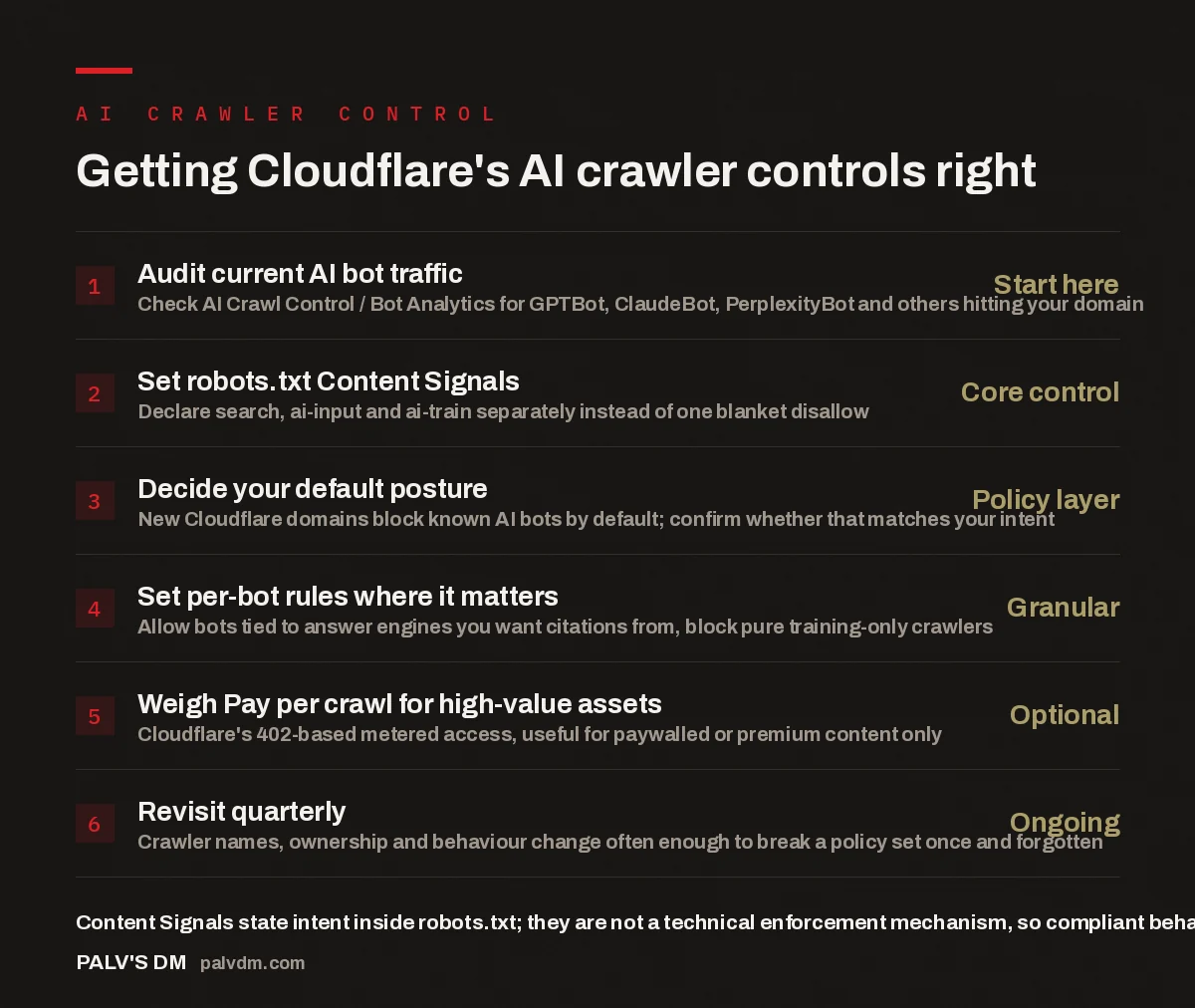
Getting Cloudflare’s AI crawler controls right
- Audit current AI bot traffic — Start here. Check AI Crawl Control / Bot Analytics for GPTBot, ClaudeBot, PerplexityBot and others hitting your domain.
- Set robots.txt Content Signals — Core control. Declare search, ai-input and ai-train separately instead of one blanket disallow.
- Decide your default posture — Policy layer. New Cloudflare domains block known AI bots by default; confirm whether that matches your intent.
- Set per-bot rules where it matters — Granular. Allow bots tied to answer engines you want citations from, block pure training-only crawlers.
- Weigh Pay per crawl for high-value assets — Optional. Cloudflare’s 402-based metered access, useful for paywalled or premium content only.
- Revisit quarterly — Ongoing. Crawler names, ownership and behaviour change often enough to break a policy set once and forgotten.
What is Cloudflare’s Content Signals policy, exactly?
Content Signals is a machine-readable extension to the robots.txt standard that Cloudflare built with input from publishers and standards contributors, and it addresses a real gap: the original robots.txt spec only ever offered a crawler a binary choice per path — allow or disallow. That was fine when the only thing a bot did with your content was index it for search. It stopped being fine once the same page could be fetched to power a live AI answer, or hoovered up as training data for a model that never sends you a visitor. A site owner who wanted “index me, answer questions using my content, but don’t train on it” had no way to say that. Content Signals gives you three distinct signals — search, ai-input, and ai-train — that you set independently, per section of your site if you want, inside the same robots.txt file you already maintain.
Practically, this looks like structured directives layered on top of your existing User-agent and Disallow lines, not a separate file or a new protocol. A publisher can keep normal search crawling wide open, allow ai-input so pages can be cited in AI Overviews or Perplexity answers, and set ai-train to no to withhold blanket training rights — three decisions, expressed once, readable by any crawler operator who chooses to parse them.
How does this differ from just blocking bots in robots.txt?
Standard robots.txt blocking is a per-bot allow or deny, and it has two structural weaknesses Content Signals doesn’t fix by itself. First, it conflates uses: disallowing GPTBot blocks both training and any live-answer fetch that bot might make, even if you’d have been happy to allow the second. Second, it depends entirely on the crawler choosing to read and respect the file — nothing stops a bot from ignoring Disallow lines, and plenty do, which is why robots.txt has always been a request, not a lock.
What Cloudflare adds on top isn’t a fix for that second weakness so much as a different tool for it: AI Crawl Control, which sits at the network edge rather than in a text file. Because Cloudflare terminates traffic for a large share of the web’s origin servers, it can identify AI crawlers by verified signatures — not just declared user-agent string, which is trivial to spoof — and block or throttle requests before they hit your server. That’s enforcement in a way a text file never was. Content Signals and AI Crawl Control work together: the robots.txt signals state your policy in a standardised, machine-readable form; the edge-level controls act on bots that don’t honour it.
The mistake we see constantly is a client with a robots.txt file blocking every crawler with “AI” or “GPT” in the name, written in a panic after a headline about scraping. That also blocks the crawlers behind AI Overviews and every answer engine that could be citing them. A cloudflare ai crawler policy only works if you decide, bot by bot, what you actually want — visibility, citations, both, or neither — before you touch the block list.
Palash, Founder, PalV’s DM
Why does Cloudflare now block AI bots by default on new domains?
In 2025, Cloudflare changed the default behaviour for newly onboarded domains so that known AI crawlers are blocked unless the site owner opts in to allow them, reversing the historical default where any honestly-identified bot was let through unless explicitly blocked. The reasoning was straightforward: a large share of sites were being crawled heavily for AI training with no meaningful traffic returned to the publisher, and most site owners never actively reviewed bot traffic to notice or object.
The consequence for anyone running a site on Cloudflare, agency-managed or not, is that “default” is no longer neutral. If you’ve onboarded a domain recently and never opened the AI Crawl Control dashboard, you may be blocking bots you’d actually want visiting — including ones tied to answer engines that could be citing your content right now. Worth checking even if you’ve never touched a bot-blocking setting, precisely because the default changed under you.
Which AI crawlers should you actually think about?
The list that matters keeps shifting, but the categories are stable enough to plan around. There are crawlers tied to answer engines that can send you a citation or a referral — the fetchers behind AI Overviews, Perplexity, and similar live-answer products. There are crawlers that exist mainly to gather training data with no live-answer or citation path back to you. And there are crawlers that do both, blurring the line — exactly the scenario Content Signals was built for, since a single allow/disallow can’t express “yes to one, no to the other.”
Because crawler names, ownership, and behaviour change often — a bot gets renamed, a company launches a new one, an existing crawler starts serving a different purpose — a policy set once and never revisited tends to drift out of date within a year. That’s less a Cloudflare-specific problem than a structural feature of this space right now, and it’s worth treating your crawler policy as a recurring maintenance task rather than a one-time setup.
Is Pay per crawl worth setting up?
Cloudflare’s Pay per crawl feature lets a site respond to an AI crawler request with an HTTP 402 status and a price, rather than a flat allow or block — metered access instead of a binary gate. For most sites this isn’t worth the setup effort: if your content’s value comes from being found, cited, and driving demand, gating it behind a paywall aimed at bots works against the goal. It’s genuinely useful for a narrower case — high-value, high-cost-to-produce content (proprietary datasets, paywalled research, premium archives) where you’d rather negotiate compensation than give it away or block it outright. Otherwise, Content Signals plus default allow/disallow covers what you need without a billing relationship to manage.
How should you set this up on your own site?
- Check what’s currently blocked. Open AI Crawl Control (or Bot Analytics on older dashboards) and see which named AI bots are hitting the domain, and which are already blocked by default.
- Decide per bot, not per category. For each crawler with traffic, decide whether you want it indexing, feeding live answers, training, all three, or none — don’t apply one rule to everything labelled “AI.”
- Write the Content Signals into robots.txt. Set search, ai-input, and ai-train independently for sections where the answer genuinely differs — most sites just need a sensible site-wide default plus exceptions for paywalled or proprietary content.
- Use edge blocking for anything you want enforced, not just requested. If a crawler ignores your robots.txt signals, AI Crawl Control’s blocking rules act on verified bot signatures at the network level instead.
- Put a recheck on the calendar. Quarterly is reasonable — check for renamed or new crawlers, and confirm nothing you want visiting got swept into a default block.
Where this fits into AI visibility
A crawler policy is a gate, not a strategy — getting it wrong can shut answer engines out entirely, but getting it right doesn’t make you visible on its own. If you want a clear read on which AI surfaces are actually citing you today, and a plan for the ones that aren’t, that’s the work we do.
FAQ: Cloudflare Content Signals and AI crawler control
Does Cloudflare Content Signals actually stop AI crawlers from taking my content?
Not on its own. Content Signals states your permissions in a standardised, machine-readable way inside robots.txt, which well-behaved crawlers can read and honour. It has no technical enforcement power — a crawler that ignores robots.txt will keep ignoring it. Blocking non-compliant bots is handled separately, by Cloudflare’s edge-level AI Crawl Control.
Will blocking AI training crawlers hurt my visibility in AI Overviews or Perplexity?
It depends which bots you block and why. Content Signals lets you set ai-train to no while leaving ai-input and search open, so you withhold training rights without blocking crawlers that fetch content for a live cited answer. Blocking every bot with “AI” in its name indiscriminately is what actually risks cutting off citations.
Do I need to be on Cloudflare to use Content Signals?
No. Content Signals is a robots.txt convention, so any site can add the directives regardless of hosting or CDN. What’s Cloudflare-specific is the edge-level enforcement — identifying and blocking crawlers by verified signature rather than declared user-agent — which only applies to traffic routed through Cloudflare.
What is Pay per crawl and should most sites use it?
Pay per crawl lets a site respond to an AI crawler request with a price instead of a flat allow or block, using the HTTP 402 status code. It’s built for high-value, hard-to-reproduce content where metered access makes more sense than giving content away or blocking it outright. For most content-marketing and publisher sites, straightforward Content Signals plus edge blocking covers the need without adding a billing relationship.
How often do AI crawler names and policies actually change?
Often enough that a “set once” robots.txt policy goes stale within months, not years. Crawlers get renamed, companies launch new bots, and a bot that once only trained models can start powering live answers. Treating your crawler policy as a quarterly review rather than a one-time task is the only way we’ve found to keep it accurate.
Related reading
Crawler naming isn’t the only fast-moving piece of this — for the roster of bots worth tracking, see AI Crawler Naming Keeps Changing: Keeping Your robots.txt Current. If you’re weighing legal exposure around how AI companies use scraped content, Publisher Lawsuits and AI Content Use: Where Things Stand covers where that stands. Crawler access is only the input side of a bigger shift — see Preparing Product and Service Data for AI Agents for the output side. And to connect a blocking decision to actual traffic outcomes, What Happened to Publisher Traffic: Reading the Decline Data is useful context.
Short version: Cloudflare’s Content Signals let you say, inside robots.txt, whether an AI crawler can index your content for search, use it to generate a live answer, or train a model on it — three separate permissions instead of one. Pair that with AI Crawl Control’s edge-level blocking, check what’s already being blocked by default on any domain you’ve recently onboarded, and treat the whole thing as a quarterly review rather than a setting you configure once and forget.