
Custom 404 Pages That Recover the Visit, Not Just Apologise For It
A custom 404 page design guide: what to include, what breaks SEO, and how to turn a dead link into a recovered visit instead of a lost one.
A good custom 404 page keeps a visitor on your site instead of losing them to the back button, and it still returns a real 404 HTTP status code underneath the friendly design. Those two things aren’t in tension. You can build something genuinely useful and on-brand without breaking what search engines need to see.
Most businesses either ignore their 404 page completely (the default theme error, zero navigation, dead end) or over-design it into something clever that forgets its actual job. The job is simple: someone hit a link that didn’t work, and you have one screen to either recover that visit or lose it.
Why does the default 404 page lose visitors?
Because it gives them nothing to do except leave. A bare “404 Not Found” with no menu, no search, no links, hands the entire decision back to the visitor at the exact moment they’re already frustrated. Most people won’t hunt through the URL bar trying to guess the right address. They’ll hit back, and if the previous page was a search result, they’ll often just pick a competitor’s link instead. Every 404 is a visit you already paid for, through an ad, a backlink, an old bookmark, that’s one click from being wasted entirely.
What does an effective 404 page actually need?
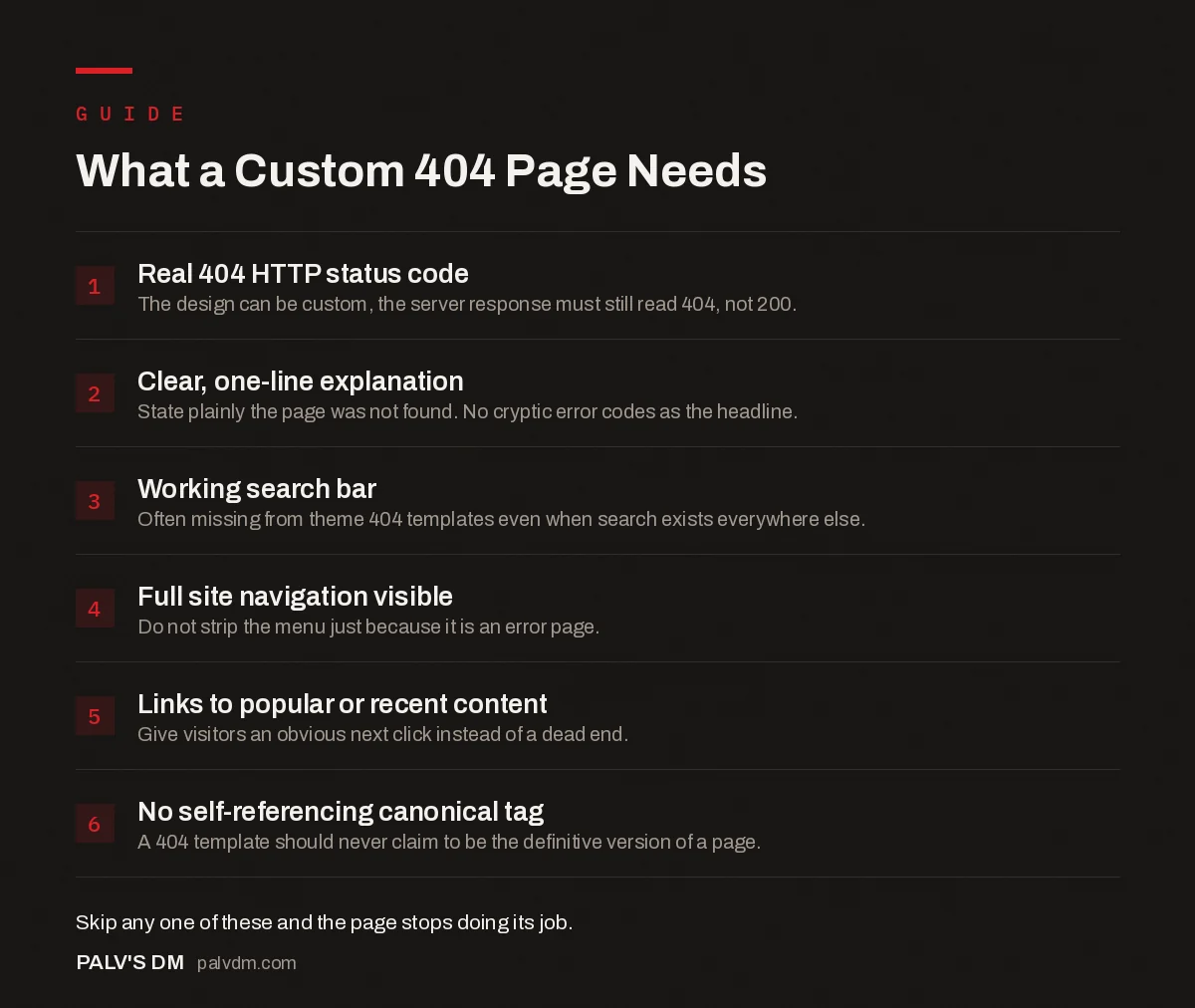
What a Custom 404 Page Needs
- Real 404 HTTP status code. The design can be custom, the server response must still read 404, not 200.
- Clear, one-line explanation. State plainly the page was not found. No cryptic error codes as the headline.
- Working search bar. Often missing from theme 404 templates even when search exists everywhere else.
- Full site navigation visible. Do not strip the menu just because it is an error page.
- Links to popular or recent content. Give visitors an obvious next click instead of a dead end.
- No self-referencing canonical tag. A 404 template should never claim to be the definitive version of a page.
How should the copy actually read?
Skip the cute error codes and cryptic humor unless it genuinely matches your brand voice, and even then, keep it short. State plainly that the page couldn’t be found, in one sentence. Then get straight to the useful part: the search bar and the links. A visitor who lands here didn’t come for entertainment, they came for whatever they originally clicked, and your copy’s only job is to get them moving again fast.
One thing we correct constantly on client sites: the default WordPress theme 404 template almost never includes a search bar by default, even on themes that have search functionality everywhere else on the site. It’s an easy miss because nobody tests the 404 page during a redesign, it just gets forgotten until someone actually lands on one.
Does a custom 404 page hurt SEO if it’s done wrong?
The design itself never hurts SEO. What hurts SEO is the technical layer underneath it. Three specific mistakes account for almost every 404-related ranking problem we find in audits:
- Soft 404s. The page displays “not found” content but the server actually returns a 200 OK status code. Search engines treat this as a real, indexable page with thin or duplicate content, which is worse than a clean 404. Check your response headers, not just what the page looks like.
- A canonical tag pointing to itself or the homepage. A 404 template should never carry a canonical tag claiming to be the definitive version of anything. If your CMS auto-injects one, override it on this specific template.
- Getting indexed into search results. A properly returning 404 shouldn’t appear in Google’s index at all. If you’re seeing your 404 page ranking for random queries in Search Console, that’s usually a soft 404 problem, not a content problem.
Should broken URLs redirect instead of showing a 404?
Sometimes, and this is where a lot of sites overcorrect. If a specific page moved, got renamed, or was replaced by an updated version, a 301 redirect to its new home is the right call, and it preserves whatever ranking signal the old URL had built up. But redirecting every single broken URL to your homepage, as a blanket policy, is a mistake. It creates a confusing experience (someone searching for a specific product ends up on your homepage with no explanation) and at scale, search engines can start treating a pattern of mass homepage redirects similarly to a soft 404 problem. Redirect specific, valuable pages individually. Let the genuinely dead ones return a real 404 with good navigation instead.
What do good examples actually do differently?
The 404 pages that get cited as best-in-class (GitHub, Spotify, larger consumer brands) share a pattern worth copying regardless of your industry: they keep full site navigation visible, they add exactly one distinguishing element (an illustration, a bit of brand personality, an animation) without letting it bury the useful links, and they never make the visitor hunt for the way back in. None of that requires a big design budget. A clear headline, working search, a short list of your most-visited pages or main navigation, and consistent branding covers 90% of what actually matters.
Should the 404 page account for accessibility too?
Yes, and it’s usually skipped precisely because a 404 page feels like an afterthought. Screen reader users need the same clear heading structure and landmark navigation on this page as any other, arguably more so, since they’re already dealing with an unexpected dead end. Make sure the page has a proper <h1>, that the search input has a visible label (not just placeholder text, which disappears once someone starts typing), and that focus lands somewhere sensible when the page loads rather than defaulting to the very top of a long header. None of this is exotic accessibility work. It’s the same baseline every page on your site should already meet, applied to the one page that’s easiest to forget.
How do you know if your 404 page is actually working?
Set up a GA4 event or a simple pageview report filtered to your 404 template, then look at what happens after someone lands there. Two numbers matter: how many people click through to another page versus how many leave immediately, and which broken URLs are sending people there in the first place. A 404 page that recovers 40 to 50 percent of visits into another pageview is doing its job. One where almost everyone bounces immediately usually has a design or usability problem worth fixing, not just bad luck.
The second number, which URLs are triggering the 404, is arguably more useful. If the same broken link keeps showing up in your reporting, that’s not a 404-page problem, it’s a redirect you forgot to set up. Check this monthly, not once and never again. Sites accumulate broken links continuously as content gets moved, renamed, or deleted.
How do you build one in WordPress specifically?
- Check what your theme already provides. Most modern themes include a
404.phptemplate. Look at it before building anything custom, sometimes it just needs a search bar and a menu added, not a full rebuild. - Add it through the block editor if your theme is block-based. Full Site Editing themes let you edit the 404 template visually under Appearance → Editor → Templates, no code required.
- Confirm the status code after publishing. Load a genuinely broken URL on your live site and check the HTTP response with a tool like the browser’s network tab or a status-code checker. It must read 404, not 200.
- Test it against your actual navigation and search setup, not a mockup. If your search plugin doesn’t work correctly when embedded in the 404 template, you’ve just built a broken search bar for your most frustrated visitors.
Frequently asked questions
Do 404 pages hurt SEO?
A correctly configured 404 does not hurt rankings by itself. It’s a normal, expected part of how the web works. The real SEO damage comes from soft 404s (pages returning a 200 status code instead of 404), broken internal links pointing to dead pages, and losing link equity from pages that used to rank without redirecting them.
What should a good 404 page include?
A clear statement that the page wasn’t found, a search bar, links to your main navigation or most useful pages, and design consistent with the rest of your site. Keep the tone matched to your brand: playful works for some businesses, straightforward works better for most B2B and service sites.
Does a custom 404 page need to return a 404 HTTP status code?
Yes, this is the part people get wrong most often. The page can look however you want, but the server response must still be a real 404 (or 410) status code. A custom-designed page that returns a 200 status is a soft 404, and it actively confuses search engines about what’s actually missing.
Should I redirect all my 404 pages to the homepage?
No. Mass-redirecting every broken URL to the homepage creates a poor user experience and can look like a soft 404 pattern to search engines if done indiscriminately. Redirect specific, high-value pages individually to their closest live replacement, and let genuinely dead URLs return a real 404 with helpful navigation.
How do I find out how many 404 errors my site has?
Google Search Console’s Page Indexing report lists URLs Google has crawled and found returning a 404, under “Not found (404)”. A site crawler like Screaming Frog can also crawl your own internal links to catch ones pointing to dead pages before Google ever finds them.
Sources
- Troubleshoot crawl errors, Google Search Central
- Redirects and Google Search, Google Search Central
- WordPress SEO: The Complete Configuration Guide
- Mobile Usability Errors in Search Console and Their Fixes
- Accessibility Basics That Also Help SEO
- Website Redesign Without Losing Your SEO
Want this done on your site?
Every PalV’s DM engagement starts with a free audit of your actual website — a 12-point
crawl covering what is blocking indexation, on-page gaps against your primary keywords, speed
findings, and the three to five fixes worth making first. Delivered in two working days. No
payment details, and the findings are yours whether you hire us or not.
Get your free SEO audit
See Web Development plans and prices


