
Website Accessibility Basics That Also Help Your SEO
Website accessibility and SEO overlap more than most guides admit. Here are the fixes that help screen reader users and search engines at once.
Website accessibility means building pages that people using screen readers, keyboard-only navigation, or low vision can actually use, and most of what that requires overlaps directly with what helps search engines understand your site. Clean heading structure, descriptive alt text, meaningful link text and fast page loads serve both audiences at once. Treat accessibility as an SEO side effect and you’ll fix it half-heartedly. Treat it as its own goal and the SEO benefit shows up anyway.
The common mistake is assuming accessibility is either a legal checkbox for large enterprises or something an SEO plugin handles automatically. It’s neither. It’s a set of specific, learnable practices, most of which cost nothing but attention, and skipping them quietly costs you both users and rankings.
What does “accessible” actually mean in practice?
Accessibility guidelines, formalised as the Web Content Accessibility Guidelines (WCAG), organise requirements around four ideas. Information has to be perceivable through more than one sense, so images need text alternatives and video needs captions. Interfaces have to be operable without a mouse, so every interactive element needs to work with a keyboard alone. Content has to be understandable, with predictable navigation and clear labels. And pages need to keep working reliably across different browsers and assistive technologies, not just the one the developer tested in.
WordPress core itself targets WCAG 2.2 at level AA for its admin interface and bundled themes. That’s a reasonable target for a business site too: stricter than the bare minimum, achievable without a specialist team.
Why does this overlap with SEO so heavily?
Search engines and screen readers are solving a similar problem: understanding a page without seeing it rendered visually the way a sighted user does. A crawler reads your HTML structure, not your CSS. A screen reader reads the same structure aloud. Get the structure right for one and you’ve mostly gotten it right for the other.
- Alt text describes an image to a screen reader user and gives search engines the only text signal they have for what an image actually shows.
- Heading hierarchy lets a screen reader user jump between sections the way a sighted user scans a page, and it tells search engines how your content is organised.
- Descriptive link text tells a screen reader user where a link goes without needing surrounding context, and it’s a documented signal Google uses to understand what the linked page is about.
- Fast, lightweight pages matter more for users on assistive technology or slow connections, and page speed is a confirmed part of how Google evaluates page experience.
- Semantic HTML elements (nav, main, article, button instead of a styled div) give screen readers landmarks to jump between, and they give search engines a clearer read on which part of the page is the actual content versus navigation or boilerplate.
None of this requires choosing between “build for humans” and “build for crawlers.” They’re reading the same document through different interfaces, and a document that’s genuinely well-structured serves both without extra work on your part.
What are the highest-impact fixes to start with?
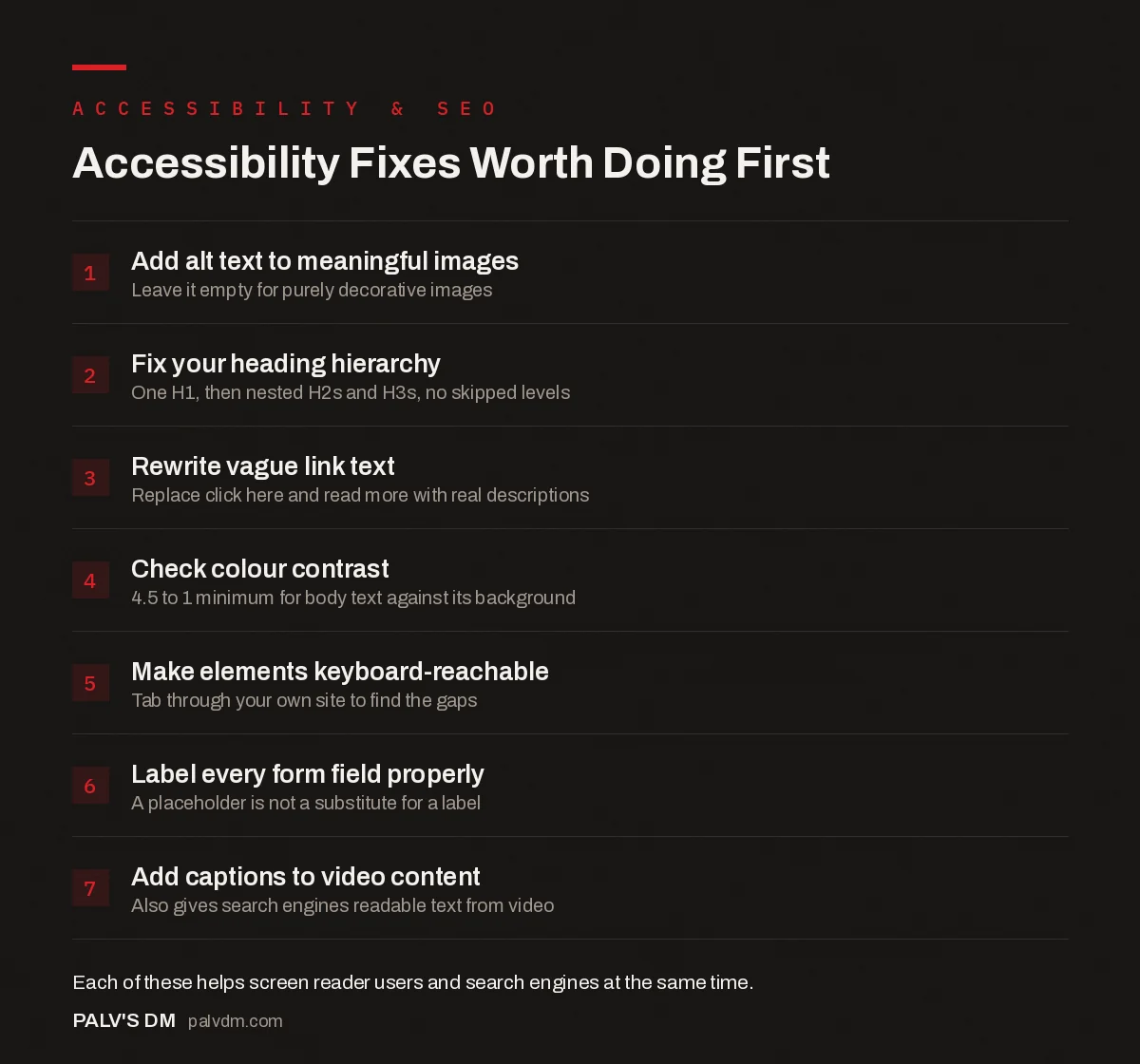
Accessibility Fixes Worth Doing First
- Add alt text to meaningful images. Leave it empty for purely decorative images.
- Fix your heading hierarchy. One H1, then nested H2s and H3s, no skipped levels.
- Rewrite vague link text. Replace click here and read more with real descriptions.
- Check colour contrast. 4.5 to 1 minimum for body text against its background.
- Make elements keyboard-reachable. Tab through your own site to find the gaps.
- Label every form field properly. A placeholder is not a substitute for a label.
- Add captions to video content. Also gives search engines readable text from video.
Is accessibility actually a Google ranking factor?
Not directly, and it’s worth being precise about that instead of overselling it. Google has stated plainly that WCAG conformance itself isn’t a ranking signal. What matters is that the underlying practices, clean semantic HTML, meaningful alt text, fast loading, sensible heading structure, are things Google already rewards for reasons that have nothing to do with accessibility law. You’re not gaming two systems with one fix. You’re fixing one set of real problems that two different systems both care about, for different reasons.
Do you need to hire a specialist, or can you do this yourself?
For the fixes above, no specialist required. Alt text, heading order, link text and contrast checking are things any content editor can learn in an afternoon and apply going forward. Where I’d draw the line: complex interactive components (custom dropdowns, modal dialogs, multi-step forms with dynamic validation) genuinely need someone who tests with a real screen reader, not just a checklist. If your business faces real legal exposure around accessibility compliance, that’s the point to bring in a specialist for a full audit rather than relying on a blog post’s checklist.
The alt text field left blank in WordPress’s media uploader is, by a wide margin, the single most common gap I find running audits on client sites. It takes roughly two minutes per image to fix properly, and it gets skipped on nine uploads out of ten because the upload flow doesn’t force the issue.
Should you just install an accessibility overlay widget?
No. I’ll say that plainly because the evidence against overlay widgets like AccessiBe and UserWay is no longer just a community complaint, it’s a legal record. More than 800 businesses using overlay products were sued over accessibility in 2023 and 2024 alone, and courts have repeatedly rejected the presence of an overlay as evidence of compliance. In April 2025, the FTC fined AccessiBe a million dollars specifically for falsely marketing its widget as making sites WCAG compliant when it couldn’t deliver that.
The technical reason overlays fail is straightforward: they try to patch accessibility problems at the browser level with JavaScript, without touching the underlying markup that’s actually broken. A script can’t reliably infer what an image means, restructure a broken heading hierarchy, or fix a form that was never properly labelled. It can only apply surface-level patches that sometimes make things worse for the assistive technology users it claims to help. If a vendor pitches you a one-line script that makes your site “fully compliant,” that claim itself is the reason to walk away.
Are automated accessibility checkers enough on their own?
No, and this is where a lot of “accessibility” work stops short. Automated scanners are good at catching mechanical, rule-based issues: a missing alt attribute, insufficient colour contrast, a form input with no associated label. Screaming Frog’s SEO Spider, for instance, now runs the open-source AXE rule set during a crawl specifically to flag these automatically.
What automated tools can’t judge is whether your alt text actually describes the image usefully, whether the reading order makes sense when linearised for a screen reader, or whether a real user could complete a checkout flow using only a keyboard. Run the automated scan first to catch the easy 60 to 70 percent. Then walk through your key user flows manually, ideally with a screen reader running, to catch what a scanner structurally can’t see.
Frequently asked questions
Does website accessibility actually affect SEO rankings?
Not directly. Google has said WCAG conformance is not a ranking signal on its own. But the specific practices that make a site accessible, like clean heading structure, descriptive alt text and fast load times, are things Google’s crawlers and ranking systems reward independently, so the two goals overlap heavily in practice.
What is WCAG and which level should my site meet?
WCAG stands for Web Content Accessibility Guidelines, the standard most legal frameworks and accessibility audits reference. Level AA is the widely accepted target for business websites, sitting between the minimum (A) and the most stringent (AAA), and it’s the level WordPress core itself aims for in its own admin interface.
What’s the easiest accessibility fix to start with?
Alt text on meaningful images. It takes minutes per image, requires no code changes, and is the single most commonly skipped field in WordPress’s media uploader. It’s also one of the fixes that most directly helps both screen reader users and image search visibility at the same time.
Do I need to hire a specialist for accessibility compliance?
For the highest-impact fixes, no. Alt text, heading structure, link text and colour contrast don’t require specialist training. A full WCAG AA audit for legal compliance purposes, especially anything involving complex interactive components, is where bringing in someone who tests with real assistive technology starts to matter.
Can automated tools fully check my site’s accessibility?
No. Automated scanners reliably catch mechanical issues like missing alt attributes or insufficient colour contrast, but they can’t judge whether alt text is actually meaningful, whether reading order makes sense, or whether a screen reader user could complete a task. Automated tools are a starting filter, not a final answer.
Sources
- Web Content Accessibility Guidelines (WCAG), W3C
- Make WordPress Accessible, WordPress.org
- Accessibility Overlay Widgets Attract Lawsuits, Accessibility.Works
- WordPress SEO: The Complete Configuration Guide
- Mobile Usability Errors in Search Console and Their Fixes
- Custom 404 Pages That Recover the Visit
- Cookie Banners Under DPDP: Doing It Without Wrecking UX
Want this done on your site?
Every PalV’s DM engagement starts with a free audit of your actual website — a 12-point
crawl covering what is blocking indexation, on-page gaps against your primary keywords, speed
findings, and the three to five fixes worth making first. Delivered in two working days. No
payment details, and the findings are yours whether you hire us or not.
Get your free SEO audit
See Web Development plans and prices


