
Discovered, Currently Not Indexed: Causes and Fixes
Discovered - currently not indexed means Google found your URL but hasn't crawled it yet. The five causes and the fix sequence that clears the backlog.

Discovered – currently not indexed means Google’s crawler found the URL, usually through your sitemap or an internal link, but decided not to spend crawl budget fetching it yet. It isn’t an error and it isn’t a penalty; it’s a queue. The fix depends on why the URL is low priority in that queue: weak internal linking, thin or duplicate content, or a site producing more URLs than its crawl demand can absorb.
This status sits one step earlier than “Crawled – currently not indexed,” which means Google visited the page and chose not to index it. “Discovered” means Google hasn’t visited at all. Treating the two the same wastes time — one is a crawl-priority problem, the other is a quality problem.
What does Discovered – currently not indexed actually mean?
Google Search Console assigns this status to a URL after it appears in your sitemap or gets linked to, but before Googlebot fetches it. Google’s crawl budget documentation lists sites with “a large portion of their total URLs classified by Search Console as Discovered – currently not indexed” as the specific case its advanced crawling guidance addresses. In other words, Google itself treats a large backlog of this status as a crawl-priority symptom, not a per-page bug.
Crawling every known URL isn’t guaranteed. Google’s crawlers weigh a site’s crawl capacity limit against crawl demand — how popular, fresh, and non-duplicate your URLs appear — and URLs that lose that competition sit in “Discovered” indefinitely.
What causes a URL to stay Discovered – currently not indexed?
Five causes account for nearly every case, and they usually stack rather than appear alone.
- Weak or absent internal links. A URL only in the sitemap, with no links from already-indexed pages, signals low importance. Google follows links to judge relevance faster than it trusts a sitemap entry alone.
- Low perceived value relative to similar URLs. Faceted filters, tag archives, or paginated duplicates compete against your core pages for the same crawl budget and usually lose.
- Crawl capacity limits on large or slow sites. Sites with more URLs than Google’s crawl capacity for that host can process end up with a backlog, regardless of content quality.
- New or low-authority domains. A newly launched site or section has lower crawl demand until it earns links and traffic, so Google paces crawling deliberately.
- Sitemap noise. Sitemaps padded with old, redirected, or non-canonical URLs dilute the signal Google uses to prioritise what’s worth fetching next.
How do you fix Discovered – currently not indexed pages?
Work through this sequence in order. Skipping straight to “request indexing” is the most common mistake, because it treats a queue problem as if it were a one-click fix.
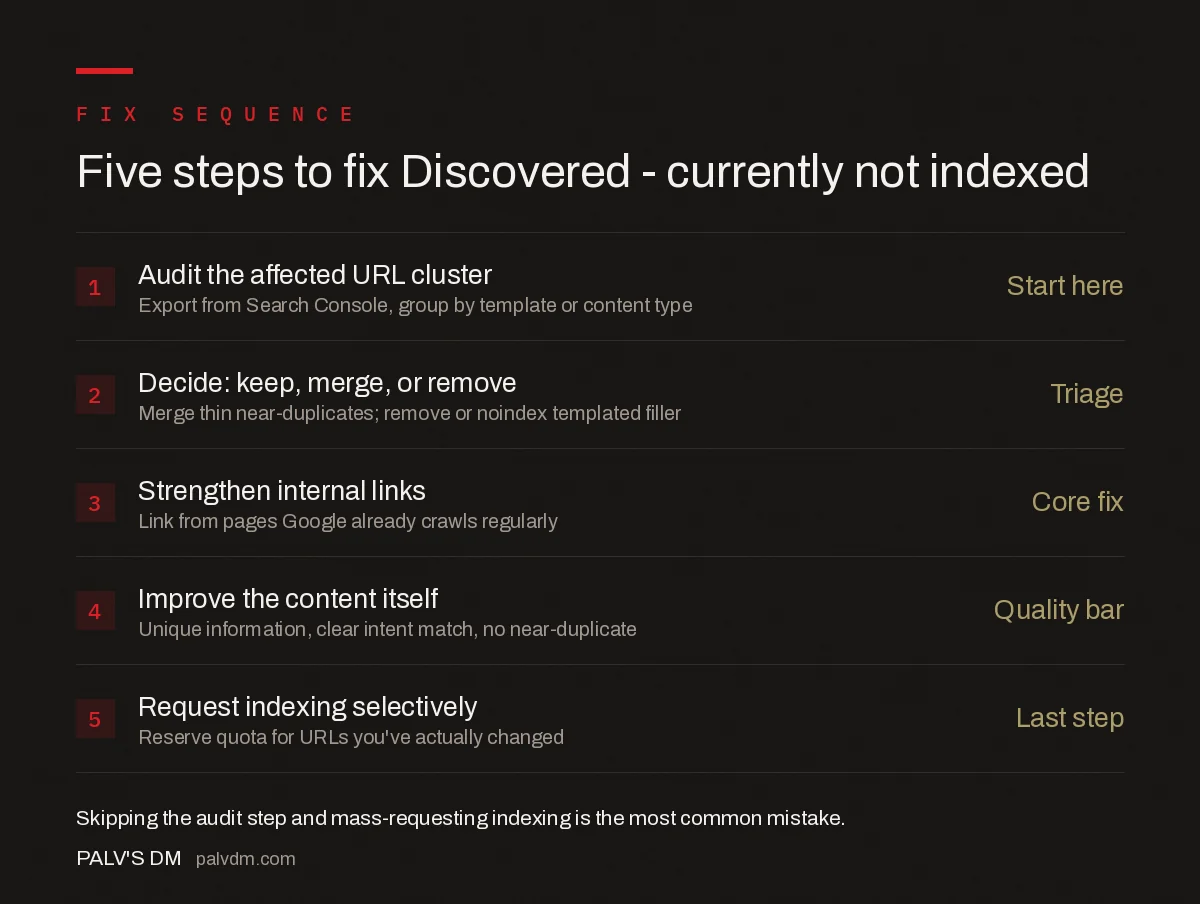
Five-step fix sequence
- Audit the affected cluster — Export the full list from Search Console’s Page Indexing report, then group by template, section, or content type rather than looking at URLs one by one.
- Decide: keep, merge, or remove — Thin near-duplicates get merged into one stronger page; templated filler (auto-generated tag pages, empty category archives) gets noindexed or removed from the sitemap.
- Strengthen internal links — Add links from pages Google already crawls regularly: your homepage, high-traffic hubs, or a relevant pillar page. A URL with zero internal links is asking to be deprioritised.
- Improve the content itself — If the page is worth keeping, make sure it clears the bar: unique information, a clear match to search intent, and no near-duplicate competing with it elsewhere on the site.
- Request indexing selectively — Once a URL has been genuinely changed, use URL Inspection’s “Request Indexing.” Reserve this for pages you’ve actually improved; running it on unchanged URLs burns quota without changing the outcome.
How does this differ from Crawled – currently not indexed?
The two statuses look similar in the Page Indexing report but point to different fixes.
| Signal | Discovered – currently not indexed | Crawled – currently not indexed |
|---|---|---|
| Has Google visited the URL? | No | Yes |
| Root cause | Crawl priority / demand | Content quality assessment |
| First fix to try | Internal links, sitemap cleanup | Rewrite, differentiate, add depth |
| Typical trigger | New pages, large sites, low authority | Thin, duplicate, or low-value content post-crawl |
If a URL moves from “Discovered” to “Crawled – currently not indexed” after you fix internal linking, that’s useful information: Google is now willing to visit the page, but its content still isn’t clearing the indexing bar. That’s a content problem, not a crawl problem, and it needs a different fix — see our dedicated guide on Crawled, currently not indexed, linked below.
What common mistakes make this status worse?
- Mass-requesting indexing. Submitting dozens of unchanged URLs through URL Inspection doesn’t create urgency for Google; it just exhausts your daily quota and delays requests on pages that matter.
- Leaving thin URLs in the sitemap. Every low-value URL in the sitemap competes with your important pages for the same limited crawl attention.
- Ignoring the pattern. Fixing one URL while the same template generates a thousand more with the same problem doesn’t move the needle. Fix the template or the generation rule, not the individual page.
- Confusing “not indexed” with “blocked.” A robots.txt disallow or a noindex tag produces a different status entirely. Check the URL Inspection tool’s live test before assuming this is a crawl-priority issue rather than a directive you set yourself.
When should you leave a Discovered URL alone?
Not every URL in this status needs action. Paginated pages beyond the first two or three, print-friendly duplicates, or internal search-result pages are frequently better left uncrawled — that’s Google’s crawler correctly deciding they add little value. Spend the fix effort on URLs that represent real content: product pages, articles, and category pages your business actually wants ranking. For everything else, a robots.txt block or noindex tag that formally removes them from contention is often the more efficient outcome than fighting to get them crawled.
Frequently asked questions
Does Discovered – currently not indexed mean my page has an error?
No. It means Google found the URL, through your sitemap or a link, but hasn’t crawled it yet. There’s no error code attached. It usually reflects a crawl-priority decision, not a technical fault, though thin or duplicate content on the URL makes Google deprioritise it further.
How long does a URL stay Discovered – currently not indexed before Google crawls it?
There’s no fixed window. Well-linked pages on an established site often clear within days; pages on a large or new site with limited crawl demand can sit in this status for weeks. Requesting indexing doesn’t set a deadline, it just adds the URL to a priority queue.
Should I request indexing for every URL stuck in this status?
No. The Inspect URL quota is limited and requesting indexing on unchanged, low-value URLs wastes it. Fix the underlying cause first — thin content, weak internal links, or sitemap noise — then request indexing only on the URLs you’ve actually improved.
Can too many low-value pages cause this status sitewide?
Yes. Google’s own crawl budget guidance says duplicate or unimportant URLs waste crawl time that could go to pages worth indexing. A site with thousands of thin, auto-generated, or near-duplicate URLs will see a growing share of them stuck at Discovered – currently not indexed.
Sources
- Optimize Your Crawl Budget — Google Search Central
- Technical SEO: The Complete Working Guide
- Canonical Tags: The Rules Most Sites Get Wrong
- Crawled, Currently Not Indexed: What It Means and How to Fix It
- X-Robots-Tag: Controlling Non-HTML Files
Want this done on your site?
Every PalV’s DM engagement starts with a free audit of your actual website — a 12-point
crawl covering what is blocking indexation, on-page gaps against your primary keywords, speed
findings, and the three to five fixes worth making first. Delivered in two working days. No
payment details, and the findings are yours whether you hire us or not.


