
What a Clean Website Handover Package Actually Contains
A proper website handover includes credentials, documentation and training, not just an FTP login. Here's the full checklist and what agencies skip.
A clean website handover contains four things: full account access in your name, the technical documentation to actually use it, a record of what everything costs and when it renews, and enough training that you’re not stuck the first time something breaks. Most agencies hand over a login and call it done. That’s not a handover, it’s a formality.
We’ve inherited enough client sites from other agencies to know what “handover” usually means in practice: an FTP password sent over email, maybe, and nothing else. Here’s what actually belongs in the package, and why each piece matters more than it sounds like it should.
1. Domain registrar access, in your name
This is the one item that, if missing, can genuinely end a business relationship with its own website. If your domain is registered under the agency’s account, you don’t own your domain, you’re renting access to it through them. If they go unresponsive, get acquired, or simply decide to hold it hostage over a payment dispute, you have no direct path to your own domain name.
What you need: the registrar login (GoDaddy, Namecheap, whichever), confirmation the domain is registered to your business’s name and email, and the auth code (EPP code) that would let you transfer it elsewhere if you ever needed to. If you don’t currently know who your registrar is or whether the account is in your name, that’s worth checking today, not at handover time.
2. Hosting account access and server details
The actual hosting account, not just SFTP credentials to one folder. You want cPanel or the host’s control panel login, confirmation of who the account is billed to, and a note of what plan you’re on and what it costs to renew. If the agency set up hosting under their own reseller account, ask directly whether that can be transferred to a standalone account in your name. Some hosts make this trivial, others don’t support it at all, which is worth knowing before you’re stuck mid-negotiation.
3. CMS admin access, at the actual administrator level
WordPress admin access with the Administrator role, not Editor, not a custom role with restrictions baked in. We’ve seen handovers where the client received an account that could edit posts but not install plugins or manage users, which isn’t really ownership, it’s supervised access. Confirm you can create new admin users yourself. If you can’t, you don’t have full control yet.
4. Analytics, Search Console and ad account access
Google Analytics, Search Console and Google Business Profile should all live in accounts you control, ideally a Google Workspace account under your own domain, added as an owner, not just a viewer. The same goes for Google Ads or Meta Ads accounts if the agency ran paid campaigns. Losing years of historical analytics data because it was tied to an agency’s Google account that then got deleted is a genuinely common, genuinely avoidable loss.
The full handover checklist
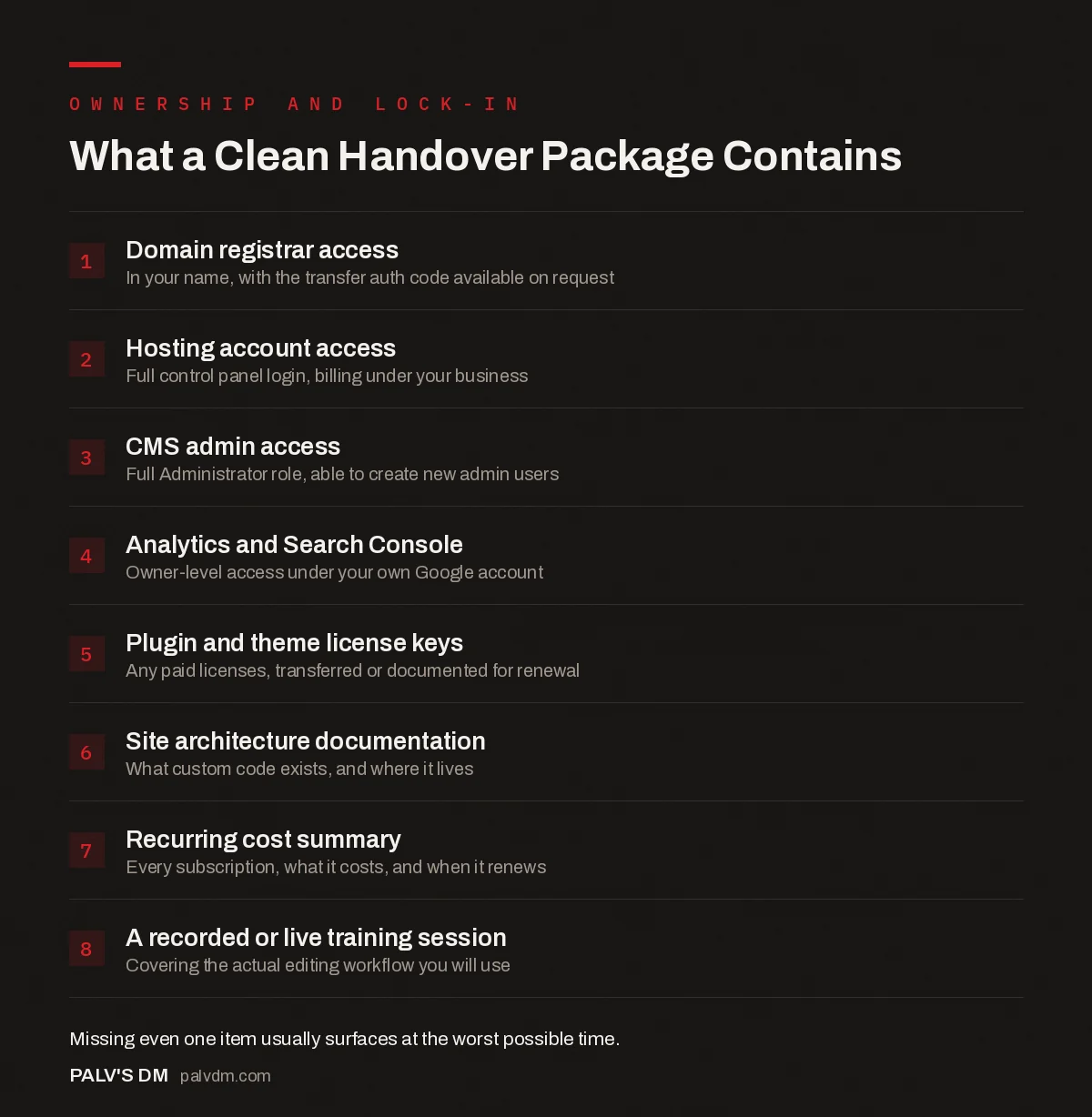
What a Clean Handover Package Contains
- Domain registrar access. In your name, with the transfer auth code available on request.
- Hosting account access. Full control panel login, billing under your business.
- CMS admin access. Full Administrator role, able to create new admin users.
- Analytics and Search Console. Owner-level access under your own Google account.
- Plugin and theme license keys. Any paid licenses, transferred or documented for renewal.
- Site architecture documentation. What custom code exists, and where it lives.
- Recurring cost summary. Every subscription, what it costs, and when it renews.
- A recorded or live training session. Covering the actual editing workflow you’ll use.
5. Plugin and theme licenses, not just the plugins themselves
A working site and a fully-licensed site aren’t the same thing. Premium plugins and themes usually run on annual licenses tied to a specific account. If a page builder, an SEO plugin’s premium tier, or a security plugin is running on the agency’s license, that license lapsing after handover can silently disable features or leave the plugin unable to update, which is its own security risk. Ask for a list of every paid plugin and theme, who currently owns the license, and whether it transfers to you or needs re-purchasing.
6. Technical documentation of what’s actually custom
Every developer makes decisions that aren’t obvious from the CMS admin screen: a custom post type for a portfolio section, a child theme with specific overrides, a function that runs on form submission, an integration with a booking tool. None of that is visible just by logging in. A proper handover includes a short document, it doesn’t need to be long, listing what’s custom, roughly how it works, and where the code lives. Without this, the next developer you hire spends their first billable hours reverse-engineering decisions someone else already made and never wrote down.
7. A recurring cost summary that’s actually complete
Hosting, domain renewal, premium plugin licenses, a CDN subscription, an email service, a form processing tool, a backup service. Each one is small. Together they’re a monthly number that’s easy to lose track of when they’re scattered across five different vendor accounts none of which you set up yourself. A single-page summary listing every recurring cost, its renewal date and its typical price prevents the surprise of a site going down because a $12 license nobody remembered to renew silently expired.
8. Actual training, not just a login and a wave goodbye
The best handovers we’ve done include a short recorded screen-share walking through the exact editing tasks the client will actually perform: publishing a blog post, updating a service page, checking a form submission. Generic “here’s how WordPress works” documentation is less useful than fifteen minutes covering the three things this specific client will do every month. If the agency won’t record a session or won’t walk your team through it live, ask why, that’s a reasonable thing to insist on before final payment.
9. Backup files and SSL certificate details
A recent full backup, database and files, saved somewhere you control, not just sitting in the agency’s backup plugin account. Ask when it was last taken and confirm you can restore from it if needed. SSL is usually issued automatically through the host now (Let’s Encrypt handles most of this invisibly), but if a paid certificate was purchased separately, confirm who owns that purchase and when it renews. An expired certificate throwing browser security warnings at every visitor is a bad first impression that’s entirely preventable with one line in a handover document.
10. A list of every third-party integration connected to the site
Payment gateways, email marketing tools, CRM connections, live chat widgets, booking systems. Each of these usually involves an API key or an account connection that lives somewhere outside the CMS itself. A site can look completely functional while running on integrations tied to accounts you’ve never heard of, and a contact form is the classic example: it can go on showing a success message to every visitor for months while quietly routing submissions to an inbox nobody at your company can access anymore. A documented list of every integration and where its credentials live is what catches that before it costs you leads.
What a rushed handover actually looks like
Usually it’s an email with a WordPress login and nothing else, sent the same day the final invoice goes out. No domain access confirmation. No list of what’s custom. No mention of the three plugins running on someone’s personal license. It technically satisfies “we gave you access,” and it leaves you finding out what’s missing the first time something breaks, usually months later, usually at the worst possible time.
A rushed handover isn’t always dishonesty. Sometimes it’s just a process nobody bothered to build, because most agencies are optimised for winning the next project, not for making the offboarding painless. That’s exactly why it’s worth asking about this before you sign, while you still have leverage to insist on it being part of the deliverable, not an afterthought.
Frequently asked questions
What’s the single most important item in a website handover?
Domain registrar access, in your own account, not the agency’s. Everything else, hosting, CMS, analytics, can be rebuilt or migrated if you lose access. Losing your domain means losing your email, your website and your Google Business Profile verification all at once.
Should I ask for a handover package before signing with an agency, not just at the end?
Yes. Ask what the handover process looks like before you sign, not after the project’s built and you’re negotiating from a weaker position. An agency that hesitates to describe their handover process in detail is telling you something about how the relationship will end.
Do I need a handover package if I’m staying with the same agency long-term?
Yes, arguably more, not less. Agencies close, get acquired, or lose the specific developer who built your site. A documented handover, even one you never formally “use,” means you’re never one resignation away from having no idea how your own website works.
What if my agency refuses to hand over admin access?
That’s a contract and ownership problem, not a technical one. If you paid for the site, you’re generally entitled to the assets and access unless your contract specifically says otherwise. Review what you signed, and if it’s ambiguous, that ambiguity should get fixed in writing before your next payment, not after.
Sources
- Website development handoff checklist, SmartBug Media
- Transfer Policy for domain registrars, ICANN
- WordPress SEO: The Complete Configuration Guide
- Who Should Own Your Domain, Hosting and Analytics Accounts
- How to Check Who Currently Owns Your Domain
- Website Platform Lock-In: How to Spot It Before You Sign
Want this done on your site?
Every PalV’s DM engagement starts with a free audit of your actual website — a 12-point
crawl covering what is blocking indexation, on-page gaps against your primary keywords, speed
findings, and the three to five fixes worth making first. Delivered in two working days. No
payment details, and the findings are yours whether you hire us or not.
Get your free SEO audit
See Web Development plans and prices


