
HTTP Status Codes Every SEO Should Recognise
A working reference to the HTTP status codes that change crawling and indexing: 200, 301, 302, 404, 410, 5xx, and soft 404s explained.

An HTTP status code is the three-digit response a server sends back every time Googlebot, or a browser, requests a URL, and only a handful of the roughly 60 defined codes change how a page gets crawled or indexed. The ones that matter for SEO are 200 (page is fine), 301 and 302 (redirects, permanent vs temporary), 404 and 410 (page is gone, with different urgency), 500 and 503 (server trouble), and soft 404s, which are pages that look broken but still return 200. Everything else in the HTTP spec is either invisible to ranking or so rare it’s not worth memorising.
Most status code problems on client sites trace back to one of three habits: redirecting broken pages to the homepage instead of a real replacement, leaving expired product or event pages as 200 OK with thin content, or letting a plugin or CDN misconfiguration throw intermittent 500s that only show up in a server log, never in a browser.
What is an HTTP status code, and why does it matter for SEO?
Every time a crawler or browser requests a URL, the server replies with a status code before it sends any content. Codes fall into five classes by their first digit: 1xx (informational, rarely seen), 2xx (success), 3xx (redirection), 4xx (client error, usually a missing page), and 5xx (server error). Google’s crawlers read this code on every single request and use it to decide whether to index the page, follow a redirect, retry later, or drop the URL from consideration entirely.
The status code is infrastructure-level signal, separate from on-page content. A page can have perfect content and still never get indexed if the server is intermittently returning a 500, or if it’s serving a 200 to Googlebot but a different code to a monitoring tool that isn’t seeing the real picture.
Which status codes actually affect indexing?
The table below covers the codes worth knowing. Everything outside this list either doesn’t reach Google’s indexing pipeline in a meaningful way or is so uncommon on a standard website that it’s not worth building a process around.
| Code | Meaning | SEO effect |
|---|---|---|
| 200 | OK | Page is eligible for indexing, assuming content and directives allow it. |
| 301 | Moved Permanently | Passes ranking signals to the target URL; Google updates its index to the new URL. |
| 302 | Found (temporary redirect) | Google keeps the original URL indexed and treats the redirect as short-term. |
| 304 | Not Modified | Tells crawlers nothing changed since the last visit; saves crawl budget, no ranking effect. |
| 404 | Not Found | URL is dropped from the index on a slowing recrawl schedule; not a direct ranking penalty. |
| 410 | Gone | Same as 404 but signals permanence; Google typically removes it faster. |
| 429 | Too Many Requests | Tells crawlers to slow down; repeated hits can reduce crawl rate. |
| 500 | Internal Server Error | Blocks indexing of that request; frequent 500s can suppress crawling sitewide. |
| 503 | Service Unavailable | Correct code for planned maintenance; Google retries later without penalty if brief. |
A soft 404 doesn’t have its own number because it isn’t a real status code — it’s a 200 OK response wrapped around content Google’s systems judge to be effectively missing, thin, or an error message. Search Console reports it separately because it needs a content fix, not a server fix.
How should you decide between a 301 redirect, a 404, and a 410?
This is the decision most sites get wrong, usually by defaulting to one option for everything. The choice depends on whether a genuine replacement exists and how permanent the removal is.
- Content moved to a new URL, same topic: 301 redirect to the new page.
- Content moved temporarily (A/B test, seasonal page): 302 redirect, kept live only as long as the move is temporary.
- Content removed, no real replacement, unsure if it returns: 404, and let Google’s slow recrawl schedule confirm it over time.
- Content removed permanently on purpose: 410, for a faster, cleaner exit from the index.
- Server temporarily down for maintenance: 503, never a 301 to the homepage or a fake 200.
Redirecting every dead URL to the homepage is the single most common misuse of the 301, and Google’s systems typically treat it as a soft 404 anyway because the destination page has no topical relationship to what was requested. Reserve a proper technical SEO audit with Screaming Frog for finding exactly which old URLs are being mishandled this way; it’s a status-code-by-status-code crawl, not a spot check.
What is a soft 404, and why is it a worse problem than a real one?
A real 404 is honest: the server admits the page is gone. A soft 404 is a page that returns 200 OK while showing an empty search results page, an out-of-stock product with no content, or a generic “nothing here” message. Google’s algorithms detect the mismatch between the status code and the actual content, mark the URL as a soft 404 in Search Console’s Page Indexing report, and generally exclude it from the index regardless of the 200 status.
The reason soft 404s cause more cleanup work than hard 404s is that they’re invisible in a browser and often invisible in basic uptime monitoring too, since the server genuinely responded successfully. They only surface through a crawl that checks content patterns against status codes, or through the Search Console coverage report weeks after the fact.
How do you check status codes across an entire site?
Checking one URL at a time doesn’t scale past a few dozen pages. The standard approach is a full crawl with a tool like Screaming Frog, configured to log the response code for every internal and external link it finds, plus a review of the Page Indexing report in Search Console for the soft 404s and 5xx spikes a crawler alone won’t always categorise correctly.
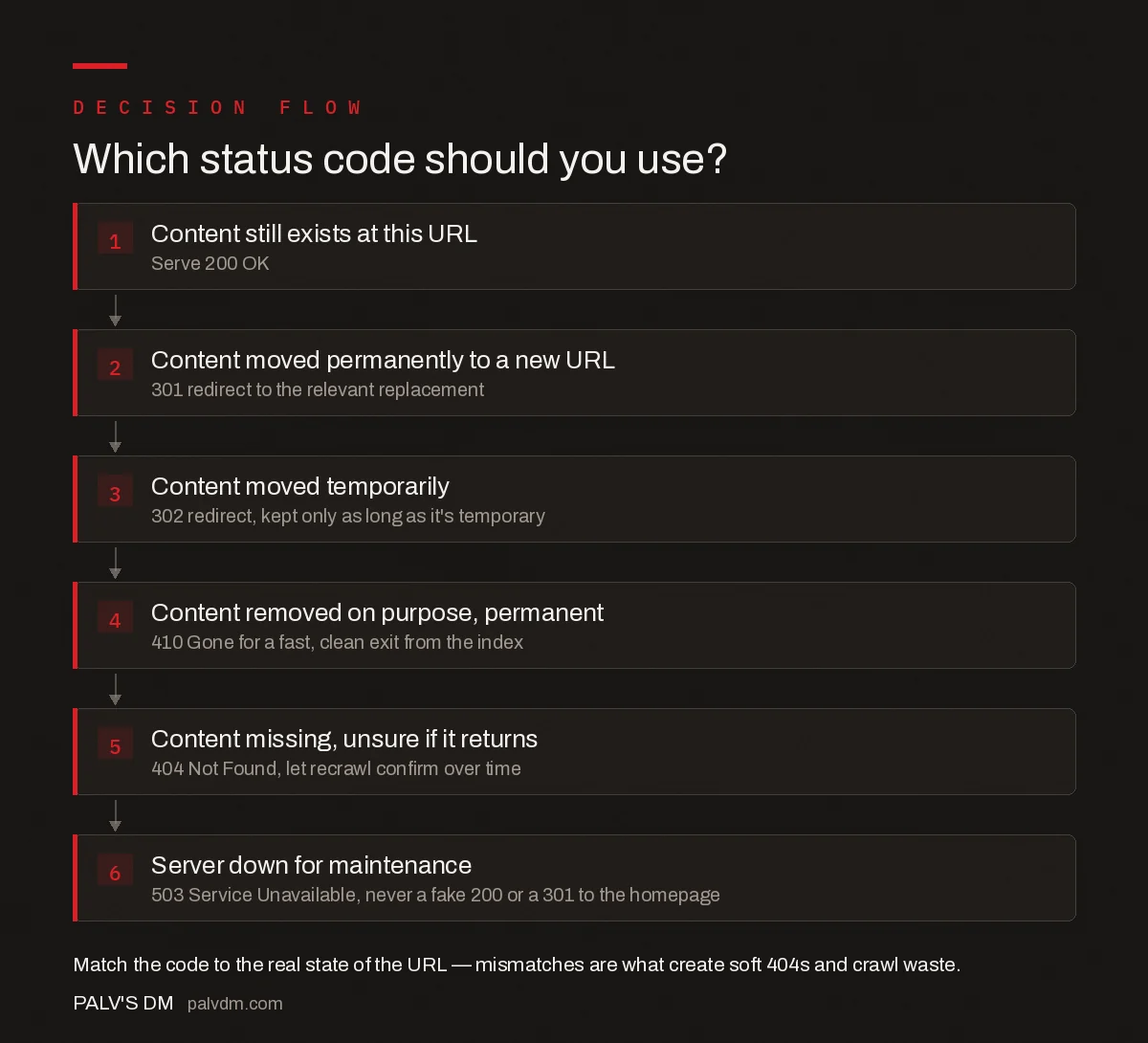
Which status code should you use?
- Content still exists at this URL. Serve 200 OK.
- Content moved permanently to a new URL. 301 redirect to the relevant replacement.
- Content moved temporarily. 302 redirect, kept only as long as it’s temporary.
- Content removed on purpose, permanent. 410 Gone for a fast, clean exit from the index.
- Content missing, unsure if it returns. 404 Not Found, let recrawl confirm over time.
- Server down for maintenance. 503 Service Unavailable, never a fake 200 or a 301 to the homepage.
Run this crawl on a schedule, not just once. Status code problems creep back in every time a product goes out of stock, a campaign page expires, or a migration leaves a batch of old URLs unredirected. Sites carrying legacy content are also the ones most likely to have duplicate content issues living alongside status code problems, since both stem from the same root cause: nobody owns the process of retiring URLs cleanly. Crawl frequency and the volume of errors also interact with crawl budget on larger sites, since a crawler that keeps hitting errors has less budget left for the pages that matter.
Frequently asked questions
Does a 404 error hurt my rankings?
A single 404 does not hurt rankings; Google has stated broken links and missing pages are not a sitewide ranking signal. The real cost is indirect: a high volume of 404s wastes crawl budget on large sites and creates a poor experience for anyone who lands on a dead link from search or from another site.
What is the difference between a 404 and a 410 for SEO?
Both remove a URL from the index, but Googlebot treats them differently. A 404 keeps the URL in a slow recrawl queue (checking again after roughly 24 hours, then 7 days, then 30, then 90) in case it comes back. A 410 tells Google the removal is permanent, and Google typically drops it from the index faster and stops revisiting it.
Should a broken link get a 301 redirect or stay as a 404?
Use a 301 only when a genuinely relevant replacement page exists for the old URL. Redirecting a dead page to an unrelated page, or to the homepage as a catch-all, is a soft 404 in disguise and confuses both users and Google. If there is no true replacement, a 404 or 410 is the correct response.
What is a soft 404 error?
A soft 404 happens when a page that is effectively missing or empty still returns a 200 OK status instead of a proper 404. Google detects the mismatch between the status code and the thin or error-like content, flags it as a soft 404 in Search Console, and generally excludes it from the index anyway.
How many 5xx errors are dangerous for a site?
A handful of transient 5xx errors during a deploy or a traffic spike is normal and rarely damaging. A sustained pattern, where Googlebot repeatedly hits 500 or 503 responses across a crawl, can slow or pause crawling of the whole site, since Google reduces crawl rate when it detects server strain.
Sources
- HTTP and network errors — Google Search Central
- 301 redirects — Google Search Central
- Technical SEO: The Complete Working Guide
Want this done on your site?
Every PalV’s DM engagement starts with a free audit of your actual website — a 12-point
crawl covering what is blocking indexation, on-page gaps against your primary keywords, speed
findings, and the three to five fixes worth making first. Delivered in two working days. No
payment details, and the findings are yours whether you hire us or not.


