
Job Posting Schema for Careers Pages: What Actually Gets You Into Google for Jobs
JobPosting schema explained: the five required fields, the single-job page rule, remote job handling and how expired listings get pulled automatically.

JobPosting schema needs five specific fields to qualify for Google for Jobs: title, description, datePosted, hiringOrganization and jobLocation, and all five must also appear as visible text on the page, not just buried in the JSON-LD. Miss that last part and the markup can get rejected even though it validates perfectly in a testing tool.
Careers pages are one of the most commonly botched schema implementations we see in audits, mostly because they’re built once by whoever set up the recruiting page and never touched again. The rules are specific and a little unforgiving compared to something like Article schema, so it’s worth getting right the first time.
What does JobPosting schema actually do?
It’s the structured data format that makes a job listing eligible to appear in Google for Jobs, the dedicated job search experience Google shows above regular organic results for job-related queries. Without it, your careers page can still rank normally in search, but it won’t get the enhanced job listing card with the apply button, salary range, and location that pulls a disproportionate share of clicks on job-search queries. For a business actively hiring, that’s a real visibility gap, not a nice-to-have.
What are the required fields, exactly?
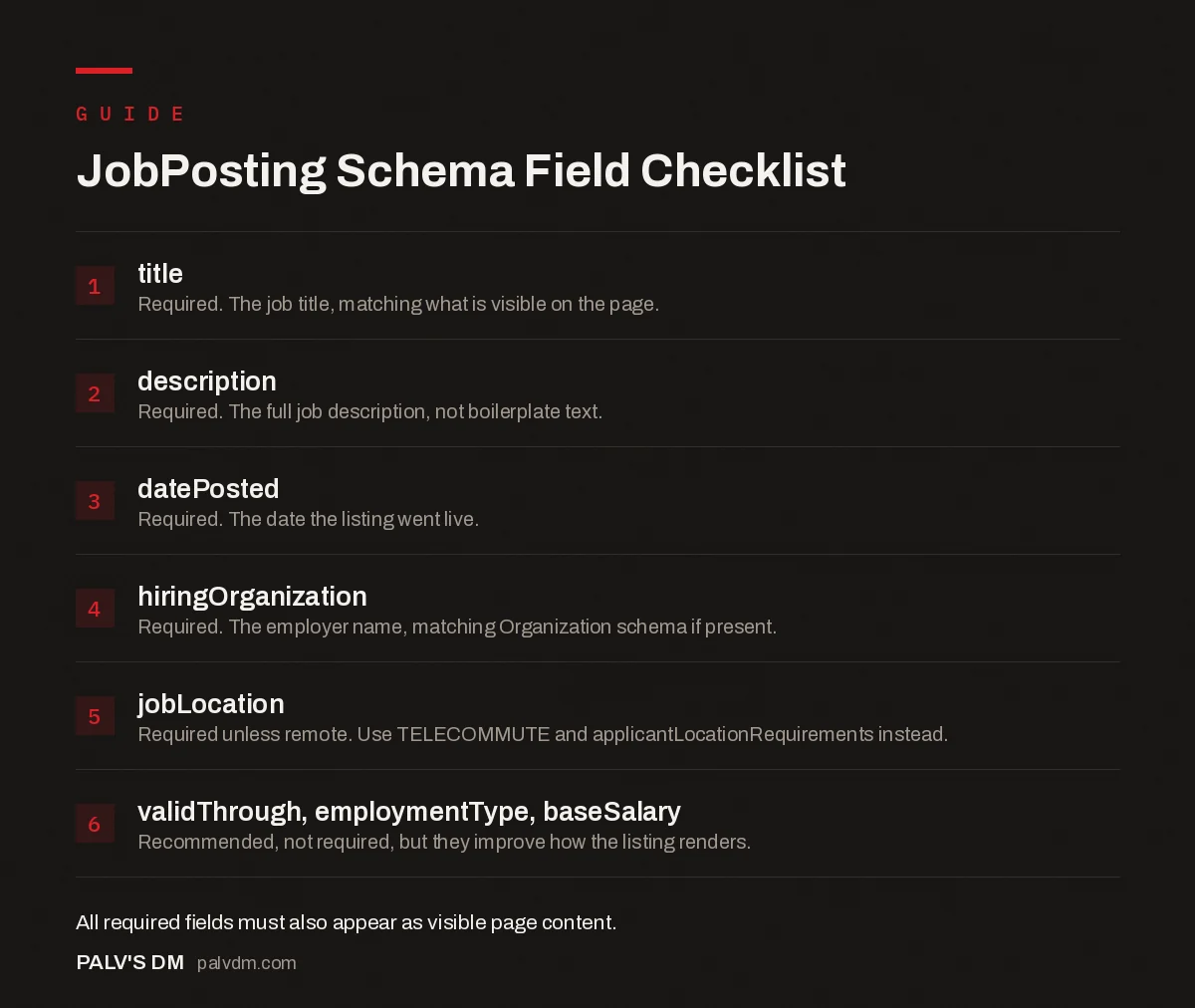
JobPosting Schema Field Checklist
- title. Required. The job title, matching what is visible on the page.
- description. Required. The full job description, not boilerplate text.
- datePosted. Required. The date the listing went live.
- hiringOrganization. Required. The employer name, matching Organization schema if present.
- jobLocation. Required unless remote. Use TELECOMMUTE and applicantLocationRequirements instead.
- validThrough, employmentType, baseSalary. Recommended, not required, but they improve how the listing renders.
Why does the “one job per page” rule trip people up?
Because it’s the opposite of how most companies build a careers section. The instinct is to list every open role on one page for a clean overview, which is genuinely a better user experience in some ways. Google doesn’t allow JobPosting markup on that kind of page at all: it’s restricted to pages showing exactly one job. Every open role needs its own dedicated URL carrying its own JobPosting block. If your current setup is a single “Careers” page with an accordion listing ten roles, none of that content is eligible for Google for Jobs no matter how well the JSON-LD is written, because the page itself is the wrong shape for the markup.
The practical fix is usually a custom post type: one URL per job opening, generated from your ATS or recruiting tool if you have one, with the overview page linking out to each individual listing instead of trying to hold the schema itself.
How do you handle remote positions?
Set jobLocationType to TELECOMMUTE and add applicantLocationRequirements specifying the countries or regions eligible to apply, instead of a physical jobLocation address. This is the single most common validation failure we see on remote job listings: someone leaves jobLocation blank because there genuinely isn’t an office, without realizing the location requirement still needs to be satisfied through the telecommute-specific properties. A remote role with no location information at all, in either format, simply doesn’t qualify.
What else should you include beyond the required five?
- validThrough. The date the listing expires. Google uses it to automatically stop surfacing a job once it’s filled or closed, instead of leaving a dead listing live indefinitely and frustrating applicants who apply to a role that’s already gone.
- employmentType. Full-time, part-time, contract, internship. Helps the listing surface correctly against job-seeker filters in Google for Jobs.
- baseSalary. Increasingly expected by job seekers and, where you’re comfortable publishing a range, it tends to improve listing engagement. Structure it with currency, value and unit (yearly, hourly) rather than a plain text string.
- identifier. A unique ID for the posting from your own system. Useful for tracking and for avoiding duplicate-listing confusion if the same role gets reposted.
None of these are required to qualify, but a listing carrying only the bare minimum five fields tends to render as a thinner, less useful card than one with employment type and salary attached. If you’re doing this once, do it properly rather than the minimum that passes validation.
How do you avoid getting the listing rejected?
Three mistakes account for most rejections we’ve traced back on client sites. First, the JSON-LD data doesn’t match what’s visibly written on the page, a common issue when a recruiting plugin auto-generates the schema from a database field that’s since been edited on the front end but not in the source data. Second, the description field contains boilerplate or is too thin to represent an actual job description, Google explicitly disallows incomplete job descriptions and will decline to show the listing. Third, and this one is sneaky, the page returns fine on first crawl but the job is quietly removed or expired without updating or removing the schema, leaving stale data that eventually gets flagged.
What if you don’t have an ATS or recruiting plugin?
Most small and mid-size businesses hiring for one or two roles at a time don’t run a full applicant tracking system, and that’s fine. You don’t need one to use JobPosting schema correctly. A single WordPress page per opening, with the JSON-LD hand-written or generated through a schema plugin like Rank Math or Yoast (both support JobPosting as one of their schema types), covers this without extra tooling. The discipline that matters isn’t the software, it’s remembering to update or remove the schema block the day a role closes, which is exactly the step that gets skipped when there’s no system enforcing it.
For a business hiring rarely, we usually recommend just building a simple template once: a page structure with the JSON-LD already wired to pull from title, description and a few custom fields, so filling a new opening is a copy-paste-edit job rather than writing schema from scratch each time.
Is Google for Jobs worth the effort in India specifically?
It depends heavily on the role and the industry. For tech, sales and other white-collar roles in metros like Bangalore, Mumbai or Ahmedabad, Google for Jobs sits alongside LinkedIn and Naukri as a real discovery channel, and getting the schema right costs nothing beyond the setup time. For blue-collar and hyperlocal hiring, candidates in India still search and apply through different channels far more often, so the ROI of investing heavily in schema perfection versus just posting on the right job board is a genuine judgment call, not a given. We tell clients hiring for corporate or specialist roles to prioritize this; for high-volume frontline hiring, it’s a nice addition, not the main lever.
How should you actually implement this?
- Give every job its own URL. No shared list pages carrying the markup.
- Write the JSON-LD in the page’s head or body, keeping it as a separate script block per Google’s recommendation, rather than mixing it into inline HTML attributes.
- Match every schema field to visible page content. If the JSON-LD says the role is full-time, the page copy should say so too.
- Set validThrough when the posting goes live, not as an afterthought once it’s already stale.
- Validate with the Rich Results Test before publishing, and again periodically as your ATS or recruiting plugin gets updated.
Frequently asked questions
What are the required fields for JobPosting schema?
Google requires five properties: title, description, datePosted, hiringOrganization and jobLocation. All five must also appear as visible, readable content on the page itself, not only inside the JSON-LD block, or Google can reject the markup entirely.
Can I add JobPosting schema to a page listing multiple jobs?
No. Google explicitly disallows JobPosting markup on any page other than one showing a single job. A careers page listing twenty openings is not eligible; each individual job needs its own page carrying its own JobPosting markup.
Does JobPosting schema work for remote jobs?
Yes. Set jobLocationType to TELECOMMUTE and use applicantLocationRequirements to specify which countries or regions can apply, instead of supplying a physical jobLocation address. Skipping this and leaving jobLocation blank on a remote role is a common reason remote listings fail validation.
How do I test my JobPosting schema markup?
Run the live URL through Google’s Rich Results Test. It checks whether the required fields are present, flags missing recommended properties, and shows a preview of how the listing could appear in Google for Jobs, before you find out about a problem from a drop in impressions.
Do expired job postings need to be removed from schema?
Set a validThrough date and Google uses it to automatically stop showing the listing once it passes, rather than leaving a dead job posting live in search results. Without validThrough, an old listing can keep surfacing to job seekers long after the role was filled.
Sources
- Job posting structured data, Google Search Central
- Rich Results Test, Google Search Console
- Schema Markup: A Practical Guide With Copy-Paste JSON-LD
- Article Schema: Fields That Matter and Fields That Don’t
- Event Schema for Webinars and Workshops
- Organization Schema: The Entity Foundation for Your Brand
Want this done on your site?
Every PalV’s DM engagement starts with a free audit of your actual website — a 12-point
crawl covering what is blocking indexation, on-page gaps against your primary keywords, speed
findings, and the three to five fixes worth making first. Delivered in two working days. No
payment details, and the findings are yours whether you hire us or not.


