
Log File Analysis: What Googlebot Is Really Doing on Your Site
Server logs record every real request Googlebot made, not a simulation. Here is how to pull, filter, and read log files to find crawl waste, crawl gaps, and error patterns third-party crawlers miss.

Server log files are the only record of exactly what Googlebot requested on your site, when, and what status code it got back — not a simulation of crawler behaviour like a third-party crawl tool produces, but the actual request log. Reading them means filtering raw access logs down to verified Googlebot requests, then grouping those requests by URL pattern, status code, and frequency to find where crawl budget is going and where it isn’t.
Most sites never look at this data because it lives on the server, not in an SEO dashboard, and because raw logs are unpleasant to read by hand. That’s fixable with the right filtering approach, and the payoff is a category of problem no crawl simulation or Search Console report shows directly: what Googlebot actually did, not what it should theoretically do.
What is log file analysis and why does it matter for SEO?
A server access log is a plain-text (or structured JSON) record automatically written by your web server for every single HTTP request it handles — who requested what, when, and what response was sent back. That includes every request from Googlebot, Bingbot, and any other crawler that hit your site, alongside every human visitor.
Google Search Console’s crawl stats report is a sample and a summary. Log files are the ground truth underneath that sample: the exact URL, timestamp, response code, and response time for every individual Googlebot request. That level of detail is what surfaces crawl waste and crawl gaps that a summary report smooths over.
How do you pull and filter a server log for Googlebot requests?
The process has three parts regardless of which tool does the heavy lifting:
Step 1: Export the raw logs
Pull access logs from your web server (Apache, NGINX) or CDN (Cloudflare, Fastly). Most managed hosts and CDNs offer a log export or a direct download; on a VPS you’re reading /var/log/nginx/access.log or equivalent directly. Aim for at least 30 days of continuous data.
Step 2: Filter to verified Googlebot requests only
User-agent strings can be spoofed, so filtering on the string “Googlebot” alone isn’t enough for anything you’ll act on with confidence. Verify a sample of IPs with a reverse DNS lookup that resolves to a googlebot.com or google.com hostname, then a forward lookup confirming that hostname maps back to the same IP — Google documents this two-step verification directly.
Step 3: Group by URL pattern, status code, and frequency
Once you have a clean, verified Googlebot dataset, aggregate it: which URL patterns get crawled most, which return errors, which haven’t been touched in the full window, and how request volume trends day over day.
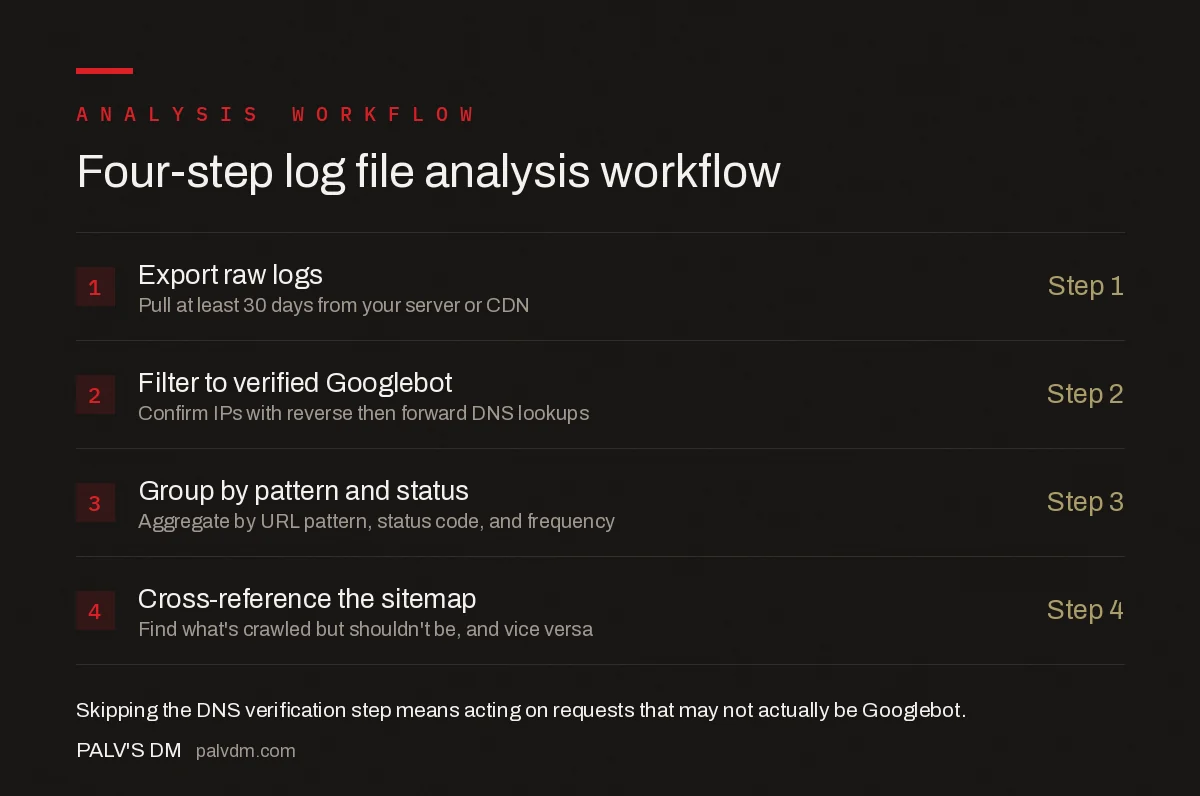
Four-step log file analysis workflow
- Export raw logs — pull at least 30 days from your server or CDN
- Filter to verified Googlebot — confirm IPs with reverse then forward DNS, don’t trust user-agent alone
- Group by pattern and status — aggregate by URL pattern, status code, and request frequency
- Cross-reference against the sitemap — find what’s crawled but shouldn’t be, and what should be but isn’t
What tools actually do this work?
| Tool | Best for | Limitation |
|---|---|---|
| Screaming Frog Log File Analyser | Mid-size sites, one-off audits, visual reporting | Desktop tool, manual log upload per analysis |
| JetOctopus / Botify | Large sites needing continuous monitoring and alerting | Subscription cost scales with log volume |
| BigQuery + a log export pipeline | Enterprise sites with existing data infrastructure | Requires engineering time to build and maintain |
| Command-line grep/awk on raw logs | Quick one-off checks, no budget for tooling | Doesn’t scale past a spot check, no visual output |
What problems does log analysis surface that other tools miss?
- Crawl waste. Googlebot spending a disproportionate share of requests on faceted navigation, tag pages, or parameterised URLs that add little indexing value, at the expense of pages that matter.
- Crawl gaps. Important pages — new products, updated cornerstone content — that Googlebot hasn’t requested in the full log window, meaning any changes to them are effectively invisible until the next crawl.
- Error patterns invisible in a simulated crawl. Server errors that only occur under real load, or for specific user-agents, that a synthetic crawl from a single IP never triggers.
- Rendering and resource waste. Bots spending an outsized share of requests fetching heavy images, scripts, or CSS instead of HTML, often a sign of missing cache headers or unoptimised assets.
- Crawl frequency by section. Whether Googlebot is visiting your blog daily but your product pages weekly, which tells you where internal linking or sitemap priority needs adjusting.
How do you turn log data into action?
Raw numbers only matter once you compare them against what should be happening. Cross-reference crawled URLs against your XML sitemap: URLs in the sitemap that show zero Googlebot requests in 30 days are a crawl gap worth investigating. URLs getting crawled heavily but excluded from the sitemap, noindexed, or blocked by robots.txt are crawl waste worth trimming, usually via a robots.txt disallow or a stronger internal-linking signal toward pages that matter more.
Status code distribution matters just as much as volume. A high share of 404s or 5xx responses in Googlebot’s own request log is a direct, first-party signal of a problem — not an inference from a ranking drop weeks later.
Who actually needs to do this?
Log analysis pays off most clearly on sites above roughly 10,000 indexable URLs, where crawl budget is a real constraint rather than a theoretical one, on sites with indexation problems that Search Console data alone hasn’t explained, and on ecommerce sites where faceted navigation and URL parameters can generate crawl-eating variations by the thousand. A small brochure site with a few dozen pages rarely has a crawl budget problem worth this level of analysis; the return on effort is much higher once a site’s URL count runs into five or six figures.
Frequently asked questions
What is log file analysis in SEO?
Log file analysis is reading a web server’s raw access logs to see exactly which URLs Googlebot and other crawlers requested, when, how often, and what status code each request returned. Unlike a simulated crawl, it shows real crawler behaviour rather than an estimate of it.
How do I know which log lines are actually Googlebot and not a spoofed bot?
Filter by user-agent string first, then verify with a reverse DNS lookup on the requesting IP address confirming it resolves to a googlebot.com or google.com domain, followed by a forward DNS lookup on that hostname to confirm it matches the original IP. Google publishes this verification method directly.
How much log data do I need for a useful analysis?
Thirty days is a reasonable baseline for most sites, long enough to capture a full crawl cycle and smooth out day-to-day variance. Larger sites with frequent content changes benefit from 60-90 days to see crawl frequency trends rather than a single snapshot.
Does every site need log file analysis?
No. It adds the most value on sites above roughly 10,000 URLs, sites with chronic indexation problems that Search Console data hasn’t explained, and ecommerce sites with heavy parameterised or faceted URLs. A 50-page brochure site rarely needs it.
Sources
- Googlebot — Google Search Central
- JavaScript SEO
- Technical SEO: The Complete Working Guide
- Client-Side vs Server-Side Rendering for SEO
- How to Speed Up Google Indexing of New Pages
Want this done on your site?
Every PalV’s DM engagement starts with a free audit of your actual website — a 12-point
crawl covering what is blocking indexation, on-page gaps against your primary keywords, speed
findings, and the three to five fixes worth making first. Delivered in two working days. No
payment details, and the findings are yours whether you hire us or not.


