
Pagination and SEO After rel=next/prev
Google dropped rel=next/prev in 2019. What actually keeps paginated pages indexed today: self-referencing canonicals, crawlable links, no noindex, and when a View All page beats standard pagination.

Google dropped rel=next and rel=prev as a pagination signal in March 2019, and the correct approach since then has nothing to do with those tags: each page in a paginated series needs a self-referencing canonical, real crawlable links to the pages around it, and no noindex directive, full stop. Optionally, a fast-loading “View All” page can serve as a single canonical target for the whole series. The tags themselves are harmless if they’re still in your templates, but they’re not doing anything, and treating pagination as a solved problem because rel=next/prev exists is where most of today’s pagination mistakes start.
The mistakes that actually cost rankings now are different from what they were in 2015: JavaScript-driven pagination that never changes the URL, accidental noindex tags on page 2 onward, and canonical tags that collapse an entire series onto page one. All three are more damaging than anything rel=next/prev was ever meant to solve.
What happened to rel=next/prev, and does it still matter?
Google confirmed on its Search Central blog in March 2019 that rel=”next” and rel=”prev” had been fully deprecated, and clarified that the tags hadn’t meaningfully influenced ranking or indexing for some time before the announcement. Bing has said it still treats the tags as a minor hint, so there’s no harm in leaving them in an existing template, but building new pagination logic around them in 2026 is solving for a signal Google doesn’t read.
What Google actually relies on for a paginated series is simpler: standard crawlable links between the pages, and clear canonical signals per page. No special markup required.
What’s the correct way to handle pagination now?
Google has confirmed two valid approaches, and the choice mostly comes down to page count and load performance.
| Approach | How it works | Best for |
|---|---|---|
| Self-referencing paginated series | Each page (page 2, page 3…) has its own canonical pointing to itself, plus real, crawlable links to adjacent pages | Most catalogues, blogs, and archive listings |
| View All page | A single page lists every item; all paginated pages canonicalise to it | Smaller total item counts where the combined page still loads fast |
Neither approach involves rel=next/prev. The self-referencing method is the default for anything with more than a couple hundred items, since a View All page at that scale becomes a performance liability rather than a convenience.
Should paginated pages be noindexed?
No, and this is the single most damaging mistake on pagination in 2026. Noindexing page 2 onward looks like a reasonable way to avoid “thin” duplicate-feeling pages competing with page one, but Google treats sustained noindex directives as a signal to deprioritise crawling that page altogether, including following the links on it. If your only path to products 51 through 400 is through page 2 of a paginated listing, and page 2 is noindexed, those products gradually stop getting crawled at all. This is a slower, quieter version of the same failure covered in mobile-first indexing problems, where a technical shortcut on one part of the site silently cuts off crawl access to another.
Is a View All page better than paginated pages?
Sometimes. Google explicitly supports treating a single View All page as the canonical version of an entire paginated series, with every individual paginated URL canonicalising to it. This consolidates ranking signals onto one URL and gives users who prefer scrolling a single option. The condition that makes or breaks it is load performance: if combining 500 products onto one page pushes load time past a few seconds, the approach creates a worse Core Web Vitals problem than the fragmented indexing it was meant to avoid. Below a few hundred items with lazy-loaded images, it usually works well. Above that, self-referencing pagination is the safer default.
What mistakes break pagination for SEO?
- Canonicalising every page to page one. This tells Google that pages 2 through 40 are duplicates of page one, and the unique products, listings, or articles they contain often stop getting indexed as a result.
- Noindexing pages beyond page one. Covered above — it doesn’t just remove those pages from search, it eventually reduces how much Google crawls and follows links from them.
- Blocking paginated URLs in robots.txt. This prevents Google from even reaching the content to evaluate it, which is stricter and more damaging than a canonical or noindex mistake.
- Inconsistent URL parameters across the series. Mixing
?page=2and?p=2patterns across templates creates duplicate paths for the same page. - Missing pagination in the XML sitemap. Deep pages in a long series are easy to under-crawl if the sitemap only lists page one of each category.
How does JavaScript pagination trip this up?
Sites built with client-side frameworks frequently implement “next page” as a button that swaps content in and out of the DOM without changing the URL. From a user’s perspective, this feels fast and modern. From a crawler’s perspective, there is only ever one URL to index, no matter how many pages of products exist behind that button. Google cannot index content it has no distinct address to request, regardless of how carefully the canonical tags or internal linking are set up elsewhere. Fixing this means the pagination controls need to update the URL, using the History API at minimum, so each page has an address Googlebot can request directly and independently, not just a client-side state change.
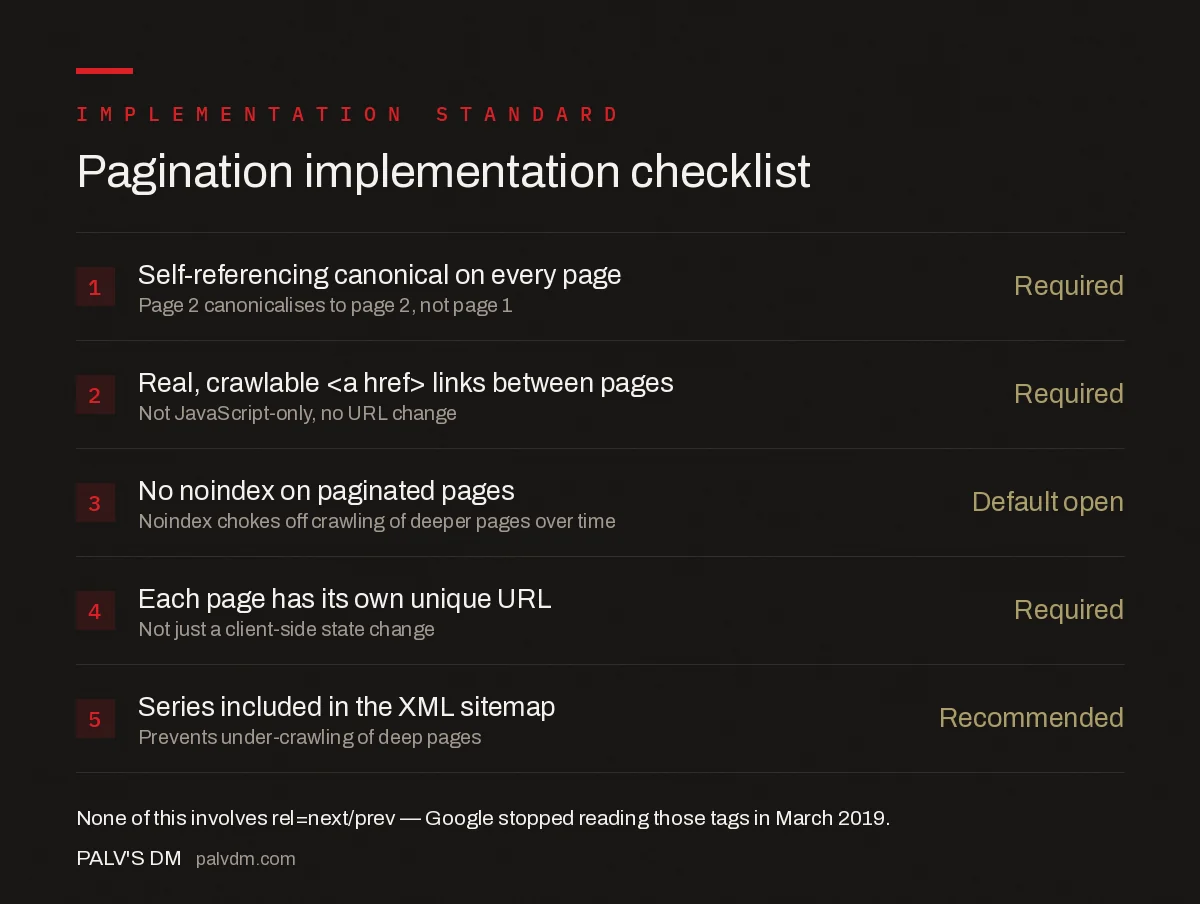
Pagination implementation checklist
- Self-referencing canonical on every page — Required. Page 2 canonicalises to page 2, not page 1.
- Real, crawlable
<a href>links between pages — Required. Not JavaScript-only, no URL change. - No noindex on paginated pages — Default open. Noindex chokes off crawling of deeper pages over time.
- Each page has its own unique URL — Required. Not just a client-side state change.
- Series included in the XML sitemap — Recommended. Prevents under-crawling of deep pages.
How do you verify pagination is being crawled correctly?
Don’t assume the templates are working as designed — check what Google actually sees. Start in Search Console’s URL Inspection tool: paste a page 2 or page 3 URL from the series and confirm it reports “URL is on Google” with the canonical Google selected matching the page’s own URL, not page one. If the “Google-selected canonical” field shows a different URL than the “User-declared canonical,” that mismatch is the conflicting-signal problem, and it means something else on the site — the sitemap, the internal links, a stray redirect — disagrees with the tag.
Next, pull a crawl with Screaming Frog or a similar tool and filter for URLs matching the pagination pattern. Check three columns: indexability, canonical target, and whether the canonical is self-referencing. A paginated series where every row shows “Canonicalised” instead of “Indexable” is the page-one-collapse mistake happening at scale, and it’s invisible from a single-page view in a browser.
Finally, confirm the pages are reachable without JavaScript. Disable JavaScript in the browser (or use Chrome’s “View Page Source” rather than “Inspect”) and check that the link to page 2 is a real <a href="..."> in the raw HTML, not something that only appears after a script runs. If it’s missing from the raw source, Googlebot’s initial crawl pass won’t queue that URL, and rendering delays push indexing of the deeper pages back even further.
Does pagination affect crawl budget?
On large sites, yes. Every paginated URL is a separate page Googlebot has to request, render, and evaluate, and crawl budget isn’t unlimited even for well-established domains. A category with 40 pages of pagination, each carrying faceted filters that generate their own URL variants, can multiply into thousands of low-value URLs competing for the same crawl budget as the product and article pages that actually need to rank. Keeping the URL pattern for pagination clean and consistent, and not layering filters onto paginated URLs without a canonicalisation rule, is what keeps that budget pointed at content worth indexing rather than the two-hundredth permutation of a sort order.
Frequently asked questions
Does Google still use rel=next and rel=prev?
No. Google confirmed in March 2019 that rel=next and rel=prev had been dropped entirely and had not been used as a ranking or indexing signal for some time before that. The tags are harmless to leave in place, but they do nothing; the elements to focus on now are crawlable links and self-referencing canonicals.
Should paginated pages have a self-referencing canonical?
Yes. Each page in a paginated series should canonicalise to itself, not to page one. Canonicalising every page to page one tells Google the later pages are duplicates and gives it a reason to stop indexing the products, articles, or listings that only appear on those deeper pages.
Should paginated pages be noindexed?
No, not by default. Noindexing page 2 onward stops those pages from ranking directly, and over time Google reduces how often it crawls and follows links from noindexed pages, which can effectively orphan any content that’s only reachable through the later pages of the series.
Is a View All page better than standard pagination?
It can be, if the page loads acceptably fast and doesn’t hurt user experience. Google supports using a single View All page as the canonical target for an entire series. On a category with thousands of items, an 8-second-loading View All page creates more problems than the pagination it was meant to simplify.
Why doesn’t Google index my paginated pages?
The most common cause on modern sites is JavaScript-only pagination, where clicking to the next page changes the visible content but not the URL. If the URL doesn’t change, Google has no distinct address to crawl and index for that page, regardless of how the canonical tags are set.
Sources
- Deprecating support for rel=”prev”/”next” — Google Search Central Blog
- JavaScript SEO Basics — Google Search Central
- Technical SEO: The Complete Working Guide
- hreflang Implementation Without the Common Errors
- Mixed Content and HTTPS Issues That Break Rankings
- Mobile-First Indexing: What Still Trips Sites Up
Want this done on your site?
Every PalV’s DM engagement starts with a free audit of your actual website — a 12-point
crawl covering what is blocking indexation, on-page gaps against your primary keywords, speed
findings, and the three to five fixes worth making first. Delivered in two working days. No
payment details, and the findings are yours whether you hire us or not.


