
Preload, Preconnect and DNS-Prefetch: Which to Use When
Preload fetches a resource, preconnect opens a connection, dns-prefetch only resolves a domain name. Using the wrong one, or too many, slows a page down.

Preload fetches a specific resource the current page will need; preconnect opens a full connection — DNS, TCP, and TLS — to a domain without fetching anything; dns-prefetch only resolves the domain name, the cheapest and least useful of the three on its own. Use preload for a critical resource you can name exactly (a hero image, a font file, a render-blocking script). Use preconnect for a third-party domain you’re about to request resources from imminently. Use dns-prefetch as a low-cost fallback for domains you’ll need eventually but not right away.
All three are resource hints — instructions in the HTML that tell the browser to do work earlier than it normally would. They don’t change what loads; they change when the browser starts the work of loading it. Used correctly, that shaves real time off Largest Contentful Paint. Used on too many domains or the wrong resource, they compete with the page’s actual critical path and make things slower.
What’s the difference between preload, preconnect, and dns-prefetch?
| Hint | What it does | Use it when | Overuse risk |
|---|---|---|---|
<link rel="preload"> | Fetches a named resource ahead of the parser reaching it | A specific font, hero image, or critical script is confirmed on the render path | Competes with genuinely critical resources if applied too broadly |
<link rel="preconnect"> | Completes DNS, TCP, and TLS for a domain | A third-party domain (font host, CDN, payment widget) will be requested within seconds | Holds an open connection; more than 3-4 domains costs more than it saves |
<link rel="dns-prefetch"> | Resolves the domain name only | A domain that might be needed, or as a fallback for unsupported browsers | Minimal risk on its own; redundant if preconnect is already set for the same domain |
<link rel="prefetch"> | Fetches a resource for the likely next navigation, at low priority | A highly predictable next page, like a multi-step checkout | Can be evicted before use; never for the current page’s own resources |
When should you use preload?
Preload is for a resource you can identify with certainty as critical to the current page’s render — a web font used in the headline, a hero image that’s the Largest Contentful Paint candidate, or a render-blocking script that has to run early. The browser’s preload scanner already does a reasonable job finding resources in the HTML source; preload earns its keep specifically for resources the scanner can’t see yet, like a font referenced only inside a CSS file or a background image set via JavaScript.
The failure mode is treating preload as a general speed lever and applying it to five or six assets “just in case.” Every preloaded resource competes for the same limited bandwidth at page-load time, and the browser has to trust your priority judgment over its own heuristics. Get it wrong and you delay the resource that actually mattered.
When should you use preconnect?
Preconnect earns its cost on a domain you know the page will request resources from almost immediately — a font CDN, an analytics endpoint firing on load, a payment or chat widget that appears above the fold. Establishing the connection early removes the DNS lookup, TCP handshake, and TLS negotiation from the critical path for that request.
The cost is real: each preconnected connection stays open using browser resources, and most browsers close idle preconnected sockets within about ten seconds if nothing uses them. A preconnect hint for a domain the page ends up not requesting from is pure waste — it consumed setup time and got nothing back.
When should you use dns-prefetch (and prefetch)?
dns-prefetch is the right call for domains you’ll likely need but not with the urgency preconnect implies — a secondary CDN, a social share widget that loads after the fold, or as a safety-net fallback alongside preconnect for older browsers that don’t support the newer hint. Because it only resolves a domain name, the cost of guessing wrong is close to zero.
prefetch is a different tool aimed at the next navigation rather than the current page — fetching the likely next page’s key resource at low priority so a click feels instant. It should never be applied to anything the current page depends on, since prefetched resources are fetched at the lowest priority and can be dropped from cache before they’re used.
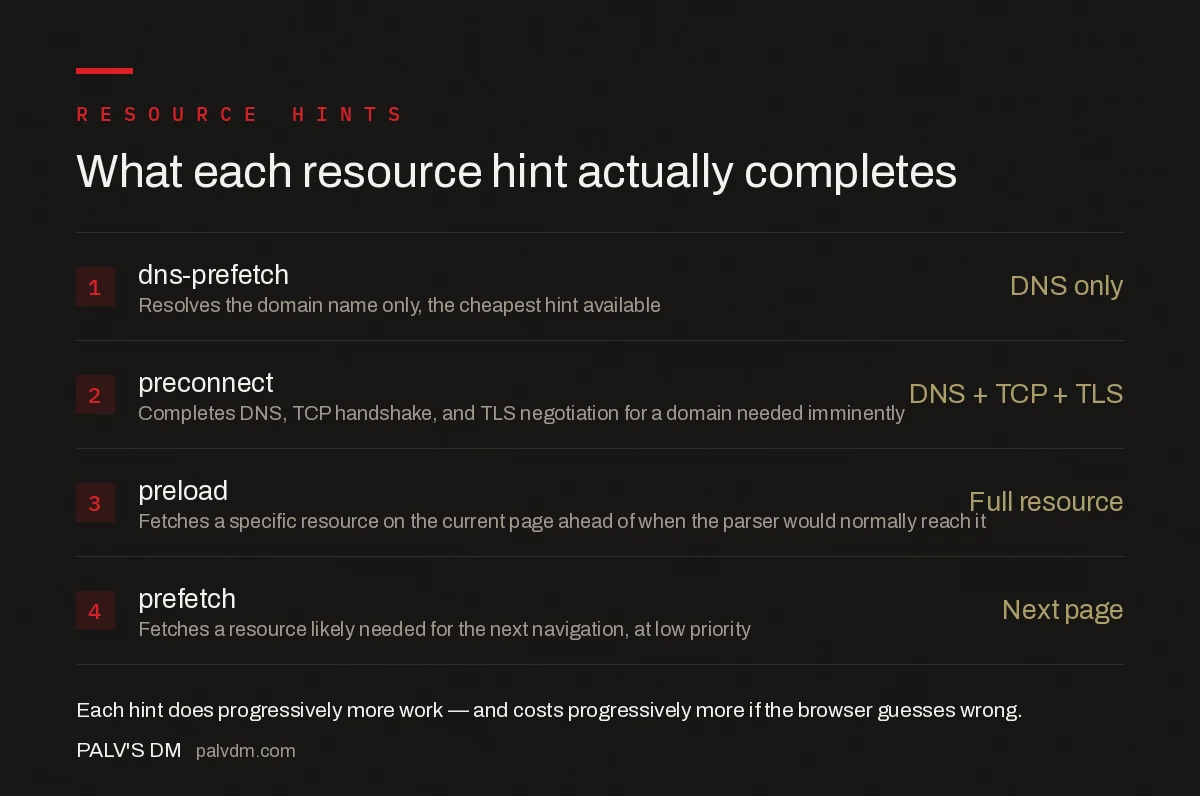
What each resource hint actually completes
- dns-prefetch — DNS only. Resolves the domain name only, the cheapest hint available.
- preconnect — DNS + TCP + TLS. Completes DNS, TCP handshake, and TLS negotiation for a domain needed imminently.
- preload — Full resource. Fetches a specific resource on the current page ahead of when the parser would normally reach it.
- prefetch — Next page. Fetches a resource likely needed for the next navigation, at low priority.
How many preconnect hints is too many?
Two to four is the practical ceiling most performance engineers land on. Beyond that, the browser is opening and holding multiple connections simultaneously, each consuming CPU for the TLS handshake, and they start competing with each other and with the page’s actual resource requests for the same network bandwidth. If a page needs preconnect hints for six or more third-party domains, the real fix is usually reducing the number of third parties, not adding more hints.
What does a working example look like?
A typical page pulling a web font from a CDN, running analytics, and embedding a chat widget might use: preconnect for the font CDN domain (needed immediately for text render), preload for the specific font file itself, dns-prefetch for the chat widget’s domain (needed a few seconds after load, not immediately), and no hint at all for the analytics script if it’s already loaded asynchronously and isn’t blocking anything visible.
How do you verify resource hints are helping, not hurting?
Check the effect with a before-and-after comparison in Chrome DevTools’ Network panel or Lighthouse, specifically watching Largest Contentful Paint and the waterfall’s connection-setup timing for the hinted domains. If LCP doesn’t move or gets worse after adding a hint, remove it — resource hints are a targeted optimisation, not a default to apply everywhere and hope for the best.
Does the fetchpriority attribute replace the need for preload?
No, they solve related but different problems. The fetchpriority attribute changes how a browser prioritises a resource it was already going to discover and fetch as part of normal parsing — setting fetchpriority="high" on a hero image tells the browser to fetch it sooner relative to other discovered resources. Preload changes when discovery happens in the first place, pulling a resource the parser wouldn’t have found yet (like a font referenced only in CSS) into the request queue early. On a resource the HTML parser already sees directly, like an <img> tag near the top of the page, fetchpriority="high" alone is often enough, and adding a redundant preload for the same resource can create the double-fetch problem, where a resource with an unmatched as or crossorigin attribute gets downloaded twice.
Frequently asked questions
What is the difference between preload and preconnect?
Preload fetches a specific resource on the current page ahead of when the browser’s parser would normally discover it. Preconnect only opens a connection — DNS, TCP, and TLS — to a domain, without fetching anything. Use preload for a known critical resource; use preconnect when you need a fast start to a third-party domain.
How many preconnect hints should a page have?
Two to four at most. Each preconnect opens and holds a connection using CPU and memory, and browsers only keep the connection warm for a few seconds. Beyond a handful, the hints compete for bandwidth with the actual page resources and the benefit turns negative.
Does dns-prefetch help if I’m already using preconnect for the same domain?
No, it’s redundant. Preconnect already includes the DNS lookup dns-prefetch performs, plus the TCP and TLS steps. Add dns-prefetch only as a fallback for browsers that don’t support preconnect, or for domains you’ll need eventually but not urgently.
Can preload hurt Core Web Vitals instead of helping?
Yes. Preloading a resource the browser wasn’t about to prioritise anyway pulls bandwidth away from resources actually blocking render, which can increase Largest Contentful Paint. Preload only the one or two assets confirmed to be on the critical rendering path.
Should I use prefetch for pages users are likely to visit next?
It can help perceived speed for a highly predictable next click, like a checkout step, but it fetches at low priority and can be evicted from cache before it’s used. It should never compete with resources the current page needs to render.
Sources
- Establish network connections early to improve perceived page speed — web.dev
- Core Web Vitals: The Complete Guide
- Technical SEO: The Complete Working Guide
- Image Dimensions and CLS: The Two-Attribute Fix
- How to Fix INP (Interaction to Next Paint)
Want this done on your site?
Every PalV’s DM engagement starts with a free audit of your actual website — a 12-point
crawl covering what is blocking indexation, on-page gaps against your primary keywords, speed
findings, and the three to five fixes worth making first. Delivered in two working days. No
payment details, and the findings are yours whether you hire us or not.


