
Wildcards and Pattern Matching in robots.txt
robots.txt supports two wildcards, * and $, and misusing either can block far more of a site than intended. The exact matching rules explained.

robots.txt supports exactly two wildcard characters — *, which matches any sequence of characters, and $, which anchors a pattern to the end of the URL — and Google, Bing, and Yandex all honour them, but the original robots.txt standard doesn’t define them, so smaller crawlers may read them as literal text instead. Getting the pattern wrong is one of the few robots.txt mistakes that can silently deindex a whole section of a site, because the rule looks narrow in the file and behaves broadly on the actual crawl.
The syntax is short enough to memorise in a minute. What causes the damage is not understanding how a pattern matches against the full path, including everything after the part a person intended to target.
What does the asterisk wildcard match in robots.txt?
The asterisk (*) stands for zero or more characters of any kind, at that position in the path. Disallow: /*.pdf doesn’t mean “block PDF files at the root” — it matches any URL where the string .pdf appears anywhere after the leading slash, including /downloads/2024/report.pdf and, critically, /blog/pdf-vs-word-comparison/, because the substring .pdf is not present but a similar careless pattern easily catches unintended matches. A trailing asterisk is actually redundant in most engines — /search/* and /search/ behave the same way, since a Disallow rule already matches the path as a prefix.
What does the dollar sign wildcard do?
The dollar sign ($) anchors the match to the literal end of the URL. Without it, Disallow: /*.pdf matches /report.pdf and also /report.pdf?utm_source=newsletter, because nothing after .pdf is excluded. Adding the anchor — Disallow: /*.pdf$ — restricts the match to URLs that end exactly there, letting the same file with a tracking parameter through untouched. This distinction is the single most common cause of “why is this URL blocked when I only meant to block the file type.”
How do you write robots.txt patterns that match what you actually intend?
| Pattern | What it matches | What it misses or over-matches |
|---|---|---|
Disallow: /*.pdf$ | Any URL ending exactly in .pdf | Misses .pdf with a query string appended |
Disallow: /*? | Any URL containing a query string | Over-matches: blocks pagination, filters, and UTM variants alike |
Disallow: /search/* | Everything under /search/ | Trailing * is redundant; /search/ alone matches the same |
Disallow: /*sessionid* | Any URL containing “sessionid” anywhere | Also catches an unrelated page slug that happens to include that string |
Allow: /*.pdf$ under a broader block | Carves out an exception for a narrower, more specific pattern | Only works if it’s genuinely more specific than the surrounding Disallow |
robots.txt wildcard patterns and what they match
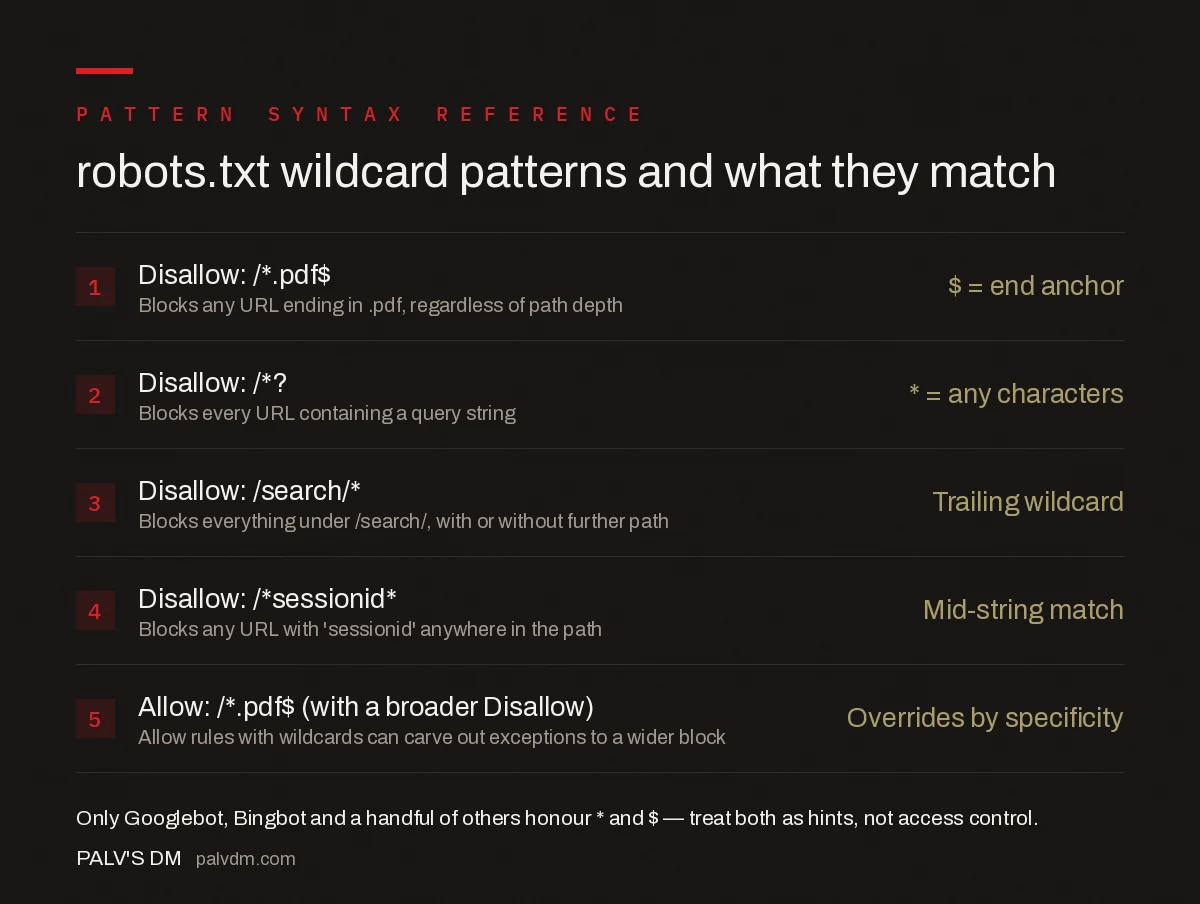
- Disallow: /*.pdf$ — blocks any URL ending in .pdf, regardless of path depth. The $ is the end anchor.
- Disallow: /*? — blocks every URL containing a query string; the asterisk matches any characters before it.
- Disallow: /search/* — blocks everything under /search/, with or without further path segments.
- Disallow: /*sessionid* — blocks any URL with “sessionid” anywhere in the path, a mid-string match.
- Allow: /*.pdf$ (with a broader Disallow) — a more specific Allow rule can override a wider block.
How does Google resolve conflicting wildcard rules?
When two or more rules in robots.txt could apply to the same URL, Google picks the most specific one, measured by the character length of the matched path — not by which rule appears first or last in the file. If Disallow: /blog/* and Allow: /blog/seo-guide/ both exist, the Allow wins for that specific URL because its matched path is longer and more precise, even though the Disallow was written first. When two rules are equally specific, Google defaults to the least restrictive interpretation, which generally favours Allow over Disallow.
What mistakes turn a narrow wildcard into a site-wide block?
- Forgetting the $ anchor on file-type rules.
Disallow: /*.jpgwithout the anchor also blocks any URL slug that happens to contain the string “.jpg” mid-path, which is rarer but not impossible with certain URL structures. - Blocking all query strings to stop duplicate parameter pages.
Disallow: /*?is a blunt instrument — it also removes any internally linked URL using a query string for legitimate pagination or filtering that should be crawlable. - Using a wildcard where a plain prefix would do.
Disallow: /category/*andDisallow: /category/behave identically in Google’s implementation; the extra wildcard adds no precision and can confuse whoever edits the file next. - Assuming wildcards work the same across all crawlers. A bot that doesn’t implement wildcard matching treats the asterisk as a literal character, meaning the rule silently does nothing for that crawler instead of failing loudly.
How do you test a wildcard pattern before deploying it?
Google Search Console’s robots.txt report shows the last-fetched version of the file and flags syntax issues, but it doesn’t simulate arbitrary test URLs against a pattern before you publish. The safer sequence is: write the rule, list five to ten real URLs from the site that should and shouldn’t match, and manually trace each one against the pattern before pushing the change live. For sites with thousands of URLs behind faceted navigation or session parameters, a crawler like Screaming Frog configured to respect the staged robots.txt file catches over-matches that a manual read-through misses.
When should you use a wildcard instead of an exact path?
Use a wildcard when the pattern genuinely needs to cover a class of URLs that share a fragment — a file extension, a query parameter name, or a URL substring used consistently across a section. Use an exact path when only specific, known URLs need blocking; adding a wildcard “just in case” is how narrow intentions turn into broad, unnoticed blocks that surface months later as a drop in indexed pages.
What does a real wildcard rule look like end to end?
Take an ecommerce site where every product page is reachable through a faceted filter URL like /shoes/?color=red&size=9&sort=price. Blocking these variants from being crawled, without touching the clean /shoes/ category page itself, calls for a pattern that matches the query string but not the base path: Disallow: /*? placed under the relevant section, combined with an explicit Allow: /shoes/$ using the end anchor to protect the clean URL. Tracing this through manually — does /shoes/ match the Allow, does /shoes/?color=red match the Disallow, does the more specific Allow rule win where they overlap — is exactly the kind of check that catches an over-broad pattern before it ships.
The same logic applies to blocking internal search result pages, a common robots.txt use case: Disallow: /search* or the more precise Disallow: /search/?q=* depending on the URL structure, verified against a handful of real search result URLs pulled from the site’s own search bar rather than guessed at.
How does robots.txt wildcard blocking interact with canonical tags?
A robots.txt block and a canonical tag solve overlapping but distinct problems, and combining them incorrectly is a frequent source of confusion. If a faceted URL is blocked in robots.txt, Google never crawls it, which means it also never sees any canonical tag on that page pointing back to the clean version — the block prevents the canonical signal from being read at all. For URLs that need to stay crawlable so their canonical tag can be honoured, use a canonical instead of a robots.txt wildcard block. Reserve robots.txt wildcards for URL patterns that should never be crawled in the first place, such as internal session parameters or admin paths, where there’s no canonical signal to preserve.
Frequently asked questions
What does the asterisk (*) mean in robots.txt?
The asterisk matches zero or more characters of any kind at that position in the path. Disallow: /*.pdf matches any path containing .pdf anywhere, including deep subfolders, not just files directly named that way at the root.
What does the dollar sign ($) mean in robots.txt?
The dollar sign anchors a pattern to the exact end of the URL. Disallow: /*.pdf$ only matches URLs that literally end in .pdf, excluding a URL like /file.pdf?ref=1 because the string continues past .pdf.
Do all search engines support robots.txt wildcards?
No. Google, Bing, and Yandex support the * and $ wildcards, but the original robots.txt specification doesn’t include them, and some smaller or older crawlers ignore them entirely, treating the asterisk as a literal character.
What happens when two wildcard rules conflict?
Google resolves conflicts using the most specific rule, measured by the length of the matched path, not the order the rules appear in the file. When rules are equally specific, Google picks the least restrictive one, which usually means Allow wins over Disallow.
Can a wildcard in robots.txt accidentally block an entire site?
Yes, and it’s one of the most common self-inflicted crawl errors. A rule like Disallow: /*? intended to block a few tracking parameters can also block every internally linked URL that happens to carry a query string, including pagination and filters.
Sources
- Create and submit a robots.txt file — Google Search Central
- Technical SEO: The Complete Working Guide
- Page Removal: 404 vs 410 vs Redirect vs noindex
- Canonical vs noindex vs Redirect: A Decision Tree
- Infinite Scroll and Load-More: Making Them Crawlable
Want this done on your site?
Every PalV’s DM engagement starts with a free audit of your actual website — a 12-point
crawl covering what is blocking indexation, on-page gaps against your primary keywords, speed
findings, and the three to five fixes worth making first. Delivered in two working days. No
payment details, and the findings are yours whether you hire us or not.


