
Sitemap Index Files for Sites Over 50,000 URLs
A single XML sitemap tops out at 50,000 URLs and 50MB uncompressed. Past that, you need a sitemap index file — here's how to split, build, and submit one correctly.

A sitemap index file is an XML file that lists other sitemap files instead of listing URLs directly, and you need one the moment a single sitemap would exceed 50,000 URLs or 50MB uncompressed — Google’s hard limits on any one sitemap file. Large ecommerce catalogues, marketplaces, and publishers with years of archived content hit that ceiling routinely; the fix is mechanical once you know the four pieces that have to line up.
The mistake sites make isn’t forgetting to split the sitemap — most CMS platforms do that automatically past a certain URL count. It’s leaving the index file unreferenced in robots.txt, or submitting individual child sitemaps to Search Console instead of the index, which produces a coverage report that never quite matches the real site.
What is a sitemap index file and when do you actually need one?
A sitemap index file uses the same XML format as a regular sitemap but its entries point to other sitemap files rather than to pages: each <sitemap> element holds a <loc> pointing at a child sitemap’s URL and a <lastmod> date. Google crawls the index, follows every reference inside it, and treats the combined set of child sitemaps as the site’s full sitemap.
You need one specifically when either limit on a single sitemap file is reached: 50,000 URLs, or 50MB uncompressed file size, whichever comes first. A site with 40,000 short product URLs might never hit the size limit; a site with 20,000 URLs carrying long alternate-language and image annotations can hit the size limit well before the count limit.
Step 1: Split your URLs into individual sitemaps under the limits
Group URLs by content type before splitting by raw count — separate sitemaps for products, categories, blog content, and images, each kept under 50,000 URLs and 50MB. This isn’t required by the sitemap protocol, but it makes the Search Console coverage report usable: an indexing problem confined to the products sitemap is visible immediately instead of buried inside one undifferentiated file.
Name child files predictably — sitemap-products-1.xml, sitemap-products-2.xml — so a new file added later slots into the same pattern without renaming the rest.
Step 2: Build the sitemap index XML file
The index file follows a fixed structure:
| Element | Purpose | Required? |
|---|---|---|
<sitemapindex> | Root element, replaces the <urlset> used in a normal sitemap | Yes |
<sitemap> | One per child sitemap referenced | Yes, repeated |
<loc> | Full absolute URL of the child sitemap | Yes |
<lastmod> | Date the child sitemap was last updated | Recommended |
Every <loc> value must be an absolute, crawlable URL on the same site — Google will not follow a relative path or a URL pointing at a different domain’s sitemap.
Step 3: Reference the index file in robots.txt
Add a single line to robots.txt: Sitemap: https://example.com/sitemap-index.xml. This is the line Google and other crawlers check first when discovering a site’s sitemap structure, so it needs to point at the index, not at any individual child file. Most CMS platforms generate this line automatically once a sitemap index is enabled; verify it after any migration or platform change, since it’s easy to leave pointing at a stale path.
Step 4: Submit the sitemap index in Search Console
Submit only the index file’s URL under Sitemaps in Search Console — not each child sitemap. Google reads the index, discovers the child sitemaps listed inside it, and crawls and reports on each one under the same submission. Submitting child files individually on top of the index adds duplicate entries in the sitemaps report without adding any coverage.
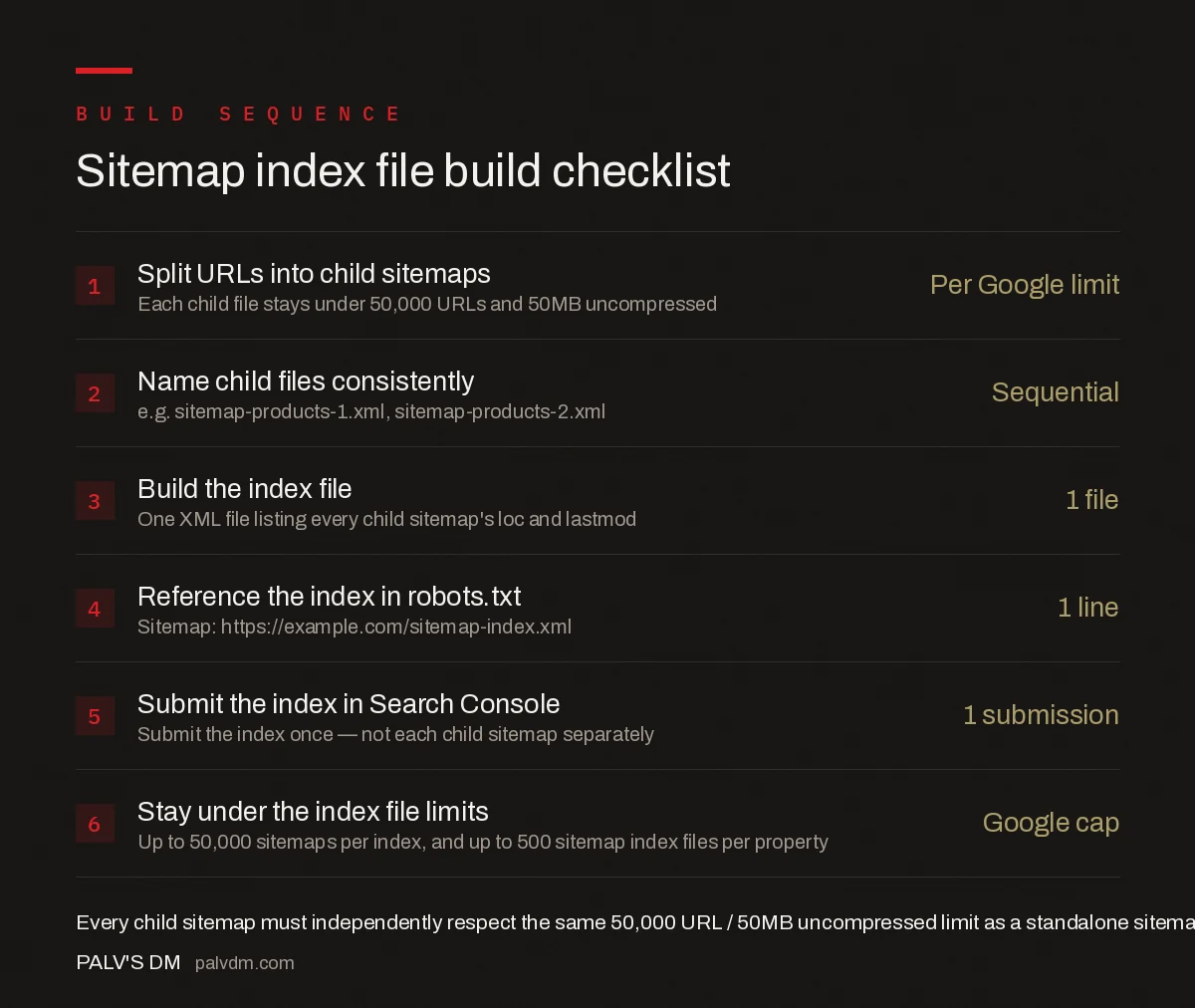
Sitemap index file build checklist
- Split URLs into child sitemaps — Per Google limit. Each child file stays under 50,000 URLs and 50MB uncompressed.
- Name child files consistently — Sequential, e.g. sitemap-products-1.xml, sitemap-products-2.xml.
- Build the index file — 1 file listing every child sitemap’s loc and lastmod.
- Reference the index in robots.txt — 1 line: Sitemap: https://example.com/sitemap-index.xml.
- Submit the index in Search Console — 1 submission — not each child sitemap separately.
- Stay under the index file limits — Google cap: up to 50,000 sitemaps per index, and up to 500 sitemap index files per property.
How do image and video sitemaps fit into a sitemap index?
Image and video URLs can either be listed as their own annotations inside a page’s existing sitemap entry, or split into a dedicated image or video sitemap that gets its own entry in the index file alongside the page sitemaps. Large ecommerce catalogues with several images per product page often benefit from separating them: a dedicated image sitemap can be regenerated on its own schedule without touching the page sitemap, which matters when images update far more often than the page URLs themselves. Whichever approach is used, image and video sitemaps count against the same 50,000-entry, 50MB limit as any other sitemap file, and belong in the index the same way.
What does a real sitemap index file look like?
A minimal, valid index file has this structure:
| Line | What it does |
|---|---|
<?xml version="1.0" encoding="UTF-8"?> | Standard XML declaration, required |
<sitemapindex xmlns="..."> | Root element using the sitemap protocol namespace |
<sitemap><loc>...</loc></sitemap> | One block per child sitemap, repeated |
</sitemapindex> | Closes the root element |
Most CMS platforms and ecommerce systems generate this automatically once the URL count crosses the threshold — WordPress’s built-in sitemap functionality, for instance, switches to an index structure without configuration once post counts get high enough. The manual version above matters mainly for custom-built sites or headless setups where the sitemap has to be generated by a script rather than a plugin.
How often should child sitemaps be regenerated?
Match the regeneration frequency to how often the underlying content actually changes. A product sitemap on a catalogue with daily price and stock changes benefits from a nightly regeneration job; a sitemap covering static legal or policy pages rarely needs to regenerate more than monthly. Regenerating every child sitemap on the same aggressive schedule regardless of content type wastes server resources without improving how quickly Google discovers real changes — the lastmod value only helps prioritise recrawls when it accurately reflects when content changed.
What mistakes break a sitemap index file?
- Nesting an index inside another index. The sitemap protocol doesn’t support a sitemap index referencing another index — only individual sitemaps.
- Leaving stale URLs in child sitemaps. A child sitemap listing removed or redirected URLs wastes crawl attention and can trigger coverage errors in Search Console.
- Forgetting to update the index when adding a new child file. A new child sitemap that isn’t added to the index never gets discovered through that channel.
- Mixing content types with wildly different change frequency. A sitemap combining daily-changing product prices with static legal pages makes
lastmoddata less useful for prioritising recrawls. - Serving the index with the wrong content type. The file must be served as
application/xml, not as plain text or HTML, or some crawlers will refuse to parse it.
How do you verify a sitemap index is working correctly?
In Search Console’s Sitemaps report, the index file should show a status of “Success” along with the count of URLs discovered across all its child sitemaps. Click into the report to confirm every child sitemap listed inside the index appears as discovered — a child sitemap present in the XML but missing from the report usually means a malformed <loc> value or a URL blocked by robots.txt.
Frequently asked questions
How many URLs can one sitemap file hold?
A single sitemap file can list a maximum of 50,000 URLs and must stay under 50MB uncompressed. Either limit reached first means the sitemap needs to be split into multiple files referenced by a sitemap index.
Do I submit every child sitemap to Search Console separately?
No, submit only the index file. Google reads the index, discovers every child sitemap listed inside it, and crawls each one automatically. Submitting child sitemaps individually as well is unnecessary and adds nothing.
How many sitemaps can a sitemap index file reference?
Up to 50,000 individual sitemap files, and a single site can submit up to 500 sitemap index files through Search Console. Almost no site needs more than one index file; nesting indexes inside indexes is not supported.
Should I split sitemaps by content type or by count?
By content type where possible — separate sitemaps for products, categories, blog posts, and images make errors easier to isolate in Search Console’s coverage report. Split further by count only once a single content-type sitemap exceeds the URL or file-size limit.
Sources
- Manage Your Sitemaps With Sitemap Index Files — Google Search Central
- Technical SEO: The Complete Working Guide
- noindex, nofollow, and Robots Directives Compared
- Search Console URL Removal Tool: What It Really Does
- Orphan Pages: How to Find Them and Why They Matter
Want this done on your site?
Every PalV’s DM engagement starts with a free audit of your actual website — a 12-point
crawl covering what is blocking indexation, on-page gaps against your primary keywords, speed
findings, and the three to five fixes worth making first. Delivered in two working days. No
payment details, and the findings are yours whether you hire us or not.


