
URL Parameters and Session IDs: Stopping Duplicate Crawls
URL parameters like session IDs, UTM tags, and filters create duplicate crawlable URLs. Here is how to classify each type and stop the duplication without breaking tracking.

URL parameters like session IDs, tracking tags, and filter combinations turn one page into dozens of crawlable duplicates, and every duplicate Googlebot fetches is a fetch it didn’t spend on a page you actually want indexed. The fix isn’t blocking parameters wholesale — it’s classifying each parameter type by what it does to the content, then applying the narrowest tool that stops the duplication: a canonical tag for tracking and session noise, a controlled crawl path for filters, and a cookie instead of a URL for session state.
Sites that never look at this tend to have thousands of indexable parameter URLs and no idea it happened. A product listing with five filter facets and three sort orders can generate over a hundred URL combinations from one category page. Multiply that across a catalogue and the parameter URLs outnumber the real pages Google should be spending time on.
What actually goes wrong with URL parameters?
Three separate problems get lumped together under “parameter issues,” and each needs a different fix.
The first is duplicate content: /shoes/, /shoes/?ref=nav, and /shoes/?sessionid=8821x can all render the identical product grid. Google has to decide which one to treat as canonical, and without a clear signal it sometimes picks the parameterised version, which then shows an ugly URL in search results.
The second is crawl budget. On a large site, Googlebot allocates a finite number of fetches per day based on your server’s response speed and the site’s perceived value. Every parameter combination it crawls is a fetch not spent finding a new product page or noticing a price update. Google’s own crawl-budget guidance says this mainly matters for sites with millions of URLs, but mid-sized ecommerce catalogues with faceted navigation hit the same wall far sooner than the page count suggests.
The third is signal dilution. Backlinks and internal links pointing to five different parameter variants of the same page split the ranking signal five ways instead of consolidating it onto one URL.
How do you classify a URL parameter before fixing it?
Not every parameter deserves the same treatment. Run each one through this table before deciding what to do with it.
| Parameter type | Example | Changes content? | Correct fix |
|---|---|---|---|
| Session ID | ?sessionid=8821x | No | Move to a cookie; canonical as backup |
| Tracking / campaign | ?utm_source=email | No | Self-canonical to the clean URL |
| Sort order | ?sort=price_asc | No, reorders only | Canonical to the unsorted page |
| Pagination | ?page=2 | Yes, different products | Self-referencing canonical, not canonicalised to page 1 |
| Filter / facet | ?color=red&size=m | Yes, narrows results | Index only high-demand combinations; noindex or block the rest |
| Search within site | ?q=running+shoes | Yes, user-generated | Noindex; block low-value combinations in robots.txt |
The pattern in that table: parameters that don’t change what’s on the page get a canonical tag pointing to the clean URL. Parameters that genuinely change the content — different products in a filtered view, different items on page 2 — need their own indexing decision, not a blanket canonical back to the root.
Why do session IDs in URLs cause the most damage?
Session IDs are the worst offender because they change on every single visit. The same product page crawled twice an hour apart can generate two entirely different URLs, both fully indexable, both showing identical content. A crawler working through a site with session IDs in every internal link effectively never runs out of new duplicate URLs to fetch, because a new session starts every crawl.
Almost every server-side platform — WordPress, Shopify, Magento, custom PHP or Node stacks — supports cookie-based sessions instead of URL-based ones. The switch is usually a configuration change, not a rebuild: set the session handler to use cookies, confirm login and cart state survive a page reload without the ID in the URL, and check that internal links stop appending the parameter. That single change removes an entire category of duplicate URLs before you touch a single canonical tag.
What should you actually do about it, step by step?
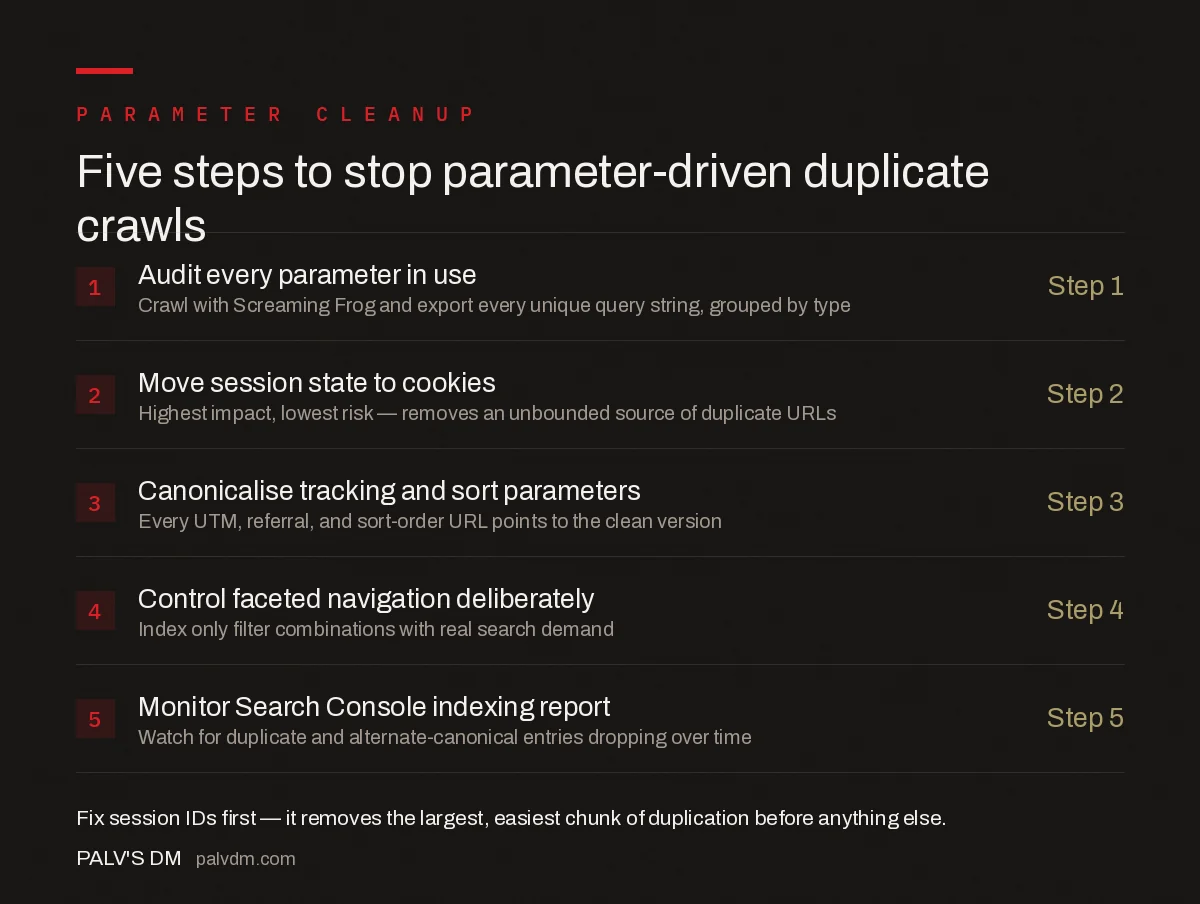
Five steps to stop parameter-driven duplicate crawls
- Audit every parameter in use — Crawl the site with a tool like Screaming Frog and export every unique query string it finds, then group them by type using the table above.
- Move session state to cookies — Highest impact, lowest risk. Removes an unbounded source of duplicate URLs entirely.
- Canonicalise tracking and sort parameters — Every UTM, referral, and sort-order URL gets a canonical tag pointing to the clean version.
- Control faceted navigation deliberately — Pick the two or three filter combinations with real search demand, let those be indexable, noindex or robots-block the rest.
- Monitor Search Console’s Page indexing report — Watch for “Duplicate, Google chose different canonical than user” and “Alternate page with proper canonical tag” as evidence the fixes are being respected.
Do these roughly in that order. Fixing session IDs first removes the biggest and easiest chunk of duplication, which makes the canonical and faceted-navigation work that follows much easier to verify because the noise drops out of your crawl data immediately.
Should you use robots.txt to block parameter URLs?
Only for parameters that serve no indexing purpose whatsoever, like internal search results or session IDs on a platform where you can’t switch to cookies quickly. Robots.txt disallow rules stop Googlebot from crawling the URL, but if that URL was already indexed, it can persist in the index with no snippet, showing “No information is available for this page” — worse for the user than if you’d left it alone. Canonical tags and noindex meta tags, which require the page to be crawled once to be read, are usually the safer first move; robots.txt is the cleanup tool for parameter patterns you’re certain have zero search value.
Internal linking discipline matters here too. Even a correct canonical tag gets undermined if most of your internal links, especially from internal linking done at scale across thousands of pages, still point to the parameterised version instead of the clean URL. Fix the links, not just the tag.
What’s the difference between a URL parameter problem and a duplicate content problem?
Parameters are one specific cause of duplicate content, not the whole category. A broader look at what actually causes duplicate content problems covers www vs non-www, HTTP vs HTTPS, and printer-friendly versions alongside parameters. If your crawl budget is being consumed by more than parameters — old archived pages, thin tag pages, or faceted navigation without limits — the parameter fix alone won’t solve it. Understanding when crawl budget actually matters and when it doesn’t helps decide how much of this work is urgent versus a background cleanup task.
Frequently asked questions
Do URL parameters hurt SEO?
Not by themselves. A parameter only hurts SEO when it generates a URL that duplicates content already reachable at a cleaner URL, and that duplicate gets crawled and indexed repeatedly. Tracking parameters, session IDs, and unlimited sort or filter combinations are the usual causes.
Should I block parameter URLs in robots.txt?
Rarely as a first move. Blocking in robots.txt stops crawling but not indexing, so a previously indexed parameter URL can still show up with no description. Use a self-referencing or root canonical tag first, and reserve robots.txt disallow rules for parameter patterns that serve no user or ranking purpose at all, like session IDs.
Does Google Search Console’s URL Parameters tool still work?
Google retired the legacy URL Parameters tool in the old Search Console in 2022. Parameter handling now relies on canonical tags, internal linking consistency, and Google’s own pattern detection rather than a manual configuration panel.
Can session IDs in URLs be fixed without breaking functionality?
Yes. Almost every platform that appends a session ID to the URL for tracking can be reconfigured to store that state in a cookie instead, which is the standard approach for logged-out browsing on modern ecommerce and CMS platforms. The URL then stays identical across visits and stops generating duplicates.
Do UTM tracking parameters need a canonical tag?
Yes. Any page reachable with a UTM parameter appended should carry a canonical tag pointing to the clean, parameter-free version. This keeps campaign tracking working in analytics while telling Google there is only one URL worth indexing.
Sources
- URL Canonicalization — Google Search Central
- Large Site Crawl Budget Management — Google Search Central
- Soft 404s: why Google ignores pages that return a 200 status
- Technical SEO: The Complete Working Guide
Want this done on your site?
Every PalV’s DM engagement starts with a free audit of your actual website — a 12-point
crawl covering what is blocking indexation, on-page gaps against your primary keywords, speed
findings, and the three to five fixes worth making first. Delivered in two working days. No
payment details, and the findings are yours whether you hire us or not.


