
The WordPress Contact Form Setup That Actually Stops Spam
A practical WordPress contact form setup: which plugin to use, how to block spam without CAPTCHA friction, and where leads should actually go.

The fastest way to cut WordPress contact form spam is layering a honeypot field with an invisible check like reCAPTCHA v3 or Cloudflare Turnstile, not switching plugins. Most sites already run something capable of blocking nearly all of it. The spam problem is almost always a configuration gap, not a software gap.
Site owners tend to solve this the expensive way: buy a pricier plugin, bolt on a visible “prove you’re human” puzzle that annoys real visitors, or give up and let a filter quietly eat every third submission, including the ones from actual customers. None of that is necessary. Get the layering right once and the form keeps working without you touching it again.
Which plugin should you actually install?
For a standard business site, Fluent Forms or WPForms Lite cover almost everyone. Both ship spam protection in the free tier: honeypot fields, an anti-spam token, and either built-in reCAPTCHA support or an easy Akismet connection. Fluent Forms currently has the more generous free tier of the two. It includes conditional logic and multi-column layouts that other plugins lock behind a paid plan.
Contact Form 7 still works fine for a genuinely simple form: name, email, message, send. It has no anti-spam tools built in, though, and the plugin’s own changelog confirms version 6.2 was its last feature release, meaning it’s now in maintenance mode with security patches only. That’s not a reason to rip it out if you’re already running it. It is a reason to pair it with Akismet or a honeypot add-on rather than assume the plugin handles spam by itself.
Gravity Forms sits at the premium end with no free tier at all. It earns its price on complex, multi-step forms with conditional logic and payment routing, features a basic contact form doesn’t need. If your form is name, email, message, submit, Gravity Forms is more plugin than the job calls for.
Contact form plugins compared
| Free tier | Anti-spam in free version | Best for | |
|---|---|---|---|
| WPForms Lite | Yes | Honeypot, anti-spam token, Akismet and reCAPTCHA support | Beginners, standard forms |
| Fluent Forms | Yes, generous | Honeypot, reCAPTCHA, Akismet integration | Sites wanting Pro-level features free |
| Contact Form 7 | Yes | None built in; add Akismet or a honeypot add-on | Simple forms, developers comfortable configuring their own protection |
| Gravity Forms | No free tier | reCAPTCHA, Really Simple CAPTCHA, Akismet | Complex multi-step forms and payment flows |
How does spam get through a WordPress form in the first place?
Two ways, mostly. Automated bots submit forms at scale looking for any site with an open endpoint, and they don’t care what the form is for. Then there’s a smaller, more annoying category: humans paid a few cents per submission to get past a check a bot alone couldn’t clear. Plugins solve the first problem well. Layering methods is what actually addresses the second, because no single tool stops a determined human typing the form in by hand.
The pattern I see most often auditing client sites is a plugin installed years ago on default settings and never touched again. The honeypot field is there, quietly doing its job. But reCAPTCHA was either never turned on or left on v2, the version with the visible checkbox or picture puzzle. That’s the setting almost nobody revisits, and it’s costing real conversions for zero extra protection over v3.
Which anti-spam layers are actually worth setting up?
Start with the two that cost nothing and ask nothing of the visitor, then add a third only if spam keeps getting through.
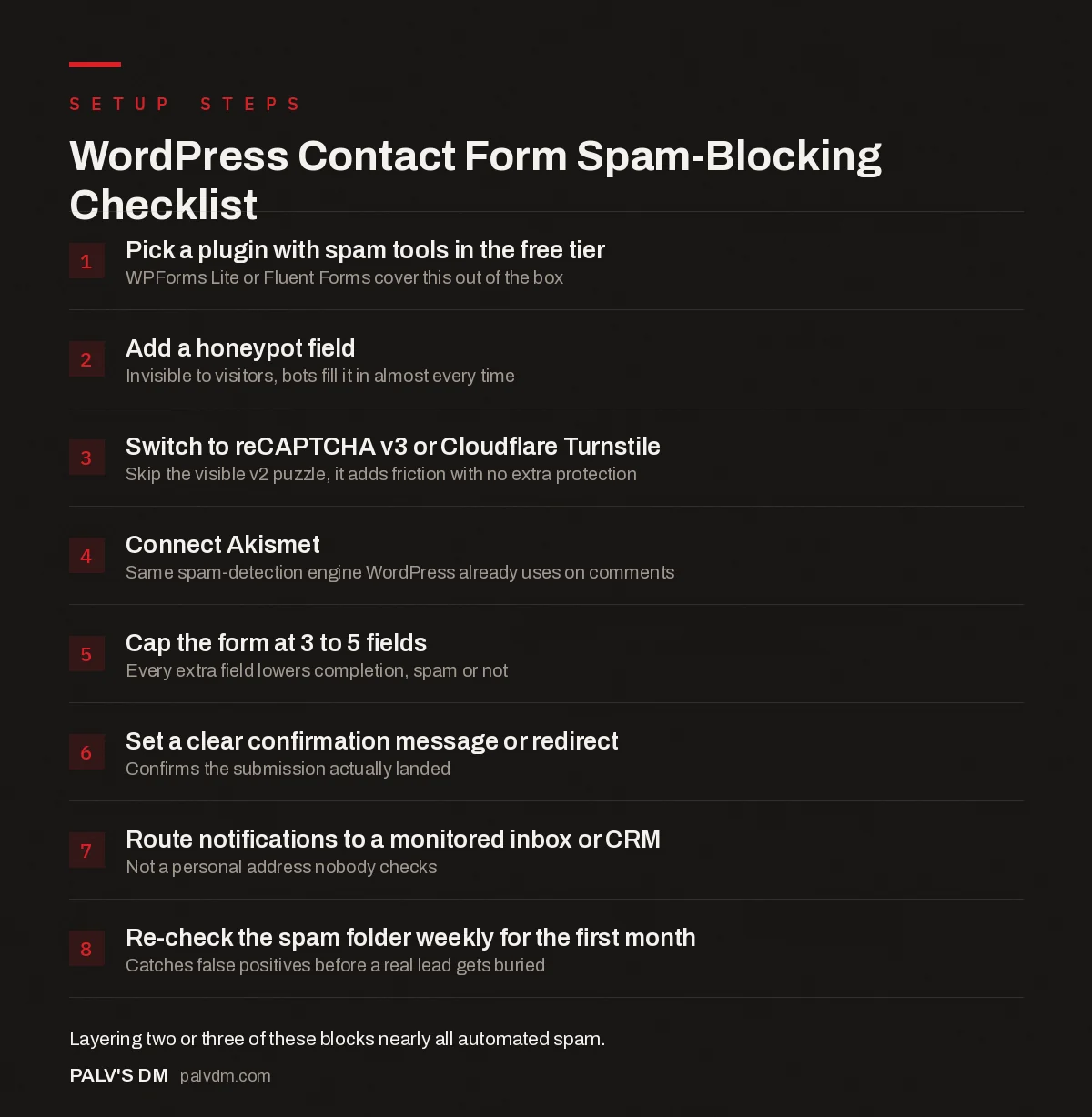
WordPress Contact Form Spam-Blocking Checklist
- Pick a plugin with spam tools in the free tier. WPForms Lite or Fluent Forms cover this out of the box.
- Add a honeypot field. Invisible to visitors, bots fill it in almost every time.
- Switch to reCAPTCHA v3 or Cloudflare Turnstile. Skip the visible v2 puzzle, it adds friction with no extra protection.
- Connect Akismet. Same spam-detection engine WordPress already uses on comments.
- Cap the form at 3 to 5 fields. Every extra field lowers completion, spam or not.
- Set a clear confirmation message or redirect. Confirms the submission actually landed.
- Route notifications to a monitored inbox or CRM. Not a personal address nobody checks.
- Re-check the spam folder weekly for the first month. Catches false positives before a real lead gets buried.
A honeypot field costs nothing and catches the laziest bots outright, since they fill in every field they can find. reCAPTCHA v3 runs invisibly and scores the interaction in the background, so most human visitors never see a challenge at all. Akismet is the same engine that’s been filtering WordPress comment spam for years, and pointing it at your contact form is usually a one-click setting inside the plugin, not a separate install. Stack those three and you’ve closed almost every gap without adding a single extra click for a real visitor.
How many fields should the form actually have?
Three to five. Name, email, and a message field cover most inquiries. Add a dropdown for what the visitor is contacting you about if you route leads to different people, and a phone field only if someone will genuinely call back. Every additional field is a small tax on completion rate, spam or not, and a ten-field contact form is usually a sign nobody user-tested it before it went live.
I’ve dropped fields from client forms and watched submission counts rise within a week, with no drop in lead quality. “Company size” and “how did you hear about us” belong in a follow-up email or the CRM record, not the first form a stranger fills out on their phone.
Where should submissions actually go?
Not just your inbox. Set a second notification to whoever owns sales follow-up, and if you’re running a CRM, connect the form directly rather than relying on someone to copy details out of an email. Fluent Forms and WPForms both support webhook or native CRM connections for exactly this. A form that only emails one person is a single point of failure: that person goes on leave, and the lead sits untouched for a week.
Set up a proper confirmation state too, whether that’s an on-page message or a redirect to a dedicated thank-you page. It tells the visitor the submission worked, and a redirect gives you a clean conversion event to track in analytics separate from the form plugin’s own log.
Does the form need a consent checkbox?
If you’re collecting name, email, or phone number from visitors in India, add a short consent line near the submit button stating how the data will be used, in line with the Digital Personal Data Protection Act’s requirements around notice and consent. It doesn’t need to be a wall of legal text: one sentence and a link to your privacy policy is standard practice and takes minutes to add in any of the plugins above.
What does the form need to work on mobile?
Big enough tap targets, a numeric keyboard triggered automatically on the phone field, and no field that needs horizontal scrolling to read its label. Test this on an actual phone rather than a browser’s device simulator. Simulated views miss autofill quirks and the way some Android keyboards cover the submit button on shorter screens.
If your form still shows a full-width CAPTCHA image that doesn’t resize cleanly, that’s an old reCAPTCHA v2 embed. Moving to v3 or Turnstile removes the widget from the layout entirely, since neither shows a real visitor anything to solve.
Frequently asked questions
Do I need a CAPTCHA on a WordPress contact form?
Not necessarily a visible one. A honeypot field plus reCAPTCHA v3 or Cloudflare Turnstile blocks the vast majority of automated spam without showing a puzzle to real visitors. Save the visible CAPTCHA for forms getting spam these invisible methods aren’t catching.
What’s the best free WordPress contact form plugin?
Fluent Forms and WPForms Lite are the strongest free options right now. Fluent Forms includes conditional logic free, which most competitors reserve for paid plans. Either covers honeypot, Akismet, and reCAPTCHA without upgrading.
Is Contact Form 7 still safe to use?
Yes, it still receives security patches, but its developer has confirmed it’s now in maintenance mode with no new features planned. It has no built-in spam protection, so pair it with Akismet or a honeypot add-on rather than running it bare.
How many fields should a contact form have?
Three to five for a general inquiry form: name, email, and a message field at minimum. Extra fields like company size or budget range depress completion rates and are better collected in a follow-up conversation or CRM record.
Does Akismet work on contact forms, not just blog comments?
Yes. Akismet’s spam-detection API works on any content stream a plugin sends it, and WPForms, Fluent Forms, and Gravity Forms all support connecting a contact form to it directly inside their settings.
Should I add a privacy consent checkbox to my form?
If you’re collecting personal data from visitors in India, a short consent line explaining how the data will be used satisfies the basic notice requirement under the DPDP Act. It takes a few minutes to add in any major form plugin.
Sources
- Contact Form 7 plugin listing and changelog, WordPress.org
- Akismet spam protection, official site
- Google reCAPTCHA, official overview
- Fluent Forms pricing and free-tier features
- WordPress SEO: The Complete Configuration Guide
- WordPress Security Basics Every Business Site Needs
- Website Maintenance: What Actually Needs Doing Monthly
- Mobile Usability Errors in Search Console and Their Fixes
Want this done on your site?
Every PalV’s DM engagement starts with a free audit of your actual website — a 12-point
crawl covering what is blocking indexation, on-page gaps against your primary keywords, speed
findings, and the three to five fixes worth making first. Delivered in two working days. No
payment details, and the findings are yours whether you hire us or not.
Get your free SEO audit
See Web Development plans and prices


