
Website Maintenance Checklist: What Actually Needs Doing Every Month
A working website maintenance checklist: what to check weekly, monthly and quarterly, and what breaks first when it gets skipped.
A real monthly maintenance routine covers five things: updates, backups, broken links, page speed, and a security scan. Everything else people bundle into “maintenance” (content refreshes, design tweaks, analytics reviews) is worth doing but belongs on a slower cadence. Most of the sites we inherit from other agencies weren’t neglected on purpose. Nobody just decided the WordPress core updates could wait eleven months. It happened because there was no fixed list and no fixed day.
That’s really what a maintenance checklist is for: not the individual tasks, which are mostly obvious once you see them written down, but the discipline of doing them on a schedule instead of when something finally breaks. Below is the list we actually run on client sites, split by how often each item earns its place.
What should be on a monthly website maintenance checklist?
Six tasks make up the core monthly pass. Skip any one of them for a couple of cycles and you won’t notice immediately, which is precisely the problem.
- Update WordPress core, theme, and every active plugin. Read the changelog first for anything touching payments, forms, or SEO output, since those are the updates most likely to change behaviour rather than just patch a bug.
- Confirm the last backup actually completed and is restorable. A backup log showing “success” is not the same as a backup you can restore from. Test a restore to staging at least once a quarter.
- Run a broken link scan across the whole site. Internal 404s quietly kill crawl efficiency and user trust; outbound links rot even faster since you don’t control the destination.
- Check page speed on three to five key pages. Homepage, top landing page, and whatever page drives the most conversions. A single bloated hero image uploaded last month can undo a quarter of speed work.
- Review server error logs and uptime history. A handful of 500 errors clustered around 3am might be nothing, or might be a plugin conflict that’s about to get worse.
- Run a malware and file-integrity scan. Even with managed hosting doing server-level protection, plugin-level vulnerabilities slip through. This is the check most people assume “the host handles,” and hosts usually don’t, not at this layer.
How does the cadence actually break down: weekly, monthly, quarterly?
Bundling everything into one monthly session is how checklists get abandoned. Some things need eyes on them weekly. Others are wasted effort if you run them more than four times a year. Here’s how we split it on client accounts.
| Frequency | Tasks | Why this cadence |
|---|---|---|
| Weekly | Uptime check, security scan, spam comment/form review | These catch active problems; a week of undetected downtime or spam is expensive, a week of delay on a plugin update usually isn’t. |
| Monthly | Core/plugin updates, backup verification, broken link scan, speed check on key pages, error log review | Frequent enough to catch drift before it compounds, infrequent enough not to eat a full day every week. |
| Quarterly | Full content audit, unused plugin cleanup, backup restore test, redirect map review, form and integration test | Deeper work that doesn’t change month to month and takes real time to do properly. |
What tools does this actually require?
Nothing exotic. You need somewhere to see uptime history (most hosts show this, or a free tool like UptimeRobot fills the gap), a security scanner (Wordfence and Sucuri both have usable free tiers), a broken link checker (Screaming Frog’s free version handles up to 500 URLs, which covers most small business sites), and PageSpeed Insights, which is free and run directly by Google. That’s the whole toolkit for a monthly pass. The temptation is to buy a bundled “site health” SaaS subscription that promises to automate all of it. Some of those are genuinely good. Most add a login you’ll forget to check, which defeats the point.
The one thing worth paying for, if you’re doing this yourself, is off-site backup storage that isn’t tied to your hosting account. If the account gets suspended or compromised, a backup sitting in the same account is not a backup, it’s a hostage.
What’s the actual sequence for a monthly maintenance session?
Order matters more than people expect. Updating plugins before confirming your last backup is restorable is how a routine maintenance session turns into an afternoon of panic.
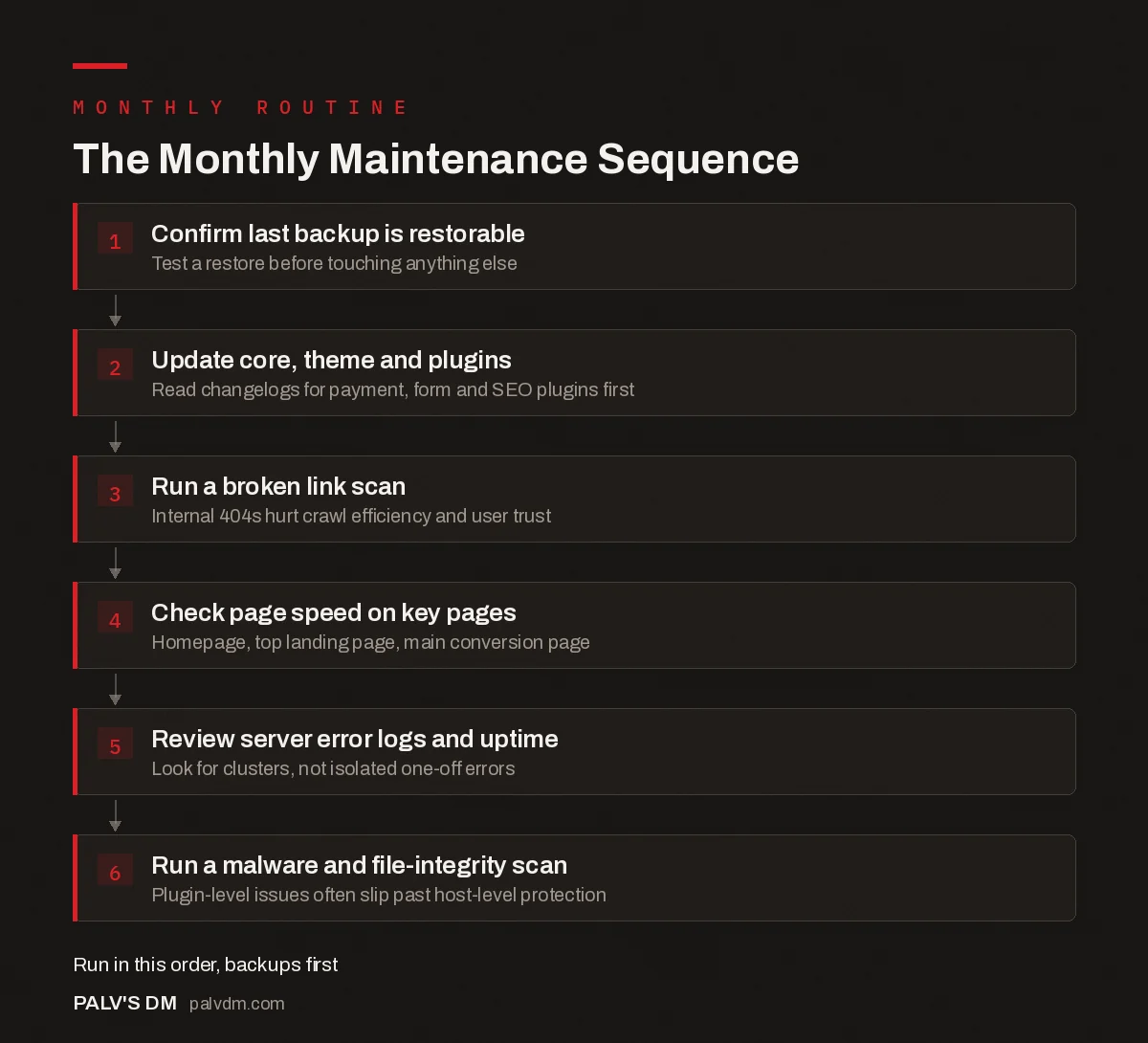
The Monthly Maintenance Sequence
- Confirm last backup is restorable. Test a restore before touching anything else.
- Update core, theme and plugins. Read changelogs for payment, form and SEO plugins first.
- Run a broken link scan. Internal 404s hurt crawl efficiency and user trust.
- Check page speed on key pages. Homepage, top landing page, main conversion page.
- Review server error logs and uptime. Look for clusters, not isolated one-off errors.
- Run a malware and file-integrity scan. Plugin-level issues often slip past host-level protection.
What actually breaks when maintenance gets skipped?
Nothing, for a while. That’s the part that catches business owners off guard. A site can run three, four, six months with no maintenance and look completely fine from the front end. Then one of a few things happens: a plugin update three versions behind finally introduces a conflict that breaks the checkout form, and nobody notices for two weeks because nobody was testing it monthly. Or an old, unpatched vulnerability gets exploited, and the first sign is a client calling to ask why their site is redirecting to a Canadian pharmacy ad in incognito mode. Or the backups, which “looked” fine in the plugin dashboard, turn out to have been silently failing since a hosting migration nobody flagged.
None of these are rare. They’re the three most common calls we get from businesses who found us after their previous setup went unmaintained for the better part of a year. Recovery from any of them costs more in time and stress than eighteen months of monthly checks would have.
Should you do this yourself or hire it out?
If you’re comfortable in wp-admin, technically capable of reading a plugin changelog, and willing to actually block the calendar time, doing it yourself works fine. The failure mode isn’t skill, it’s consistency. Sites maintained by “whoever remembers” slip after two or three cycles, usually right when the business gets busy and maintenance is the first thing that gets skipped.
Hiring it out makes sense once the cost of your own time exceeds what a retainer costs, or once the site is complex enough (ecommerce, membership content, custom integrations) that a missed update carries real financial risk. Basic WordPress maintenance retainers for small business sites in India typically run somewhere between Rs 3,000 and Rs 8,000 a month, covering updates, backups, uptime monitoring, and a small allowance of content edits. Ecommerce sites and anything with heavier traffic cost more, simply because there’s more surface area to check.
What mistakes show up most often in DIY maintenance routines?
- Auto-updates left on for everything. Convenient until a major plugin update ships a breaking change overnight with nobody watching. We set core and security-plugin updates to auto, and leave anything touching checkout, forms, or SEO output on manual review.
- Backups stored only on the same server as the site. If the server goes down or gets compromised, your backup goes with it. Off-site storage (a separate cloud bucket, not just the hosting panel) is not optional.
- No staging environment for testing updates. Updating plugins directly on the live site means the first person to discover a conflict is a customer, not you.
- Treating “maintenance” as only technical. A page with a phone number that changed eighteen months ago is a maintenance failure too, just a quieter one.
- Doing it in a burst instead of on a schedule. A four-hour catch-up session every six months finds more problems than it prevents, because half of them have already caused damage by the time you look.
None of this needs to be complicated. A recurring calendar block, a shared checklist document, and someone who actually owns the task, that’s most of what separates sites that stay healthy from sites that show up in our inbox after something has already gone wrong. The checklist itself takes ten minutes to write. Sticking to it is the part that actually matters.
Frequently asked questions
How often should website maintenance actually be done?
Security and backup checks belong weekly, core tasks like updates, speed and broken-link checks belong monthly, and deeper work like a full content audit or plugin cleanup belongs quarterly. Skipping the weekly layer is the most common mistake; monthly alone leaves a site exposed for up to four weeks after a vulnerability is disclosed.
Can I maintain my own WordPress site without hiring someone?
Yes, if you’re comfortable in wp-admin and willing to block out the same hour every month. The risk isn’t skill, it’s consistency: sites that get maintained by whoever remembers to do it tend to slip after two or three months. A calendar reminder fixes more of this than any tool does.
How much does professional website maintenance cost in India?
Basic WordPress maintenance retainers for small business sites typically run somewhere in the Rs 3,000 to Rs 8,000 per month range, covering updates, backups, uptime monitoring and a small allowance of content edits. Ecommerce or high-traffic sites with more moving parts cost more, since there’s simply more to check and more that can go wrong.
What actually happens if I skip maintenance for a few months?
Nothing dramatic at first, which is exactly the trap. Then a plugin update breaks a checkout form nobody tests, or an old vulnerability gets exploited and the site starts silently redirecting to spam pages, or backups turn out to have been failing quietly for weeks. Recovery from any of those takes far longer than the maintenance would have.
Is managed WordPress hosting enough, or do I still need a maintenance routine?
Managed hosting usually covers server-level patching, automated backups and basic malware scanning, which is genuinely useful. It does not cover plugin and theme updates inside your specific site, broken links, content accuracy, or checking that your forms still submit. Those still need a human on a schedule.
Sources
- Hardening WordPress, WordPress.org Support
- PageSpeed Insights, Google
- WordPress SEO: The Complete Configuration Guide
- Backups and Restore: Testing Before You Need It
- WordPress Security Basics Every Business Site Needs
- Staging Environments: Why Every Site Needs One
Want this done on your site?
Every PalV’s DM engagement starts with a free audit of your actual website — a 12-point
crawl covering what is blocking indexation, on-page gaps against your primary keywords, speed
findings, and the three to five fixes worth making first. Delivered in two working days. No
payment details, and the findings are yours whether you hire us or not.
Get your free SEO audit
See Web Development plans and prices


