
URL Structure Best Practices, With Real Examples
A good SEO URL is short, lowercase, hyphenated, and readable without the page loading. The rules Google documents, plus real before/after examples for common page types.

A good SEO URL is short, lowercase, hyphenated, and tells you what’s on the page before it loads — no session IDs, no stacked parameters, no folder depth five levels deep. Google’s own documentation is specific about the mechanics: use simple, descriptive words, avoid unnecessary parameters, and keep the structure logical enough that a human glancing at the address bar understands the topic.
Most sites don’t get this wrong on purpose. URL structure decisions get made once, early, usually by whoever set up the CMS, and then nobody revisits them until a migration or a redesign forces the question. The patterns below are what separates a URL structure that quietly helps from one that quietly costs rankings and click-through rate.
What does Google actually say about URL structure?
Google’s URL structure documentation is narrower than most SEO advice implies. It doesn’t rank URLs directly for keyword match; it cares about crawl efficiency and duplicate-content risk. Specifically, Google flags overly complex URLs with multiple parameters as a crawl-budget problem, because they can generate near-infinite unique URLs pointing at the same or similar content, and it recommends UTF-8 encoding plus simple, descriptive words over IDs or session strings.
That’s a narrower claim than “the URL is a ranking factor,” and it matters for how much effort to spend here. URL structure earns its keep through crawl efficiency, duplicate-content prevention, and click-through rate in the SERP — not through keyword density in the slug itself.
What are the core rules for an SEO-friendly URL?
| Rule | Do | Avoid |
|---|---|---|
| Case | All lowercase | Mixed case (creates case-sensitive duplicates on most servers) |
| Word separator | Hyphens | Underscores, spaces, or %20 encoding |
| Length | 3-5 word slug, under ~75 characters | Full sentence slugs or auto-generated ID strings |
| Keyword placement | Primary keyword once, naturally | Keyword repeated or stuffed |
| Stop words | Stripped where they don’t change meaning | Kept by default from CMS auto-slugging |
| Parameters | Reserved for filters/sorting, canonicalised | Used for core page identity (?id=4821) |
None of these rules are absolute. A stop word occasionally changes the meaning of a slug enough that removing it hurts clarity more than it helps brevity — “best-shoes-for-flat-feet” reads worse as “best-shoes-flat-feet.” Apply the rule, then read the result out loud.
What does a good URL look like for each page type?
The same rules apply differently depending on what the page is. A few real before/after patterns:
- Blog post. Bad:
/blog/post.php?id=4821&cat=12. Good:/blog/url-structure-seo/. The category or date prefix is optional; the slug itself should carry the topic. - Product page. Bad:
/products/index.aspx?sku=WM-2201-BLK-L. Good:/products/mens-black-wool-coat/. SKU codes belong in the database, not the URL a customer shares. - Category/listing page. Bad:
/shop?category=44&sort=price_asc&page=2. Good:/shop/winter-coats/with sort and page handled as parameters and canonicalised back to the base URL. - Location page. Bad:
/services/page-view?loc=482. Good:/services/seo/ahmedabad/, following a consistent service-then-location pattern across every city page.
How deep should folder structure go?
Two to three levels deep covers nearly every site: /category/subcategory/page-slug/. Depth itself isn’t a direct ranking penalty, but sites with five and six levels of nesting almost always show a correlated problem — internal links pointing inconsistently at different depths, orphaned pages several clicks from the homepage, and crawlers spending more passes to reach content that should be two clicks away.
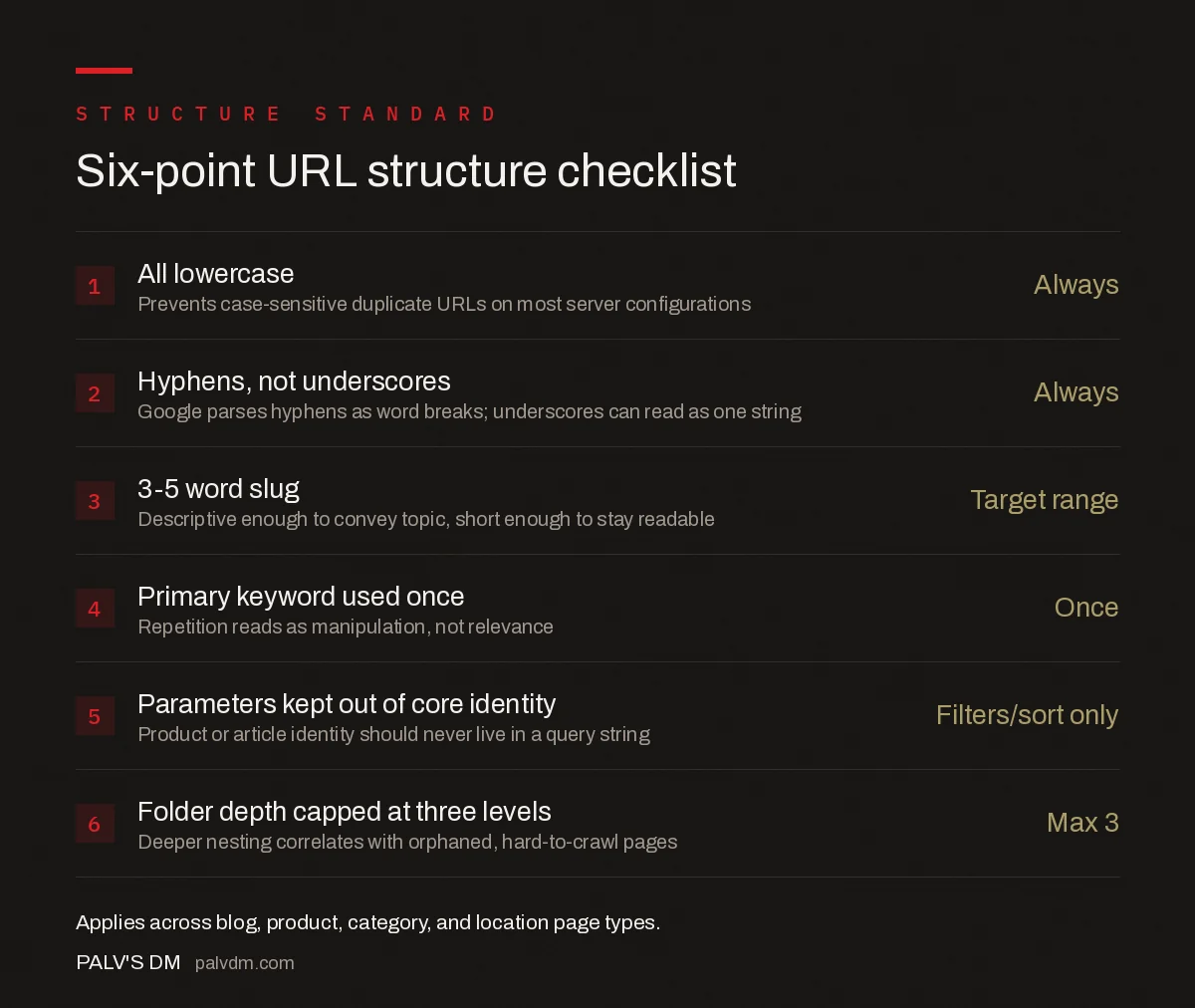
Six-point URL structure checklist
- All lowercase — Always. Prevents case-sensitive duplicate URLs on most server configurations.
- Hyphens, not underscores — Always. Google parses hyphens as word breaks; underscores can read as one string.
- 3-5 word slug — Target range. Descriptive enough to convey topic, short enough to stay readable.
- Primary keyword used once — Once. Repetition reads as manipulation, not relevance.
- Parameters kept out of core identity — Filters/sort only. Product or article identity should never live in a query string.
- Folder depth capped at three levels — Max 3. Deeper nesting correlates with orphaned, hard-to-crawl pages.
How do you fix a URL structure that already ranks?
The single riskiest move in URL structure work is changing a live, ranking, linked URL. Do it in this order, not by editing the slug and hoping:
- Audit what currently ranks and what links in. Pull organic landing pages from Search Console and external backlinks before touching anything, so you know exactly what’s at stake.
- Set a 301 redirect from old to new for every URL you change, never a 302, and never leave the old URL to 404.
- Update internal links to point at the new URL directly rather than relying on the redirect to carry every internal click — redirect chains inside your own site add latency and dilute signal.
- Resubmit the new URL in the XML sitemap and request indexing via Search Console for the highest-value pages.
- Monitor rankings for 2-4 weeks for a temporary dip as Google re-evaluates the new URL; a full recovery to prior rankings within that window is the normal outcome for a clean redirect.
Most of the actual damage in URL migrations doesn’t come from the new slug being wrong. It comes from step 2 or 3 being skipped — a batch of old URLs left un-redirected, or internal navigation still pointing at the retired paths months after the change.
Common URL structure mistakes worth checking first
- Trailing slash inconsistency.
/page/and/pagecan resolve as two different URLs on some server configurations, splitting signals without anyone intending it. - Date-stamped blog URLs.
/2023/06/post-title/ages visibly and forces a URL change (and a redirect) if the content is later updated and re-dated. - Session IDs baked into the path. Legacy ecommerce platforms sometimes still append session identifiers to URLs, generating a fresh “unique” URL per visitor for identical content.
- Auto-slugging that keeps every stop word. Most CMS defaults turn a title into a slug verbatim, stop words included, producing unnecessarily long URLs nobody edits down.
Sites that pair a clean URL structure with a deliberate internal linking strategy tend to see the compounding benefit fastest, since consistent paths make link auditing and template-level fixes far easier to execute at scale.
Frequently asked questions
What makes a URL SEO-friendly?
An SEO-friendly URL is short, lowercase, uses hyphens between words, contains the page’s primary keyword once, and is understandable to a human before the page loads. Google’s own guidance favours simple, descriptive words over long strings of parameters or IDs.
Should I use hyphens or underscores in URLs?
Hyphens. Google parses a hyphen as a word separator, so /url-structure-seo/ reads as three distinct words, while /url_structure_seo/ can be read as one long string. Underscores are a common legacy mistake carried over from filenames and database keys.
Does changing a URL hurt SEO?
Changing a URL that already ranks and holds backlinks carries real risk if it isn’t redirected properly. Done with a 301 redirect from the old URL to the new one, most of the ranking signal transfers, but there’s a temporary fluctuation period and any un-redirected inbound link becomes dead weight.
How many words should a URL slug have?
Three to five words is the practical range for most content and product pages. Enough to be descriptive and carry the primary keyword, short enough to stay readable and avoid the diminishing SEO returns of keyword-stuffed slugs.
How deep should folder structure go?
Two to three levels deep for most sites — for example /category/subcategory/page-slug/. Deeper nesting doesn’t directly penalise rankings, but it tends to correlate with weaker internal linking and pages that are harder for both users and crawlers to reach.
Sources
- URL Structure Best Practices for Google Search — Google Search Central
- Site Architecture for SEO: The Complete Guide
- Technical SEO: The Complete Working Guide
- Subdomain vs Subfolder for Your Blog: Settling It
- Breadcrumbs: SEO Value, Schema, and Correct Implementation
Want this done on your site?
Every PalV’s DM engagement starts with a free audit of your actual website — a 12-point
crawl covering what is blocking indexation, on-page gaps against your primary keywords, speed
findings, and the three to five fixes worth making first. Delivered in two working days. No
payment details, and the findings are yours whether you hire us or not.


