
JavaScript SEO: What Google Renders and What It Skips
Googlebot crawls and renders JavaScript pages in two separate passes. Here is exactly what gets rendered, what gets skipped, and how to check which one is happening on your site.

Googlebot processes JavaScript pages in two passes: it crawls the raw HTML first, then queues the page for rendering in a headless Chromium browser that executes the JavaScript before Google indexes the result. What Google renders successfully includes most standard client-side frameworks; what it skips includes content behind user interaction, scripts blocked by robots.txt, and anything that depends on browser features like cookies or local storage that Googlebot doesn’t reliably use. The gap between those two lists is where JavaScript-heavy sites lose rankings without an obvious error to point to.
This isn’t a reason to avoid JavaScript frameworks. It’s a reason to know exactly which patterns are safe and which ones quietly remove content from what Google indexes.
How does Googlebot process a JavaScript page?
The process runs in stages, and understanding the order explains most JS SEO failures:
- Crawling. Googlebot requests the URL and receives the initial HTML response — often a near-empty shell for client-side rendered sites.
- Queuing for rendering. The page joins a render queue. Google has stated this can take anywhere from a few seconds to several weeks, depending on crawl budget and site resources, though most well-established sites render within days.
- Rendering. A headless Chromium instance loads the page and executes JavaScript, producing a final DOM.
- Indexing. Google indexes the rendered DOM’s content, links, and metadata — not the original server response.
Because rendering is a separate, delayed pass, any content or link that depends on JavaScript execution is indexed later than content already present in the raw HTML. For most sites this delay is manageable; for large sites publishing daily, it can mean new pages sit unindexed noticeably longer than a server-rendered equivalent would.
What does Google render successfully?
Standard client-side rendering patterns from mainstream frameworks — React, Vue, Angular, and similar — render correctly in the vast majority of cases when the JavaScript itself isn’t blocked. Googlebot’s renderer discovers links generated by JavaScript the same way it discovers links in raw HTML, follows them, and queues the destination URLs for their own crawl-render-index cycle.
Content injected via standard DOM APIs on page load, client-side routing that updates the URL and content together, and metadata set dynamically through JavaScript — including title tags and canonical tags — are all picked up correctly once rendering completes, provided the final rendered value is consistent and not contradicted by a different value in the raw HTML.
What does Google skip or fail to render?
| Pattern | Rendered by Google? | Why |
|---|---|---|
| Content requiring a click or hover to appear | No | Googlebot’s renderer doesn’t simulate user interaction events |
| Content loaded on scroll (infinite scroll) | Unreliable | Scroll events generally aren’t triggered during the rendering pass |
| Pages blocked in robots.txt (including JS/CSS files) | No | Blocked resources can’t be fetched, so the renderer can’t execute them |
| Content behind a login or cookie consent wall | No | Googlebot doesn’t authenticate or reliably persist cookie state |
| Content requiring browser APIs Googlebot lacks (WebGL heavy, some Web Components edge cases) | Inconsistent | Renderer runs a modern but sandboxed Chromium, not a full user browser |
| Pages returning non-200 status before JS runs | No | Google skips rendering for error pages by default |
| Content requiring long JavaScript execution times | Unreliable | Rendering has resource limits; very slow scripts can time out |
What does the crawl-render-index pipeline actually look like?
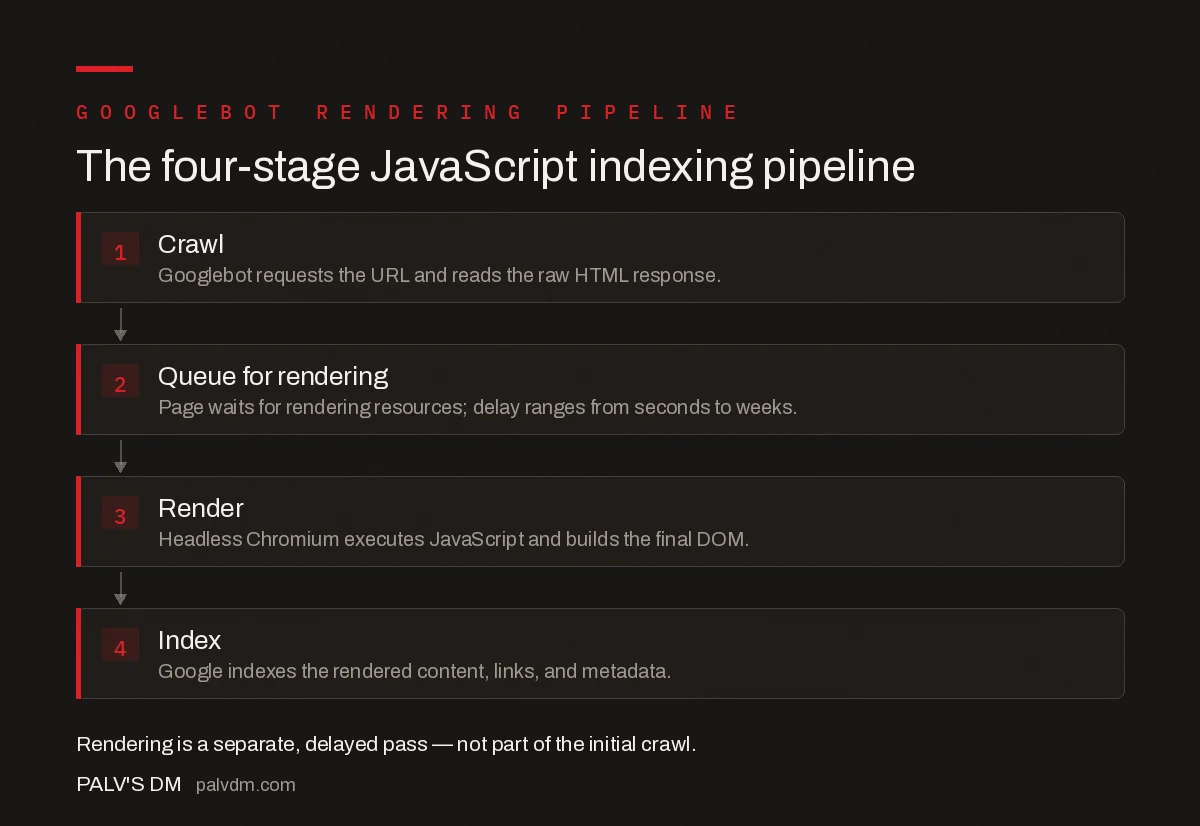
The four-stage JavaScript indexing pipeline
- 1. Crawl — Googlebot requests the URL and reads the raw HTML response.
- 2. Queue — The page waits for rendering resources; delay ranges from seconds to weeks.
- 3. Render — Headless Chromium executes JavaScript and builds the final DOM.
- 4. Index — Google indexes the rendered content, links, and metadata.
How do you test what Google actually sees on a JavaScript page?
Search Console’s URL Inspection tool is the most reliable check: it shows the rendered HTML and a screenshot from Google’s own renderer, not your browser’s. Compare that rendered HTML against what you see in a normal browser view — if key content, links, or metadata are missing from the rendered version, that’s the exact content Google isn’t indexing, regardless of how it looks in a live browser tab.
A second check worth running: disable JavaScript in your browser and reload the page. Whatever’s missing in that view is what any renderer failure, timeout, or blocked resource would also remove from what Google indexes — it’s a rough but fast proxy for the two-wave indexing gap.
What JavaScript SEO mistakes cause indexing problems?
- Blocking JS or CSS files in robots.txt. If Googlebot can’t fetch the scripts that build the page, it can’t render the content those scripts produce — a self-inflicted version of the rendering failures above.
- Client-side-only routing without real URLs. Links that update content via JavaScript event handlers but don’t correspond to a crawlable href and a real URL don’t get discovered or indexed as separate pages.
- Relying on infinite scroll for primary content discovery. Pair infinite scroll with paginated URLs behind the scenes so every piece of content has a crawlable path that doesn’t depend on a scroll event firing.
- Inconsistent metadata between raw HTML and rendered DOM. If the initial HTML has one title tag and JavaScript rewrites it to something else, Google’s two-pass process can pick up conflicting signals depending on timing.
- Assuming a fast render queue. Large or low-authority sites can wait longer for rendering resources; treating render delay as instant leads to false conclusions about why new content isn’t appearing in search results yet.
When should you use server-side rendering instead of client-side rendering?
Server-side rendering (SSR), static generation, or hybrid approaches remove the render-queue dependency entirely — Googlebot receives fully-formed HTML on the first crawl, with no second pass required. This matters most for large publishing sites where indexing speed affects traffic directly, and for sites that have already seen indexing gaps traced back to rendering delays or failures.
Pure client-side rendering isn’t automatically wrong — plenty of CSR sites rank well once Google’s renderer processes them reliably. The decision comes down to risk tolerance: SSR removes a dependency on Google’s render queue working correctly every time; CSR accepts that dependency in exchange for simpler infrastructure.
Frequently asked questions
Does Google execute JavaScript when crawling a page?
Yes. Googlebot queues rendering for every page that returns a 200 status, then a headless Chromium browser executes the JavaScript, generates the final DOM, and Google indexes that rendered output rather than the raw HTML response alone.
Why does content added by JavaScript sometimes not get indexed?
Rendering happens in a second wave, separated from initial crawling by anywhere from seconds to weeks depending on resources. Content that depends on user interaction, third-party scripts that fail to load, or scripts blocked by robots.txt never make it into the rendered DOM Google indexes.
Does Google render pages behind infinite scroll?
Only the content visible on initial load renders reliably. Content that loads on scroll or click events generally isn’t triggered during Google’s rendering pass, so paginated links or a load-more mechanism with real anchor tags and URLs are safer than scroll-triggered fetches for indexable content.
Is server-side rendering always better than client-side rendering for SEO?
Not always necessary, but it removes an entire failure mode. Client-side rendering can work fine if Google successfully renders every page, but SSR or hybrid rendering guarantees the crawlable HTML matches the final page without depending on Google’s rendering queue and budget.
How do I check what Google actually sees on a JavaScript page?
Use the URL Inspection tool in Search Console and view the rendered HTML and screenshot it captured. This shows the post-JavaScript DOM Google indexed, which is frequently different from what you see in your browser’s regular view-source.
Sources
- Understand JavaScript SEO Basics — Google Search Central
- Technical SEO: The Complete Working Guide
- Client-Side vs Server-Side Rendering for SEO
- Log File Analysis: What Googlebot Is Really Doing on Your Site
- Finding the LCP Element on Any Page
Want this done on your site?
Every PalV’s DM engagement starts with a free audit of your actual website — a 12-point
crawl covering what is blocking indexation, on-page gaps against your primary keywords, speed
findings, and the three to five fixes worth making first. Delivered in two working days. No
payment details, and the findings are yours whether you hire us or not.


