
Was It an Update or Was It You? A Diagnostic Sequence
How to separate a Google algorithm update from self-inflicted damage. The shape of the drop usually tells you before the dates ever do.

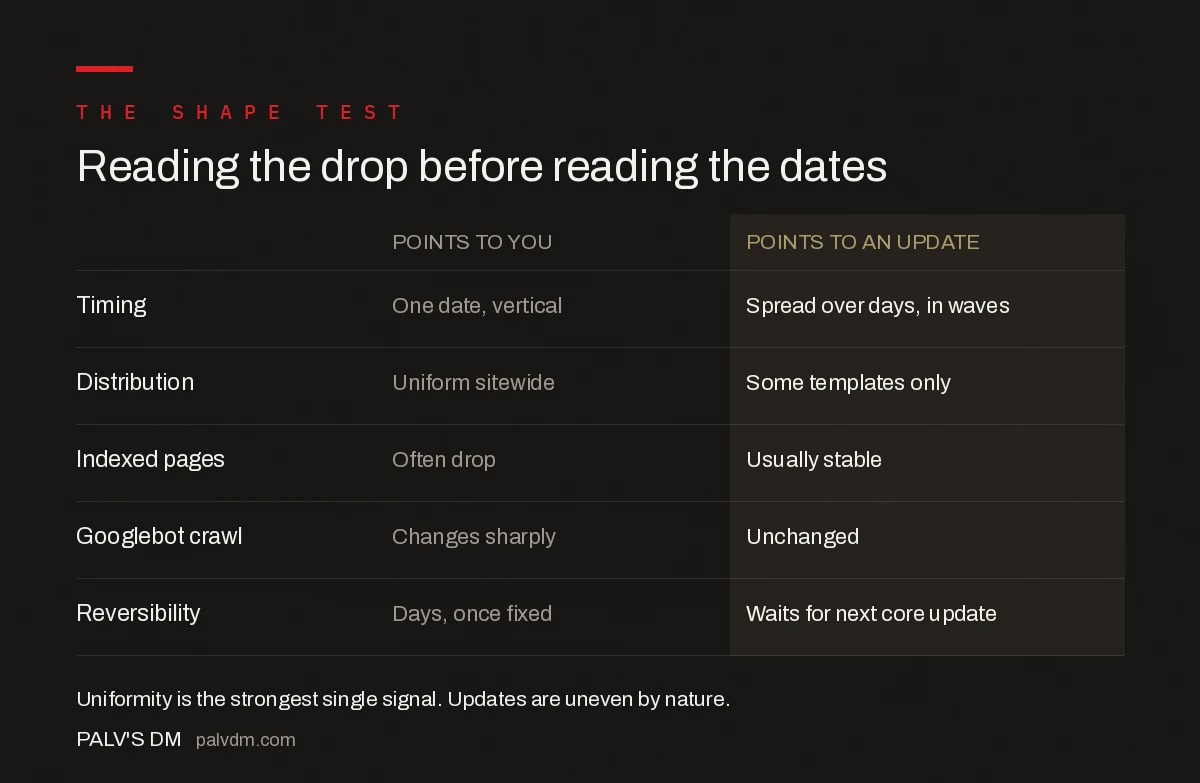
The shape of the drop tells you more than the date does. Self-inflicted damage almost always produces a vertical cliff on a single day, affecting everything roughly equally. An algorithm update produces an uneven change spread over days, hitting some page types and query clusters while leaving others untouched. If your traffic fell off a wall on one date across your entire site, look at your own release log before you look at Google’s — that pattern is far more consistent with a deployment than with a core update, which rolls out over 12 to 18 days.
This distinction is worth getting right because the two have opposite responses. Self-inflicted damage is usually reversible within days once found. Update-driven change is not reversible at all, and the work is entirely different.
The shape test
| Signal | Points to you | Points to an update |
|---|---|---|
| Timing | Single date, vertical drop | Spread over days, often in waves |
| Distribution | Uniform across the whole site | Uneven — some templates or clusters only |
| Impressions vs positions | Both collapse together | Positions shift, impressions follow unevenly |
| Crawl activity | Often changes sharply in server logs | Usually unchanged |
| Indexed page count | Frequently drops | Usually stable |
| Reversibility | Recovers within days once fixed | Typically waits for the next core update |
The uniformity signal is the strongest of these. Core updates reassess relevance and quality, which is inherently uneven — different pages compete against different fields. A change that flattens everything equally is far more likely to be structural: a robots.txt rule, a noindex, a broken template, a firewall rule.
Step 1: check the calendar against your release log
Pull the exact date the drop began, then check what you shipped in the surrounding week. Not just code — theme updates, plugin activations, caching or CDN changes, DNS edits, SSL renewals, a CMS upgrade, a redesign going live, an SEO plugin’s settings being changed by someone else on the team.
That last one is worth naming specifically. A surprising share of self-inflicted damage comes from someone else in the organisation making a reasonable-seeming change — a developer adding noindex to a staging environment that got promoted, a marketer switching a plugin setting, an agency updating a template.
If you keep no release log, start today. Without it, every future drop is guesswork.
Step 2: check indexation before anything else
Search Console → Pages. Compare indexed versus not-indexed counts across the drop.
A fall in indexed pages is close to conclusive: an update does not de-index your site, it re-ranks it. If pages left the index, something on your side told Google to remove them. Look for a stray noindex, a robots.txt disallow, canonicals pointing at the wrong URL, or a redirect chain that broke.
This single check resolves a large share of cases and takes about a minute.
Step 3: check whether Googlebot can still reach you
Server logs are the ground truth. If Googlebot’s crawl volume dropped sharply on the same date, you have a technical cause and everything downstream is a symptom.
Common culprits: a firewall or bot-protection rule blocking Googlebot, rate limiting after a hosting migration, server errors under load, an expired certificate, or a CDN configuration change. Check the URL Inspection tool’s live test on a few affected pages — if Google cannot fetch and render them now, you have your answer.
Step 4: check whether the damage is uneven
Export Search Console by page and by query, then group by template or content type.
If blog posts fell while service pages held, or 2022 content fell while 2025 content held, or informational queries fell while commercial queries held — that unevenness is an algorithmic fingerprint. Something is being assessed differently, not blocked.
If everything fell by roughly the same proportion, return to steps one through three.
Step 5: only now, check whether an update was running
Google’s Search Status Dashboard, for the exact dates. Not a volatility tracker — the dashboard.
If nothing is listed there, do not name an update in your reporting. The August 2026 volatility is the case study: around fourteen tracking tools registered spikes, the industry named an update, and Google’s dashboard recorded no ranking, indexing, crawling or serving incident at all. Three unrelated problems had landed in the same week — a GA4 reporting bug, Ad Manager disruptions, and a Discover decline that had begun in mid-July.
If an update was running, check whether the dates genuinely align. A rollout that started three days after your drop did not cause your drop.
Step 6: check for a manual action
Search Console → Security & Manual Actions. This is out of sequence by frequency — manual actions are rare — but it costs thirty seconds and eliminates the worst case definitively. Detail in how to tell if you actually have a penalty.
The ambiguous cases
Two situations resist clean diagnosis, and being honest about them is better than forcing a verdict.
You deployed during a rollout. This happens constantly and it genuinely confounds attribution. If you shipped a redesign on 25 May 2026, in the middle of the May core update, you cannot cleanly separate the two. The right move is to say so in your reporting rather than pick the more comfortable explanation, then fix anything technically wrong and reassess after the rollout completes.
Both are true. A site with a pre-existing technical weakness can be hit harder by an update than a clean site would be. The update did not create the weakness, but it exposed it. In these cases fix the technical problem regardless — it is the part within your control.
Build the log that makes this trivial
Everything above becomes a five-minute exercise if you maintain two things.
A change log of your own releases with dates: deployments, plugin and theme updates, infrastructure changes, content migrations, redesigns. Annotated into GA4 and your rank tracker so it appears directly on the chart.
A log of confirmed Google updates with their start and end dates, taken from the dashboard rather than from commentary. The 2026 update timeline maintains this for the current year.
With both, the first question after any drop — “what else happened that week?” — takes seconds to answer with evidence rather than an afternoon of forum archaeology. And when the answer is genuinely “an update,” you can follow the 30-day recovery plan with confidence instead of hope. The broader diagnostic list, ordered by frequency, sits in the twelve diagnoses for an organic traffic drop.
Reading the drop before reading the dates
| Points to you | Points to an update | |
|---|---|---|
| Timing | One date, vertical | Spread over days, in waves |
| Distribution | Uniform sitewide | Some templates only |
| Indexed pages | Often drop | Usually stable |
| Googlebot crawl | Changes sharply | Unchanged |
| Reversibility | Days, once fixed | Waits for next core update |
Frequently asked questions
How do I know if a Google update hit my site or I broke something?
Look at the shape of the drop. Self-inflicted damage almost always produces a vertical cliff on a single date affecting the whole site roughly equally. An algorithm update produces uneven change spread over days, hitting some page types or query clusters while leaving others alone. A uniform one-day collapse points strongly at your own deployment rather than at Google.
What is the fastest check for self-inflicted SEO damage?
Search Console’s Pages report. Compare indexed versus not-indexed counts across the drop date. A fall in indexed pages is close to conclusive, because algorithm updates re-rank sites rather than de-indexing them. If pages left the index, something on your side — a stray noindex, a robots.txt disallow, a broken canonical — told Google to remove them.
Can a Google update and my own mistake both cause a drop?
Yes, and it is common. A site with a pre-existing technical weakness can be hit harder by an update than a clean site would be — the update did not create the weakness but exposed it. If you also deployed during a rollout window, attribution becomes genuinely ambiguous. Say so in your reporting, fix what is technically wrong, and reassess after the rollout completes.
Should I trust volatility trackers to confirm an update?
No. Trackers show that rankings moved, not why. They cannot distinguish an algorithm update from an infrastructure bug, a SERP feature change, seasonality or your own site changes. In August 2026 around fourteen tools registered spikes while Google’s Search Status Dashboard recorded no incident at all. The dashboard is the only authoritative confirmation.
What should I log to make future diagnoses easier?
Two things. A change log of your own releases with dates — deployments, plugin and theme updates, infrastructure changes, migrations, redesigns — annotated into GA4 and your rank tracker. And a log of confirmed Google updates with start and end dates taken from the Search Status Dashboard. Together they turn a day of investigation into a five-minute check.
Sources
- Google Search Status Dashboard
- Page Indexing report — Search Console Help
- URL Inspection tool — Search Console Help
Want this done on your site?
Every PalV’s DM engagement starts with a free audit of your actual website — a 12-point
crawl covering what is blocking indexation, on-page gaps against your primary keywords, speed
findings, and the three to five fixes worth making first. Delivered in two working days. No
payment details, and the findings are yours whether you hire us or not.


