
Organic Traffic Dropped? Work Through These 12 Diagnoses in Order
A diagnostic sequence for organic traffic drops, ordered from most to least common. Most cases resolve before you reach an algorithm update.
Most organic traffic drops are not algorithm updates. The most common causes, in rough order of frequency, are your own deployments, measurement artefacts, seasonality, and technical breakage — and all four are cheaper to rule out than to guess at. This is the sequence to work through, ordered so that the highest-frequency and lowest-cost checks come first. Work top to bottom and stop when the evidence fits. A meaningful proportion of drops resolve by diagnosis four.
The reason order matters: if you begin at “which update was it,” you will find an update, because there is nearly always one somewhere nearby, and you will stop looking. Confirmation bias is the real enemy here, not Google.
First, define the drop precisely
Before diagnosing, establish what actually moved. These three metrics tell different stories and averaging them destroys the signal.
| Pattern | What it points to |
|---|---|
| Positions fell, impressions fell, clicks fell | A genuine ranking change |
| Positions stable, impressions fell | Measurement artefact or SERP feature change |
| Positions stable, impressions stable, clicks fell | Click-through problem — often an AI Overview, or titles |
| Everything fell on one date, vertically | Technical breakage or a deployment |
| Gradual decline over weeks | Content decay, competition, or a slow rollout |
Also note the shape. A cliff means something switched. A slope means something eroded. They have almost entirely different cause lists.
1. Did you ship something?
The single most common cause. Check deployments, theme updates, plugin changes, a new caching layer, a CDN configuration change, a redesign, a CMS upgrade. Compare the drop date against your release log to the day.
If you have no release log, this is the moment to start one. Without it, causation is unprovable after the fact and every future drop becomes guesswork.
2. Is it a measurement problem?
Check whether the drop appears in Search Console and your analytics, or only one. If GA4 shows a decline that Search Console does not, suspect tracking — a broken tag, a consent banner change, a filter, or a platform bug. Google’s own GA4 reporting bug in early August 2026 sent a number of people diagnosing ranking problems that did not exist.
If impressions specifically fell off a cliff in September 2025, that is the removal of the &num=100 parameter, which stripped out rank-tracker impressions that were never human visits. Why impression counts fell covers it.
3. Is it seasonality?
Compare against the same period last year, not last month. Many categories have predictable annual troughs that look alarming in isolation. If last year shows the same dip in the same week, you have your answer.
4. Are you looking at the right surface?
Search Console separates Search, Discover, News and Images. They move independently, and a Discover decline read as a Search collapse is one of the most common misdiagnoses.
This was the defining error of early 2026. The February 2026 Discover core update hit Discover alone and left Search untouched, and a separate Discover decline beginning in mid-July 2026 was widely folded into the supposed August algorithm update.
5. Did indexation change?
Check Search Console’s Pages report. A jump in excluded URLs is a direct explanation. Look for a stray noindex from a staging push, a robots.txt edit, a canonical pointing somewhere unintended, or pages moving into “Crawled — currently not indexed.”
This is where a redesign or migration usually shows up, and it is almost always fixable.
6. Did something break technically?
Server errors, a lapsed SSL certificate, a firewall rule blocking Googlebot, a hosting migration, DNS changes, or a sudden speed regression. Check server logs for Googlebot activity around the drop date — if crawling fell off, that is your cause and everything downstream is a symptom.
7. Was there a confirmed algorithm update?
Only now check Google’s Search Status Dashboard for the exact dates. If nothing is listed, write “unconfirmed volatility” in your report rather than naming an update. Third-party trackers show that results moved, not that Google moved them.
If an update was running, see what a core update actually is and follow the 30-day recovery plan rather than reacting immediately.
8. Do you have a manual action?
Search Console → Security & Manual Actions. Thirty seconds. If a notice exists, it names the problem and everything above becomes irrelevant — see how to tell if you have a Google penalty.
9. Did the SERP itself change?
Your position can hold while your clicks collapse, because the page around you changed. An AI Overview appearing above the organic results, a new featured snippet taken by a competitor, more ads, a video carousel, or a shopping pack all push organic listings down without any ranking change.
Search the query yourself and look at what occupies the space above you now. If impressions held and clicks fell, this is the first place to look.
10. Did a competitor move?
Ranking is relative. Someone may have published something substantially better, earned significant links, or entered the category. Pull the current top ten for your biggest losing queries and see who is there now. If a strong new entrant has taken the space, that is a competitive problem rather than a technical one, and it needs a different response.
11. Has your content decayed?
Gradual decline over months, on pages where recency matters, usually means the content has aged out. Prices, tool screenshots, statistics, dates and product names all rot. A page that was accurate in 2023 and has not been touched since may simply no longer be the best answer.
12. Has intent shifted?
The rarest but most consequential. Sometimes what people want from a query changes, and Google’s results change with it. If the results for your target used to be guides and are now comparison tables or product pages, your format is wrong and no amount of on-page work rescues it. This one requires a rewrite or a strategic retreat, not an optimisation.
The order matters more than the list
Every item here is a real cause, but they are not equally likely. Working the list in order means you spend five minutes ruling out the common, cheap explanations before spending three weeks on the expensive one.
The failure mode is inverted diagnosis: someone sees a drop, reads that an update rolled out that month, concludes the update caused it, and rewrites forty pages. Three weeks later the traffic returns because the real cause was a caching misconfiguration that someone else quietly fixed — and now the rewrite is entangled with everything and nothing is attributable.
Two habits make this permanently easier. Keep a change log of your own releases alongside a log of confirmed Google updates, so the first question after any drop takes seconds rather than an afternoon. And write your reports in the language of evidence: “positions held, impressions fell, cause not yet established” is more useful to a client than a confident story that turns out to be wrong. Was it an update or was it you goes deeper on separating the two.
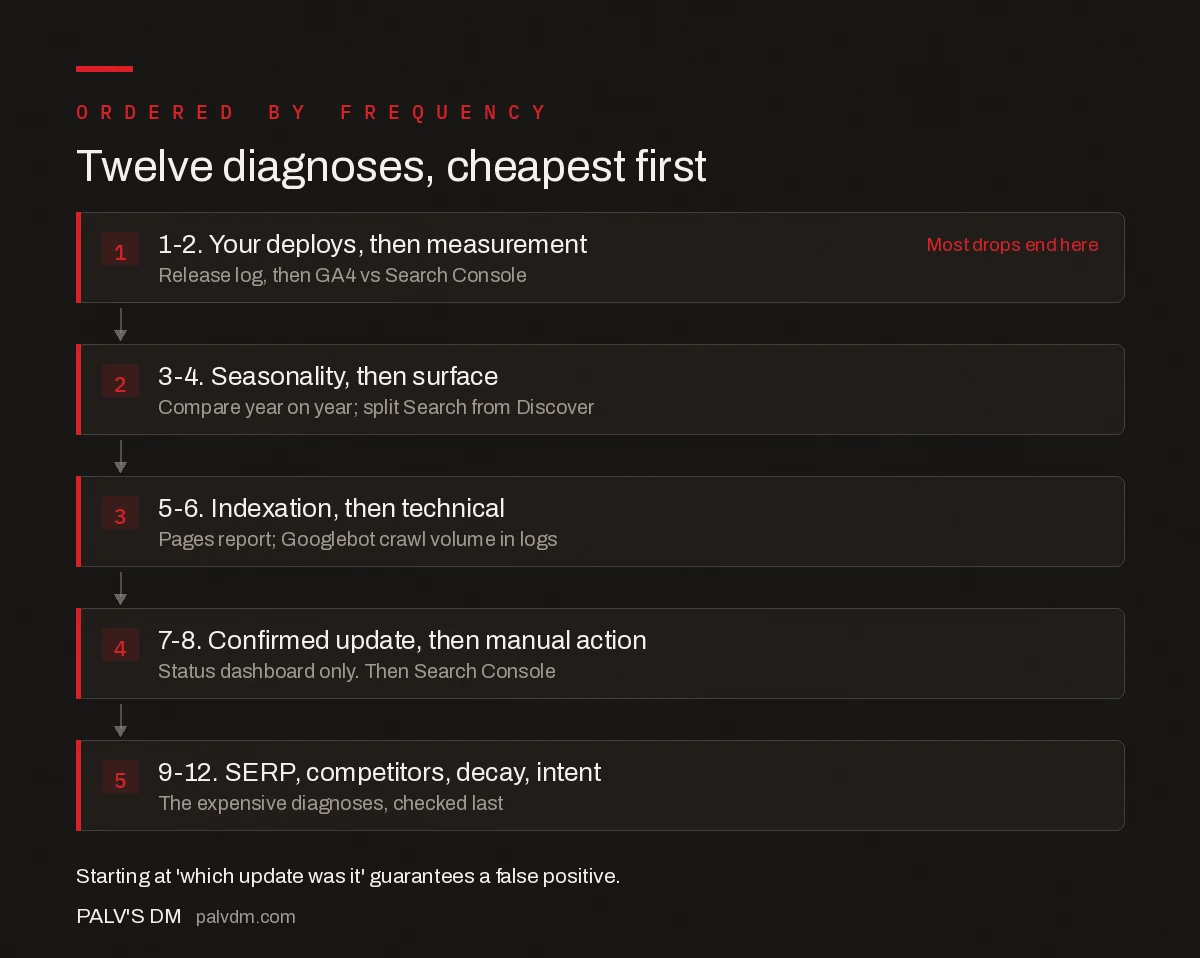
Twelve diagnoses, cheapest first
- 1-2. Your deploys, then measurement. Release log, then GA4 vs Search Console. Most drops end here
- 3-4. Seasonality, then surface. Compare year on year; split Search from Discover.
- 5-6. Indexation, then technical. Pages report; Googlebot crawl volume in logs.
- 7-8. Confirmed update, then manual action. Status dashboard only. Then Search Console.
- 9-12. SERP, competitors, decay, intent. The expensive diagnoses, checked last.
Frequently asked questions
Why did my organic traffic suddenly drop?
The most common causes are your own deployments, measurement problems, seasonality and technical breakage — all more frequent than algorithm updates. Start by checking whether you shipped anything on the drop date, whether the decline appears in both Search Console and your analytics, and how the same period looked last year. Most drops resolve before you need to consider an update.
How do I tell whether a traffic drop is a ranking problem?
Separate positions, impressions and clicks in Search Console rather than looking at an average. Falling positions with falling impressions and clicks indicates a genuine ranking change. Stable positions with falling impressions usually means a measurement artefact or SERP feature change. Stable positions and impressions with falling clicks points to a click-through problem, often an AI Overview appearing above you.
My rankings are the same but traffic fell. What happened?
The search results page around you probably changed. An AI Overview, a competitor taking the featured snippet, additional ads, a video carousel or a shopping pack all push organic listings further down without your position changing. Run the query yourself and look at what now occupies the space above your listing.
Should I check for a Google algorithm update first?
No, check it seventh. Starting there almost guarantees a false positive, because there is usually a confirmed update somewhere nearby and finding one stops the investigation. Rule out your own deployments, measurement issues, seasonality, surface confusion, indexation changes and technical breakage first — they are more common and far cheaper to check.
How far back should I compare when investigating a drop?
Use two equal-length periods that both sit entirely outside any rollout window, and separately compare against the same period last year to rule out seasonality. Never use a comparison window that straddles an algorithm rollout, since it blends the before and after states into a single average that describes neither accurately.
Sources
- Search Console Performance report — Google Search Central
- Google Search Status Dashboard
- Google core updates and your website
Want this done on your site?
Every PalV’s DM engagement starts with a free audit of your actual website — a 12-point
crawl covering what is blocking indexation, on-page gaps against your primary keywords, speed
findings, and the three to five fixes worth making first. Delivered in two working days. No
payment details, and the findings are yours whether you hire us or not.


