
CDNs and SEO: When They Help and When They Hurt
A CDN improves crawl efficiency and Core Web Vitals when configured to serve identical content and clean headers. Misconfigured caching or geolocation rules turn it into an indexing problem.

A CDN helps SEO when it’s configured to serve identical content to Googlebot and users with clean cache headers, and it hurts SEO when caching is too aggressive, the edge domain becomes independently indexable, or geolocation rules serve region-specific content on unchanged URLs. The technology itself is neutral. The 2024 clarification Google published on CDNs and crawling makes this explicit: a properly configured CDN improves crawl efficiency, and a poorly configured one creates exactly the duplicate-content and stale-index problems site owners fear.
Most CDN-related SEO issues trace back to one of three misconfigurations, not to the CDN provider itself. Knowing which one to check first saves a lot of guessing when rankings shift right after a CDN rollout.
How does a CDN actually affect SEO?
A content delivery network caches your site’s assets — HTML, images, scripts, stylesheets — on servers distributed globally, so a visitor in Mumbai gets a response from a node in Mumbai rather than a round trip to an origin server in Virginia. Google’s Crawling December post on CDNs confirms this cuts both ways for search: faster response times let Googlebot fetch more URLs within a crawl session, but the CDN layer sits directly in the path of every crawl request, so any misconfiguration there affects indexing before content ever reaches the ranking algorithm.
The practical takeaway is that a CDN is not a set-and-forget speed upgrade from an SEO standpoint. It’s infrastructure the crawler has to pass through, and it needs the same signal consistency as everything else on the site.
When does a CDN genuinely help SEO?
| Benefit | Mechanism | Shows up as |
|---|---|---|
| Faster Core Web Vitals | Assets served from a nearby edge node, less network latency | Improved LCP and TTFB in field data |
| Higher crawl throughput | Origin server load absorbed by the CDN, fewer timeouts | More URLs fetched per crawl session on large sites |
| Traffic spike resilience | Edge caching handles surges without hitting origin | Fewer 5xx errors during high-traffic events |
| Global consistency | Same cached content served everywhere, no regional slowdown | Even Core Web Vitals scores across markets |
These benefits are real but indirect — a CDN doesn’t touch rankings directly, it touches the signals Google’s algorithms weigh: speed, crawl efficiency, and uptime. Sites already struggling with a slow LCP element often see the clearest before/after, since a CDN reduces the network-latency portion of that metric specifically.
When does a CDN hurt SEO?
Three configuration mistakes account for nearly every CDN-related SEO problem worth troubleshooting.
- HTML cached too aggressively. If the CDN caches full HTML pages for hours or days, Google can crawl and index a stale version — an outdated price, a removed product, an old headline — well after the origin has updated.
- The CDN edge domain becomes independently crawlable. Some CDN setups expose content on a separate hostname (a *.cdn subdomain, for instance) that responds to direct requests. If that hostname isn’t blocked or redirected, Google can index it as duplicate content alongside the primary domain.
- Geolocation serves different content on the same URL. A CDN that swaps content by visitor region without hreflang or region-specific URLs creates a mismatch: Google typically crawls from one location and indexes what it sees there, leaving other regions’ content invisible to search entirely.
What does a correctly configured CDN setup look like?
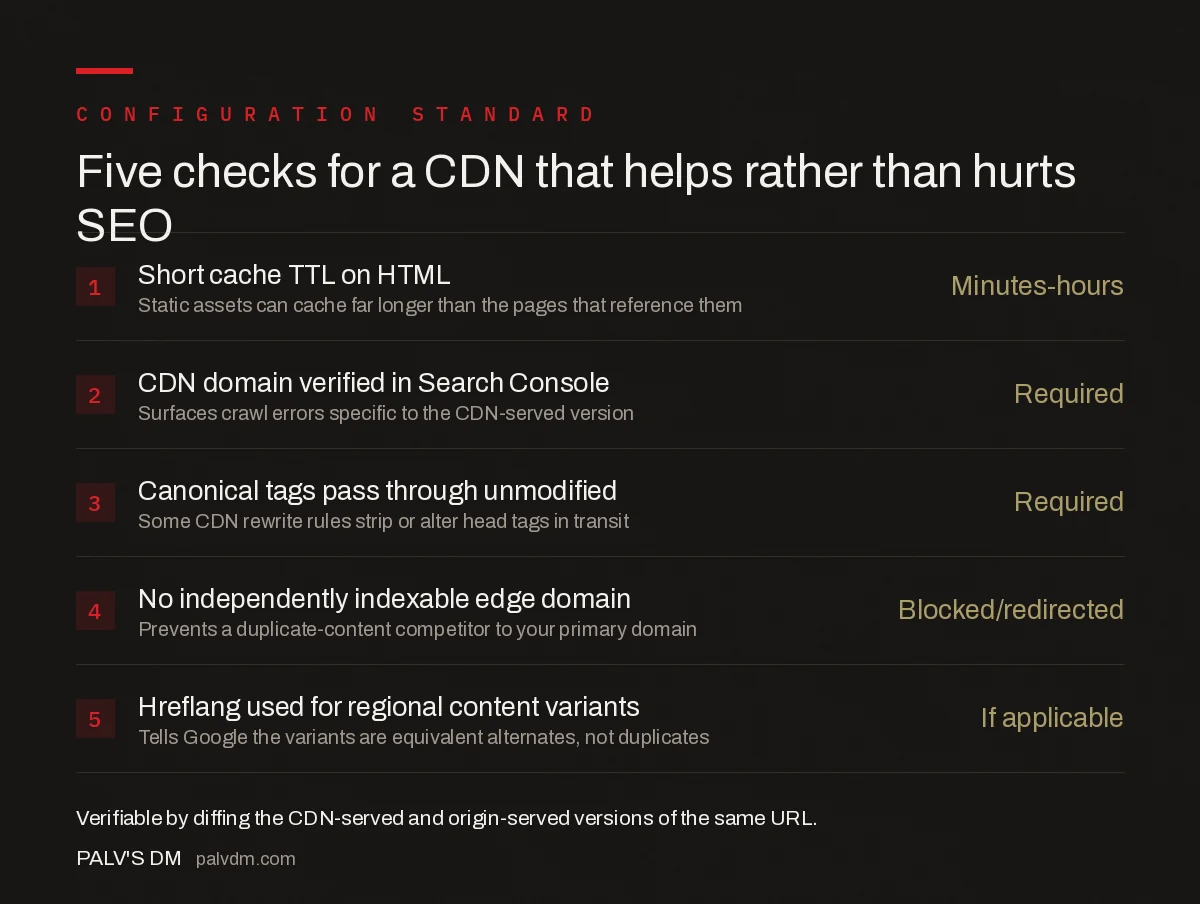
Five checks for a CDN that helps rather than hurts SEO
- Short cache TTL on HTML — Minutes to hours. Static assets can cache far longer than the pages that reference them.
- CDN domain verified in Search Console — Required. Surfaces crawl errors specific to the CDN-served version.
- Canonical tags pass through unmodified — Required. Some CDN rewrite rules strip or alter head tags in transit.
- No independently indexable edge domain — Blocked/redirected. Prevents a duplicate-content competitor to your primary domain.
- Hreflang used for regional content variants — Required if applicable. Tells Google the variants are equivalent alternates, not duplicates.
Every one of these is verifiable with a crawl comparison: fetch the same URL through the CDN and directly from the origin (bypassing the CDN via a hosts file edit or direct IP), then diff the HTML, headers, and canonical tags. Any difference beyond expected caching behaviour is worth investigating before it shows up as a ranking or indexing problem.
How do you diagnose a CDN-related SEO problem?
Start with the symptom, not the CDN settings panel. A sudden drop in indexed pages after a CDN rollout usually points to an edge domain competing for indexation or an over-aggressive cache serving Google a version that no longer matches what users see. A Core Web Vitals score that didn’t improve despite the CDN going live usually means the cache hit rate is low — check whether dynamic content or query parameters are busting the cache on nearly every request. Search Console’s URL Inspection tool, run against both the CDN and origin versions of a sample URL, resolves most of these questions in one check.
Sites already dealing with broader speed problems should treat CDN configuration as one piece of a larger technical picture rather than a standalone fix — see field data vs lab data for why a CDN can improve lab scores without moving the real-user metrics Google actually uses for ranking.
Is a CDN worth it for a smaller site?
For a site with a single-region audience and moderate traffic, a CDN’s crawl-efficiency benefit is smaller because the origin server was rarely the bottleneck to begin with. The Core Web Vitals benefit still applies, particularly for image-heavy pages, but the configuration risk is the same regardless of site size — a small site with a misconfigured CDN can lose indexation just as easily as a large one. The decision comes down to audience geography and current server response times more than site size alone.
Frequently asked questions
Does using a CDN help SEO?
It can, indirectly. A CDN reduces latency by serving cached content from a server closer to the user, which improves Core Web Vitals and lets search engines fetch more pages within a crawl session. The benefit only materialises if the CDN is configured to serve identical content and clean cache headers.
Can a CDN cause duplicate content issues?
Yes, if the CDN edge domain is separately crawlable and indexable rather than transparently proxying the origin. Verifying the CDN’s domain in Search Console and ensuring canonical tags and redirects resolve to the primary domain prevents Google from treating the CDN copy as a second site.
Should I verify my CDN domain in Search Console?
Yes. Google explicitly recommends verifying the CDN’s domain name in Search Console so crawl errors and coverage issues affecting the CDN-served version are visible, rather than only monitoring the origin domain.
Does CDN geolocation content confuse Google?
It can if the CDN serves different content per region on the same URL without hreflang or separate URLs to signal the variation. Google’s crawlers typically fetch from one location, so region-specific content silently served on identical URLs risks being indexed inconsistently or not at all for other regions.
How long should a CDN cache an HTML page?
Short enough that content updates propagate before the next crawl and the next real user visit — typically minutes to a few hours for pages that change, not days. Static assets like images and scripts can cache far longer since their filenames usually change on update anyway.
Sources
- Crawling December: CDNs and Crawling — Google Search Central Blog
- Core Web Vitals: The Complete Guide
- Technical SEO: The Complete Working Guide
- How to Fix INP (Interaction to Next Paint)
- Finding the LCP Element on Any Page
Want this done on your site?
Every PalV’s DM engagement starts with a free audit of your actual website — a 12-point
crawl covering what is blocking indexation, on-page gaps against your primary keywords, speed
findings, and the three to five fixes worth making first. Delivered in two working days. No
payment details, and the findings are yours whether you hire us or not.


