
Domain Change SEO: Doing It Without a Traffic Cliff
Changing domains without losing rankings comes down to a 1:1 URL map, server-level 301 redirects, Search Console's Change of Address tool, and 180 days of live redirects.

A domain change avoids a traffic cliff when every old URL 301-redirects to its exact new-domain equivalent, both domains are verified in Search Console before the switch, the Change of Address tool is submitted on day one, and the redirects stay live for at least 180 days. Skip any one of those four and the drop that follows usually isn’t a mystery — it’s a missing redirect, a change Google was never told about, or a redirect map that was too shallow to cover the real site.
Rebrands, mergers, and moving off a legacy domain are the most common reasons a business changes domains, and the SEO mechanics are the same regardless of the business reason. What varies is how disciplined the team is about the sequence below.
What does a domain change actually require to avoid losing rankings?
Four things have to happen, in order: a complete URL map from old domain to new domain, server-level 301 redirects implementing that map, verification of both domains in the same Search Console account, and a Change of Address submission that tells Google the move is intentional and permanent. None of these substitutes for another — a 301 redirect alone, without the Change of Address submission, still works but takes longer to fully transfer signals.
Step 1: Map every URL 1:1 before you touch DNS
Crawl the old domain fully — every indexed URL, not just the ones in the current sitemap — and build a spreadsheet mapping each one to its exact equivalent on the new domain. A many-to-one mapping is only correct when pages are genuinely merging; anything else should map to its closest real match, not to the homepage or a generic category page. This step takes the longest and is the one teams most often shortcut under a launch deadline, which is also why it’s the most common source of post-migration traffic loss.
Step 2: Set up 301 redirects at the server level
Implement the map as server-level 301 redirects — at the DNS, CDN, or web server layer — rather than through client-side JavaScript or meta refresh, which pass a much weaker signal. Every old URL should redirect straight to its final new-domain destination in a single hop; a redirect that chains through an intermediate URL dilutes the signal at each step and slows crawling.
Step 3: Verify both domains in Search Console and run Change of Address
Both the old and new domain need to be verified as properties in the same Search Console account before the Change of Address tool becomes available. Once both are verified, submitting the Change of Address request from the old property tells Google explicitly to prioritise crawling and indexing the new domain and to forward ranking signals from the old one. This is the step most likely to be forgotten because, unlike the redirects, it produces no visible effect for site visitors.
Step 4: Update the sitemap, internal links, and canonical tags
Don’t rely on the redirect to carry visitors and crawlers correctly forever — update every internal link, the XML sitemap, and canonical tags to point at the new domain directly. A site that still links internally to the old domain, relying on the 301 to catch every click, adds an unnecessary hop to every crawl and every user journey, and if a redirect is ever misconfigured, exposes broken internal links immediately.
Step 5: Monitor and keep old-domain redirects alive for 180 days
Google’s guidance for site moves points to roughly 180 days for the transition to fully settle. Maintain the 301 redirects for the old domain for at least that long, and longer if Search Console or server logs still show meaningful traffic hitting old URLs. Removing redirects early breaks any external link still pointing at the old domain — and those links, unlike internal ones, are outside your control to fix.
What tools help audit a domain change after launch?
Search Console’s Coverage and Performance reports on both the old and new properties are the first place to check — the old property should show a steady decline in indexed pages and impressions as the new one climbs, and a mismatch between the two curves usually points at a redirect gap. A full crawl of the pre-migration URL list against the live site, run through Screaming Frog or a similar crawler set to follow redirects, confirms every mapped URL actually resolves to a 200 status on the new domain rather than chaining, looping, or dead-ending in a 404.
Server log analysis is the most reliable check for whether Googlebot has actually shifted its crawling to the new domain. If logs show Googlebot still hitting the old domain heavily well past the first few weeks, that’s a signal either the redirects aren’t consistently returning 301s, or external and internal references still point at the old URLs in large numbers.
What happens to backlinks during a domain change?
A 301 redirect passes the ranking value of a backlink through to the new URL, but it can’t change where the link itself physically points — an external site’s link to the old domain keeps sending visitors through the redirect indefinitely unless that site updates the link. Reaching out to a handful of high-value referring domains to request a direct link update is worth the effort for links that carry meaningful authority, even though the redirect alone keeps most of the SEO value intact. This isn’t necessary at scale; it’s a targeted cleanup step for the small number of links that matter most.
Domain change checklist by phase
| Phase | What has to be done | Owner |
|---|---|---|
| Pre-launch | Full URL crawl, redirect map built and QA’d, both domains verified in Search Console | SEO + dev |
| Launch day | 301s go live, Change of Address submitted, new sitemap uploaded | Dev + SEO |
| Week 1 | Spot-check redirects across templates, confirm canonical tags updated | SEO |
| Ongoing (180+ days) | Monitor Search Console coverage and traffic, keep old-domain redirects live | SEO |
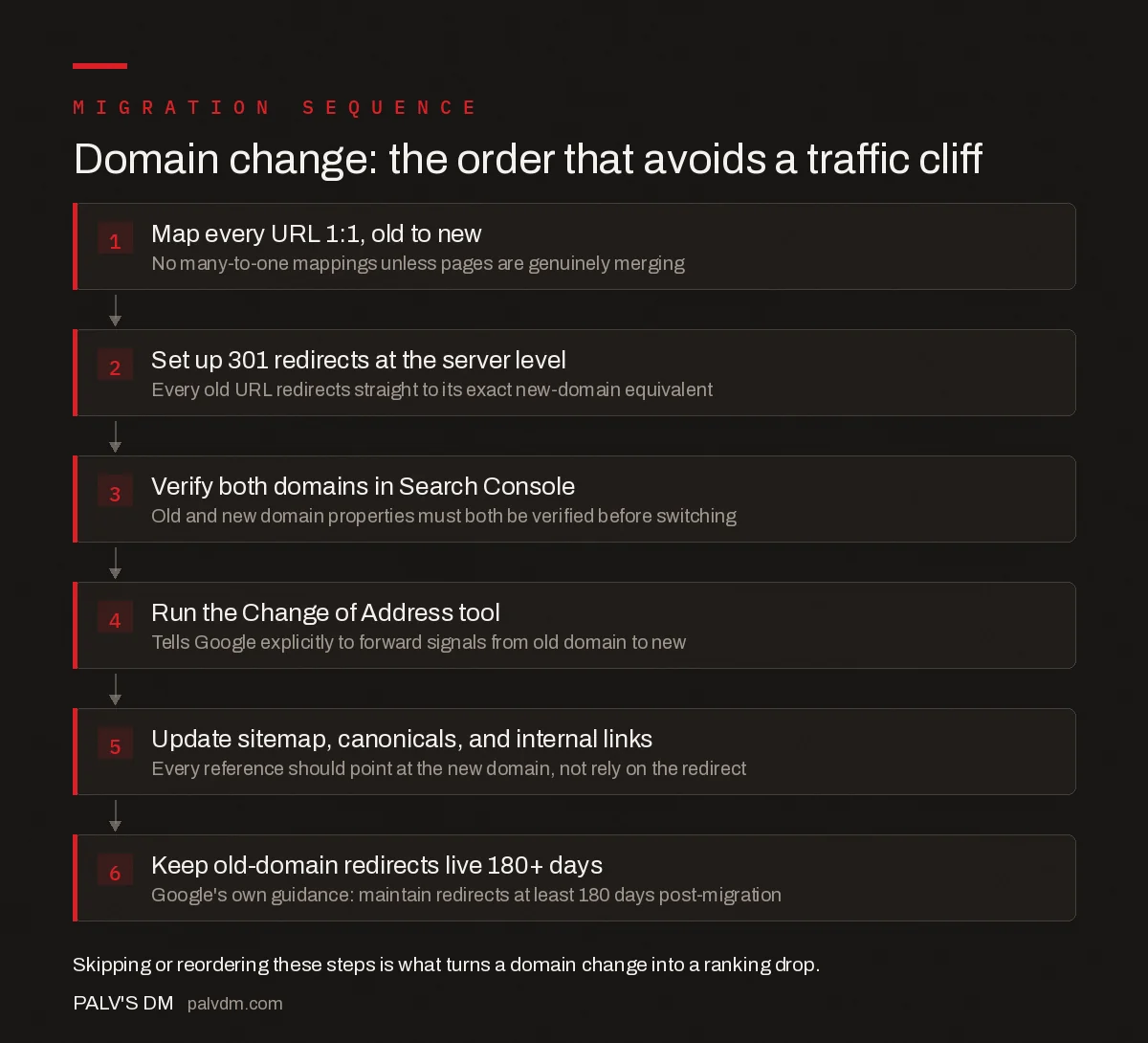
Domain change: the order that avoids a traffic cliff
- Map every URL 1:1, old to new — No many-to-one mappings unless pages are genuinely merging.
- Set up 301 redirects at the server level — Every old URL redirects straight to its exact new-domain equivalent.
- Verify both domains in Search Console — Old and new domain properties must both be verified before switching.
- Run the Change of Address tool — Tells Google explicitly to forward signals from old domain to new.
- Update sitemap, canonicals, and internal links — Every reference should point at the new domain, not rely on the redirect.
- Keep old-domain redirects live 180+ days — Google’s own guidance: maintain redirects at least 180 days post-migration.
What causes the traffic cliff when a domain change goes wrong?
- Partial redirect maps. A map covering the top 200 pages but missing thousands of long-tail URLs leaves most of the site’s traffic unprotected.
- No Change of Address submission. The redirects still work, but Google takes noticeably longer to reassign trust without the explicit signal.
- Robots.txt blocking the new domain. A staging robots.txt file that blocks all crawlers accidentally shipped to production is one of the most common launch-day disasters.
- Losing the old domain before the transition completes. Letting the old domain’s registration lapse mid-transition kills the redirects and any residual signal transfer immediately.
- Combining the domain change with an unrelated redesign. Changing URL structure, content, and domain simultaneously makes it impossible to isolate which change caused a ranking shift if one occurs.
Frequently asked questions
How long does a domain change take to fully settle in Google?
Google’s own guidance points to roughly 180 days for the transition to complete, though many sites see the bulk of rankings recover within a few weeks if the redirect map and Change of Address submission were done correctly at launch.
Do I need the Change of Address tool if I already set up 301 redirects?
Yes. The 301 redirects do the technical work of forwarding traffic and signals, but the Change of Address tool explicitly tells Google to prioritise crawling the new domain and treat the move as intentional, which speeds up the transition.
Should I redirect old URLs to the homepage if the exact new URL doesn’t exist yet?
No. Redirecting everything to the homepage discards the topical relevance each old URL had built and Google treats it as a weaker signal than a direct match. Map every old URL to its closest genuine equivalent, even if that means building a redirect map with hundreds of rows.
Can I change my domain and redesign the site at the same time?
It’s possible but riskier, because it becomes harder to isolate whether a ranking change came from the domain move or the content/design change. Where the timeline allows, migrate the domain first, let it settle, then make design or content changes afterward.
Sources
- Site Moves and Migrations — Google Search Central
- Website Migration SEO Checklist
- Technical SEO: The Complete Working Guide
- How to Migrate From Wix to WordPress Without Losing Rankings
- HTTP to HTTPS Migration: The Complete Sequence
Want this done on your site?
Every PalV’s DM engagement starts with a free audit of your actual website — a 12-point
crawl covering what is blocking indexation, on-page gaps against your primary keywords, speed
findings, and the three to five fixes worth making first. Delivered in two working days. No
payment details, and the findings are yours whether you hire us or not.


