
HTTP to HTTPS Migration: The Complete Sequence
An HTTP to HTTPS migration is protocol-only, and it still fails when steps run out of order. The six-step sequence that avoids traffic loss.

An HTTP to HTTPS migration is the narrowest kind of site move — only the protocol changes, every path stays the same — but it still causes traffic loss when the steps run out of order. The sequence that avoids it: verify the certificate first, update every internal reference to the HTTPS URL, then redirect, then resubmit the sitemap, then confirm tracking, then hunt down mixed content. Skipping ahead to the redirect before internal links are updated is the single most common mistake.
Google confirmed HTTPS as a ranking signal back in 2014 and it still functions as a minor factor today — a tiebreaker, not a dominant one. The migration itself carries more short-term risk than the protocol switch delivers in long-term ranking benefit, which is exactly why the sequence below exists: to get through the risky part cleanly.
What is the correct order for an HTTP to HTTPS migration?
Google’s own guidance on site moves treats a protocol change as one of seven migration scenarios that change URLs, and it’s the most constrained of them because the path never changes — only the scheme does. That constraint is what makes a strict sequence possible and worth following exactly.
Step 1: Install and verify the SSL/TLS certificate
Confirm the certificate covers every subdomain in active use — www, a blog subdomain, any regional or app subdomain — and loads without browser warnings before touching redirects or links. A certificate that only covers the root domain but not www, or one that expires within weeks, causes the entire migration to fail visibly for every visitor the moment redirects go live.
Step 2: Update internal links, canonicals, and hreflang to HTTPS
Every internal link, canonical tag, and hreflang annotation should point directly to the HTTPS URL before redirects are turned on — not rely on the redirect to get there. A site that redirects HTTP to HTTPS but still serves HTML full of internal links to http:// URLs forces every single navigation to burn an extra redirect hop, which is slower and dilutes the signal clarity Google uses to confirm the move.
Step 3: Set sitewide 301 redirects from HTTP to HTTPS
Once links are clean, add server-level 301 redirects for every HTTP URL to its exact HTTPS equivalent — same path, no redirect chains through www or trailing-slash normalization stacked on top. A common error here is redirecting HTTP to HTTPS and then HTTPS non-www to HTTPS www as two separate hops; combine them into a single redirect wherever the server configuration allows it.
Step 4: Update the XML sitemap and resubmit it
The sitemap should list only HTTPS URLs from this point forward. Submit it to the newly verified HTTPS property in Search Console, and leave the old HTTP sitemap live for a few weeks rather than deleting it immediately, so Google can still crawl it to discover the redirects during the transition.
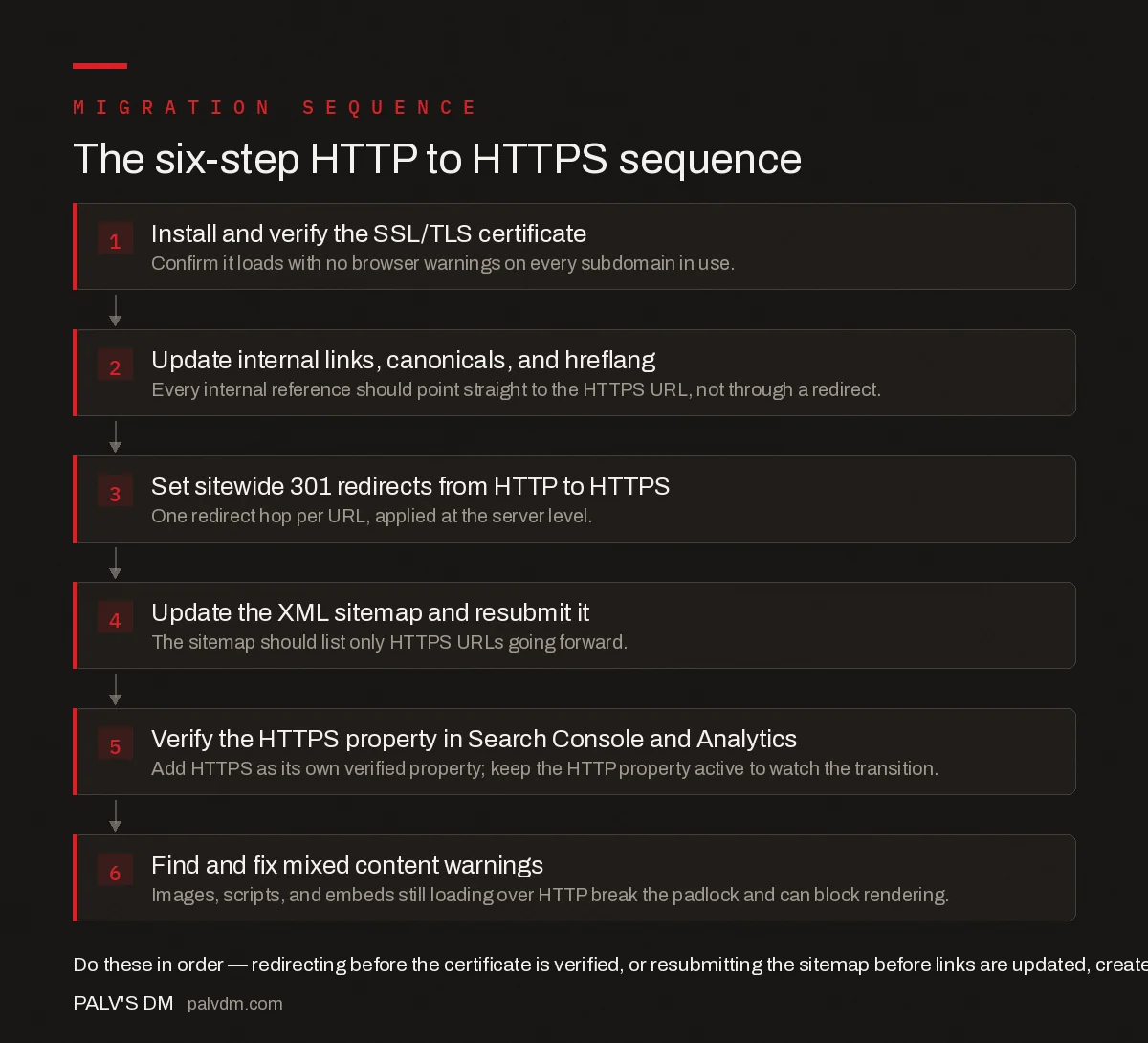
The six-step HTTP to HTTPS sequence
- Install and verify the SSL/TLS certificate. Confirm it loads with no browser warnings on every subdomain in use.
- Update internal links, canonicals, and hreflang. Every internal reference should point straight to the HTTPS URL, not through a redirect.
- Set sitewide 301 redirects from HTTP to HTTPS. One redirect hop per URL, applied at the server level.
- Update the XML sitemap and resubmit it. The sitemap should list only HTTPS URLs going forward.
- Verify the HTTPS property in Search Console and Analytics. Add HTTPS as its own verified property; keep the HTTP property active to watch the transition.
- Find and fix mixed content warnings. Images, scripts, and embeds still loading over HTTP break the padlock and can block rendering.
Step 5: Verify the HTTPS property in Search Console and Analytics
Add and verify the HTTPS version as its own property in Search Console rather than assuming ownership carries over — Search Console treats protocol as part of the property identity. Update the default URL in your analytics platform’s property settings to HTTPS so future sessions attribute correctly, and check that any goal or conversion tracking referencing hardcoded http:// URLs gets updated too.
Step 6: Find and fix mixed content warnings
Crawl the live HTTPS site specifically looking for resources still requested over http:// — images, background CSS references, embedded widgets for comments or social sharing, third-party scripts. Browsers block active mixed content outright and flag passive mixed content with a broken padlock, both of which erode the trust signal HTTPS was supposed to add in the first place.
| Item | Check before go-live | Check after go-live |
|---|---|---|
| SSL/TLS certificate | Valid, no warnings, covers all subdomains | Still valid on renewal schedule; auto-renew configured |
| Redirect rules | 301, single hop, exact path match | Sample-crawl for redirect chains or loops |
| Internal links | All point to https:// directly | Spot-check templates for any regenerated http:// links |
| XML sitemap | Lists only https:// URLs | Resubmitted; old http:// sitemap left live temporarily |
| Search Console | HTTPS property added and verified | Coverage report shows HTTPS URLs being indexed |
| Mixed content | N/A — can’t test until live | Full crawl for http:// resource references |
What common mistakes cause HTTPS migrations to lose traffic?
- Redirecting before the certificate is fully verified. Visitors hit a certificate warning instead of the intended page, and some browsers won’t let them proceed at all.
- Leaving canonical tags pointing to HTTP URLs. This tells Google the HTTP version is still preferred, directly undermining the redirect.
- Stacking multiple redirect hops. HTTP to HTTPS non-www to HTTPS www as two separate redirects instead of one adds latency and occasionally breaks in edge server configurations.
- Forgetting robots.txt on the HTTPS version. If it’s missing, blocks all crawling by default in some server configurations, or still references the old sitemap location.
- Deleting the HTTP Search Console property immediately. This removes visibility into whether any HTTP URLs are still being crawled or linked to externally during the transition.
Should you add HSTS during the migration or after?
HTTP Strict Transport Security tells browsers to only ever request the site over HTTPS, skipping the initial HTTP request entirely on future visits. It’s tempting to add it on day one of the migration, but it’s safer to wait until the redirect chain and certificate renewal process have been stable for a few weeks first. HSTS with a long max-age is difficult to reverse — browsers that have seen the header will refuse to load the site over HTTP at all, even if something breaks in the HTTPS configuration later. Add it once the migration has proven itself, not as part of the initial cutover.
Frequently asked questions
Do I need to use the Change of Address tool for an HTTP to HTTPS migration?
No. Google Search Console’s Change of Address tool is for domain changes, not protocol changes. For an HTTPS migration, verify the HTTPS version as its own property and let sitewide 301 redirects and an updated sitemap signal the move instead.
Will an HTTPS migration cause a temporary drop in rankings?
Some fluctuation while Google recrawls and re-indexes the HTTPS URLs is normal and usually settles within a few weeks. A drop that persists past that window is more often caused by mixed content, a redirect chain, or a canonical still pointing to HTTP, not by the protocol change itself.
Should I keep the old HTTP Search Console property after migrating?
Yes, keep it active rather than deleting it. It shows you exactly how the redirect transition is progressing, including any HTTP URLs still receiving external links or search traffic, which the new HTTPS property won’t display on its own.
What causes mixed content warnings after switching to HTTPS?
Any resource — an image, script, stylesheet, or embedded video — still hardcoded to load from an http:// URL instead of https://. Browsers block or flag these even though the page itself loads securely, which is why a full site crawl for hardcoded http:// references is a required step, not optional.
How long does it take for Google to fully re-index a site after HTTPS migration?
It depends on crawl frequency and site size, typically two to eight weeks for the bulk of URLs. Larger sites or ones with slower historical crawl rates can take longer. Requesting indexing on the highest-traffic URLs through URL Inspection speeds up the most important pages first.
How do you handle backlinks still pointing to the old HTTP URLs?
External sites linking to the HTTP version will keep sending that traffic through the redirect indefinitely — a 301 preserves the value of those links, so there’s no need to contact every linking site and ask for an update, though reaching out for your highest-value backlinks is worth the effort since it removes a redirect hop entirely for that specific link. Run a backlink report before the migration to know which domains and pages matter most, then treat the redirect as the permanent solution for the long tail and outreach as an optional accelerant for the handful of links that carry the most weight.
Sources
- Site Moves and Migrations — Google Search Central
- Website Migration SEO Checklist
- Technical SEO: The Complete Working Guide
- How to Migrate From Wix to WordPress Without Losing Rankings
- Domain Change SEO: Doing It Without a Traffic Cliff
Want this done on your site?
Every PalV’s DM engagement starts with a free audit of your actual website — a 12-point
crawl covering what is blocking indexation, on-page gaps against your primary keywords, speed
findings, and the three to five fixes worth making first. Delivered in two working days. No
payment details, and the findings are yours whether you hire us or not.


