
The Five Website Accounts You Must Own, Not Your Agency
Domain, hosting, Search Console, Analytics and Google Business Profile: the five accounts to own personally, and how to check who really controls them.
Five accounts decide whether you actually own your website or just rent access to it: the domain registrar, the hosting account, Google Search Console, Google Analytics, and Google Business Profile. If any of these were set up under an agency’s or freelancer’s personal login instead of yours, you don’t fully control your own business presence online, no matter what your contract says.
This comes up constantly during handovers. A client wants to switch agencies or fire a freelance developer, and discovers the domain sits under someone else’s registrar account, or the Analytics property was created three years ago under a Gmail address nobody at the company remembers. Fixing it after the fact is slow, sometimes adversarial, and entirely avoidable if you check the right five things up front.
Why does account ownership matter more than the contract?
A services contract can say whatever it wants about who owns what. Technical ownership, meaning whose login controls the account, is what actually determines your leverage when a relationship ends. Thompson Coburn’s legal guidance on domain names puts it plainly: if a consultant registers a domain as part of a project, it should be transferred to the company promptly, and the company should keep a knowledgeable person actively maintaining it, not the outside consultant.
The practical test is simple. Can you, right now, log into each of these five accounts with credentials only you control? If the honest answer involves “I’d have to ask our agency,” you don’t own that account. You’re borrowing access to it.
The pattern I see most often with small Indian businesses: a freelancer or a nephew who “knows computers” sets everything up under their own personal Gmail account during the initial build, because it’s faster than explaining account creation to a client who just wants a working website. Nobody revisits it. Three years later the freelancer has moved cities, stopped answering calls, and the business owns nothing of what Google indexed under their name. It’s rarely malicious. It’s just nobody’s job to fix later what nobody flagged at the start.
1. Your domain registrar account
This is the account that decides whether your website exists at all. Whoever controls the registrar login can point your domain anywhere, let it lapse, or hold it hostage during a dispute. Under ICANN’s transfer policy, the registered name holder is the only party who can approve a transfer request. If that name holder is your agency’s account, not yours, a bad breakup means negotiating for something that should never have been in question.
Register domains under a company-controlled account with an email address you own (not a personal Gmail belonging to whoever set it up), and keep the WHOIS registrant details accurate. Domain privacy is fine for hiding your details from spammers. It should never be used to hide who the actual registrant is from you.
2. Your hosting account
Separate from the domain, this is where your actual files, database and server configuration live. Losing this one is worse in a way: you can re-point a domain to new hosting in an afternoon, but rebuilding a site from scratch because you never had hosting access takes weeks. Ask for the hosting provider name, account login, and a full backup on a regular basis, not just when something goes wrong.
Agencies that manage hosting on your behalf under their own master account aren’t necessarily doing anything wrong; plenty of managed WordPress hosts work that way for efficiency. The line is whether you have, in writing, guaranteed access to your specific site’s files and a documented exit path. If that path doesn’t exist on paper, assume it doesn’t exist in practice either.
3. Google Search Console
Free, five minutes to set up, and the single most commonly orphaned account on this list in my experience. Search Console shows you exactly how Google sees your site: indexing status, manual actions, mobile usability errors, the works. It gets created once, usually by whoever built the site, and then nobody thinks about it again until there’s a ranking drop and the business realises no one currently on staff has access.
Verify Search Console under a Google account your business controls, and add your own personal Google account as an additional verified owner even if an agency manages day-to-day SEO. Ownership can be added without removing anyone else’s access, so there’s no reason not to.
4. Google Analytics (GA4)
Your GA4 property holds your entire conversion and traffic history. If it was created under an agency’s Google account, they’re the ones with Administrator access, and they can restrict or revoke your view with a few clicks. There is nothing in Google’s own terms that requires them to hand it back. That decision is entirely down to whoever holds Admin rights on the property.
Request Admin-level access under your own business Google account during onboarding with any new agency, not after the relationship sours. If a property already exists under someone else’s account, ask them to add your account as Administrator now. It costs them nothing and it’s a completely normal request.
5. Google Business Profile
For any business with a physical location or a service area, this is arguably the highest-leverage account on the list, since it controls what shows up in Google Maps and local search results. Google’s own support documentation is explicit: a profile can have multiple owners but only one primary owner, and only that primary owner can add or remove other owners and managers.
If an agency claimed primary ownership when they set up your listing, ask them to transfer primary ownership to you and add them back as a manager. Google’s transfer process requires the current primary owner to initiate it, so this is not something you can force through if they refuse, which is exactly why it needs sorting out before, not after, a falling-out.
The five-account ownership checklist
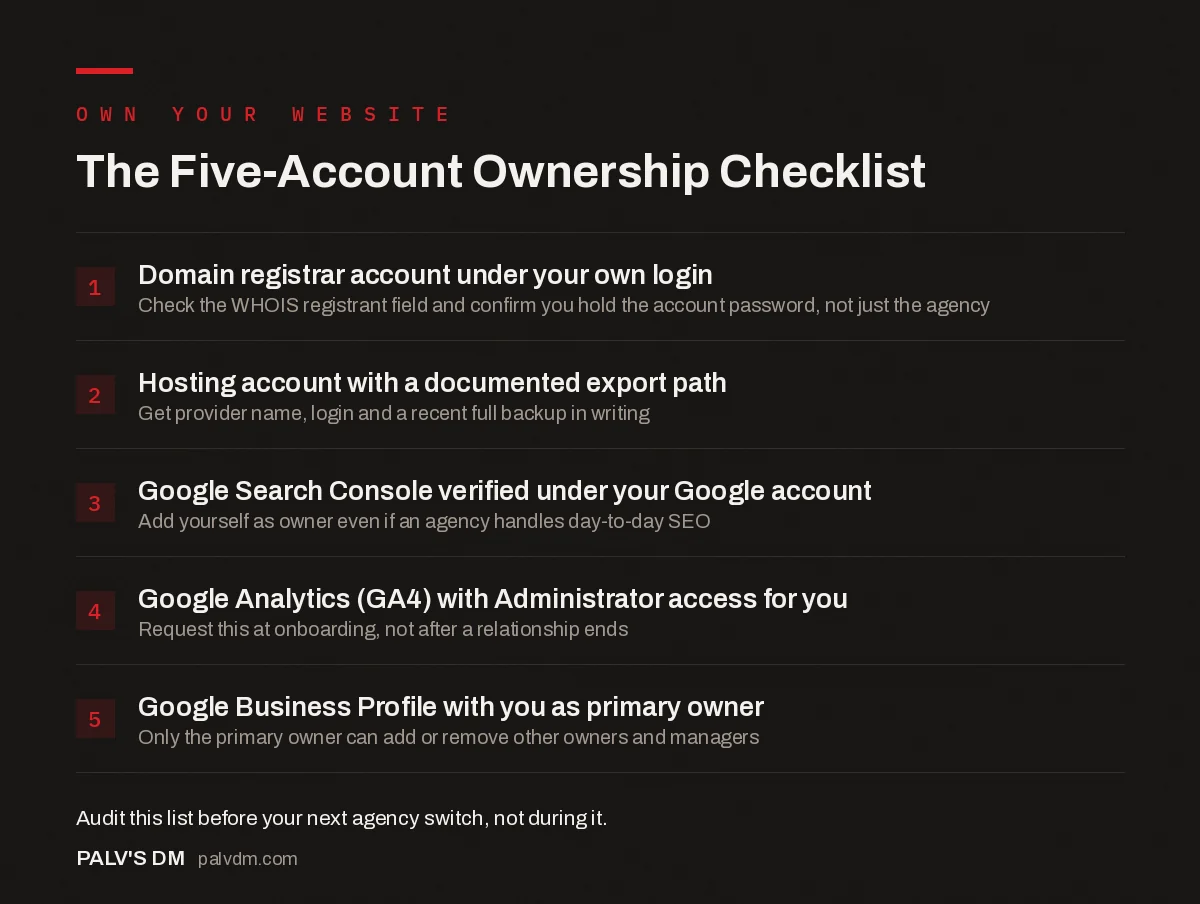
The Five-Account Ownership Checklist
- Domain registrar account under your own login. Check the WHOIS registrant field and confirm you hold the account password, not just the agency.
- Hosting account with a documented export path. Get provider name, login and a recent full backup in writing.
- Google Search Console verified under your Google account. Add yourself as owner even if an agency handles day-to-day SEO.
- Google Analytics (GA4) with Administrator access for you. Request this at onboarding, not after a relationship ends.
- Google Business Profile with you as primary owner. Only the primary owner can add or remove other owners and managers.
What should you do if you already lost control of one?
- Domain registrar: Contact the current registrant directly and request an authorization code (EPP code) for transfer. If they refuse and there’s a contract obligating them to cooperate, that’s a legal matter, not a technical one.
- Hosting: Request a full site export and database backup in writing. Even without admin access, most contracts entitle you to your own content and data.
- Search Console: If you can verify domain ownership through DNS or your registrar, you can add a brand-new Search Console property yourself. It won’t carry over historical data, but it restores control going forward.
- Analytics: Start a new GA4 property under your own account if the old one is unrecoverable. Historical data loss is real, but it’s a one-time cost, not a recurring dependency.
- Google Business Profile: Use Google’s ownership request process through the profile itself; it involves proving your business affiliation and can take several days to resolve.
None of these fixes are painless. All of them are more painful the longer you wait, which is the actual argument for auditing this list today rather than after the next agency switch goes badly.
Frequently asked questions
What happens if my agency owns my domain and we part ways?
You’ll need their cooperation to transfer it, which isn’t guaranteed if the relationship ended badly. ICANN rules say the registered name holder approves transfers, so if the agency is listed as that holder, you’re negotiating from a weak position rather than exercising a right you already had.
How do I check who actually owns my domain right now?
Run a WHOIS lookup on your domain and check the registrant field, then separately log into the registrar account itself to confirm you (not just your agency) hold the login. WHOIS privacy services can hide the name even when you are the legal registrant, so the account login is the real test.
Can my agency legally refuse to hand over Google Analytics access?
If the GA4 property was created under the agency’s Google account, they control it and can refuse or simply ignore requests. Nothing in Google’s terms forces them to transfer it. This is exactly why the property should be created under a business-owned Google account from day one.
Is it rude to ask a new agency for admin access instead of just user access?
No, and any agency that treats the request as a red flag on your part is telling you something. Admin or owner-level access on your own accounts is standard practice, not a trust issue. A professional agency expects the question and has an onboarding process ready for it.
What’s the single most commonly lost account?
Google Search Console, by a wide margin. It’s free, it’s easy to set up under any account, and businesses rarely think to check who verified it until they need data from it, usually during a migration or a ranking drop investigation, and discover nobody currently at the company has access.
Sources
- ICANN Transfer Policy for registrants
- Manage Business Profile owners and managers, Google
- WordPress SEO: The Complete Configuration Guide
- Who Should Own Your Domain, Hosting and Analytics Accounts
- How to Check Who Currently Owns Your Domain
- Transferring a Domain Away From an Agency
Want this done on your site?
Every PalV’s DM engagement starts with a free audit of your actual website — a 12-point
crawl covering what is blocking indexation, on-page gaps against your primary keywords, speed
findings, and the three to five fixes worth making first. Delivered in two working days. No
payment details, and the findings are yours whether you hire us or not.
Get your free SEO audit
See Web Development plans and prices


