
How to Fix Cumulative Layout Shift
Cumulative Layout Shift is fixed by reserving space before content loads, not by chasing shifts after the fact. Five specific fixes cover the causes behind most CLS scores above 0.1.
Cumulative Layout Shift is fixed by reserving the space an element will need before it loads, not by patching individual shifts as testers report them. The five causes behind almost every CLS score above the 0.1 “good” threshold are unsized images, web font swaps, injected ads or embeds, layout-affecting animations, and dynamically added content with no reserved space. Fix those five categories systematically and most sites land well under the threshold without touching anything else.
CLS measures how much visible content moves during a page’s lifecycle, combining the size of each shift with the distance moved. Google measures it at the 75th percentile of real visits across mobile and desktop, which means a handful of bad sessions won’t tank the score, but a systemic cause will.
What causes cumulative layout shift?
| Cause | Why it shifts layout | Typical fix |
|---|---|---|
| Images without dimensions | Browser reserves zero space until the image loads | Add width/height attributes or CSS aspect-ratio |
| Web font swap | Fallback and webfont have different character widths | font-display: optional or matched font metrics |
| Ads and embeds | No space reserved before the ad script injects content | Fixed-height placeholder container before load |
| Scroll-triggered animations | Animating top/height triggers layout recalculation | Animate with CSS transform instead |
| Dynamically injected content | Banners, forms, or widgets append above existing content | Reserve the region in the initial layout, even if empty |
Step 1: Add explicit width and height to every image
Set width and height attributes on every <img> tag, matching the image’s real aspect ratio. Modern browsers use these attributes to calculate the aspect ratio and reserve the correct space before the image file finishes downloading, so the surrounding content never has to move once it arrives.
For responsive images that need to scale with the viewport, pair the attributes with CSS: img { width: 100%; height: auto; } preserves responsiveness while the width/height attributes still tell the browser the correct aspect ratio to reserve. For elements where dimensions vary by content, the CSS aspect-ratio property reserves space the same way without needing a fixed pixel value.
Step 2: Reserve space for ads and embeds before they load
Ad slots, social embeds, and third-party widgets are the most common source of large, late shifts because they inject content well after initial layout. Wrap the ad or embed container in a fixed minimum-height div sized to the ad unit’s expected dimensions, so the layout doesn’t change when the script finally populates it — the space is already claimed.
For ad networks that serve variable sizes, size the container to the largest expected unit and center smaller creatives within it rather than letting the container grow or shrink with the content.
Step 3: Fix web font loading shifts
When font-display: swap is set, the browser shows a fallback font immediately and swaps to the webfont once it loads — if the two fonts have different character widths, that swap reflows text and shifts anything below it. Two fixes address this: use font-display: optional, which skips the swap if the font isn’t ready in time, or use the CSS font-metric override descriptors — size-adjust, ascent-override, descent-override, and line-gap-override — to make the fallback font’s rendered dimensions match the webfont closely enough that the swap doesn’t move anything.
Step 4: Avoid animating properties that trigger layout
Headers that hide on scroll, parallax sections, and shrinking navigation bars often animate top, margin, or height directly, and each of those properties forces the browser to recalculate layout on every frame, which counts toward CLS. Replace layout-affecting animation properties with transform: translateY() or transform: scale(), which animate on the compositor thread without triggering a layout recalculation, producing the same visual effect without the shift penalty.
Step 5: Handle dynamically injected content without pushing the page around
Cookie consent banners, promotional bars, and content that loads after an API response are common late-arriving elements. Reserve their region in the initial layout — even as an empty placeholder — rather than letting them insert above existing content and push everything down. If a banner must overlay content instead of pushing it, use fixed or absolute positioning so it doesn’t participate in document flow at all.
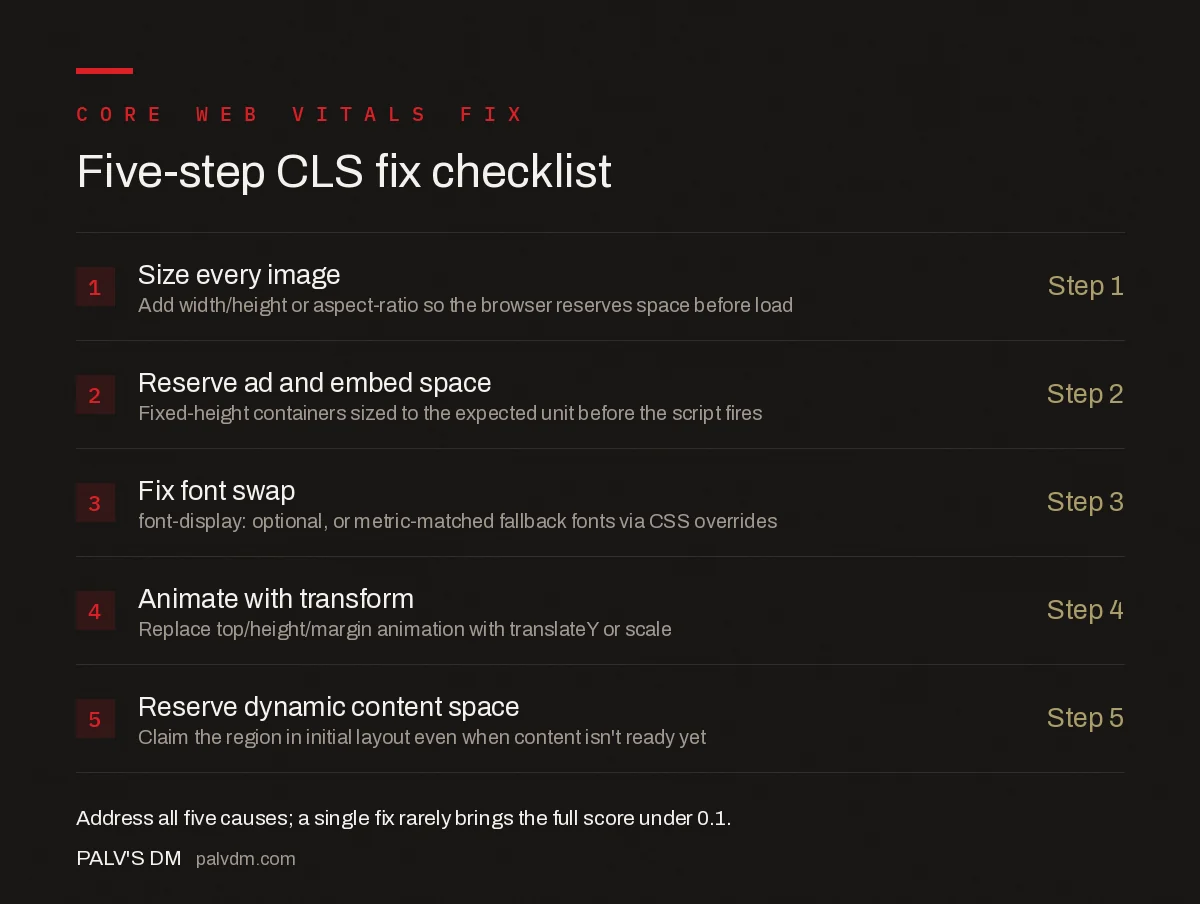
Five-step CLS fix checklist
- Size every image — Add width/height or aspect-ratio so the browser reserves space before load.
- Reserve ad and embed space — Fixed-height containers sized to the expected unit before the script fires.
- Fix font swap — font-display: optional, or metric-matched fallback fonts via CSS overrides.
- Animate with transform — Replace top/height/margin animation with translateY or scale.
- Reserve dynamic content space — Claim the region in initial layout even when the content isn’t ready yet.
What are common mistakes when fixing CLS?
- Fixing only the images testers flag. Lab tools often catch the largest shift but miss smaller cumulative ones from fonts or late scripts that add up to the same score.
- Setting width/height but leaving CSS that overrides them. A global
img { width: 100% }rule withoutheight: autocan silently distort the reserved aspect ratio the HTML attributes were trying to set. - Reserving ad space at the wrong size. If the container is sized for a mobile ad unit but a larger creative serves on desktop, the shift just moves rather than disappears.
- Testing only in lab tools. Lab data from Lighthouse doesn’t always match field data from real users on real connections and real devices — check the CrUX-based field score in Search Console or PageSpeed Insights after deploying a fix.
- Ignoring shifts that happen after user input. Google’s CLS calculation excludes shifts within 500ms of a genuine user tap or click, so a shift that looks like a false negative in testing may in fact be correctly excluded — don’t chase it.
How do you measure CLS after applying a fix?
Lab tools like Lighthouse or WebPageTest give an immediate read after a code change, useful for catching regressions before deploy. But the score that affects rankings is field data — real Chrome User Experience Report (CrUX) measurements from actual visitors, visible in Search Console’s Core Web Vitals report and in PageSpeed Insights’ field data section. Field data takes roughly 28 days to fully reflect a fix, since it’s a rolling window, so confirm a fix in lab tools immediately but wait for the field data cycle before declaring the metric resolved.
Frequently asked questions
What is a good Cumulative Layout Shift score?
A CLS score of 0.1 or lower is considered good, measured at the 75th percentile of real-user page loads across mobile and desktop. Scores between 0.1 and 0.25 need improvement, and anything above 0.25 is classed as poor by Google’s Core Web Vitals thresholds.
Do images without width and height attributes always cause layout shift?
Yes, if the browser doesn’t know an image’s dimensions before it loads, it renders zero height for that space and then pushes surrounding content down once the image arrives. Setting explicit width and height, or using the CSS aspect-ratio property, reserves the space in advance.
Can web fonts cause Cumulative Layout Shift?
Yes, when a fallback font renders first and a webfont with different character widths swaps in later, text reflows and pushes content around it. Using font-display: optional, or matching fallback font metrics with size-adjust and related CSS descriptors, prevents the swap-driven shift.
Why does a cookie banner or ad cause layout shift even after the page looks loaded?
Elements injected after the initial layout, like ads, cookie banners, and embeds, push existing content down if no space was reserved for them. Reserving a fixed-height container for these elements before they load prevents the shift, even if it’s visually empty at first.
Does animating a shrinking navigation bar hurt CLS?
It can, if the animation changes properties like height or top that affect layout. Google’s guidance recommends using the CSS transform property, specifically translateY, for scroll-triggered animations instead, since transform doesn’t trigger a layout recalculation.
Sources
- Optimize Cumulative Layout Shift — web.dev
- Core Web Vitals: The Complete Guide
- Technical SEO: The Complete Working Guide
- Web Font Loading Strategies That Don’t Cause Layout Shift
- WebP and AVIF: Choosing a Modern Image Format
Want this done on your site?
Every PalV’s DM engagement starts with a free audit of your actual website — a 12-point
crawl covering what is blocking indexation, on-page gaps against your primary keywords, speed
findings, and the three to five fixes worth making first. Delivered in two working days. No
payment details, and the findings are yours whether you hire us or not.


