Trends & Industry Developments
lastmod, unavailable_after and Date Signals Google Actually Uses
How the lastmod sitemap tag, unavailable_after, and schema dates actually work in Google indexing decisions, and why inconsistent date signals get ignored.

Google does not treat every date on a page as equal. The lastmod field in your sitemap is a hint Google uses only when it has learned to trust it; unavailable_after is a completely different mechanism that tells Google to stop showing a page after a specific date, regardless of freshness. Confusing the two — or worse, gaming lastmod by touching it on every crawl — is one of the more common technical mistakes we see in accounts that are otherwise well built. This guide covers what each date signal actually does, which ones Google says it uses, and how to set them up so they help instead of getting ignored.
Key takeaway
- Sitemap lastmod is only useful to Google if it consistently reflects real content changes — Google’s own documentation says unreliable lastmod values can simply be disregarded.
- unavailable_after is not a freshness signal at all. It’s a googlebot-specific instruction, set in a meta tag or X-Robots-Tag header, that tells Google to stop indexing a page after a set date and time.
- The date signals that carry weight are the ones that agree with each other: sitemap lastmod, on-page dates, schema.org dateModified, and the server’s Last-Modified header should all tell the same story.
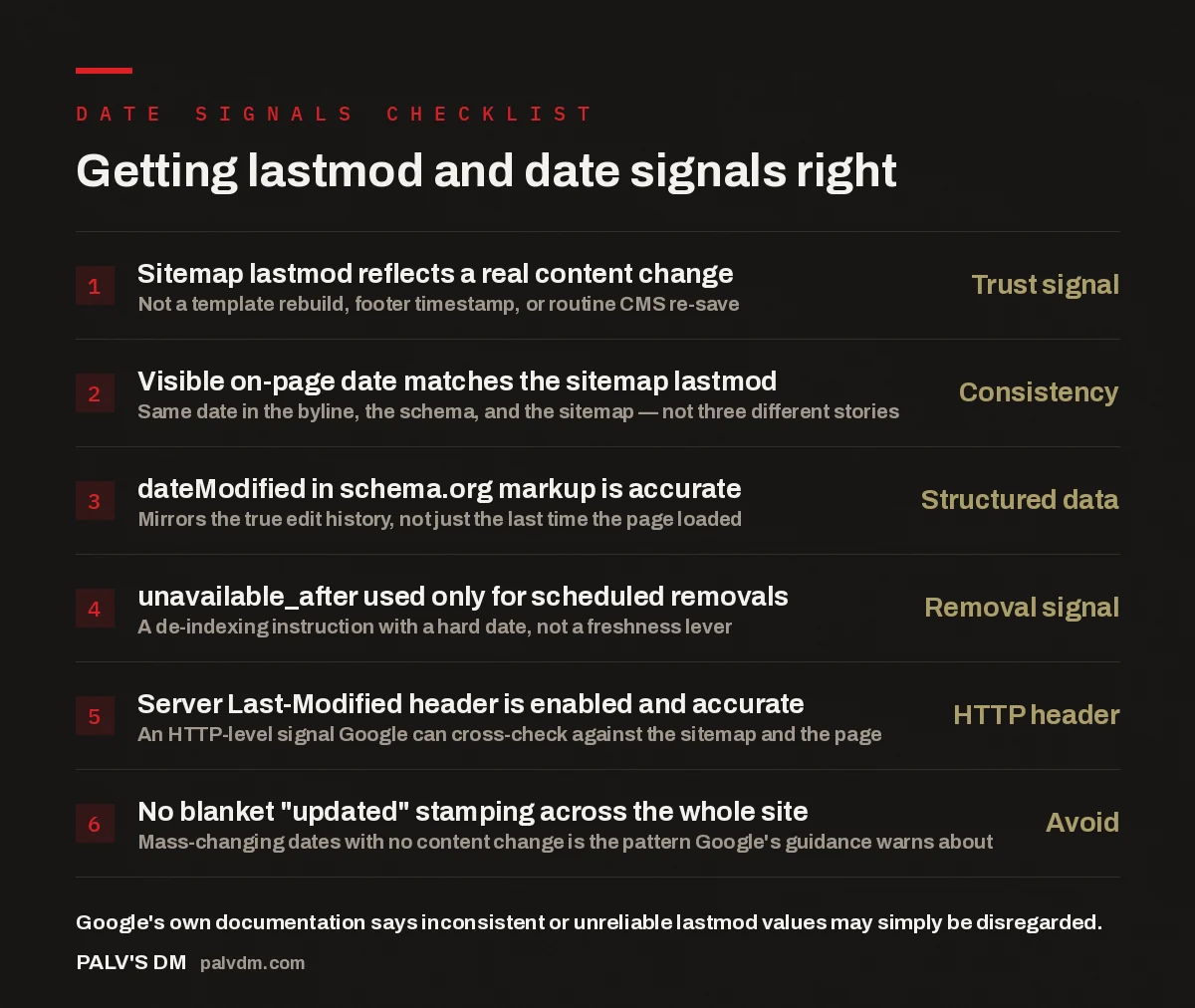
Getting lastmod and date signals right
- Sitemap lastmod reflects a real content change — Trust signal. Not a template rebuild, footer timestamp, or routine CMS re-save.
- Visible on-page date matches the sitemap lastmod — Consistency. Same date in the byline, the schema, and the sitemap — not three different stories.
- dateModified in schema.org markup is accurate — Structured data. Mirrors the true edit history, not just the last time the page loaded.
- unavailable_after used only for scheduled removals — Removal signal. A de-indexing instruction with a hard date, not a freshness lever.
- Server Last-Modified header is enabled and accurate — HTTP header. An HTTP-level signal Google can cross-check against the sitemap and the page.
- No blanket “updated” stamping across the whole site — Avoid. Mass-changing dates with no content change is the pattern Google’s guidance warns about.
What is the lastmod sitemap tag, and does Google actually use it?
The lastmod sitemap tag is an optional field in your XML sitemap that tells crawlers when a URL was last modified. Google’s Search Central documentation is explicit that it can use lastmod to help decide which pages to recrawl and how urgently — but only when the value is reliable. If Google’s crawlers repeatedly find that a page’s lastmod date doesn’t correspond to any real change in the content, Google has said it will start ignoring lastmod for that sitemap. That’s the part most sites get wrong: lastmod isn’t a switch you flip to signal “crawl me now,” it’s a claim that gets checked against reality every time Googlebot visits.
In practice, this means the CMS behaviour behind your sitemap matters more than the tag itself. A lastmod value that updates every time a page is republished, cached, or regenerated by a build process — even when nothing on the page actually changed — is exactly the pattern that erodes trust. We’ve audited sites where every URL in the sitemap carried today’s date, every day, simply because of how the sitemap generator was configured. That’s not a freshness signal; it’s noise, and noise gets filtered out.
What is unavailable_after, and how is it different from lastmod?
unavailable_after is a robots meta directive — set either as a meta tag or as an X-Robots-Tag HTTP header — that tells Google to stop showing a specific URL in search results after a given date and time. It looks like this: <meta name="googlebot" content="unavailable_after: 2026-09-30T23:59:59+05:30">. Once that timestamp passes, Google treats the page as if it were blocked from indexing, without you having to manually deindex it or set up a redirect on a deadline.
This is a fundamentally different job from lastmod. lastmod hints at recrawl priority and content freshness; unavailable_after is a scheduled removal instruction with a hard expiry. One tells Google “this changed,” the other tells Google “stop showing this, starting now.” It’s genuinely useful for time-bound content — a sale page, an event listing, a job posting with a closing date — where you know in advance exactly when a page should disappear from results and don’t want to rely on remembering to noindex it manually.
One caution: unavailable_after is googlebot-specific and isn’t guaranteed to be honoured by every crawler or AI system reading your pages. If a page needs to come down everywhere, not just out of Google’s index, pair it with an actual removal, redirect, or 410 status once the date passes.
What other date signals does Google actually look at?
Beyond lastmod and unavailable_after, Google has several other places it can pull date information from, and it tends to cross-reference them rather than trust any single one in isolation:
- Visible, on-page dates — a published or “last updated” date shown to readers, near the headline or byline.
- Structured data (schema.org datePublished and dateModified) — machine-readable date fields inside your JSON-LD markup, which Google’s documentation says it can use as a freshness signal for eligible content types.
- The HTTP Last-Modified response header — a server-level signal sent with every page response, separate from anything in the sitemap or the visible page.
- Detected content changes from crawling — Google can and does compare successive crawls of the same URL and notice when the actual text, not just the date stamp, has moved.
That last point quietly undermines most date-gaming tactics. If your on-page date says “updated today” but the crawled content is identical to last month’s version, you’ve created a mismatch between your date claim and Google’s own observation of the page. Google’s search advocates have repeatedly flagged this exact pattern — updating a displayed date without meaningfully updating the content — as something Google watches for and treats as a low-trust signal, not a ranking boost.
Most sites don’t have a date signal problem, they have a consistency problem. The sitemap says one thing, the schema says another, and the page itself says a third. Google doesn’t need to catch you lying about a date — it just needs to notice the story doesn’t add up, and it stops trusting all of it.
Palash, Founder, PalV’s DM
Why does Google sometimes ignore your lastmod dates entirely?
Google evaluates lastmod reliability at the sitemap level, not the individual URL level. If a meaningful share of the URLs in a sitemap carry lastmod dates that don’t match observed content changes, Google’s crawlers can lose confidence in the sitemap as a whole — not just in the specific URLs that were wrong. This is why a single misbehaving template, plugin, or build step can quietly degrade the crawl-priority value of an entire site’s sitemap, even for pages whose dates were accurate.
The common causes we run into during technical audits are rarely intentional manipulation — they’re usually a CMS default nobody looked at closely:
- A sitemap plugin that stamps the current date on every URL every time it regenerates, regardless of whether the page changed.
- A “related posts” widget or footer element that changes on every load, which some change-detectors treat as content worth a new lastmod.
- A platform migration where every URL was rewritten technically but the actual content carried over unchanged, and the new system dated everything “today.”
- An editorial team manually bumping a “last reviewed” date to appear fresh, without an actual editorial pass on the content.
None of these are catastrophic alone, but together they explain why sites that “update constantly” still see Google recrawl on its own schedule, regardless of what the sitemap claims.
How should you actually implement date signals?
The fix isn’t a single tag change, it’s aligning every place a date appears so the signals reinforce rather than contradict each other:
- Tie lastmod generation to real edits, not page regeneration. If your CMS or static site generator can distinguish “content changed” from “page rebuilt,” configure the sitemap to use the former.
- Match the visible date, the schema date, and the sitemap date. All three should reflect the same underlying edit event, sourced from a single field rather than three separately maintained values.
- Reserve unavailable_after for genuinely time-bound pages. Use it for offers, listings, and events with a known end date — not as a general freshness or urgency tactic.
- Check your server’s Last-Modified header isn’t stuck or disabled. Some CDN and caching configurations either strip this header or return a static value regardless of actual changes — worth checking directly in response headers.
- When you do update a “last updated” date, make an editorial change worth dating. A cosmetic date bump with no substantive edit is the exact pattern that erodes trust in every date signal on the page.
This matters beyond classic rankings. As AI systems pull content into summaries and citations, reliability signals feed into how confidently a system treats a page as current — and a page whose date signals visibly disagree with each other is a weaker citation candidate than one whose dates are trustworthy. For the broader context behind this documentation-level shift, see our piece on what actually changed in search in 2026.
Date signals don’t sit in isolation from other technical fundamentals Google has been re-documenting either. It’s worth reading alongside the recent crawl budget guidance change, since freshness and crawl prioritisation are closely linked, and the refreshed canonical guidance, since duplicate URLs often carry conflicting lastmod values that compound the problem above. For a running log of changes like this one, see what changed in Google’s documentation this quarter.
Get this checked properly
Sitemap lastmod, schema dates, and unavailable_after are small technical details individually, but inconsistent date signals across a site quietly undermine both crawl efficiency and how confidently AI systems treat your content as current. If you’re not sure what your site is actually telling Google right now, that’s a fast thing to check.
FAQ: lastmod, unavailable_after, and date signals
Does adding lastmod to my sitemap improve rankings?
Not directly. lastmod is a crawl-priority hint, not a ranking factor. It can help Google decide how quickly to recrawl a page after a genuine change, which in turn can help fresh content get reflected in search faster — but simply adding or updating the tag with no real content change won’t move rankings, and an unreliable lastmod history can get the tag ignored altogether.
Can I use unavailable_after instead of noindex?
For pages with a known, fixed removal date, yes — unavailable_after schedules the removal so you don’t have to manually noindex on the day. But it’s googlebot-specific, so it won’t stop other crawlers or AI systems from accessing the page after that date. If a page truly needs to disappear everywhere, pair it with an actual redirect, 410 status, or noindex once the date passes.
Why does my sitemap show today’s date on every URL?
This is almost always a sitemap generator or CMS plugin stamping the regeneration time rather than the actual content edit time. Check whether your platform can be configured to use the true “last content edit” timestamp instead of the “last time the sitemap file was built” timestamp — they’re often different fields under the hood.
Should the visible “last updated” date match the sitemap lastmod exactly?
They should reflect the same underlying edit event, even if formatting differs. If your on-page date and your sitemap date routinely disagree by days or weeks, that’s a sign the two are being generated from different, disconnected processes — which is exactly the kind of inconsistency that erodes trust in both signals.
Does dateModified in schema markup matter if I already have an accurate sitemap?
Yes, they serve different purposes and both are worth getting right. The sitemap lastmod is read by crawlers deciding what to recrawl; schema.org dateModified is structured data that search and AI systems can parse directly from the page itself, independent of the sitemap. Having both agree reinforces the signal; having them disagree raises exactly the kind of inconsistency flag discussed above.
Short version: lastmod in your sitemap is a crawl-priority hint that Google only trusts when it consistently matches real content changes — fake it across enough URLs and Google can start disregarding the whole sitemap’s dates. unavailable_after is a separate, googlebot-specific instruction for scheduling a page’s removal from results by a fixed date, not a freshness lever. The date signals that actually help are the ones that agree with each other across the sitemap, the visible page, the schema markup, and the server header — consistency, not any single tag, is what makes a date signal worth trusting.