
Headless WordPress: When It’s Actually Worth the Complexity
What headless WordPress actually means, when it earns its extra cost, and what you give up (redirects, plugins, schema) by going decoupled.
Headless WordPress means running WordPress purely as a content backend, editors keep using wp-admin, while a separate frontend framework like Next.js or Astro builds and serves the actual pages through the REST API or WPGraphQL. It’s worth the added cost and complexity mainly when you need multi-platform publishing, a frontend stack your dev team already owns, or performance headroom a well-configured traditional WordPress install genuinely can’t reach. For most brochure and service-business sites, it isn’t.
Every headless pitch I’ve read makes the architecture sound like a free upgrade. It isn’t. You’re trading a mature, fully integrated content management system for a faster, more flexible frontend that you now have to build and maintain by hand, including features WordPress gives you automatically today.
What does “headless” actually mean here?
In a normal WordPress install, the same system stores your content and renders the HTML a visitor sees, using PHP templates and whatever theme or page builder you’ve installed. Headless WordPress splits that in two. WordPress still runs, still stores posts, pages, and custom fields, and editors still log into wp-admin exactly as before. But instead of WordPress rendering the frontend, a separate application pulls content through the WordPress REST API or the WPGraphQL plugin and builds the pages itself, usually with a JavaScript framework: Next.js, Astro, Nuxt, or SvelteKit are the common choices in 2026.
The two systems typically live on different hosting, sometimes different providers entirely. WordPress becomes what people in this space call a “content API,” not a website in the traditional sense.
When is it actually worth the complexity?
Run through this before committing to a headless build. The more of these that are true, the stronger the case.
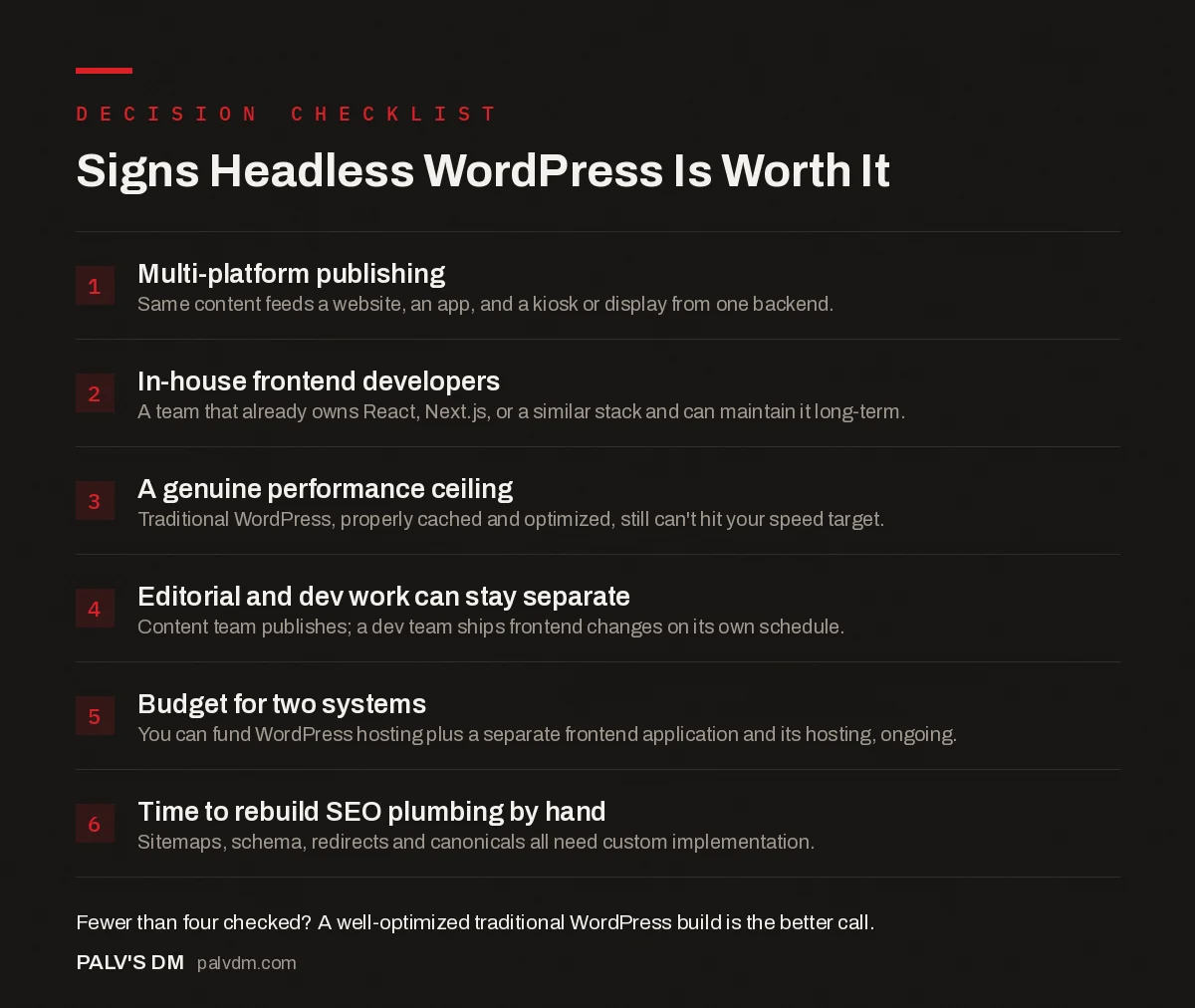
Signs Headless WordPress Is Worth It
- Multi-platform publishing. Same content feeds a website, an app, and a kiosk or display from one backend.
- In-house frontend developers. A team that already owns React, Next.js, or a similar stack and can maintain it long-term.
- A genuine performance ceiling. Traditional WordPress, properly cached and optimized, still can’t hit your speed target.
- Editorial and dev work can stay separate. Content team publishes; a dev team ships frontend changes on its own schedule.
- Budget for two systems. You can fund WordPress hosting plus a separate frontend application and its hosting, ongoing.
- Time to rebuild SEO plumbing by hand. Sitemaps, schema, redirects and canonicals all need custom implementation.
What do you give up by going headless?
This is the part sales decks for headless page builders leave out. A default WordPress install with a decent SEO plugin gives you XML sitemaps, canonical tags, a redirect manager, structured data, and Open Graph tags without writing a line of code. On a headless build, none of that comes free. Your frontend framework has to generate the sitemap. Your frontend has to output the JSON-LD. Your frontend has to handle 301 redirects when a URL changes, and that logic now lives in application code instead of a plugin setting screen.
The plugin ecosystem breaks the same way. Anything that touches the frontend directly, page builders, most caching plugins, most SEO plugins’ automatic output, either doesn’t work or needs a headless-specific replacement. Plugins that just manage data in the backend, custom fields (ACF works well here), custom post types, WooCommerce’s product catalog, generally survive the transition fine because they’re exposing data through the API, not rendering HTML.
What does the stack actually look like?
- WordPress backend. Standard install, usually with WPGraphQL or the built-in REST API enabled, plus Advanced Custom Fields for structured content editors can manage without touching code.
- Frontend framework. Next.js is the most common pairing in the WordPress ecosystem right now, with Astro gaining ground for content-heavy sites that don’t need much client-side interactivity.
- Build and deploy pipeline. Static generation, server-side rendering, or a hybrid, depending on how often content changes and how much personalization the site needs.
- Preview and revalidation. A mechanism so editors can see draft content before publishing and so the frontend knows when to refetch after a WordPress save. This is where a surprising amount of build time goes.
What does a realistic timeline and cost look like?
A traditional WordPress build for a fifteen-to-twenty-page marketing site, done properly with a hand-built theme or a small custom block set, is a matter of weeks. A headless build covering the same content scope adds real time on top: API schema planning, the preview and revalidation setup mentioned above, and rebuilding the SEO output that a plugin would otherwise hand you. None of that is optional if you want the finished site to behave like a normal website in Search Console.
Budget for the frontend as its own project, not a bolt-on. Hosting alone typically splits into two bills instead of one: WordPress hosting for the backend, plus a separate hosting or serverless platform for the frontend application. Factor in who maintains each side after launch too. A theme update is a five-minute wp-admin task. A framework major-version upgrade is a development task with its own testing cycle.
Is there a middle ground?
Yes, and it’s worth considering before committing to a full rebuild. Most of the speed gains people chase headless for come from aggressive caching, a lean theme, and cutting plugin bloat, not from the architecture itself. A traditional WordPress install on decent hosting with a properly configured cache layer gets close to headless-level Time to First Byte for a fraction of the engineering cost. Some teams also run a hybrid: WordPress renders the blog and content pages normally, while a small number of high-traffic landing pages get a custom, framework-built frontend. That limits the SEO plumbing you have to rebuild to just those pages instead of the whole site.
How does this affect SEO in practice?
Traditional WordPress, with a mature plugin doing the work, remains the more forgiving option for most SEO needs, simply because so much of it is handled automatically and has been battle-tested across millions of sites. Headless can match that, and sometimes beats it on raw page speed, but every one of those pieces has to be deliberately built and then kept in sync as the framework and the plugins both update independently. I’ve audited headless builds where the sitemap silently stopped including new posts for months because a frontend deploy overwrote the generation script, something that essentially can’t happen with a standard WordPress sitemap plugin.
If your business already leans on a properly configured WordPress SEO setup and isn’t fighting a genuine performance ceiling, that’s a strong signal to leave the architecture alone and fix the actual bottleneck instead.
Signs headless is not worth it for you
- You’re a service business with a marketing site and a blog. A well-built traditional WordPress theme with proper caching gets you 90% of the speed benefit for a fraction of the build and maintenance cost.
- You don’t have in-house frontend developers. Every content model change, new block, new template, becomes a dev ticket instead of something an editor configures themselves.
- Your current site’s speed problem is actually a hosting or plugin-bloat problem. Fix that first. Going headless to solve a problem caused by twenty-eight unoptimized plugins just moves the same bloat into a more expensive architecture.
- You need something live next month. A headless build, done properly with preview, revalidation, and SEO parity, takes meaningfully longer than a traditional WordPress build of equivalent scope.
Frequently asked questions
Is headless WordPress good for SEO?
It can match traditional WordPress, but it starts behind. Rank Math and Yoast handle sitemaps, canonical tags, redirects, and schema automatically on a normal build. On a headless site, your frontend framework has to reproduce every one of those, and it’s easy to launch missing one, most often the redirect manager or structured data.
Do I need a developer to run a headless WordPress site?
Yes, ongoing, not just at launch. Content editors still use wp-admin normally, but any frontend change, a new page template, a new block type, a new field, requires a developer to touch the framework code. Editorial stays simple; design and structural changes get slower and more expensive.
Can I still use my favorite WordPress plugins with headless WordPress?
Plugins that generate backend data, custom fields, custom post types, WooCommerce products, still work through the REST API or WPGraphQL. Plugins that render frontend output directly, most page builders and SEO plugins’ automatic sitemap and schema output, don’t work as-is and need a headless-specific replacement.
How much does a headless WordPress build cost compared to a normal WordPress site?
Meaningfully more, because you’re paying for two systems instead of one: the WordPress backend plus a custom frontend application, plus ongoing hosting and maintenance for both. Expect the frontend development alone to add a substantial multiple to a comparable traditional WordPress build.
What’s the difference between headless WordPress and a static site generator?
A static site generator builds fixed HTML files at deploy time from markdown or a flat-file CMS, with no live backend. Headless WordPress keeps a full WordPress installation running as a live content API, so editors get the familiar wp-admin experience without a full rebuild, at the cost of running two systems instead of one.
Sources
- What Is Headless WordPress and Should You Use It, WPBeginner
- WordPress REST API Handbook, WordPress.org
- WordPress SEO: The Complete Configuration Guide
- Static Sites vs WordPress for a Marketing Site
- The WordPress REST API for Bulk Publishing
- Custom Post Types for Scalable Content Architecture
Want this done on your site?
Every PalV’s DM engagement starts with a free audit of your actual website — a 12-point
crawl covering what is blocking indexation, on-page gaps against your primary keywords, speed
findings, and the three to five fixes worth making first. Delivered in two working days. No
payment details, and the findings are yours whether you hire us or not.
Get your free SEO audit
See Web Development plans and prices


