Inheriting a Site With Years of Undocumented SEO
How to take over an SEO account with no documentation: recover access, rebuild the site's history, and audit before changing anything that is ranking.

When you take over an SEO account with no handover notes, no change log, and nobody left to ask, the right first move isn’t diagnosis — it’s access. Get every login first: Search Console, GA4, hosting, CMS, domain registrar, and any ad accounts still connected to the site. Only after you can see the full picture should you touch anything. Undocumented doesn’t mean broken. It means unverified — and those two get confused constantly, usually right before someone deletes a redirect that was quietly carrying real traffic.
Key takeaway
- Get access and reconstruct history before you change anything — an undocumented site is unverified, not automatically broken.
- Crawl the live site against what’s indexed to find orphaned pages, stray redirects, and directives nobody remembers setting.
- Set a baseline before touching anything non-essential, then document every change from day one so the next person doesn’t inherit the same problem.
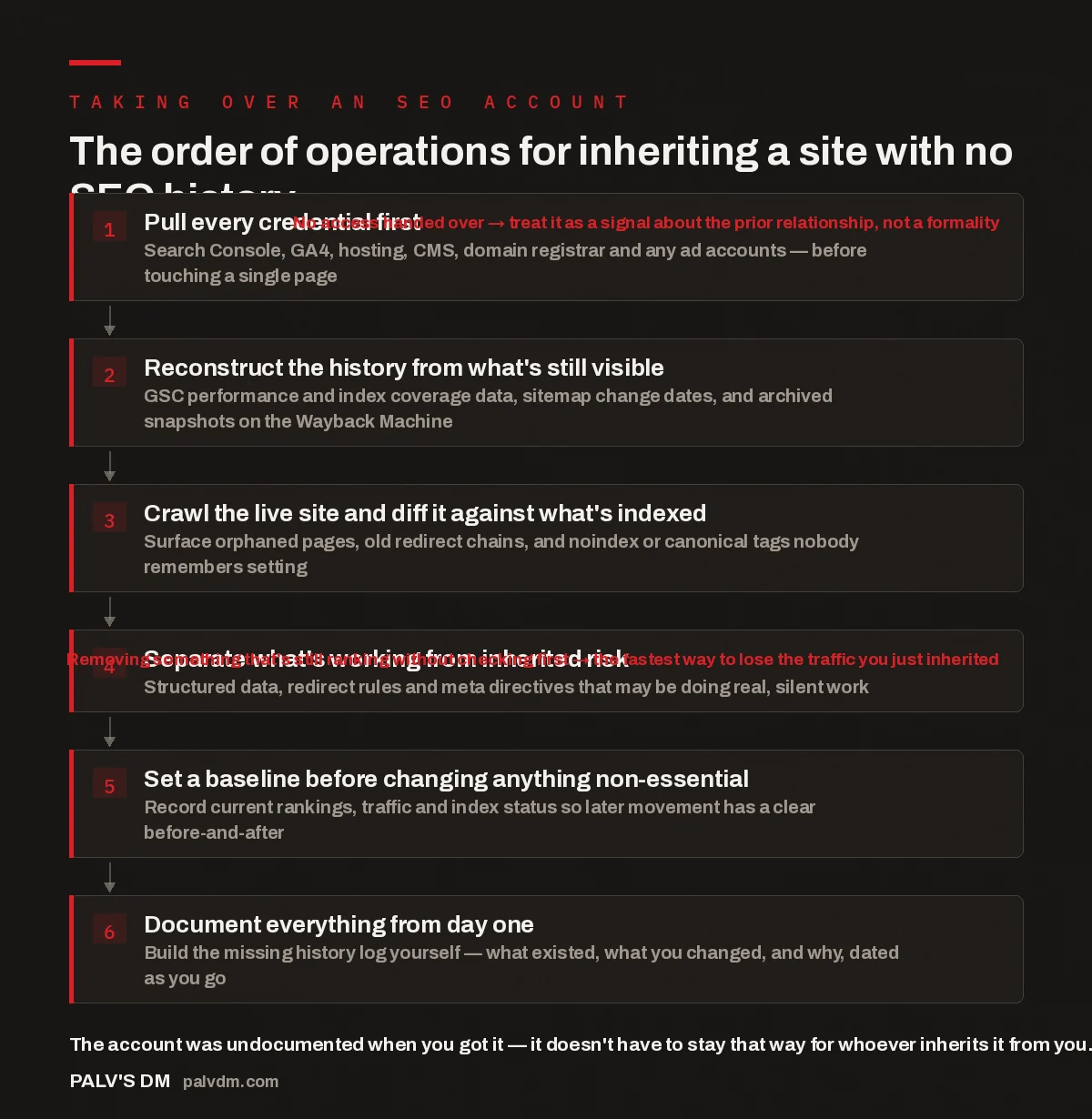
The order of operations for inheriting a site with no SEO history
- Pull every credential first. Search Console, GA4, hosting, CMS, domain registrar and any ad accounts — before touching a single page. No access handed over → treat it as a signal about the prior relationship, not a formality
- Reconstruct the history from what’s still visible. GSC performance and index coverage data, sitemap change dates, and archived snapshots on the Wayback Machine.
- Crawl the live site and diff it against what’s indexed. Surface orphaned pages, old redirect chains, and noindex or canonical tags nobody remembers setting.
- Separate what’s working from inherited risk. Structured data, redirect rules and meta directives that may be doing real, silent work. Removing something that’s still ranking without checking first → the fastest way to lose the traffic you just inherited
- Set a baseline before changing anything non-essential. Record current rankings, traffic and index status so later movement has a clear before-and-after.
- Document everything from day one. Build the missing history log yourself — what existed, what you changed, and why, dated as you go.
Why is taking over an undocumented SEO account different from a normal onboarding?
A normal onboarding starts with a strategy document, a keyword list, and someone who can explain why a page has three canonical tags stacked on top of each other. An undocumented account starts with none of that. You’re looking at years of decisions — some deliberate, some accidental, some made by a freelancer who left without telling anyone what they changed — with no way to ask why. The site ranks for things you didn’t expect and doesn’t rank for things that should be easy wins, and no record explains either.
The instinct when you take over an SEO account like this is to start fixing things immediately, because something clearly looks wrong. Resist it until you’ve done the reconstruction work below. A site that’s been quietly ranking for years on a structure nobody would build from scratch today is still a site that’s ranking. Change it blind and you can lose that position faster than you built the replacement.
What should you get before you look at a single page?
Access, in full, before analysis. That means Search Console with owner or full-user permission, GA4 with historical data intact, hosting and DNS control, CMS admin, the domain registrar login, and visibility into any ad accounts feeding conversion data into the same reporting. If the previous agency or freelancer is unreachable and access can’t be recovered, that’s not a paperwork problem — it’s information about how the account was likely run. Sites with no documentation and no recoverable access tend to be the same sites where changes were made without a plan in the first place.
This is also the point to check whether the business itself owns these accounts, or whether they sit under a personal or agency email that could vanish along with whoever set it up. We’ve written separately about why you should keep every account, login and asset tied to your own site rather than a vendor’s.
How do you reconstruct a site’s SEO history with no notes to go on?
You reconstruct it from the data sources that were recording activity even if no human was writing it down. Search Console keeps roughly sixteen months of performance history — pull it before it ages out, and look at the shape of the graph, not just the current number. A sharp drop or jump on a specific date tells you something changed then, even if you don’t yet know what. Index coverage reports show pages removed from the index and why. Sitemap files often carry lastmod dates that hint at when content was last touched, even with no changelog.
Beyond what Google shows you, the Wayback Machine’s archived snapshots let you see what the site actually looked like at different points — titles, meta descriptions, internal linking, even whether a page existed before it was merged or deleted. Cross-reference that timeline against the performance graph and patterns usually surface: a redesign that coincided with a traffic drop, a category that was quietly abandoned, a page that used to rank and was replaced by a near-duplicate. None of this requires the previous owner to explain anything — it’s sitting in public or first-party data, waiting to be assembled.
What actually goes wrong when this step gets skipped?
The pattern that shows up repeatedly on accounts we take over is not that the previous work was universally bad — it’s that some of it was fine, some of it was actively holding the site back, and nobody had separated the two before making changes. A new team arrives, sees an odd structure, “cleans it up,” and in the process removes a redirect chain that was quietly preserving link equity from a domain merge years earlier. Traffic dips. Nobody can explain why, because nobody documented what the redirect was doing or why it existed.
The same thing happens with structured data that looks redundant but is feeding a rich result the business didn’t know it had, or a canonical tag that looks wrong in isolation but is correctly consolidating near-duplicate pages. Undocumented work isn’t automatically bad work — some of it made sense at the time, for reasons the current site owner never heard. Treating everything you find as a mistake to correct, rather than a decision to first understand, is the most common way a takeover damages a site instead of improving it.
The sites that get hurt during a handover aren’t the ones with the messiest history — they’re the ones where someone assumed messy meant wrong and started deleting before they understood what any of it was doing.
Palash, Founder, PalV’s DM
How long should the audit take before new work starts?
Long enough to establish a real baseline, short enough that you’re not stalling. In practice: access recovery and history reconstruction in the first days, a full technical crawl and index diff soon after, then a short freeze on non-essential changes while the baseline settles — typically weeks, not months, scaled to how large and tangled the site actually is. A ten-page site with a confusing redirect history takes far less time to map than a five-hundred-page site with three CMS migrations behind it. What matters isn’t a fixed number of days; it’s not moving into active optimisation until you can say, with evidence, what the site currently does and why.
This is close to how we approach any new account, documented history or not — we’ve described the broader version of it in how we decide what goes into a client’s first 90 days. An undocumented handover just adds a reconstruction phase in front of that same discipline; it doesn’t replace it.
What does a properly documented handover look like from here on?
Once you’ve reconstructed what you can, the job is to make sure the next person never has to do this again — even if that person is a future version of your own team. Log changes as they happen, not from memory afterward: what was changed, when, and why, tied to the specific page or template. Keep structured records of redirects, canonical decisions, and structured data rather than just applying them and moving on. And make sure the client owns the record, not just the agency, so it survives any future transition regardless of who’s running the account.
We keep this kind of record for every account we run, which is part of why a takeover under our management doesn’t create the same problem twice — see the underlying structure in the workbooks behind our SEO delivery. If a previous agency left things this way on purpose or by neglect, it’s also worth reading how we approach rebuilding SEO after a bad agency experience, since the diagnostic steps overlap heavily with what’s described here.
If you’re taking over an account right now
If you’ve just inherited a site with no SEO documentation and don’t want to guess your way through the audit, we run this exact process — access recovery, history reconstruction, and a documented baseline — before any new optimisation work begins.
How do I take over an SEO account with no login access at all?
Start with what the business itself controls: the domain registrar and hosting account usually belong to the client even when marketing accounts don’t. Use those to request ownership transfer or verification on Search Console and GA4 directly through Google. Where accounts genuinely can’t be recovered, rebuild what you need — a new GA4 property, a freshly verified Search Console — and treat prior data as reference, not a continuous record.
Is it safe to remove old redirects I don’t understand?
Not before checking what they’re doing. Map the full redirect chain, check whether the source URLs still receive any traffic or external links, and confirm the destination is still the intended page before removing anything. An old redirect from a domain merge or a discontinued product line can still be quietly passing authority years later, and cutting it without checking is one of the more common ways a takeover causes a visible traffic drop.
How far back can I actually see a site’s SEO history?
Search Console typically retains around sixteen months of performance data — your most reliable first-party source. Beyond that window, Wayback Machine snapshots and any sitemap or CMS timestamp data are what’s left. Neither is a complete record, but together they’re usually enough to spot the major inflection points: redesigns, migrations, or structural changes, even without an actual changelog.
Should I start new content work while the audit is still running?
Light, low-risk work — fixing a clearly broken meta tag, correcting an obvious 404 — is fine in parallel. Larger structural changes, redirect cleanups, or a new content push are better held until the baseline is set, because you need a stable “before” to measure any “after” against. Running both at once makes it hard to tell which change caused which result, which defeats the purpose of documenting the takeover in the first place.
What if the previous agency refuses to hand over access or information?
It happens, and it’s a reason to lean harder on account-level recovery rather than waiting on cooperation. Domain and hosting ownership, plus Google’s own verification and ownership-transfer processes, generally let you rebuild the essentials without the previous vendor’s involvement. Treat the refusal as data — it tells you something about how the relationship was run, and it’s exactly what documented handovers are meant to prevent happening to the next team.
Short version: when you take over an SEO account with years of undocumented work behind it, get access before you get opinions, reconstruct the history from Search Console, sitemaps and archived snapshots, and hold off on structural changes until you know what’s actually driving current performance. Undocumented isn’t a synonym for broken — treat it that way and you’ll fix problems that don’t exist while breaking ones that didn’t. Document everything from the moment you take over, and the next handover won’t start from zero.