
Choosing the Right Comparison Window in Search Console After an Update
Comparing the wrong dates in Search Console invents drops that never happened. How to set clean, equal-length windows around a Google update rollout.

The only comparison window that produces a trustworthy answer after a Google update is two equal-length periods that both sit entirely outside the rollout — one ending the day before the update started, one beginning the day after Google marked it complete. Search Console’s built-in shortcuts do not do this. “Previous period” and “previous year” will happily straddle a rollout, blending days from before, during and after the update into one average, and the number they return describes a state your site was never actually in.
This is not a rounding error. A window that swallows half a rollout can show a four per cent dip when the settled position was a twenty per cent loss, or show a loss where the finished state was flat. Every decision taken afterwards inherits that error, including the decision about what to rewrite.
Why does the default Search Console comparison mislead after an update?
Search Console’s Performance report compares whatever two ranges you give it and reports the difference as a single figure per dimension. It has no concept of an algorithm rollout. If your “previous period” range contains four days of pre-update traffic and ten days of mid-rollout traffic, the comparison averages those fourteen days together and treats the result as a stable baseline.
Core updates make that averaging particularly destructive because rankings genuinely move more than once during a rollout. The May 2026 core update produced large movement on 23 May, further large movement on 30 May, and more volatility in the final twenty-four hours before Google marked it complete on 2 June. A window ending 26 May captures the first wave and none of the second. It is not a wrong number so much as a number about a different question.
What counts as a clean comparison window?
A clean comparison window meets four conditions. Miss any one and the output is not comparable.
- Both periods sit fully outside the rollout. No day inside either range falls between the announced start date and the announced completion date.
- Both periods are the same length. Twenty-eight days against twenty-eight days, not “last month” against “the previous six weeks”.
- Both periods contain the same number of each weekday. Search traffic is weekday-shaped for most B2B and service sites. A 30-day window contains an uneven number of Saturdays; a 28-day window does not.
- Neither period contains a known confounder. A migration, a redesign, a festival week, a paused campaign, a tracking change. If one exists, move the window rather than explaining it away.
The 28-day length is the practical default because it satisfies conditions two and three at once. Fourteen days works when you need an answer sooner and your site has enough volume for fourteen days to be stable. Seven days almost never works, because a single strong or weak day distorts it.
Which dates do you exclude?
Take the exclusion dates from Google’s Search Status Dashboard, never from a volatility tracker. The dashboard is the only authoritative record of when an update started and finished, a point covered in more depth in confirmed versus unconfirmed updates.
| Update | Rollout window to exclude | Days |
|---|---|---|
| December 2025 core update | 11 Dec 2025 – 29 Dec 2025 | 18 |
| February 2026 Discover core update | 5 Feb 2026 – 27 Feb 2026 | 22 |
| March 2026 spam update | 24 Mar 2026 – 25 Mar 2026 | Under 24 hours |
| March 2026 core update | 27 Mar 2026 – 8 Apr 2026 | 12 |
| May 2026 core update | 21 May 2026 – 2 Jun 2026 | 12 |
| June 2026 spam update | 24 Jun 2026 – 26 Jun 2026 | 2 |
Two of those windows sit close enough together to cause a specific problem. The March 2026 spam update ended on 25 March and the March 2026 core update began on 27 March, which leaves a single clean day between them. There is no usable “after the spam update, before the core update” window. Say so in the report rather than manufacturing one.
How long do you wait before setting the post-update window?
Wait until Google marks the update complete, then add a buffer. Two considerations set the buffer length.
First, Search Console performance data lags real time by a couple of days, so a window running up to yesterday is always incomplete and always understates. Start counting from two days after the completion date, not from the completion date itself.
Second, positions continue to settle briefly after completion. A 28-day post-update window that begins two days after completion means you are reading a genuine result roughly a month after the rollout ends. That feels slow. It is still faster than acting on a mid-rollout number and spending three weeks fixing the wrong thing, which is the failure mode described in the panic moves that make damage worse.
What do you compare inside the window?
Compare positions, impressions and clicks as three separate series, never as one blended “traffic” figure. Each answers a different question, and averaging them destroys the signal that tells you which problem you have.
| Pattern in the comparison | What it points to |
|---|---|
| Positions down, impressions down, clicks down | A genuine ranking change |
| Positions stable, impressions down | Query demand, SERP feature change, or a reporting change |
| Positions stable, impressions stable, clicks down | A click-through problem — an AI Overview, or titles |
| Everything down vertically on one date | A deployment or technical breakage, not a rollout |
Average position deserves particular caution because it is an average across every impression, so a page that stops ranking at all can make average position look better. The relationship between the three metrics is unpacked in impressions, clicks and position, and the wider set of traps in Search Console date comparison pitfalls.
How do you handle seasonality without cheating?
Year-on-year comparison is the honest way to remove seasonality, and it introduces its own problem: twelve months of site changes, content publishing and competitor movement sit inside that gap. Use both comparisons and state what each controls for.
Run the period-on-period comparison to measure the update’s effect, and run the year-on-year comparison to check whether the period-on-period movement is simply the shape the calendar always makes. If August is always your weakest month, a 15 per cent August decline is not evidence of anything. If year-on-year August is down 40 per cent while previous Augusts were flat, that is a finding.
Where an Indian audience is involved, festival timing shifts between Gregorian dates each year, so a year-on-year window can compare a festival week against a normal week. Check the calendar before trusting the number.
A working sequence
- Get the exact start and completion dates from the Search Status Dashboard and write them down.
- Set the pre-update window: 28 days ending the day before the start date.
- Set the post-update window: 28 days beginning two days after the completion date.
- Compare positions, impressions and clicks separately, not as one figure.
- Filter to Search only. Discover and News move independently and Discover had a dedicated core update of its own in February 2026.
- Repeat the comparison by page, query, device and country before concluding anything — segmentation is where the actual diagnosis lives.
- Record both windows in your update log so the next comparison starts from documented dates rather than memory.
What a comparison window cannot tell you
A clean window tells you what changed and by how much. It does not tell you why, and it does not prove Google caused it. Correlation with a rollout window is a necessary condition, not a sufficient one — the full test is set out in how to confirm an update actually hit your site.
The August 2026 episode is the standing reminder. Roughly fourteen tracking tools registered spikes across 1–6 August 2026, and Google’s dashboard showed no ranking, indexing, crawling or serving incident in that entire window. Anyone who built a comparison window around “the August update” was measuring against an event Google never confirmed, while a GA4 reporting bug, Ad Manager disruptions and a Discover decline that began in mid-July all sat inside the same fortnight.
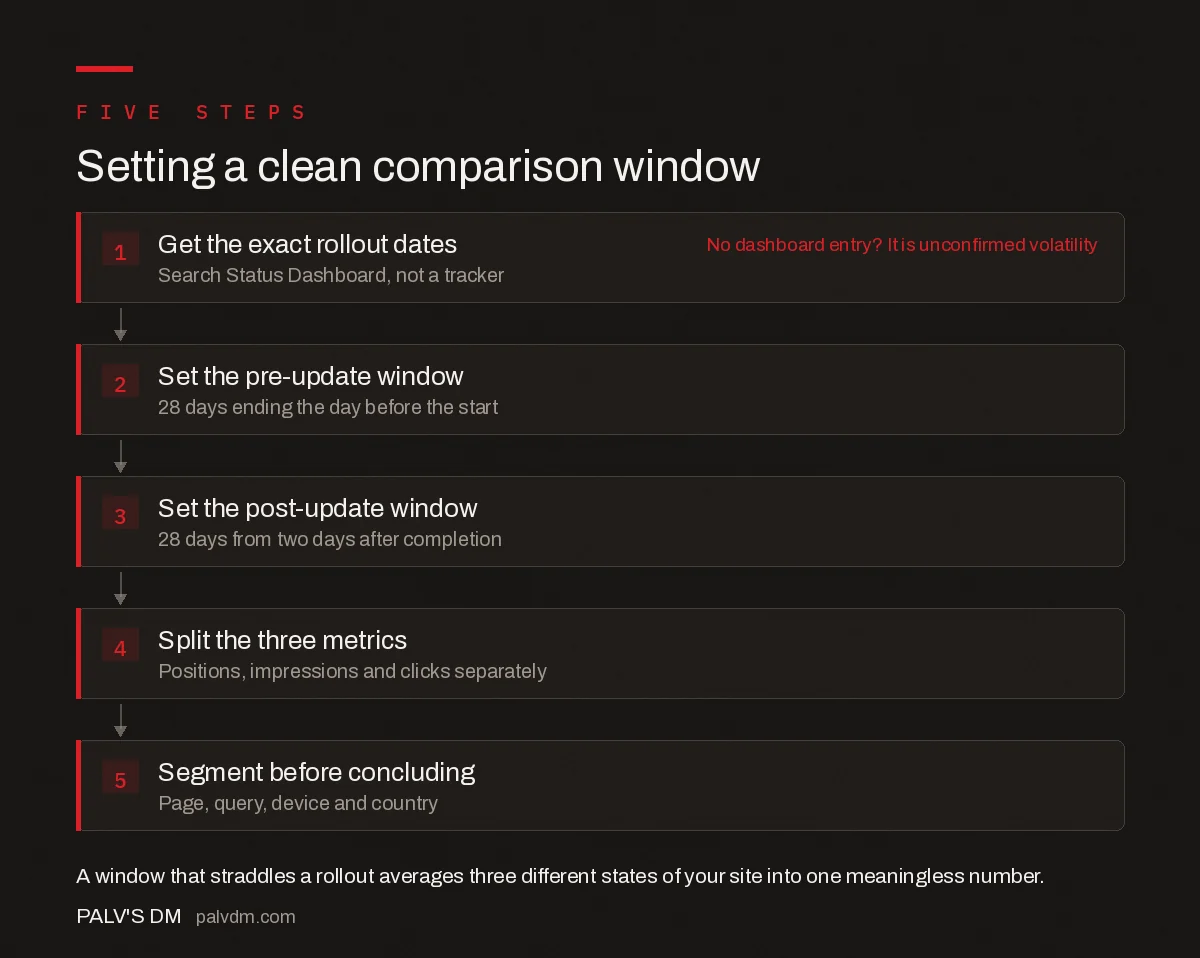
Setting a clean comparison window
- Get the exact rollout dates. Search Status Dashboard, not a tracker. No dashboard entry? It is unconfirmed volatility
- Set the pre-update window. 28 days ending the day before the start.
- Set the post-update window. 28 days from two days after completion.
- Split the three metrics. Positions, impressions and clicks separately.
- Segment before concluding. Page, query, device and country.
Frequently asked questions
What date range should I compare in Search Console after a core update?
Compare two equal-length periods that both sit entirely outside the rollout: 28 days ending the day before Google announced the update, against 28 days beginning two days after Google marked it complete. Twenty-eight days keeps the number of each weekday equal in both windows, and the two-day buffer allows for Search Console’s reporting lag.
Why is the previous period comparison in Search Console misleading?
The previous period shortcut has no knowledge of algorithm rollouts, so it frequently produces a range that straddles one. When that happens, days from before, during and after the update are averaged into a single baseline, and the reported difference describes a state the site was never actually in. Set the dates manually from the rollout window instead.
How long after a core update should I wait before measuring?
Wait until Google marks the update complete on the Search Status Dashboard, then allow roughly a month so a full 28-day post-update window can close. Search Console data also lags real time by a couple of days, so any window running up to yesterday is incomplete and will understate the figures it reports.
Should I compare year on year or period on period after an update?
Use both and state what each controls for. Period on period measures the update’s effect but carries seasonality. Year on year removes seasonality but carries twelve months of site changes, competitor movement and publishing. If the period-on-period drop matches the shape every previous year shows, the calendar explains it rather than the update.
Which Search Console metric shows core update impact most clearly?
Average position, read alongside impressions and clicks rather than instead of them. Positions falling with impressions and clicks indicates a genuine ranking change. Positions holding while impressions fall usually points to query demand or a SERP feature change. Average position alone can improve when a page stops ranking entirely, so never read it in isolation.
Do I need to exclude Discover data from the comparison?
Yes. Filter the Performance report to Search only. Discover and News move independently of Search, and Discover had a dedicated core update of its own between 5 and 27 February 2026, the first core update Google aimed exclusively at Discover. Blending the surfaces produces a total that hides which one actually moved.
Sources
- Search Console Performance report — Search Console Help
- Google Search Status Dashboard
- Google core updates and your website — Search Central
- Google May 2026 core update rollout is now complete — Search Engine Land
Want this done on your site?
Every PalV’s DM engagement starts with a free audit of your actual website — a 12-point
crawl covering what is blocking indexation, on-page gaps against your primary keywords, speed
findings, and the three to five fixes worth making first. Delivered in two working days. No
payment details, and the findings are yours whether you hire us or not.


