
Crawl Budget: When It Matters and When It Doesn’t
Crawl budget is a real constraint on large sites and a red herring on small ones. Here's how to tell which, and what actually wastes it.

Crawl budget is the number of URLs Googlebot is willing and able to crawl on your site within a given window, set by two factors: how much crawling your server can handle without degrading (crawl capacity limit) and how much Google actually wants to crawl based on the site’s perceived value and freshness (crawl demand). It matters almost exclusively for sites above roughly 10,000 pages, or smaller sites that publish or change pages faster than Google can process them. For a five-page brochure site or a 200-post blog updated weekly, crawl budget is not the bottleneck. Something else is, usually internal linking, sitemap hygiene, or content that doesn’t justify a revisit.
The term gets thrown around on sites where it has no practical effect, and the advice that follows — block this, noindex that — ends up solving a problem the site never had while ignoring the one it does. The distinction below is the one that actually matters before you touch a robots.txt file.
What is crawl budget, exactly?
Google’s own documentation defines crawl budget as the combination of two separate limits. The crawl capacity limit is how many simultaneous connections Googlebot can use to crawl a site, and how long it waits between fetches, without hurting server performance for real visitors. Google adjusts this automatically: if your server responds quickly and cleanly, the capacity limit goes up; if response times climb or you start returning server errors, it goes down.
Crawl demand is separate and about desire, not capacity. Google crawls URLs it believes are worth crawling based on perceived importance, how often the content actually changes, and overall site-wide staleness. A page that gets updated once and never again has low ongoing crawl demand no matter how much capacity the server offers.
Crawl budget in practice is the smaller of these two numbers. A fast server with nothing new to say gets crawled lightly because demand is low. A high-demand site on a slow, error-prone server gets crawled lightly because capacity is the ceiling.
When does crawl budget actually matter?
Google states plainly that crawl budget is not something most sites need to think about. If new pages tend to get crawled the same day they’re published, budget isn’t your constraint. It becomes relevant in a narrower set of cases:
- Large sites — publishers, marketplaces, and ecommerce catalogues above roughly 10,000 indexable URLs, where Googlebot physically cannot fetch every page on every visit.
- Sites with heavy URL variation — faceted navigation, internal search results, or session parameters that multiply a few hundred real pages into tens of thousands of crawlable URLs.
- Frequently changing inventory — real estate listings, job boards, and marketplaces where pages appear and disappear daily and stale results actively hurt the product.
- Sites that just migrated or restructured — a large URL change generates a temporary spike in crawl demand that can compete with normal crawling for weeks.
Outside those cases, the more common cause of pages sitting uncrawled or unindexed is a content or internal-linking problem, not a budget one. This is where thin content or weak internal links get misdiagnosed as crawl budget issues when Google simply doesn’t see enough value in the page to prioritise it.
A useful gut check before assuming crawl budget is the culprit: pick ten pages that were published in the last month and still aren’t indexed. If they’re thin, near-duplicate, or buried four clicks deep with no internal links pointing at them, that’s a content and architecture problem wearing a crawl-budget costume. If they’re strong pages linked from the homepage and still not crawled after weeks, budget is a legitimate suspect.
How do you tell if crawl budget is limiting your indexing?
Guessing is unnecessary; Search Console has the data.
- Open the Page Indexing report and look at the “Crawled – currently not indexed” and “Discovered – currently not indexed” counts. A large and growing number in either bucket, on a site above 10,000 pages, is the clearest signal.
- Check the Crawl Stats report under Settings, and compare total requests per day against your total number of indexable URLs. If your site has 200,000 pages and Google is fetching 3,000 URLs a day, full re-coverage takes over two months.
- Pull server log files for a 30-day window and filter to Googlebot’s user agent. Cross-reference which URL patterns get hit repeatedly versus which important pages never appear at all.
- Compare average response time in the Crawl Stats report against your own server monitoring. A rising trend line here usually precedes a drop in crawl requests by a few weeks.
What wastes crawl budget on a large site?
On sites where budget is genuinely constrained, the waste is rarely one dramatic issue. It’s several small, compounding ones.
Most of these show up in a standard Screaming Frog or Sitebulb crawl within the first pass, cross-referenced against a 30-day log file sample. The combination matters: a crawl tells you what exists, a log file tells you what Googlebot actually chose to fetch, and the gap between the two is where the waste is hiding.
| Waste source | Why it hurts | Typical fix |
|---|---|---|
| Faceted navigation and URL parameters | A handful of real category pages multiply into thousands of filter and sort combinations, each a separate crawlable URL | Parameter handling rules, robots.txt disallow on filter paths, or canonical consolidation — see URL parameters and session IDs |
| Redirect chains | Each hop is a separate crawl request before Googlebot reaches a usable page | Flatten every redirect to a single hop; audit with a crawler quarterly |
| Soft 404s and thin error pages | Pages that return 200 but show no real content still get crawled and re-crawled like they matter — knowing the right HTTP status codes to return prevents this | Return true 404 or 410 status codes for removed content |
| Duplicate content across sort/print/session variants | Near-identical pages compete for the same crawl attention as the canonical version — see duplicate content | Self-referencing canonicals plus consistent internal linking |
| Slow server response (high TTFB) | Google explicitly reduces crawl capacity when response times climb, to avoid overloading the server | Server-side caching, CDN, database query optimisation |
How do you increase crawl budget?
Google is explicit that there are exactly two levers: serving capacity and content value. Everything else below is a way of not wasting the capacity you already have.
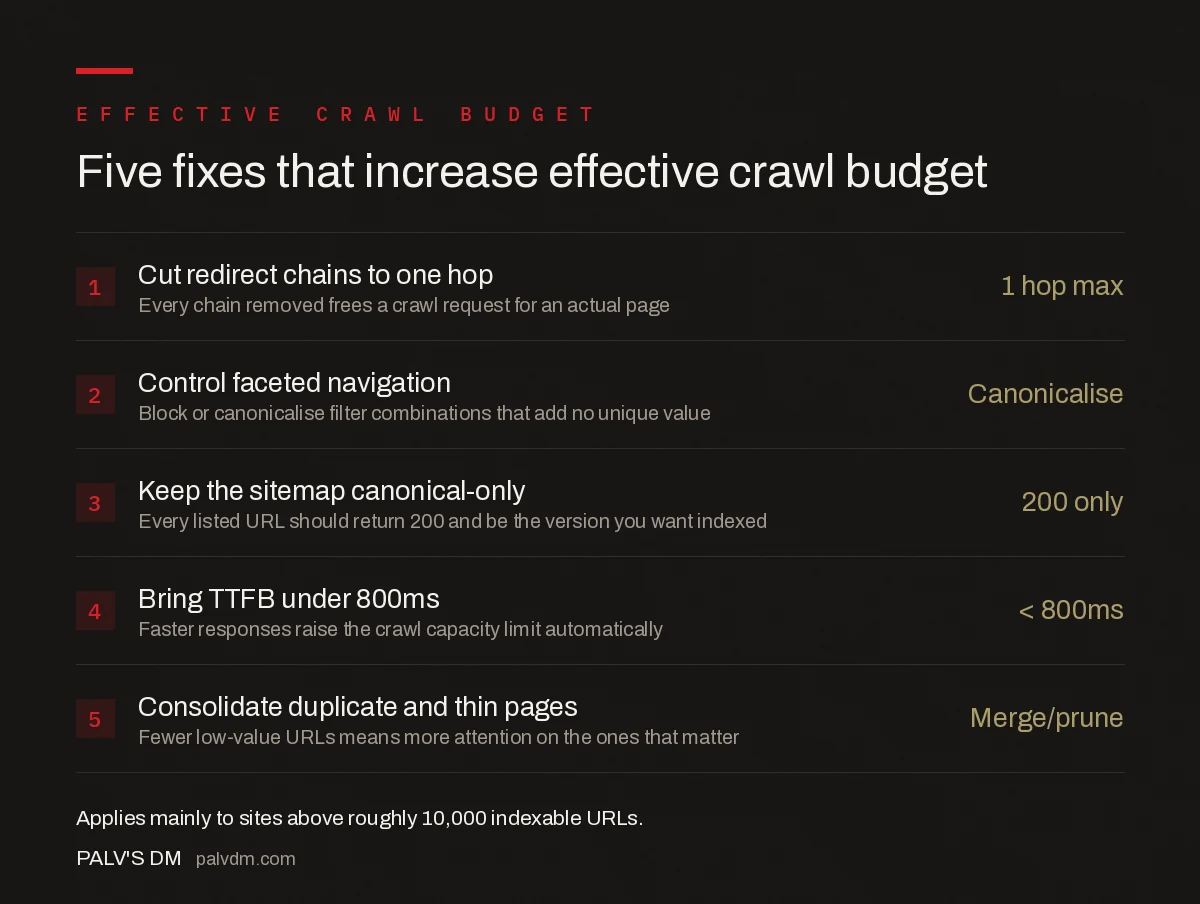
Five fixes that increase effective crawl budget
- Cut redirect chains to one hop — 1 hop max. Every chain removed frees a crawl request for an actual page.
- Control faceted navigation — Canonicalise. Block or canonicalise filter combinations that add no unique value.
- Keep the sitemap canonical-only — 200 only. Every listed URL should return 200 and be the version you want indexed.
- Bring TTFB under 800ms — < 800ms. Faster responses raise the crawl capacity limit automatically.
- Consolidate duplicate and thin pages — Merge/prune. Fewer low-value URLs means more attention on the ones that matter.
Five fixes that increase effective crawl budget
- Cut redirect chains to one hop — Every chain removed frees a crawl request for an actual page.
- Control faceted navigation — Block or canonicalise filter combinations that add no unique value.
- Keep the XML sitemap canonical-only — Every URL in it should return 200 and be the version you want indexed.
- Bring TTFB under 800ms — Faster responses raise the crawl capacity limit automatically.
- Consolidate duplicate and thin pages — Fewer low-value URLs means more attention on the ones that matter.
How does an XML sitemap affect crawl budget?
A sitemap doesn’t grant extra crawl budget on its own, but it directs the budget you have. Google treats the sitemap as a prioritised hint about which URLs matter most on the site. A sitemap that lists only canonical, indexable, 200-status pages tells Google exactly where to spend its attention. A sitemap padded with redirected URLs, noindexed pages, or parameterised duplicates does the opposite: it spends crawl requests confirming pages Google was never going to rank, at the expense of pages that could. On sites above 50,000 URLs, splitting the sitemap by content type or freshness also makes it easier to spot which section is under-crawled from the Search Console sitemap report.
Frequently asked questions
What is crawl budget?
Crawl budget is the number of URLs Googlebot is willing and able to crawl on a site within a given window. It is set by the crawl capacity limit, how much crawling the server can handle without degrading, and crawl demand, how much Google wants to crawl based on the site’s perceived value, popularity, and freshness.
Does crawl budget matter for a small website?
Rarely. Google’s own guidance says sites with a few thousand pages that don’t change rapidly are usually crawled efficiently without any budget management. Crawl budget becomes a real constraint mainly above roughly 10,000 URLs, or on smaller sites that publish or change pages faster than Google can process them.
How do you know if crawl budget is limiting your indexing?
Check the Crawled – currently not indexed and Discovered – currently not indexed statuses in Search Console’s Page Indexing report, and compare the URLs Googlebot fetches per day in the Crawl Stats report against your total indexable URL count. A large, growing gap between pages published and pages crawled is the clearest signal.
Does an XML sitemap affect crawl budget?
Indirectly. A clean sitemap that lists only canonical, indexable, 200-status URLs helps Google prioritise crawling toward pages you actually want indexed. A bloated sitemap full of redirects, noindexed pages, or parameterised duplicates spends crawl attention on URLs that were never going to rank.
Can slow server response time hurt crawl budget?
Yes. Google explicitly ties crawl capacity to how fast a server responds. If response times climb, Googlebot backs off and crawls fewer pages per visit to avoid overloading the server, which is the opposite of what a large site with thousands of pages waiting to be indexed needs.
Sources
- Crawl Budget Management for Large Sites — Google Search Central
- Crawl Stats Report — Google Search Central
- Technical SEO: The Complete Working Guide
Want this done on your site?
Every PalV’s DM engagement starts with a free audit of your actual website — a 12-point
crawl covering what is blocking indexation, on-page gaps against your primary keywords, speed
findings, and the three to five fixes worth making first. Delivered in two working days. No
payment details, and the findings are yours whether you hire us or not.


