
Duplicate Content: What Actually Causes Problems
Google doesn't penalise duplicate content — it clusters URLs and picks one. Here's what actually causes the damage, and the fix for each cause.
Google does not run a duplicate content penalty. What actually happens is clustering: when Google finds several URLs with the same or near-identical primary content, it groups them, picks one as canonical, and the others stop appearing in search results even though nothing was “penalised.” The damage people blame on duplicate content is almost always one of three separate mechanisms — clustering, diluted ranking signals across near-duplicate pages, or Google choosing a canonical URL you didn’t intend — and each one needs a different fix.
This distinction matters because the standard advice, “avoid duplicate content,” doesn’t tell you what to do when a WooCommerce store generates six URLs for one product through filter combinations, or when a blog syndicates a guest post to three partner sites on purpose. Those aren’t accidents. They need a canonicalisation strategy, not a content rewrite.
What does Google actually do with duplicate content?
When Googlebot crawls two or more URLs and judges the primary content to be the same or substantially similar, it groups them into a cluster and picks one representative URL to index and rank — the canonical. The other URLs in the cluster generally stay crawlable but stop showing up in search results for the queries the canonical now serves. Google’s crawling and indexing documentation describes this explicitly as clustering, not as a penalty applied to the domain.
The practical effect is that your rankings for a given page can vanish even though the page itself did nothing wrong. If Google picked a different URL in the cluster as canonical — a parameterised version, an HTTP version left live, a staging copy that got indexed — the URL you actually wanted ranked is the one sitting outside the index.
Why do people call it a “penalty” when it isn’t one?
A manual action shows up explicitly inside Google Search Console under Security & Manual Actions, with a stated reason and a reconsideration request process. Duplicate content clustering triggers none of that. There’s no notice, no flag, and no appeal — the URL simply isn’t the one Google chose to show. That absence of a visible signal is exactly why so many site owners misdiagnose the cause and go looking for a penalty that was never applied.
| Signal | Manual action | Duplicate content clustering |
|---|---|---|
| Visible in Search Console | Yes, under Manual Actions | No direct flag |
| Appeal process | Reconsideration request | None — fix the signals instead |
| Scope | Can hit whole site or section | Per-URL, per-cluster |
| Fix | Remove violation, request review | Consolidate signals, pick one canonical |
What actually causes the three types of duplicate content damage?
Not all duplicate content problems look the same, and lumping them together is why fixes often miss. There are three distinct failure modes worth separating.
- Clustering the wrong URL as canonical. Google indexes a parameter-heavy or non-preferred version of a page instead of the clean one, usually because internal links, the sitemap, or a redirect chain point to the wrong URL more consistently than the canonical tag does.
- Signal dilution across near-duplicates. Ten product pages that differ only by colour or size split backlinks, click data, and relevance signals ten ways instead of consolidating onto one strong page, so none of them ranks as well as a single merged page would.
- Genuine content theft or scraping. A third party republishes your content without permission. This is the case people worry about most and, per Google’s own guidance, the one that causes the least damage to the original source in practice.
Each of these needs a different response: fixing signal consistency for the first, merging or strengthening internal links for the second, and a DMCA request or simply ignoring it for the third, since Google’s algorithms are generally competent at identifying the original source through crawl date, authority, and link patterns.
Which situations create duplicate content without anyone intending it?
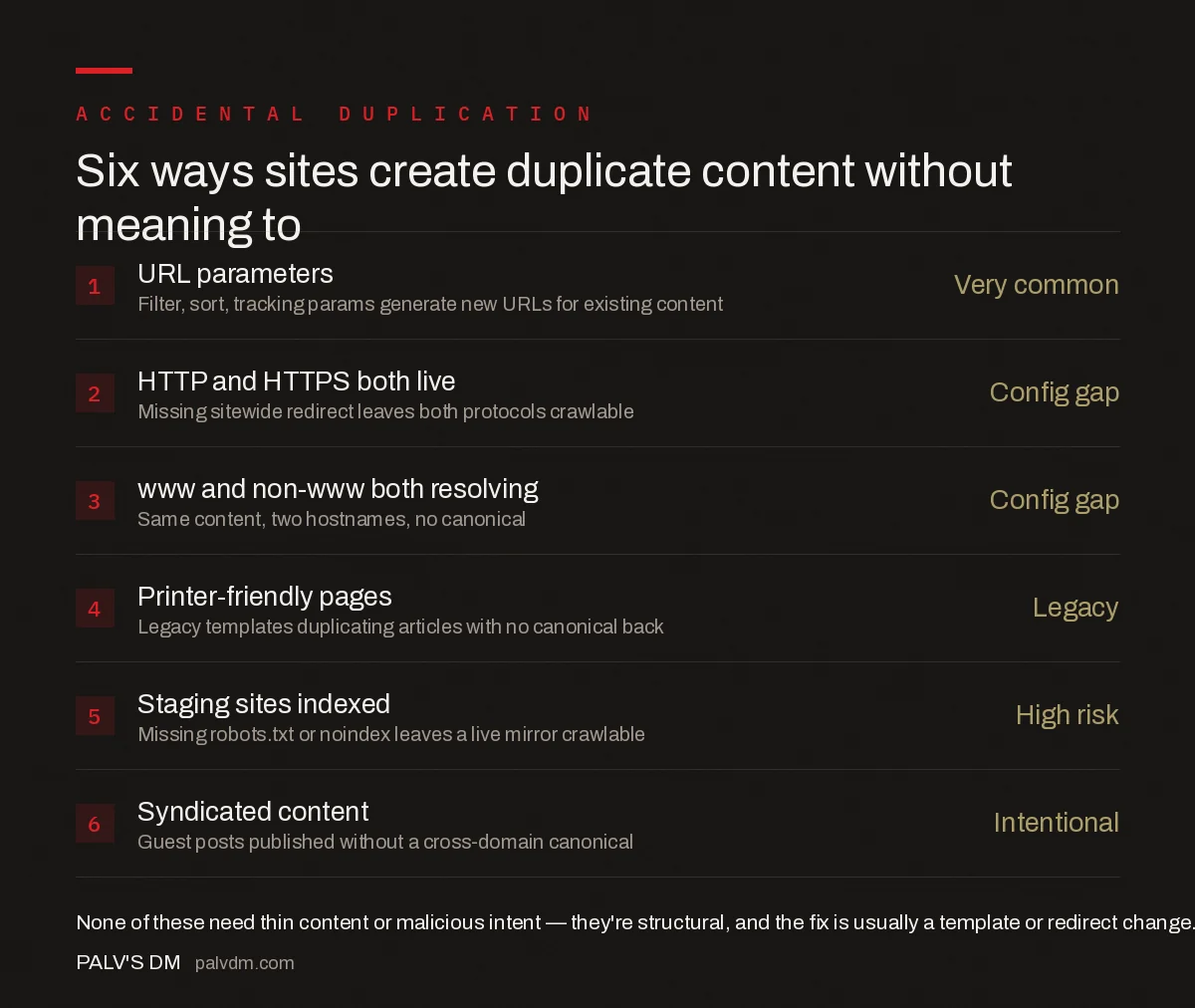
- URL parameters — Very common. Filter, sort, tracking params generate new URLs for existing content.
- HTTP and HTTPS both live — Config gap. Missing sitewide redirect leaves both protocols crawlable.
- www and non-www both resolving — Config gap. Same content, two hostnames, no canonical.
- Printer-friendly pages — Legacy. Legacy templates duplicating articles with no canonical back.
- Staging sites indexed — High risk. Missing robots.txt or noindex leaves a live mirror crawlable.
- Syndicated content — Intentional. Guest posts published without a cross-domain canonical.
None of these require malicious intent or thin content to cause a problem. They’re structural, which is also why the fix for crawl depth issues that leave duplicate URLs undiscovered or buried is usually a template or redirect change rather than a rewrite.
How do you fix duplicate content once you’ve found it?
The correct tool depends on whether the duplicate URL needs to keep existing:
- Crawl the site with Screaming Frog or Sitebulb and group URLs by near-identical title tags, H1s, and word count similarity to surface clusters automatically.
- Decide whether the duplicate URL should live or die. If it must stay reachable (a filtered product view a user can bookmark), use a self-referencing canonical pointing at the preferred version. If it serves no purpose, 301 redirect it.
- Align every signal — canonical tag, XML sitemap entry, and internal links — on the same preferred URL. A canonical tag that disagrees with your own sitemap is one of the most common reasons Google overrides it; the mechanics of that are covered in our piece on soft 404s and pages Google quietly stops trusting, a related failure mode with the same root cause: inconsistent signals.
- Check HTTP status codes along the way, since a redirect pointing at another redirect, or at a 404, defeats the fix. A quick reference for what each code should be doing lives in our guide to HTTP status codes every SEO should recognise.
- Re-crawl after two weeks to confirm the cluster resolved, since Google’s own documentation states clustering fixes can take up to two weeks to fully process.
Frequently asked questions
Does Google penalise duplicate content?
No, not as a penalty in the manual-action sense. Google clusters pages it judges to be the same or near-identical, picks one to index and rank, and the rest simply do not appear in results. The effect looks like a penalty because rankings disappear, but no punitive action was taken against the site.
How much content overlap counts as duplicate?
Google has never published a percentage threshold, and none should be trusted. Clustering is based on whether the primary content serves the same purpose for the same query, not a word-for-word match ratio. Two pages can share 40% of their text and still be treated as distinct, or share 90% and still get merged.
Can duplicate content from other sites hurt my rankings?
Scraped or syndicated content rarely hurts the original publisher directly. Google generally identifies the source and favours it in the cluster, provided the source is crawlable, was indexed first, and carries stronger authority signals. It is copying your own site’s content across multiple URLs that causes most real damage.
Do I need to noindex duplicate pages or is a canonical tag enough?
A canonical tag is enough when the duplicate URL needs to stay live and reachable, such as a parameterised or print version of a page. Use noindex only when the page should never appear in search results at all. Combining both on the same page sends contradictory signals and should be avoided.
How long does it take Google to fix a duplicate content cluster after I add canonical tags?
Google’s own documentation notes that pages can stay grouped in a duplicate cluster for up to two weeks after the underlying issue is fixed, and that a page splits out faster when the difference from the rest of the cluster is clear and significant, not marginal.
Sources
- Consolidate Duplicate URLs — Google Search Central
- What Is URL Canonicalization — Google Search Central
- Technical SEO: The Complete Working Guide
Want this done on your site?
Every PalV’s DM engagement starts with a free audit of your actual website — a 12-point
crawl covering what is blocking indexation, on-page gaps against your primary keywords, speed
findings, and the three to five fixes worth making first. Delivered in two working days. No
payment details, and the findings are yours whether you hire us or not.


