
Crawl Depth: How Many Clicks From Home Is Too Many
Crawl depth is how many clicks a page sits from your homepage. The thresholds that matter, and how to fix pages buried too deep.
Crawl depth is the number of clicks it takes to reach a page starting from your homepage, and Google treats shallower pages as more important by default: pages three or more clicks deep get crawled less often, indexed slower, and generally rank worse than equivalent content sitting one or two clicks in. This isn’t a formal penalty. It’s a side effect of how Googlebot allocates its attention, and it’s fixable with internal links, not URL surgery.
Site owners often confuse crawl depth with URL depth — the folder structure in the address bar. They aren’t the same thing. A page living at /products/category/item/ can be one click from the homepage if a footer or a hub page links to it directly. A page at a short, clean URL can still be six clicks deep if the only path to it runs through a paginated archive. Google follows links, not URL patterns.
What exactly is crawl depth?
Crawl depth measures the shortest link path from your homepage to a given page, counted in clicks. A page linked directly from the homepage is at depth 1. A page reachable only through a category page, then a subcategory, then a listing, is at depth 3 or deeper. Google’s crawlers discover new and updated pages primarily by following links, so a page’s depth heavily influences how quickly and how often Googlebot revisits it.
Depth is a property of your site’s link graph, not a fixed attribute of a URL. The same page can have multiple depths depending on which path you follow to reach it, and what matters for crawling is the shortest of those paths, plus how many other pages link to it internally.
Does crawl depth actually affect rankings?
Google has never named crawl depth as a standalone ranking factor in its published documentation, and it isn’t listed as one in Google’s Search Central guidance. But the mechanism is well established: Googlebot allocates a crawl budget per site, and it prioritises pages it judges important based on internal link signals, among other things. Pages that sit deep in the architecture receive fewer internal links from authoritative sections of the site, which both slows their crawl frequency and reduces the internal PageRank passed to them. The net effect looks like a ranking penalty even though depth itself isn’t the direct cause.
John Mueller addressed this directly in a Google Webmaster Central hangout, noting that the number of clicks it takes to reach a page matters more than the URL structure itself, and that Google gives a small amount of extra weight to pages that sit close to the homepage if the homepage is the site’s strongest page. That statement is now several years old, but the underlying crawl-budget mechanics it describes haven’t changed.
How many clicks is too many?
Three clicks from the homepage is the commonly cited ceiling, and it holds up reasonably well against how crawlers behave on mid-sized sites. Beyond that point, crawl frequency and internal link equity drop sharply for most domains. The table below is a practical guide, not a Google-published standard — treat it as a starting point to prioritise fixes, not a hard rule to enforce everywhere.
| Depth | Typical crawl behaviour | Action needed |
|---|---|---|
| 0–1 clicks | Crawled frequently, near the top of internal link equity | None — reserve for priority pages |
| 2–3 clicks | Crawled regularly on most sites | Monitor; fine for most category and product pages |
| 4–5 clicks | Crawl frequency drops noticeably; slower re-indexing after updates | Add links from hub pages or navigation |
| 6+ clicks | Often crawled rarely or not at all, especially on sites without high authority | Restructure links or consider whether the page needs to exist |
Very large, highly authoritative sites can get away with deeper structures because Google allocates them a bigger crawl budget in absolute terms. A five-year-old site with millions of backlinks can have pages at depth 6 that still get crawled daily. A new site with the same structure often won’t see those pages crawled for weeks.
What causes pages to end up too deep?
Three patterns account for most crawl-depth problems we find during technical audits:
- Long pagination chains. Blog archives or product listings that paginate 20 items per page push everything past page one progressively deeper, with no cap.
- Faceted or filtered navigation. Ecommerce filter combinations (size, colour, price range) generate URLs that sit deep in the click path and often aren’t worth crawling at all.
- Orphaned or under-linked category structures. A rigid three-tier taxonomy (category > subcategory > product) with no cross-links or hub pages forces every product several clicks deep, even on small catalogues.
None of these show up by looking at a single URL. They only surface when you crawl the whole site and map the shortest path to every indexable page, which is why a manual spot-check rarely catches the problem before it costs rankings.
How do you find and fix crawl depth issues?
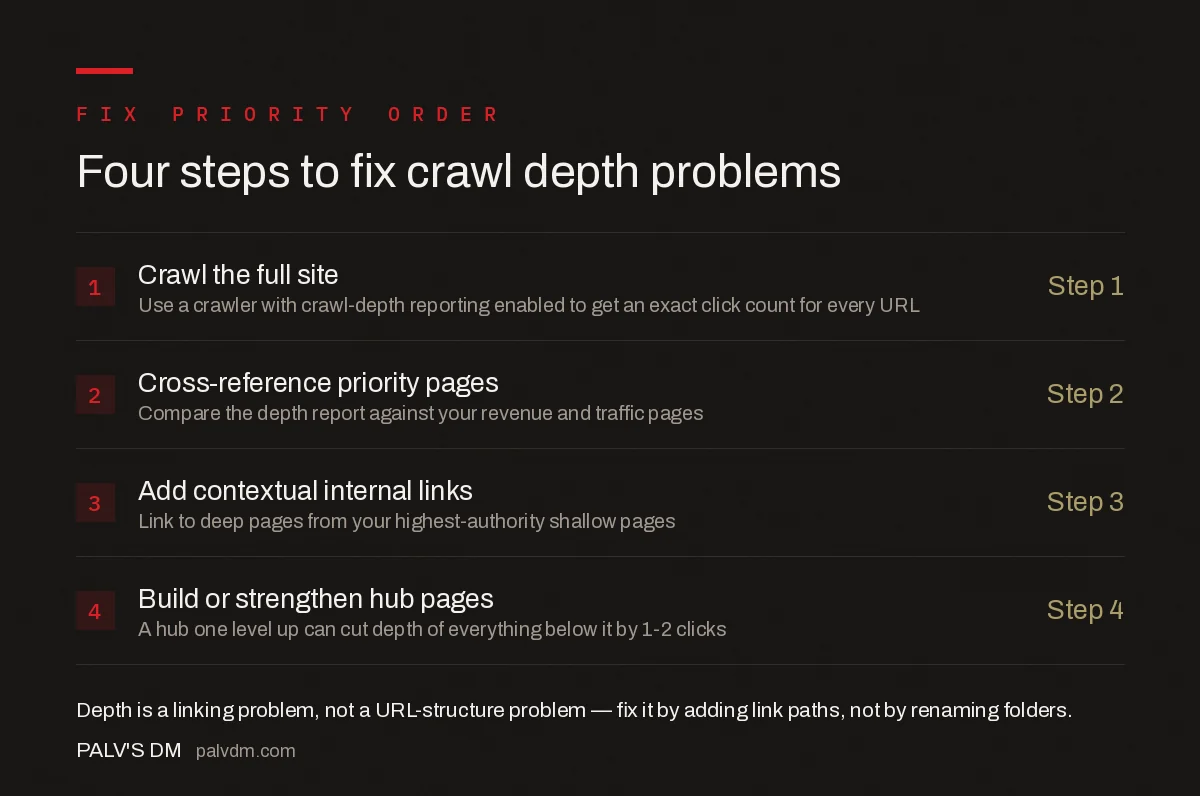
Four steps to fix crawl depth problems
- Crawl the full site — Step 1. Use a crawler with crawl-depth reporting enabled to get an exact click count for every URL.
- Cross-reference priority pages — Step 2. Compare the depth report against your revenue and traffic pages.
- Add contextual internal links — Step 3. Link to deep pages from your highest-authority shallow pages.
- Build or strengthen hub pages — Step 4. A hub one level up can cut depth of everything below it by 1-2 clicks.
Fixing depth is almost always a linking exercise, not a URL-restructuring one. Moving a page to a shorter URL without adding a link path to it from a shallow page changes nothing about how Google discovers or prioritises it. This is the same principle covered in internal linking at scale: technical approaches that work — link architecture, not URL length, is what crawl depth actually measures.
How does crawl depth relate to other technical SEO signals?
Crawl depth rarely causes problems on its own; it compounds with other crawling and indexing issues. A deep page that also returns a soft 404 rather than a genuine error gets deprioritised twice over — Google struggles to find it, and when it does crawl it, the page tells Google it might not be worth indexing anyway. Understanding the full range of HTTP status codes every SEO should recognise helps you tell the difference between a page that’s deep but healthy and one that’s deep because something else is quietly broken.
An annual or quarterly technical audit is the practical way to catch depth problems before they become a pattern across a whole section of the site. A structured crawl, like the process in how to run a technical SEO audit with Screaming Frog, surfaces click-depth alongside orphan pages and broken links in the same pass, which is usually the fastest way to prioritise fixes across a large site.
Frequently asked questions
Is crawl depth an official Google ranking factor?
Not directly, but it behaves like one in practice. Google has said pages that are fewer clicks from the homepage tend to be treated as more important, and pages buried many clicks deep get crawled less often and can be indexed slower or not at all, which shows up as lower rankings even without a direct penalty.
How many clicks from the homepage is too many?
Three clicks is the commonly cited ceiling for pages you want to rank well, and it lines up with how Google’s crawlers behave: authority and crawl frequency drop off sharply after that point on most sites. Very large or very authoritative sites can push deeper pages successfully, but three is the safe target for everyone else.
Does a large XML sitemap fix a crawl depth problem?
No. A sitemap tells Google a URL exists, but it does not change how Google weighs that page’s importance or how often it gets re-crawled once discovered. Deep pages listed only in a sitemap, with no internal links pointing to them, are typically crawled far less often than shallow pages with the same sitemap entry.
What is the fastest way to fix crawl depth on an existing site?
Add contextual internal links from shallow, high-authority pages to the deep pages that matter, and build hub or category pages that group related deep content one level higher. Restructuring URL folders alone does not help; what matters is the number of clicks a real link path takes, not the length of the URL string.
Do pagination and faceted navigation affect crawl depth?
Yes, heavily. Long paginated series push older items further from the homepage with every additional page, and faceted navigation can create thousands of low-value URLs that dilute crawl budget on large sites. Both are common, overlooked causes of important pages sitting deeper than they should.
Sources
- Large Site Owner’s Guide to Managing Crawl Budget — Google Search Central
- Googlebot Overview — Google Search Central
- Technical SEO: The Complete Working Guide
Want this done on your site?
Every PalV’s DM engagement starts with a free audit of your actual website — a 12-point
crawl covering what is blocking indexation, on-page gaps against your primary keywords, speed
findings, and the three to five fixes worth making first. Delivered in two working days. No
payment details, and the findings are yours whether you hire us or not.


