Service Support — Web Development
Why We Don’t Use Page Builders on Client Sites
Page builder problems—bloat, lock-in, update risk—are why we build client WordPress sites in native blocks, not Elementor or Divi. Here's the reasoning.
We don’t build client sites on Elementor, Divi, Beaver Builder, or any drag-and-drop page builder — and it’s not an aesthetic preference. Page builder problems show up months after launch: bloated code that slows the site down, a plugin dependency that locks the client into one vendor, and a maintenance bill that keeps growing every time the builder pushes an update. We build in native WordPress blocks (Gutenberg) or hand-coded templates instead, because that’s what stays fast, stays editable, and stays yours.
Key takeaway
- Page builders wrap every element in extra markup and load their own CSS/JS bundle whether you use their features or not — that’s the direct cause of most page builder problems we’re called in to fix.
- Content built inside a page builder is functionally locked to that plugin; remove it or switch tools and the layout breaks, not just the styling.
- Native blocks and hand-coded templates are slower to build up front but cheaper to run for years — no compatibility matrix to manage, no plugin subscription, no vendor to outlive.
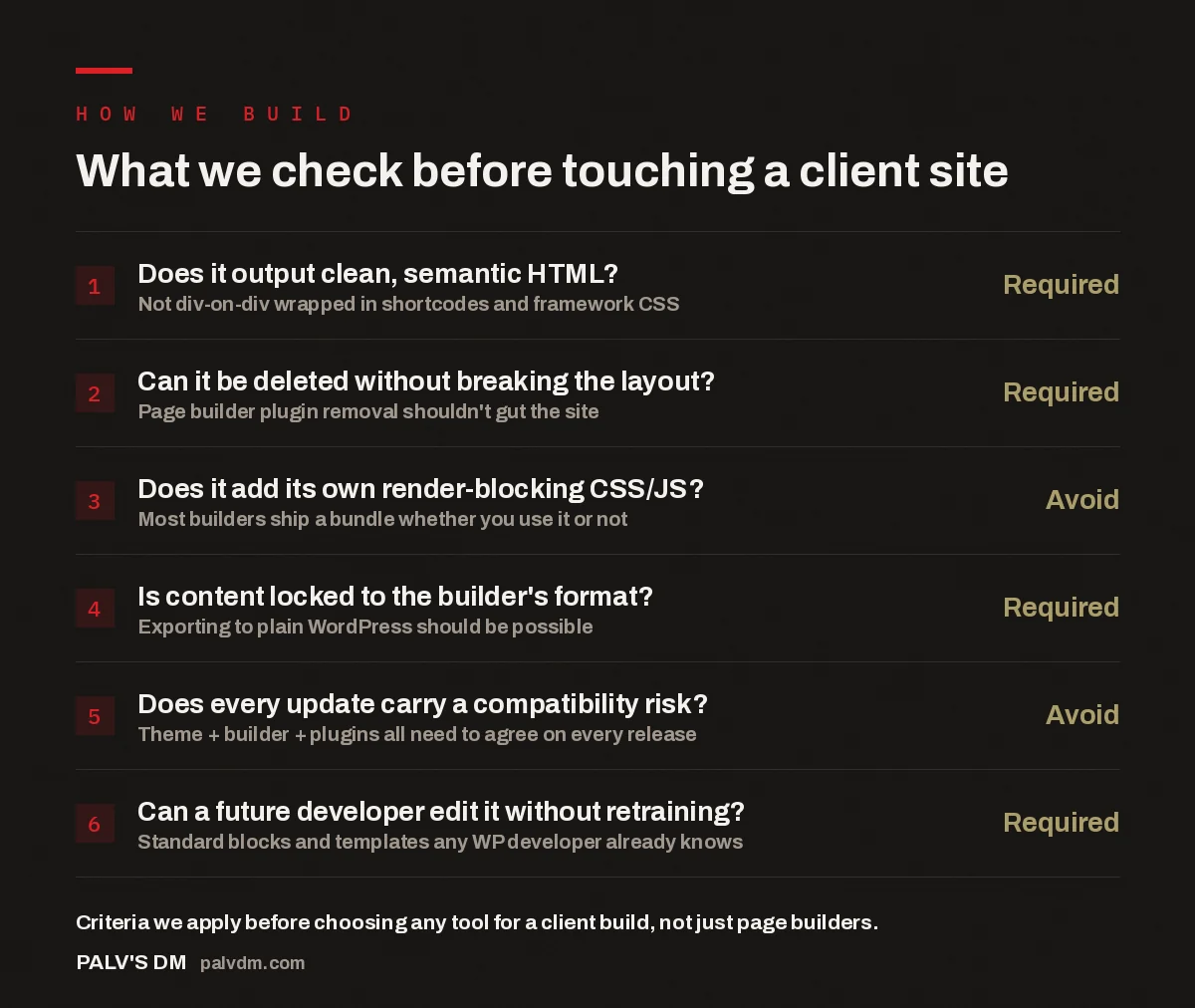
What we check before touching a client site
- Does it output clean, semantic HTML? — Required. Not div-on-div wrapped in shortcodes and framework CSS.
- Can it be deleted without breaking the layout? — Required. Page builder plugin removal shouldn’t gut the site.
- Does it add its own render-blocking CSS/JS? — Avoid. Most builders ship a bundle whether you use it or not.
- Is content locked to the builder’s format? — Required. Exporting to plain WordPress should be possible.
- Does every update carry a compatibility risk? — Avoid. Theme + builder + plugins all need to agree on every release.
- Can a future developer edit it without retraining? — Required. Standard blocks and templates any WP developer already knows.
What exactly is a page builder, and why does it cause problems?
A page builder is a plugin that sits on top of WordPress and replaces its native editor with a drag-and-drop interface — sections, columns, and widgets you position visually. The appeal is obvious: a non-technical team member can rearrange a page without touching code. The cost is underneath the hood. To make every element draggable and visually configurable, the builder wraps it in several layers of extra <div> tags, inline styles, and its own class names. A single paragraph that would be one clean HTML element in native WordPress can end up nested five or six layers deep. Browsers still render it, but they work harder to do it, and so does anyone trying to read or edit the underlying code later.
On top of the markup bloat, most builders load a CSS and JavaScript bundle on every page of the site — not just the pages using the builder’s advanced features. That bundle typically includes code for animations, sliders, and layout options the site may never use, because the plugin can’t know in advance which features a given page needs. The browser downloads and parses all of it anyway. That’s the mechanical root of why builder-based sites tend to load slower than sites built in native code, and it’s the pattern we see repeatedly when auditing or taking over a builder-built site.
How does a page builder actually slow a site down?
Three mechanisms account for most of it. First, the markup itself: extra wrapping elements mean a larger HTML document and a deeper DOM tree, both of which the browser has to parse before it can paint anything. Second, the asset bundle: builder plugins commonly enqueue their own stylesheet and script files site-wide, adding requests and parse time even on pages using none of the builder’s dynamic widgets. Third, the update cycle: because the builder, the theme, and any add-on modules all have to stay compatible, teams often delay updates to avoid breaking the layout — so the site keeps running older, less-optimised code for longer than it should.
None of this means a page builder makes a site unusable. Plenty of builder-built sites load acceptably, especially with caching and good hosting layered on top. What it means is that the builder adds a performance tax a hand-built or block-built site simply doesn’t carry — and for a site where organic search visibility matters, that tax compounds. Page speed is one of the signals search engines use to evaluate a page, and it’s a direct lever on user experience: a slower page loses visitors before they read a word of content.
A page builder doesn’t fail loudly. It fails quietly, one plugin update at a time, until the client calls us asking why their site that used to work fine suddenly looks broken.
Palash, Founder, PalV’s DM
What happens when you try to leave a page builder?
This is the part clients rarely find out until it’s too late. Content built inside a page builder isn’t stored as plain WordPress content — it’s stored as the builder’s own shortcode or block syntax, tied to that plugin’s rendering logic. Deactivate the plugin, and the page doesn’t just lose its styling; it often shows raw shortcode text or a collapsed mess where the layout used to be. Migrating away means either paying for an export tool that promises to convert the content — results vary, and layout usually still needs manual rework — or rebuilding the affected pages from scratch.
We’ve inherited sites in exactly this position: a business wants to switch developers or stop paying for a premium builder license, and discovers the content is effectively hostage to the plugin that created it. That’s not a hypothetical edge case — it’s the predictable consequence of how these tools store data. A native WordPress build stored in standard blocks or template files doesn’t have this failure mode, because there’s no proprietary layer between the content and the platform it lives on.
What do we build instead, and why does it hold up better?
We build on self-hosted WordPress using the native block editor (Gutenberg) for content, combined with hand-coded theme templates for structural layout — headers, footers, archive pages, custom post types. That split matters: Gutenberg blocks give a client’s team a familiar, visual way to edit paragraphs, images, and simple layouts without touching code, while the structural template is clean, purpose-built HTML and CSS with no plugin dependency sitting between the content and the page. See our piece on why we build on self-hosted WordPress for the deeper reasoning behind the platform choice itself.
The practical difference shows up in three places. Page weight is lower, because no builder framework loads on pages that don’t need it — one reason we can commit to specific speed targets on every build, covered in the speed targets we commit to and how we hit them. Editing stays simple for the client’s team, because Gutenberg is the editor WordPress ships with by default, not a third-party interface to relearn if they change agencies. And the site carries less risk over time, with no builder-versus-theme-versus-plugin compatibility chain to manage on every update — which ties into why we keep plugin count low, covered in why our sites have no plugin bloat.
Does avoiding page builders cost more up front?
Sometimes, yes — a hand-coded template takes a developer longer to build than dragging pre-made sections into a builder canvas, and that upfront cost is real. But it’s worth separating build cost from total cost of ownership. A builder-based site often looks cheaper to launch and then accumulates cost over years: a recurring plugin license, more frequent emergency fixes when an update breaks the layout, and a bigger rebuild bill whenever the business finally leaves the builder behind. A block-built site has a flatter cost curve — the bulk of the cost sits at launch, and maintenance afterward is lighter because there’s less that can break. See what a website actually costs to run each year for a fuller breakdown of where that budget goes.
This trade-off is part of a broader decision framework we walk every client through — whether the smarter move is a fresh build, a partial redesign, or fixing specific problems on the existing site. That reasoning is laid out in our decision framework for redesign or rebuild.
Are there cases where a page builder makes sense?
Honestly, yes, in a narrow set of cases. A solo operator with no development budget who needs a basic site up this week and plans to manage every page personally may reasonably choose a builder for the speed and low barrier to entry. A landing page built for a single short-lived campaign, where longevity doesn’t matter, is another case where the trade-offs shift. What doesn’t fit that profile is a business site meant to rank in organic search, stay online for years, and get handed between developers or agencies over its lifetime — which describes most of the client sites we’re asked to build or take over.
We’re also upfront that this preference means we’re not the right fit for every project. If a prospective client specifically wants a page-builder-based build because their internal team is already trained on one, we’ll say so rather than take the project and quietly build it our way instead. That kind of fit-checking is part of a broader filter we apply to incoming work, covered in website projects we turn down.
Key takeaway
- Page builders trade short-term build speed for long-term page weight, editing lock-in, and update risk — costs that show up after launch, not during it.
- Native blocks and hand-coded templates cost more to build but far less to maintain, with no proprietary format standing between the client and their own content.
- If your current site is on a page builder and starting to show these problems, a full rebuild isn’t always the only path forward — worth getting a second opinion before committing to one.
See how we build websites without the page builder trade-offs
Frequently asked questions
Are all page builders equally slow?
No — some builders are markedly leaner than others, and hosting, caching, and how many advanced features a site actually uses all affect the outcome. But the underlying mechanism is shared across nearly all of them: extra markup layers and a plugin-wide asset bundle. That mechanism is what creates the performance gap versus a native block or hand-coded build, even when a particular builder is better optimised than its peers.
Can an existing page-builder site be migrated to native WordPress blocks?
Yes, but it’s a rebuild of the affected pages rather than a simple conversion. Automated export tools exist, but in practice the layout usually needs manual rework once it’s out of the builder’s proprietary format. We treat this as part of a standard migration project rather than a quick fix, and we plan it to avoid any drop in existing search rankings.
Will my team still be able to edit the site without a page builder?
Yes. The native WordPress block editor (Gutenberg) handles everyday edits — text, images, simple layout changes — without any third-party plugin. It’s the same editor built into WordPress core, so there’s nothing extra to license or relearn if you ever change agencies or bring editing in-house.
Does removing a page builder guarantee a faster site?
It removes one major source of page weight, but speed also depends on image handling, hosting, caching, and how many other plugins are installed. Removing a page builder is a meaningful step, not a complete speed fix on its own — it needs to be paired with the rest of a clean build.
Is a page builder ever the right choice for a business site?
In narrow cases — a short-lived campaign page, or a solo operator with no budget for custom development who will manage every page personally. For a business site expected to rank in organic search and stay in use for years, the maintenance and lock-in costs generally outweigh the upfront convenience.