
The Fastest WordPress Theme for Core Web Vitals: What Actually Matters
The fastest WordPress theme is lightweight by default, not by plugin. See how GeneratePress, Astra and Blocksy compare on real speed data.
The fastest WordPress theme is the one that adds the least CSS and JavaScript before your content even loads, not the one with the flashiest demo site. GeneratePress, Astra and Blocksy consistently top independent speed tests because their default installs stay under a few kilobytes of front-end code. A theme built on a heavy framework can undo that advantage before a single plugin gets involved.
Most “fastest WordPress theme” roundups rank themes on a demo homepage with stock images and no real content. That’s not what your Core Web Vitals score gets measured against. Google measures your actual pages, with your actual images, forms and third-party scripts. The theme is one input among several, but it’s the one input you lock in for years and rarely revisit.
What actually makes a WordPress theme fast?
Four things, in order of how much they matter: default CSS size, whether the theme depends on jQuery or a JS framework, how many HTTP requests the theme fires before content paints, and how much markup it wraps around your content. A theme that renders a paragraph inside six nested divs with inline styles is doing more work than one that renders it inside two.
GeneratePress publishes its own numbers on this: a default install adds under 10KB of CSS and zero JavaScript to the front end, according to the theme’s own performance page. That’s a genuinely small number. Compare it to a typical multipurpose theme built for a builder marketplace, where the demo import alone can pull in 200KB before you’ve written a word.
None of this guarantees a good Core Web Vitals score on its own. It sets a floor. What you build on top of that floor, hosting, image handling, plugin count, still does most of the work.
Which lightweight themes actually deliver?
The three names that show up in nearly every independent 2026 speed comparison are GeneratePress, Astra and Blocksy. Kadence is a reasonable fourth. Here’s how they differ where it actually matters for a real build, not a demo.
Lightweight WordPress Themes Compared
| GeneratePress | Astra | Blocksy | |
|---|---|---|---|
| Default front-end footprint | Under 10KB CSS, no JS (theme’s own figure) | Lightweight core, similar philosophy | Slightly heavier default, still block-based |
| jQuery dependency | None | None on default install | None |
| Starter templates | Fewer, via separate plugin | Large library via Starter Templates plugin | Large library, tightly integrated |
| Page builder philosophy | Minimal, favours native blocks | Builder-agnostic, works with most | Native blocks first, extensions for the rest |
| Best fit | Developers who want to add only what’s needed | Agencies wanting a fast start from a template | Sites wanting block-editor speed with more built-in options |
None of these three will single-handedly sink your Core Web Vitals. Any of them, badly configured with six plugins and unoptimised hero images, will. The theme buys you headroom. It doesn’t spend it for you.
Does a lightweight theme guarantee good Core Web Vitals?
No, and this is where a lot of “fastest theme” advice quietly misleads people. LCP usually gets decided by your largest image or hero element, not your theme’s CSS file. INP gets decided by how many scripts run on interaction, which is mostly a plugin problem. CLS gets decided by whether images and ads have explicit dimensions set, which is a content problem as much as a theme problem.
A lightweight theme removes one variable from the equation. It doesn’t touch the other two on its own. I’ve audited sites running GeneratePress with a 4.8-second LCP because the hero image was a 3MB PNG served without a CDN. The theme did its job. Nothing else did.
Page builders vs lightweight themes: what’s the real trade-off?
A heavy page builder can add back everything a lightweight theme saved you, and then some. Elementor’s free version alone can add 100KB or more of CSS and JS on pages that use it, on top of whatever the theme ships. That’s not a reason to avoid builders entirely. It’s a reason to know what you’re trading.
- Native block editor + lightweight theme. Smallest footprint, steeper learning curve for non-technical editors, best long-term speed ceiling.
- Lightweight theme + selective builder use. Use blocks for most pages, reach for a builder only on complex landing pages. Reasonable middle ground for agencies handing sites to non-technical clients.
- Full page builder on every page. Fastest to build, easiest for a client to edit without help, and the option most likely to need real optimisation work afterward to hit good Core Web Vitals scores.
We build almost everything on native Gutenberg with a lightweight theme now. Not out of purism. It’s simply less work to keep fast over three years of client edits than a builder-heavy site is.
Signs your current theme is the actual bottleneck
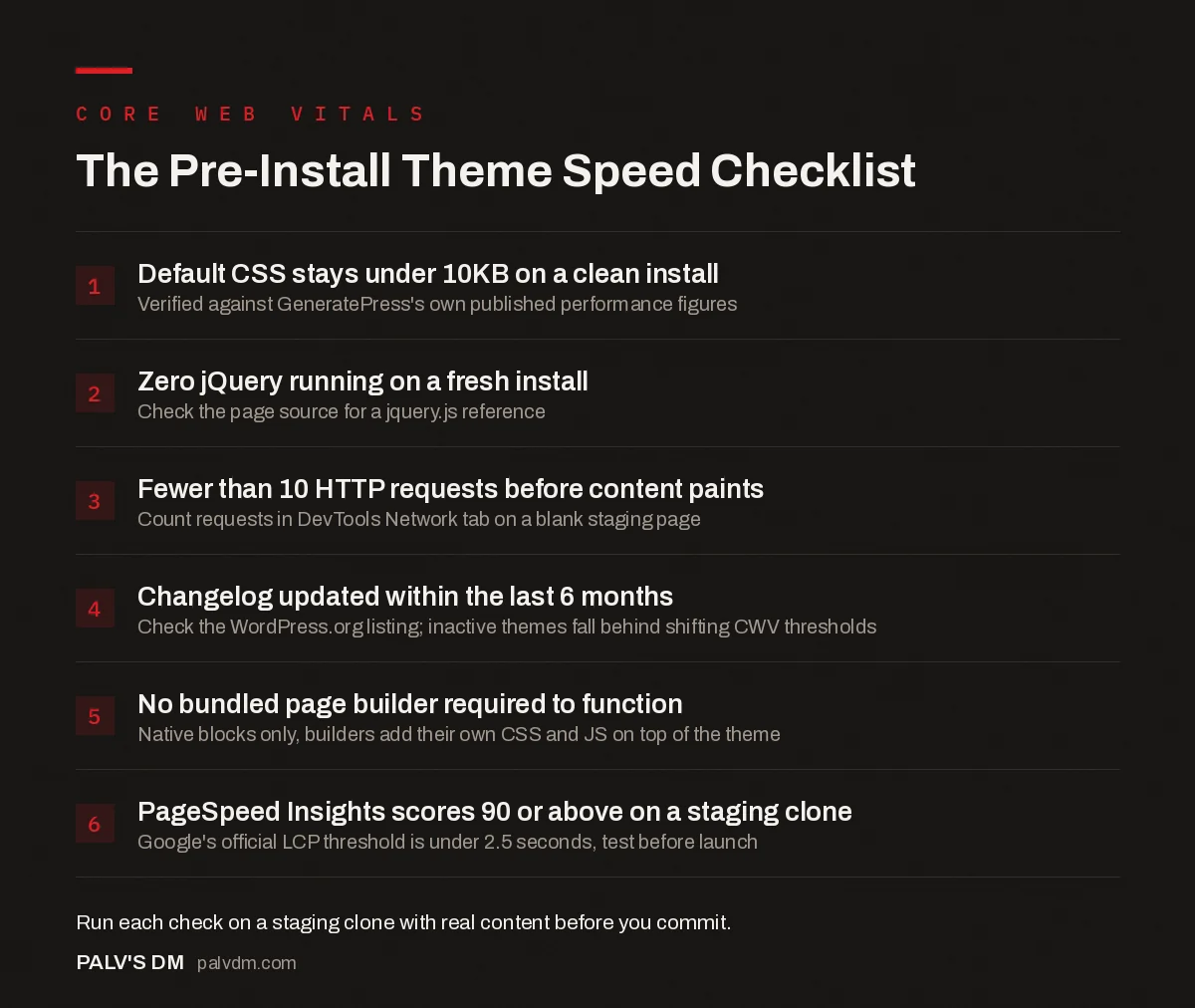
The Pre-Install Theme Speed Checklist
- Default CSS stays under 10KB on a clean install. Verified against GeneratePress’s own published performance figures.
- Zero jQuery running on a fresh install. Check the page source for a jquery.js reference.
- Fewer than 10 HTTP requests before content paints. Count requests in DevTools Network tab on a blank staging page.
- Changelog updated within the last 6 months. Check the WordPress.org listing; inactive themes fall behind shifting CWV thresholds.
- No bundled page builder required to function. Native blocks only, builders add their own CSS and JS on top of the theme.
- PageSpeed Insights scores 90 or above on a staging clone. Google’s official LCP threshold is under 2.5 seconds, test before launch.
How do you actually test a theme before committing to it?
Install it on a staging site with real content, not the demo import. Run PageSpeed Insights and check the “Reduce unused CSS” and “Reduce unused JavaScript” flags specifically. A theme that trips both on a near-empty page is going to get worse, not better, once you add your actual content, forms and tracking scripts.
Then check the theme’s changelog. A theme updated three times in the last year with active development is a safer long-term bet than one that hasn’t shipped a release in eighteen months, no matter how fast its current version tests. Core Web Vitals thresholds and browser rendering behaviour both keep moving. Themes that don’t keep up quietly fall behind.
Is switching themes worth the risk on an existing site?
Usually not, if your current theme isn’t the actual problem. Switching themes on a live site risks broken layouts, lost custom CSS, and a redesign project you didn’t plan for, just to shave off code that might not have been your bottleneck anyway. Run a PageSpeed Insights audit first and look at what’s actually flagged. If it’s image weight or a bloated plugin stack, fix that before you touch the theme.
If the theme genuinely is the bottleneck (heavy default CSS, jQuery dependency, dozens of unused features baked in), migrating to something like GeneratePress or Blocksy is worth the one-time pain. Budget real time for it. A theme switch on a site with fifty pages is not a thirty-minute job, whatever the marketing page says.
Does theme choice matter more than hosting?
Hosting usually moves the needle more, and I’ll take heat for saying that on a post about themes. Time to First Byte is set by your server, not your theme, and a slow TTFB drags down every other metric downstream of it, including LCP. A featherweight theme on cheap shared hosting with 300 other sites competing for CPU time can still post a mediocre score.
The two aren’t really competing priorities though. Get both right and neither one is doing the other’s job. A lightweight theme on decent hosting, LiteSpeed or a managed WordPress host with proper server-side caching, is where the actual gains stack up. Fix hosting first if your TTFB is over 600ms; it’s usually the cheaper problem to solve and it moves every page on the site at once, not just the ones you remember to optimise.
One more thing worth saying plainly: default WordPress core themes (Twenty Twenty-Four, Twenty Twenty-Five) are genuinely lightweight too, since they ship with the block editor’s own minimal styles and no legacy baggage. They’re a reasonable choice if you don’t need a page builder ecosystem or a theme framework’s extra settings panel. Nobody recommends them because they’re not selling anything, which says more about how “best theme” lists get written than about the themes themselves.
Frequently asked questions
Does the WordPress theme really affect Core Web Vitals?
Yes, directly. The theme controls how much CSS and JavaScript loads before the page renders, which drives LCP and INP. A theme adding 300KB of unused framework code will score worse than one adding 10KB, even on identical hosting with identical content.
What is the fastest free WordPress theme right now?
GeneratePress and Astra’s free versions are the most consistently recommended lightweight options, both built with minimal default CSS and no jQuery dependency. Blocksy is a close third with a slightly heavier default footprint but a genuinely useful free feature set.
Is GeneratePress or Astra faster?
On a clean install, both are close enough that the difference won’t move your Core Web Vitals score on its own. GeneratePress ships a slightly smaller default stylesheet; Astra ships more starter templates. Pick based on the ecosystem you’ll actually build in, not a few kilobytes.
Do page builders always slow a theme down?
A heavy page builder can undo a lightweight theme’s advantage fast, because it injects its own CSS and JS framework on top of whatever the theme ships. The theme sets the floor. The builder and the plugins you add on top usually decide where you actually land.
Can a caching plugin fix a slow theme instead of switching?
Caching helps server response time and repeat visits, but it can’t remove render-blocking CSS or unused JavaScript a theme loads on every first visit. It treats a symptom. If the theme itself ships bloated code, caching narrows the gap without closing it.
Sources
- Core Web Vitals, web.dev by Google
- GeneratePress performance claims, GeneratePress.com
- WordPress SEO: The Complete Configuration Guide
- Page Builders vs Native Gutenberg Blocks: The Real Cost
- WordPress Caching: What Each Layer Actually Does
- WordPress Plugins That Quietly Slow Your Site Down
Want this done on your site?
Every PalV’s DM engagement starts with a free audit of your actual website — a 12-point
crawl covering what is blocking indexation, on-page gaps against your primary keywords, speed
findings, and the three to five fixes worth making first. Delivered in two working days. No
payment details, and the findings are yours whether you hire us or not.
Get your free SEO audit
See Web Development plans and prices


