Service Support — Consulting & Audit
What We Look At in the First 30 Minutes of Any Audit
Curious what a quick SEO audit process actually covers? Here's the exact first-30-minutes checklist we run through before writing a single finding.

The first 30 minutes of an SEO audit at PalV’s DM follow a fixed order: confirm access, check crawlability and indexation, run a quick technical health pass, review traffic patterns, snapshot current rankings, glance at what competitors are doing better, then triage everything into quick wins versus structural fixes. None of this is guesswork — it’s a deliberate quick SEO audit process built to surface the two or three things that are actually holding a site back, before hours get spent confirming things that don’t matter. What happens in that first half hour decides where the rest of the audit goes.
Key takeaway
- The first 30 minutes aren’t a deep dive — they’re triage: access, crawlability, technical health, traffic, rankings, and competitors, checked in that order.
- The goal is to find the two or three issues that are actually costing rankings or traffic, not to catalogue every imperfection on the site.
- What gets flagged in the first half hour sets the agenda for everything investigated afterward — it’s the difference between a report you can act on and one you can’t.
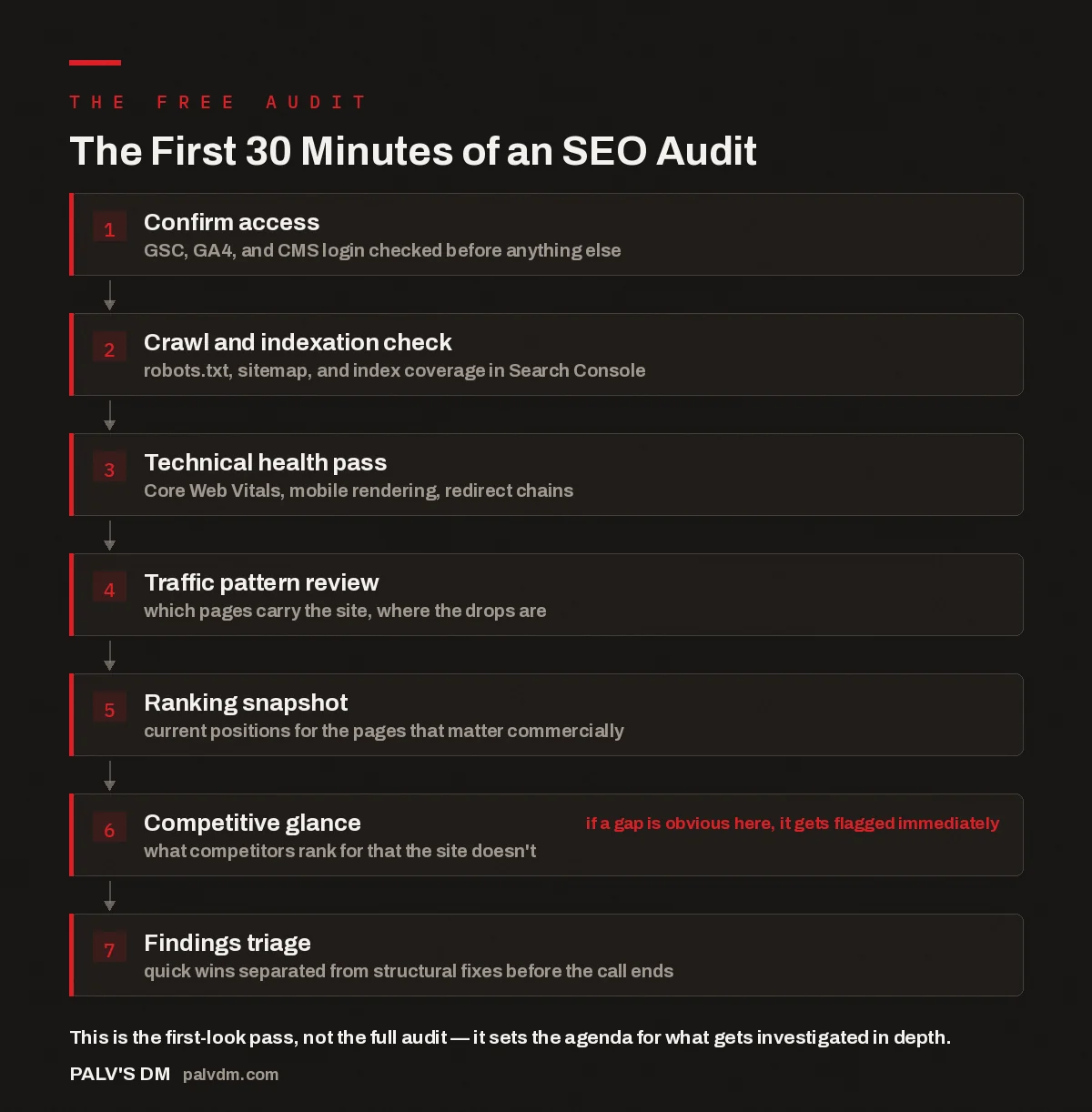
The First 30 Minutes of an SEO Audit
- Confirm access. GSC, GA4, and CMS login checked before anything else.
- Crawl and indexation check. robots.txt, sitemap, and index coverage in Search Console.
- Technical health pass. Core Web Vitals, mobile rendering, redirect chains.
- Traffic pattern review. which pages carry the site, where the drops are.
- Ranking snapshot. current positions for the pages that matter commercially.
- Competitive glance. what competitors rank for that the site doesn’t. if a gap is obvious here, it gets flagged immediately
- Findings triage. quick wins separated from structural fixes before the call ends.
Why does an audit start with access, not the website itself?
Before anything is looked at, we ask for access to Google Search Console, GA4, and the CMS. This isn’t a formality — it’s the difference between an audit built on real data and one built on guesses from a third-party crawler. A tool can estimate traffic. Search Console shows the actual queries a site ranks for and the actual pages Google has indexed. GA4 shows what visitors did once they landed. Without both, an audit is just opinions dressed up as findings.
This step also surfaces problems on its own. A site owner who can’t find their Search Console login, or who discovers the property was never verified, has just learned something about how their SEO has actually been managed — worth flagging before the audit has technically started.
What gets checked in the crawl and indexation check?
With access confirmed, the next few minutes go to whether Google can actually see the site the way it’s meant to. That means opening robots.txt to check nothing important is blocked, pulling up the XML sitemap to see if it’s current and submitted, and scanning the index coverage report in Search Console for pages marked “excluded” that shouldn’t be.
This is where sites lose ground quietly. A staging noindex tag left on after launch, a sitemap still pointing at old URLs after a redesign, a robots.txt rule written for a previous version of the site — none of these show up unless someone specifically looks. In the accounts we’ve reviewed, an indexation problem shows up often enough that it’s checked first, every time, rather than assumed fine.
What does the quick technical pass actually cover?
The technical pass in the first 30 minutes is not a full technical SEO audit — that comes later, if it’s warranted. This is a fast read on the handful of things that most reliably explain a ranking or traffic problem: Core Web Vitals scores from PageSpeed Insights, how the homepage and a key template page render on mobile, whether there are obvious redirect chains, and a spot check of canonical tags on a few important pages.
The point isn’t to find every technical issue in thirty minutes — that’s not possible on most sites of real size. The point is to rule technical problems in or out as a plausible explanation for whatever brought the site to an audit. If Core Web Vitals are poor across the board, that’s a lead worth chasing later. If they’re fine, technical performance gets deprioritised and attention shifts elsewhere.
How do traffic patterns get reviewed in a few minutes?
With GA4 open, the check is deliberately narrow: which pages currently carry organic traffic, and is there a visible cliff on the timeline. A gradual decline over months points somewhere different than a sharp drop on a specific date — the sharp drop usually lines up with a known Google update, a site migration, or an unflagged internal change, like a redesign that quietly altered URL structures.
This is also where it becomes clear whether organic traffic is concentrated in a handful of pages or spread across many. A site earning most of its visits from three blog posts and a homepage has a different risk profile — and different priorities — than one with traffic spread evenly across fifty pages. That distinction shapes whether the full audit should focus on content, technical structure, or something else entirely.
What’s included in the ranking and competitive snapshot?
Toward the end of the half hour, we pull current rankings for the handful of terms that actually matter commercially — not a long-tail export of everything the site ranks for, but the two to five phrases that would move the business if they moved. Alongside that, we open the two or three competitor pages currently outranking the site for those terms and look for what’s structurally different: more depth on the page, schema markup present on their site and absent on this one, a cleaner internal linking pattern, or a stronger set of backlinks.
This isn’t a full competitive audit — it’s a gut check: is the gap between this site and its competitors obviously fixable, or does it point to a bigger structural problem that needs its own investigation.
Thirty minutes doesn’t get you a full audit. It gets you a good hypothesis. Everything that comes after is testing whether that hypothesis holds up.
Palash, Founder, PalV’s DM
How does findings triage work at the end of the call?
In the last few minutes, everything noticed gets sorted into two buckets: quick wins that could be fixed this week without touching the site’s architecture, and structural issues that need proper investigation before anyone commits time to fixing them. A missing meta title on a key page is a quick win. A site-wide indexation problem tied to how the CMS generates URLs is not — that gets flagged for the full audit, not fixed on the spot.
This split matters because it’s what makes the first 30 minutes useful rather than just a preview. A site owner walks away from the call already knowing what to fix immediately, even before a formal report exists. For a broader look at what tends to surface across audits generally, the three findings that show up in almost every audit covers the patterns we see repeatedly, independent of any single site.
How is this first-look pass different from a full audit?
| Aspect | First 30 minutes | Full audit |
|---|---|---|
| Scope | Access, crawl, technical, traffic, rankings, competitors — one pass each | Every page template, every ranking keyword, full backlink and content review |
| Data used | Live view during the call — GSC, GA4, PageSpeed Insights | Exported data, crawled site data, historical comparisons |
| Output | A short list of quick wins plus flagged areas for deeper review | A written report with prioritised, sequenced recommendations |
| Time | 30 minutes, done live on the call | Several days, done offline |
Neither pass replaces the other. The first 30 minutes decides what the full audit should spend its time on.
How can you make the first 30 minutes more productive?
The single biggest factor in how much ground gets covered in the first half hour is whether access is ready before the call starts. Search Console and GA4 permissions granted in advance, plus a CMS login on hand, mean the entire 30 minutes goes to actual analysis instead of account setup. Beyond access, it helps to know roughly what prompted the audit — a traffic drop, a stalled ranking, a general sense that something isn’t working — since that shapes where the limited time gets spent first. What to bring to a consulting call to make it worth it goes into more detail on preparing for this kind of session.
It also helps to know who else has touched the site’s SEO — a previous agency, an in-house attempt, a freelancer. That context doesn’t change the checklist, but it changes how findings get interpreted: a missing sitemap on a brand-new site reads differently than the same gap on a site with a supposed SEO retainer running for two years.
This first 30 minutes happens as part of the free audit we offer before any engagement starts, for reasons covered in why the free audit exists and what it costs us. Anything reviewed during that call — logins, traffic data, rankings — is handled the same way regardless of whether the audit leads to further work, which is explained in what we do with your data after a free audit.
Key takeaway
- Have Search Console, GA4, and CMS access ready before the call — it’s what lets the full 30 minutes go to analysis instead of setup.
- The first 30 minutes produces a short list of quick wins and a set of flagged areas — not a finished report.
- If the audit points to something worth investigating further, that’s what the full audit is for.
FAQ
Is the first 30 minutes done live on a call, or before it?
It’s done live, on screen, with the site owner watching. The access check, crawl review, technical pass, traffic review, and ranking snapshot all happen in real time during the call, not prepared in advance as a static report. That’s deliberate — seeing the data live makes it clear where each finding actually comes from.
Do you need admin access to Google Search Console for this?
Full admin isn’t required — restricted or read-only access to Search Console and GA4 is enough for the first 30 minutes. Admin access becomes relevant only if the engagement moves forward and changes need to be made, such as submitting a new sitemap or fixing a verification issue.
What if the site doesn’t have Google Analytics installed?
That’s itself a finding, and not a rare one. Without GA4, the traffic pattern review shifts to whatever Search Console shows for clicks and impressions, which is narrower but still useful. Getting analytics installed properly becomes one of the quick wins flagged at the end of the call.
Does the first 30 minutes cover backlinks?
Only glancingly, as part of the competitive snapshot — a look at whether competitors outranking the site appear to have a stronger backlink profile, not a full link audit. A proper backlink review takes longer than 30 minutes to do responsibly and is part of the full audit, not the first-look pass.
What happens to the data reviewed during the call afterward?
The same handling applies whether or not the audit turns into ongoing work — access is used only for the audit itself and isn’t retained or reused beyond it. The specifics are covered in what we do with your data after a free audit, linked earlier in this piece.
Short version: the first 30 minutes of an audit is a fixed, live sequence — access, crawlability, technical health, traffic, rankings, competitors, then triage — built to separate quick wins from problems that need proper investigation. It’s not a finished audit. It’s the fastest honest read of a site we can give in half an hour, and it decides what the rest of the work should focus on.