How We Report: What’s in Every Monthly Update
A real SEO reporting example covers rankings, traffic, work completed, technical health, competitor moves, and next month's plan — here's what we send clients.

A proper monthly SEO report has six parts: ranking movement for the keywords that matter, organic traffic broken down by landing page, a log of the work actually completed, a technical health check, a note on what competitors did, and a specific plan for next month. If your current SEO reporting example is a screenshot of a rank tracker and a one-line summary, you’re not getting a report — you’re getting a status ping. This is what we send every client, every month, and why each section exists.
Key takeaway
- A real monthly report ties every ranking or traffic change back to a specific, dated piece of work — not a vague “we’re optimising.”
- Rankings and traffic are necessary but not sufficient; technical health and competitor movement explain the “why” behind the numbers.
- The most useful section of any report is the one agencies skip most often: next month’s specific, prioritised plan.
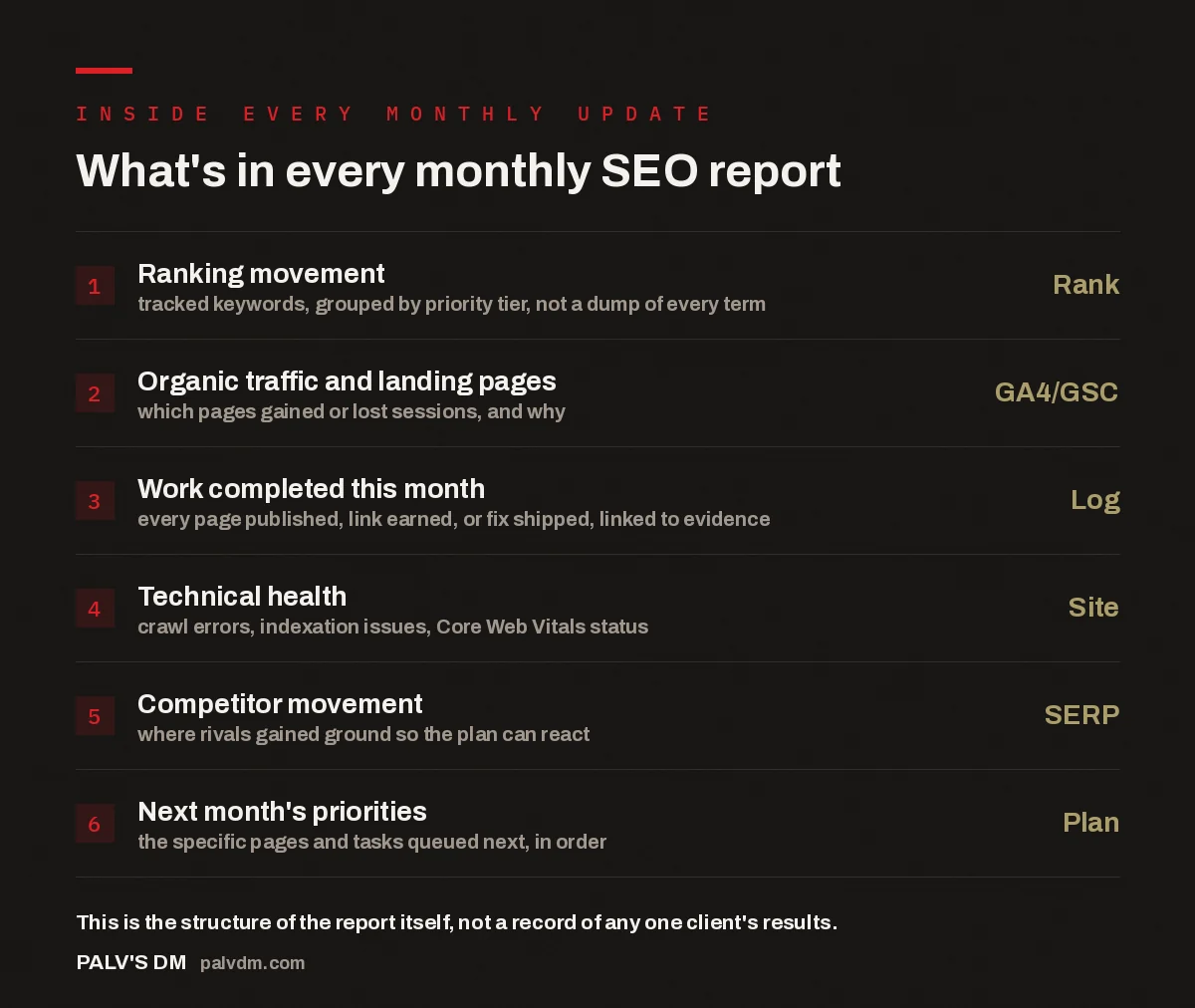
What’s in every monthly SEO report
- Ranking movement — Rank. tracked keywords, grouped by priority tier, not a dump of every term.
- Organic traffic and landing pages — GA4/GSC. which pages gained or lost sessions, and why.
- Work completed this month — Log. every page published, link earned, or fix shipped, linked to evidence.
- Technical health — Site. crawl errors, indexation issues, Core Web Vitals status.
- Competitor movement — SERP. where rivals gained ground so the plan can react.
- Next month’s priorities — Plan. the specific pages and tasks queued next, in order.
Why do most SEO reports feel useless?
Most SEO reports feel useless because they show movement without cause. A client sees “Keyword X moved from position 14 to position 9” with no indication of what caused the move, whether it was the agency’s work or a competitor stumbling, or whether position 9 for that keyword was even worth chasing. The report becomes a screenshot exercise — a rank tracker export pasted into a slide deck once a month, rarely discussed live.
The fix isn’t more data. It’s linking every number to a specific action and a specific reason. A report that says “position 9, up from 14, after we rewrote the H1 and added FAQ schema to this page on the 8th” tells a client something they can act on and something they can verify. A report that just shows the position change tells them nothing except that something happened, somewhere, for some reason.
How is ranking movement reported?
Rankings are reported by priority tier, not as one undifferentiated list. A site might track 150 keywords, but only a fraction of them are the ones actually driving the business case for SEO — the terms tied to revenue pages, not every long-tail variant that happened to get picked up along the way. Those priority terms get their own section: current position, position 30 days ago, and the trend line over the full engagement, because a single month of ranking data is noisy and a trend over several months is not.
Secondary and long-tail keywords are reported in aggregate — how many moved into the top 10, how many moved out, net change — rather than keyword-by-keyword, because nobody needs 130 individual line items to understand direction. If a client wants the full list, it’s available; it just doesn’t clutter the primary report.
How do we report traffic and landing page performance?
Traffic gets reported at the landing page level, pulled from Google Analytics 4 and cross-checked against Google Search Console, because the two tools measure slightly different things and a report built on only one of them misses context. GA4 shows sessions and engagement once a visitor lands; Search Console shows impressions and click-through rate before they land, which is where a lot of the real diagnostic information lives.
If a page’s impressions climbed but clicks didn’t follow, that’s a title-and-meta-description problem, not a rankings problem, and the report says so explicitly rather than lumping it into a generic “traffic” line. If sessions dropped on a page that didn’t lose rankings, that usually points to a seasonal demand shift or a SERP feature (an AI Overview, a featured snippet, a new local pack) eating into click share — and that distinction changes what gets prioritised the following month.
What does the “work completed” section actually list?
This is the section most agency reports skip entirely, and it’s the one clients care about most once they’ve been through a few reporting cycles. It’s a dated log: every page published, every technical fix shipped, every link earned, every piece of content updated, with a link to the actual asset wherever possible. Not “ongoing on-page optimisation” as a bullet point that could describe any month of any client’s engagement — the specific URL that was rewritten, the specific schema markup added, the specific outreach that landed a link.
This section is what makes the rest of the report credible. If a ranking moved and there’s a dated entry showing what changed on that page in the weeks before, the causal story holds together. If a ranking moved and nothing in the log connects to it, the honest thing to do is say so — sometimes a page ranks better because a competitor’s page got penalised, not because of anything we did. A report that only ever takes credit isn’t one you can trust.
The workbooks and task logs that feed this section are the same ones used to plan and run the work week to week — we’ve written separately about the workbooks behind our SEO delivery and how a weekly SEO sprint actually runs, both of which explain where this data comes from before it ever reaches a monthly report.
How do we report technical health?
Technical health gets its own section because it’s the layer that determines whether the content and link work even has a chance to register. This covers crawl errors surfaced in Search Console, indexation status (pages submitted vs. pages actually indexed), and Core Web Vitals status at a site level. On a healthy site this section is short — a couple of lines confirming nothing is broken. On a site with real technical debt, it’s where the fastest wins usually sit, because fixing a crawl blocker can unlock pages that were already good enough to rank but were invisible to Google for reasons unrelated to content quality.
Why does competitor movement belong in the report?
Competitor movement belongs in the report because a ranking is relative, not absolute. A page holding steady at position 6 looks fine in isolation. If a competitor jumped from position 11 to position 4 in the same window by publishing a stronger resource on the same topic, that steady position 6 is actually a warning sign. This section tracks which competitor pages gained visibility on the terms a client cares about and, where it’s evident, what changed — a content refresh, a new page, a batch of links — so the plan can respond instead of finding out three months later that the gap has widened.
A report that only shows your own numbers is showing you half a picture. SEO is a competitive process, not a solo one — the report has to say what everyone else is doing too, or “we held steady” can quietly mean “we fell behind.”
Palash, Founder, PalV’s DM
Why does next month’s plan matter more than last month’s numbers?
Last month’s numbers tell a client what happened. Next month’s plan tells them what’s about to happen, which is the part they’re actually paying for. This section names the specific pages queued for work, the specific issues being fixed, and the order they’ll be tackled in — not a repeated promise to “continue optimising,” which could describe any month of any client’s engagement. If the plan shifted because of something found in the technical health check or the competitor section that same month, the report says what changed and why.
What actually lands in this plan depends heavily on what’s already included in the plan tier a client is on — the scope of a smaller retainer and a larger one differs in volume and speed, not in whether reporting happens. If you’re unsure what should be showing up in your own monthly plan section, what’s actually included in a monthly SEO retainer breaks down what each tier covers, and who works on your account and what each person does explains who’s actually behind the tasks listed.
What should a monthly SEO report never do?
A monthly SEO report should never lead with vanity metrics that don’t tie to the business — total keywords tracked, total “improvements made” as an unexplained count, or domain authority movement presented as if it were the goal rather than a byproduct. These numbers are easy to pad, which is exactly why they show up in reports built to retain a client rather than inform one, regardless of whether the business is actually getting more qualified traffic from search.
A report also shouldn’t hide a bad month. If rankings dropped or traffic fell, that belongs in the report with the likely cause — an algorithm update, a competitor’s move, a site change outside the SEO scope — stated plainly, followed by what’s being done about it. A report that only ever shows green is either lucky every month or leaving something out.
See it on your own site
If your current SEO reports don’t cover these six areas, or you can’t trace a single ranking change back to a dated piece of work, that’s worth fixing before you decide whether SEO itself is working.
What’s a good example of an SEO reporting format?
A good format covers six areas in a fixed order every month: priority keyword rankings with trend context, traffic and landing page performance from GA4 and Search Console, a dated log of work completed, a technical health check, competitor movement on the same terms, and next month’s specific plan. Consistent structure month to month matters as much as the content — it lets a client compare periods without relearning the report each time.
How often should SEO reports be sent?
Monthly is the standard cadence, because SEO changes move slowly enough that weekly reporting mostly shows noise rather than signal. That said, the work behind the report should be visible more often than the report itself — a task log or dashboard a client can check anytime is a useful supplement to the formal monthly summary, not a replacement for it.
Should an SEO report include Google Analytics and Search Console data together?
Yes. GA4 shows what happened after a visitor landed — sessions, engagement, conversions. Search Console shows what happened before that — impressions, click-through rate, average position for actual search queries. Using only one tool misses half the picture; a page can gain impressions without gaining clicks, and only Search Console data reveals that as a title or snippet problem rather than a rankings problem.
Why do some SEO reports not mention specific work done?
Usually because the report is generated automatically from a rank-tracking tool with no human layer added on top, or because the agency doesn’t want to detail scope in writing. Either way, a report without a specific, dated work log gives a client no way to verify that reported ranking changes are actually connected to paid-for work rather than external factors.
What if a monthly report shows no improvement?
A flat or down month should still get a full report with a stated reason and a next-month plan responding to it — a competitor push, an algorithm update, or a site change outside the SEO scope are all common, explainable causes. A report that goes quiet or vague in a bad month is a bigger red flag than the bad month itself.
Short version: a real SEO reporting example covers rankings by priority tier, traffic by landing page using both GA4 and Search Console, a dated log of work actually completed, technical health, competitor movement, and a specific plan for next month — not a rank-tracker screenshot with a vague summary attached. If you can’t trace a number in your current report back to a dated action, ask for that connection directly; it’s the difference between a scoreboard and something you can actually manage against.