
robots.txt Explained: Every Directive, With Examples
robots.txt controls crawling, not indexing. Every directive Google actually supports, working examples, and the mistakes that block content by accident.

robots.txt is a plain-text file at the root of your domain that tells crawlers which paths they may request — it controls crawling, not indexing, and Google supports exactly four directives that matter: User-agent, Disallow, Allow, and Sitemap. Everything else you see in the wild — Crawl-delay, Host, wildcards in odd places — either does nothing for Google or works differently than most guides describe.
Get the file wrong and the failure modes are asymmetric: block too much and Google stops crawling sections it should be indexing; block too little and crawlers burn budget on pages that never needed a visit. Neither mistake throws an error. The file just quietly does the wrong thing until someone checks Search Console.
What is a robots.txt file and where does it live?
robots.txt is the practical implementation of the Robots Exclusion Protocol, a plain-text file crawlers check before requesting anything else on a site. It must sit at the root of the host it governs — https://example.com/robots.txt — not in a subdirectory, and not as a variable route generated only on request. A copy at /blog/robots.txt is invalid and every crawler ignores it.
Each host needs its own file. www.example.com, example.com, and shop.example.com are three separate hosts as far as robots.txt is concerned, even if they resolve to the same server. Google’s own specification confirms the file applies only to the exact host, protocol, and port it was fetched from.
What directives does robots.txt actually support?
Search engines vary in what they honour. Google’s crawlers support four directives fully and ignore a fifth that shows up in nearly every tutorial.
| Directive | What it does | Googlebot support |
|---|---|---|
| User-agent | Names which crawler a rule group applies to | Full support |
| Disallow | Blocks crawling of a path or path prefix | Full support |
| Allow | Carves an exception out of a broader Disallow | Full support |
| Sitemap | Points crawlers to the XML sitemap URL | Full support (discovery aid, not a crawl rule) |
| Crawl-delay | Requests a pause between requests, in seconds | Parsed, then discarded — no effect |
Bing, Yandex, and several other crawlers do honour Crawl-delay. If Googlebot is hammering your server, the fix is the crawl rate setting in Search Console, not a directive Google has publicly stated it ignores.
How do you write a basic robots.txt file?
A rule group starts with one or more User-agent lines, followed by Disallow and Allow lines that apply to those agents. A minimal, safe file for most sites looks like this:
| Line | Purpose |
|---|---|
User-agent: * | Applies the following rules to every crawler |
Disallow: /wp-admin/ | Blocks the admin area from crawling |
Allow: /wp-admin/admin-ajax.php | Carves out the one admin file front-end scripts need |
Sitemap: https://example.com/sitemap.xml | Points crawlers to the sitemap, full absolute URL required |
Wildcards work inside paths: Disallow: /*?filter= blocks any URL containing that query string, and Disallow: /*.pdf$ blocks PDFs specifically, with $ anchoring the match to the end of the URL. Without the $, the rule matches the string anywhere, including as a prefix of a longer path.
What five rules keep a robots.txt file from breaking?
These are the conditions that separate a robots.txt file that works from one that silently misfires.
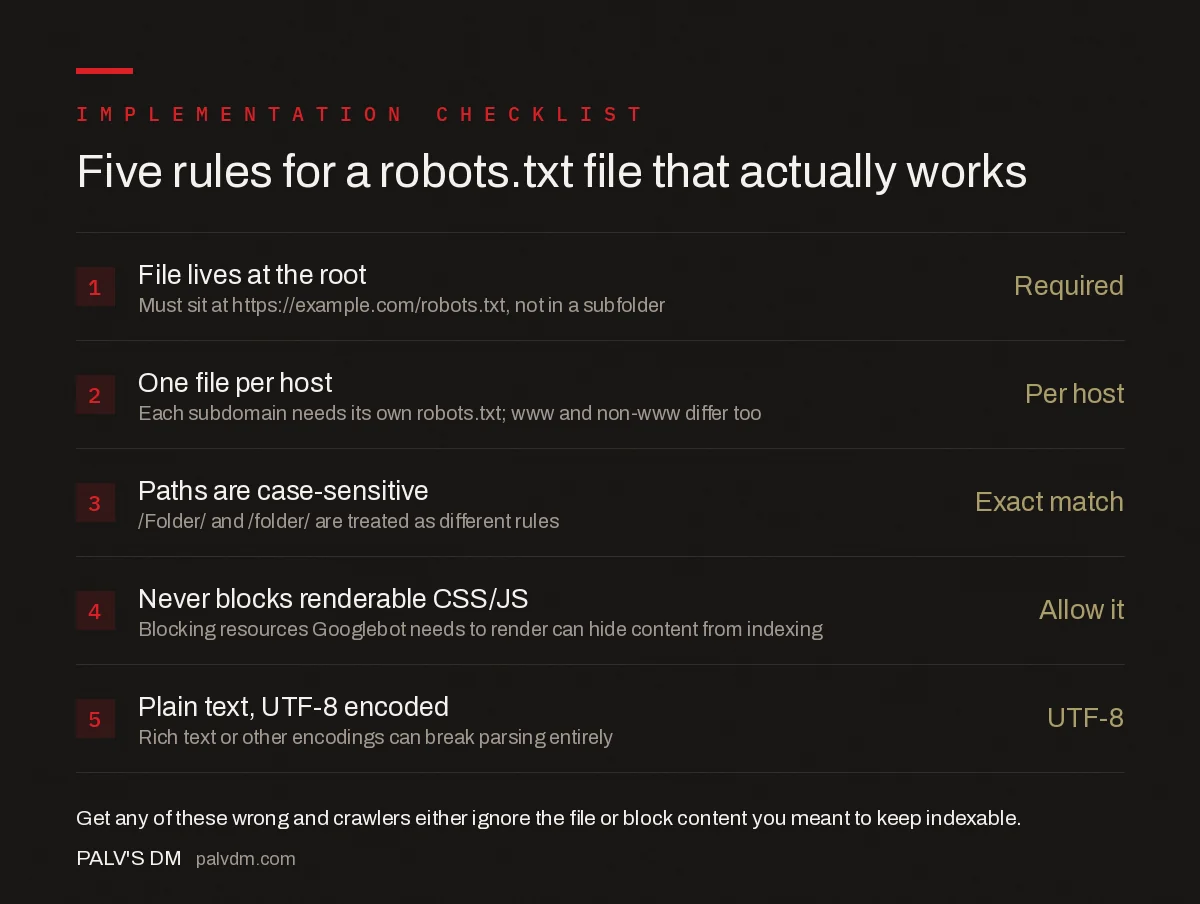
Five rules for a robots.txt file that actually works
- File lives at the root — Required. Must sit at https://example.com/robots.txt, not in a subfolder.
- One file per host — Per host. Each subdomain needs its own robots.txt; www and non-www differ too.
- Paths are case-sensitive — Exact match. /Folder/ and /folder/ are treated as different rules.
- Never blocks renderable CSS/JS — Allow it. Blocking resources Googlebot needs to render can hide content from indexing.
- Plain text, UTF-8 encoded — UTF-8. Rich text or other encodings can break parsing entirely.
The fourth rule causes damage that’s invisible in the robots.txt file itself. Blocking /wp-content/themes/ or a bundled JS folder used to be common advice for saving crawl budget; today it can stop Googlebot’s rendering pass from seeing content that JavaScript injects, which shows up as missing text in the indexed version of the page, not as an error anywhere in Search Console.
What are the most common robots.txt mistakes?
- Disallow: / left over from staging. A blanket block under User-agent: * pushed live from a staging environment is the single most common way a site accidentally de-indexes itself.
- Confusing Disallow with noindex. Disallow stops crawling. It does not stop indexing. A disallowed URL that other sites link to can still appear in search results with no title or snippet, because Google never crawled it to find a noindex tag.
- Relative or malformed Sitemap URLs. The Sitemap directive requires a full, absolute URL. A relative path is invalid and crawlers skip it.
- Blocking parameter URLs that also carry canonical signals. If a parameterised URL is disallowed but also happens to be the canonical target of another page, Google can’t verify that canonical because it can’t crawl the target.
- Trailing slash mismatches.
Disallow: /folderblocks/folder,/folder-name, and/folder/anythingalike, because the match is a prefix, not an exact path.Disallow: /folder/is narrower and usually what’s intended.
Does robots.txt block indexing?
Not directly, and this is the distinction most robots.txt confusion traces back to. Disallow stops Googlebot from requesting a page. It does not remove that page from the index if Google already has reason to believe it exists — typically an external link. The result is a URL indexed with no title tag and no meta description, just the bare URL, because Google has never seen the page’s content or its noindex tag, if one exists.
To keep a page out of the index entirely, use a noindex meta tag or X-Robots-Tag HTTP header, and make sure the page is crawlable so Google can see that tag. Disallowing a page in robots.txt while also noindexing it is a contradiction: Google can’t see the noindex instruction if it’s blocked from crawling the page to find it.
How do you test a robots.txt file before publishing?
Google Search Console’s robots.txt report shows the last version Google fetched and any parsing errors. Before that, a manual check catches most problems: request the live URL directly in a browser to confirm it returns 200 and renders as plain text, not HTML wrapped by a CMS template. Then paste a handful of representative URLs — a blocked admin path, a public product page, a parameterised URL — against the rule set line by line to confirm the intended crawler sees what you expect. Crawlers apply the most specific matching rule, not the first one listed, so order in the file doesn’t determine precedence the way it does in some other config formats.
Frequently asked questions
Does robots.txt stop a page from being indexed?
No. Disallow in robots.txt stops crawling, not indexing. If other pages link to a disallowed URL, Google can still index it with no snippet, because it never crawled the page to see a noindex tag. Use a noindex meta tag or header to stop indexing, not robots.txt.
Does Google respect the crawl-delay directive?
No. Googlebot parses crawl-delay but ignores it completely. Bing, Yahoo, and Yandex do honour it. To control Googlebot’s crawl rate, use the crawl rate setting in Google Search Console instead of a robots.txt directive.
Where does a robots.txt file need to live?
At the root of the host it applies to, for example https://example.com/robots.txt. A copy inside a subfolder is invalid and ignored. Subdomains each need their own robots.txt file, and HTTP and HTTPS versions of a domain are treated as separate hosts.
Can one Disallow rule block an entire site by accident?
Yes. Disallow: / under User-agent: * blocks every crawler from every page on the host. This is the most common robots.txt disaster, usually left over from a staging environment that got pushed to production without removing the block.
Do I need a robots.txt file if I have no pages to block?
Not strictly, but it is still worth having one that allows everything and lists your sitemap. A missing robots.txt returns a 404, which most crawlers treat as no restrictions, but an empty or unreachable file due to a server error can cause some crawlers to pause crawling as a precaution.
Sources
- Robots.txt Introduction and Guide — Google Search Central
- Technical SEO: The Complete Working Guide
- Why Your Page Isn’t Indexed: A Decision Tree
- XML Sitemaps: What to Include, What to Leave Out
- Search Console URL Removal Tool: What It Really Does
Want this done on your site?
Every PalV’s DM engagement starts with a free audit of your actual website — a 12-point
crawl covering what is blocking indexation, on-page gaps against your primary keywords, speed
findings, and the three to five fixes worth making first. Delivered in two working days. No
payment details, and the findings are yours whether you hire us or not.


